A zine can be a single folded sheet of paper or a 60-page stapled beast, and the page count you pick decides almost everything else: how you fold it, how you bind it, what it costs to print, and whether anyone reaches the last page. Pick the wrong number and you end up with blank pages at the back, staples that refuse to close, or a PDF that feels padded. This article gives you real numbers for print and online, so you can plan a zine before you draw a single panel. And if you want to publish yours as a page-turning web version, Flipbooks AI turns a finished PDF into an interactive flipbook in a few minutes.
The Short Answer
Most zines land between 8 and 32 pages. That range is not a rule, it is a habit that comes from how paper folds and how staples behave. Inside it, there are a handful of counts that work especially well.
Standard Page Counts
The most common zine lengths are:
- 8 pages: one sheet of paper folded and cut. The classic mini zine.
- 12 pages: three sheets nested, a quick short-story or photo set.
- 16 pages: four sheets, the sweet spot for most first zines.
- 20 to 24 pages: a proper booklet with room for sections and breathing space.
- 32 pages: the upper end for home stapling, and a comfortable length for an anthology.
If you have no idea where to start, aim for 16 pages. It is long enough to feel like a real object and short enough to finish in a weekend.
Why Multiples of Four Rule
Print is built from sheets, and each sheet folded in half gives you four pages: two on the front, two on the back. That is why saddle-stitched zines (folded sheets nested together and stapled through the fold) need a page count divisible by four.
💡 Pro tip: If your content ends at page 13, you do not have to pad it. Use the extra three pages for a contents list, an about-the-maker note, a blank "notes" page, or a small ad for your next zine.
Here is how the math looks when you count sheets:
| Sheets (folded in half) | Total pages | Typical use |
|---|
| 1 | 4 | Leaflet, flyer zine |
| 2 | 8 | Short poem or comic |
| 3 | 12 | Photo set |
| 4 | 16 | Standard first zine |
| 6 | 24 | Longer story, portfolio |
| 8 | 32 | Anthology, band zine |
Page Count by Zine Type
The right length depends on what you are making. A poem does not need 32 pages, and a photo essay may feel cramped at eight.
| Format | Typical pages | Best for | Assembly |
|---|
| One-sheet mini zine | 8 | Poems, comics, teasers, event flyers | Fold and cut, no tools |
| Folded and stapled booklet | 12 to 24 | Short stories, photo essays, sketchbooks | Saddle stitch |
| Thick booklet | 28 to 48 | Anthologies, event programs, band zines | Long-reach stapler or print shop |
| Perfect bound | 48 to 100+ | Long-form writing, collected issues | Glued spine |
| Digital zine | 6 to 40 | Portfolios, newsletters, photo series | Online flipbook |
The One-Sheet Mini Zine
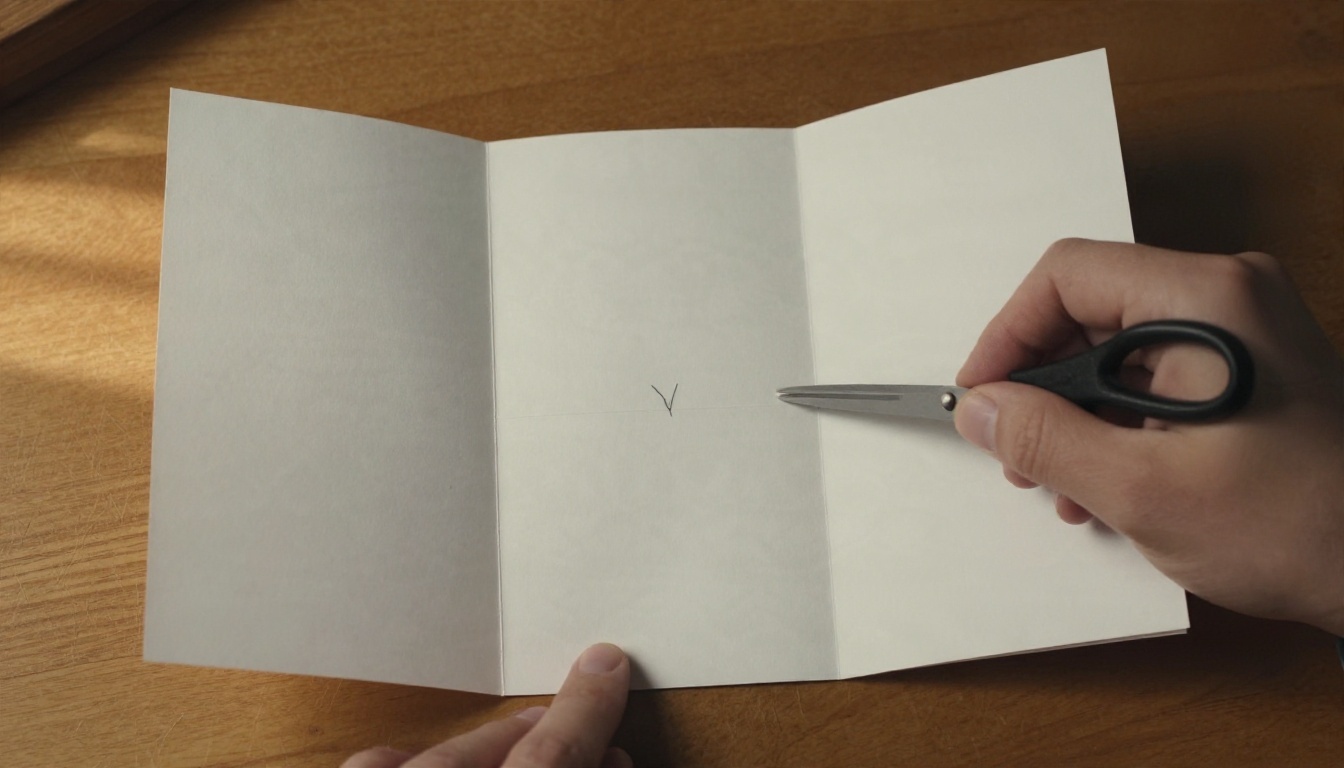
The famous 8-page zine starts as a single sheet of A4 or letter paper. You fold it in half three times, unfold it, cut one slit along the center crease, then push the ends together to form a tiny booklet. No staples, no glue, no printer settings to fight with.
Out of the eight pages, the front and back pages are usually your title and a closing note. That leaves six inside pages for content, so plan around six panels, not eight.
Good fits for the mini zine:
- A comic with one idea and one punchline per page
- Six haiku or short poems
- A handout for a workshop or a gig
- A teaser for a longer zine, with a link to the full version
The Staple-Bound Booklet
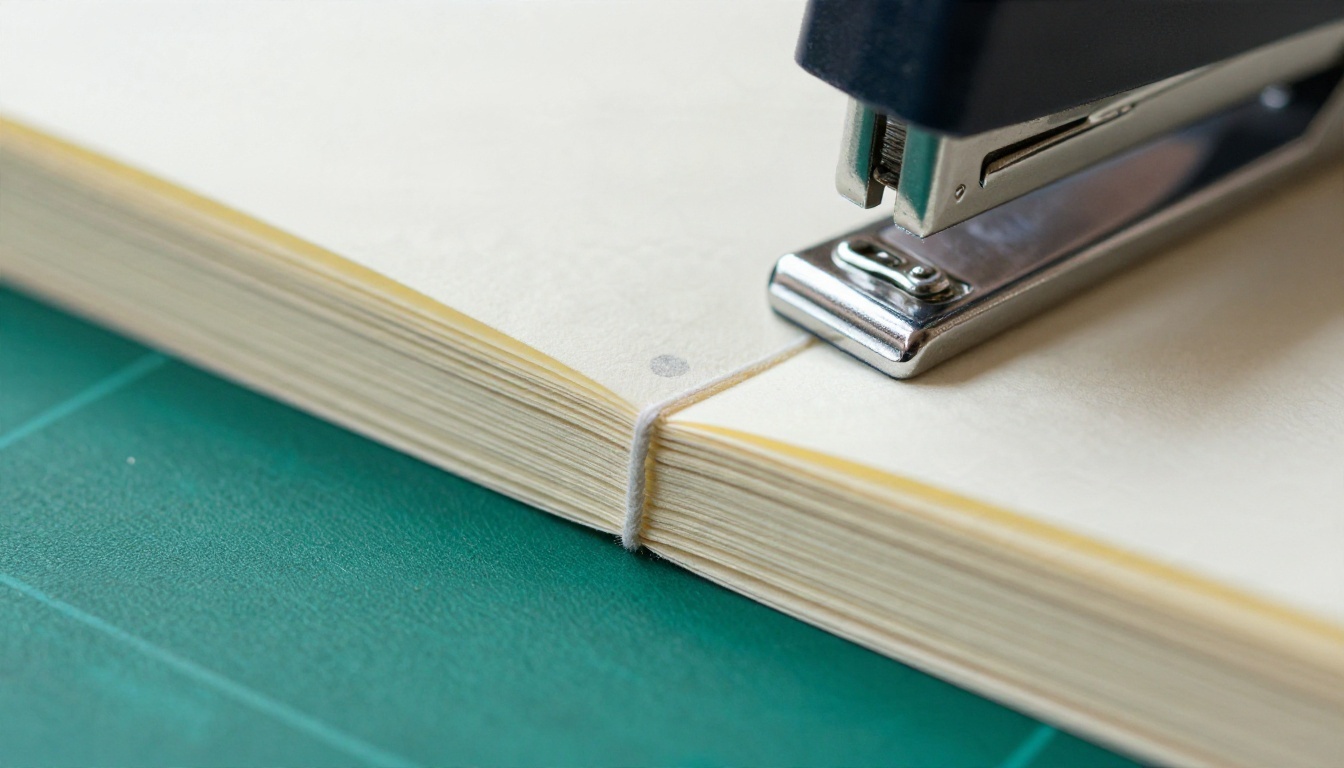
Between 12 and 24 pages is where most zines live. You print double-sided sheets, fold them in half, nest them, and staple twice along the spine. It feels like a real publication, but a home printer and a long-reach stapler are all you need.
This length also gives you room for rhythm: a opening page, a few full-page images, a quieter spread, and a closing page. Readers get variety without fatigue.
Thick Zines and Anthologies
Past 28 pages, you are making a different kind of object. Anthologies with several contributors, band zines, and fundraising zines usually run 32 to 48 pages. At that size, home stapling gets awkward, and many makers switch to a local print shop that can saddle-stitch cleanly and trim the edges.
⚠️ Warning: A thicker zine takes longer to make, costs more to print, and is harder to finish. Many zine makers abandon projects at page 20. Release a shorter issue first, then grow.
How Binding Limits Your Page Count
Your binding method sets a ceiling and a floor. Choose it early, because it changes how you lay out the file.
| Binding | Page rule | Practical range | Difficulty | Look |
|---|
| Single-sheet fold | Exactly 8 | 8 | Very easy | Tiny and playful |
| Saddle stitch | Multiples of 4 | 8 to 48 | Easy | Classic zine |
| Pamphlet stitch (thread) | Multiples of 4 | 8 to 40 | Medium | Handmade and tactile |
| Stab or Japanese binding | Any even number | 10 to 80 | Medium | Craft and archival |
| Perfect binding (glued) | Multiples of 2, but needs thickness | 48 to 200 | Hard at home | Book-like |
Saddle Stitch and Creep
When you nest many folded sheets, the inner pages push outward, and the outside edges end up uneven after trimming. Printers call this creep. On a 16-page zine you barely see it. At 40 pages, the inner margins can shift by several millimeters, which can slice into your text.
How to handle it:
- Keep at least 12 mm (about half an inch) of margin on the outer edge
- Avoid putting text or faces within 6 mm of the trim line
- Use thinner paper for the inner sheets if your zine is thick
- Ask your print shop whether they compensate for creep in their imposition
Perfect Binding and Spine Width
A perfect-bound zine has a glued, flat spine like a paperback. It looks polished and lets you print a title on the spine, but it only works when the stack is thick enough to hold glue. Most printers want at least 40 to 60 pages, depending on paper weight. A 24-page zine glued like a book will look flimsy and may fall apart.
Stab and Pamphlet Stitch
If you like needle and thread, pamphlet stitch handles the same multiples-of-four count as staples but looks handmade. Stab binding is more forgiving: you punch holes along one edge and sew through the whole stack, which means any even page count works. It is a good pick if your content refuses to land on a neat number.
✅ Best practice: Decide on the binding before you start laying out pages. A 17-page zine headed for a saddle stitch is a problem. A 17-page zine headed for stab binding is fine.
How to Plan Your Page Count
You do not need to guess. Work backwards from your content.
Step by Step: Set the Number
- List your pieces. Write down every comic, essay, photo, or poem you want in the zine.
- Assign pages. Give each piece one page, two pages, or a half page.
- Add structure pages. Include a front page, a back page, and a contents or about page if you want one.
- Add breathing room. Leave one or two pages with fewer elements. Dense zines tire the eye fast.
- Round up to a multiple of four. If you land on 13, go to 16 and fill the extra pages with something useful.
- Check your binding. Compare your number with the table above. If it is too thin or too thick, change the binding or adjust the content.
- Make a dummy. Fold blank sheets, staple them, and sketch tiny thumbnails on each page. It takes five minutes and saves hours.
Three Common Mistakes
- Padding with filler. Readers notice. A tight 12 pages beats a baggy 24.
- Forgetting the back page. The final page is prime real estate. Use it for contact details, a thank-you, or a link to your online version.
- Ignoring paper weight. Thick paper makes fat spines that will not fold properly. A 16-page zine on heavy stock can be harder to staple than a 32-page zine on thin copy paper.

Online Zines Have Different Rules
A digital zine is not bound by sheets, staples, or creep. You can publish 7 pages, 19 pages, or 63 pages, and nothing breaks. But that freedom comes with a different set of trade-offs: attention spans, screen size, and file weight.
Print vs Online Page Counts
| Factor | Print zine | Online zine |
|---|
| Page count rule | Multiples of 4 for stapling | Any number |
| Cost per extra page | Paper, toner, time | Almost nothing |
| Ideal length | 8 to 32 pages | 6 to 40 pages |
| Reader behavior | Flips back and forth | Swipes, skims, may leave early |
| Distribution | Mail, fairs, trades | One link, anywhere |
| Updates | Reprint required | Replace the PDF |
| Multimedia | None | Video, audio, links |
A good rule: online readers tolerate slightly shorter zines than print readers. If your print version runs 32 pages, consider trimming the online edition to 20 to 24 pages, or keep all 32 and make the first few pages irresistible.
Single Pages or Spreads?
You have two ways to lay out an online zine:
- Single pages: each page is its own screen. Good for phones and for mini zines.
- Spreads: two pages side by side, like an open book. Better for photography and double-page art.
A flipbook viewer handles both and shows spreads on a wide screen, then switches to single pages on a phone. That means you can keep your print layout and still get a readable mobile version.

How to Publish a Zine with Flipbooks AI
Once your print-ready PDF exists, you can give it a second life as an interactive page-turner. Here is the process using the PDF to Flipbook Converter on Flipbooks AI.
Upload and Convert
- Go to Flipbooks AI and create an account.
- Click to create a new flipbook and upload your PDF. Export it as a spread-by-spread or single-page file, depending on the layout you chose.
- Wait a few moments while the file converts into a page-turning flipbook. You will see a preview with real page-flip motion.
- Check that your page order is correct and that nothing is cropped at the edges.
If your zine works more like a periodical, the Magazine Flipbook Creator is a closer match. For a longer, story-driven title, try the Interactive E-Book Publisher. Artists sharing sketchbook-style zines may prefer the Digital Portfolio Creator.
Customize the Look
Your zine has a personality, so keep it in the online version:
- Custom branding: add your logo or tag and match the viewer to your zine's palette
- Colors and background: pick a backdrop that suits your paper tone, such as warm cream or concrete grey
- Page effects: choose the page-flip style and sound that fit the mood
- Multimedia: embed a video, an audio track, or a playlist next to the pages it relates to
- Mobile-responsive design: the viewer adjusts on its own for phones and tablets
💡 Pro tip: Zines are a perfect home for audio. Record yourself reading a poem, or add the song that inspired a comic, and attach it to that page.
Share, Protect, and Measure
Sharing options include a direct link, a social post, and an embed code you can paste into your site. The Embed Flipbook on Website tool shows how. If your zine is for subscribers, a patron-only issue, or a work in progress, turn on password protection.
On the Professional plan you can go further:
- Analytics show how many people opened the zine and how far they read
- Lead generation collects an email address before readers get in
- Offline downloads let readers save a copy for later
- No watermarks, ever, so your artwork stays clean
Analytics also answer your original question with real data. If most readers drop off on page 14, your next issue should be 12 pages.
Real Examples That Work
Abstract numbers only go so far, so here are three realistic setups.
The photographer's 16-pager. A street photographer shoots a week-long series, picks 12 images, and adds a front page, a short statement, a contents note, and a back page. Total: 16 pages, saddle-stitched at a copy shop. The online version uses spreads in a flipbook and is linked from her Instagram bio.
The band's 8-pager. A local band prints one sheet of paper per gig: a fold-and-cut mini zine with lyrics, a tour date, and a QR code on the back. Nobody needs a stapler, and the cost is a few cents per copy. The QR code points to a flipbook with live audio clips.
The collective's 40-pager. Ten contributors each supply four pages. They saddle-stitch at a print shop, with extra margin for creep, and publish a password-protected online edition for contributors and supporters. Because the digital file has no printing cost, they keep the full 40 pages online and tell readers to start with the highlighted section.
| Project | Pages | Binding | Online plan |
|---|
| Photo series | 16 | Saddle stitch | Spreads, public link |
| Band mini zine | 8 | Fold and cut | QR code to audio flipbook |
| Anthology | 40 | Print shop saddle stitch | Password-protected flipbook |
Ready to Publish Your Zine?
The honest answer to "how many pages should a zine be?" is: as many as your story needs, rounded up to the next multiple of four. For most makers that means 8, 16, or 24 pages. Use the binding table above to check your limits, leave generous margins, and finish a shorter issue before you attempt a monster.
When your PDF is ready, give it a second audience:
Print the paper copy for the fair table, publish the online copy for everyone else, and let the page count follow the work.



