You have a catalog PDF, a launch date, and two tabs open: Issuu and Publitas. Both turn static pages into something people can flip through online, but they were built for different jobs, and picking the wrong one means paying for features you never touch or missing the one you needed. This comparison breaks down pricing, features and real catalog scenarios so you can decide fast. We also include a third route, Flipbooks AI, for teams that want a catalog online without a sales call.
The Short Answer
If you want the verdict before the details, here it is. Issuu is a publishing and discovery platform: great for magazines, lookbooks and brand content that benefits from a public audience. Publitas is a catalog engine built for retailers: product feeds, shoppable pages and e-commerce integrations are its core.
| Your situation | Better fit | Why |
|---|
| Small brand, a few PDFs a year | Issuu | Self-serve plans, quick setup |
| Retailer with a product feed and web shop | Publitas | Shoppable pages tied to your store |
| Magazine or editorial lookbook | Issuu | Built in audience and embed tools |
| Multi-country catalogs with hundreds of SKUs | Publitas | Automation and team workflows |
| Budget conscious, want unlimited flipbooks and no watermarks | A third option | See the Flipbooks AI section below |
💡 Pro tip: Decide whether your catalog is a brand story or a selling tool. Brand story points toward Issuu. Selling tool points toward Publitas.

Search Intent Behind This Comparison
People who search this phrase are usually in the buying phase. They have already decided on a digital catalog and now want proof of cost, proof of fit, and a reason to say no to one option. The rest of this article is organized around those three questions.
Issuu in Plain Terms
Issuu started as a place to publish magazines and still carries that identity. You upload a PDF, Issuu converts it into a page-turning reader, and the result can be embedded on your site, shared by link, or surfaced on Issuu's own platform. Paid tiers add things like removing Issuu branding, analytics, link tracking, and the ability to share content privately.
Typical Issuu strengths:
- Fast PDF upload with almost no setup
- A familiar reader that many people already recognize
- Social sharing and embeds that suit editorial content
- Self-serve billing, so you can start without talking to anyone
Typical Issuu limits for catalogs:
- Product-level shopping features are lighter than a dedicated catalog tool
- Automated catalog generation from product data is not the main use case
- Higher-end features sit on the higher-priced plans
Publitas in Plain Terms
Publitas positions itself around product catalogs and e-commerce. Instead of only converting a PDF, it can connect to your product feed so pages show current prices, stock and links to your store. Teams that publish catalogs for several regions or brands often pick it for that automation.
Typical Publitas strengths:
- Shoppable product pages that link directly to your web shop
- Product feed integrations to keep details in sync
- Team workflows for multiple catalogs and markets
- Reporting aimed at retail teams rather than publishers
Typical Publitas limits:
- Pricing is generally quote based, so you cannot easily price it out alone
- Setup can take longer than a simple upload
- It may be more than a small brand with one yearly catalog needs
Pricing Side by Side

Pricing is where these two differ most in how you buy, not just how much you pay. Vendors change plans often, so treat every figure below as approximate and confirm on each official pricing page before you budget.
How Issuu Charges
Issuu has historically used a tiered, self-serve subscription with a limited free option and several paid levels, billed monthly or annually. Paid levels typically unlock more publications, removal of Issuu branding, analytics, and sharing controls. Entry paid plans have usually sat in the tens of dollars per month, with top tiers reaching the low hundreds.
How Publitas Charges
Publitas generally works on a custom quote. Price depends on the number of catalogs, the number of markets or shops, the integrations you need, and the support level. Because there is no public price grid, plan on a sales conversation and a proposal. For retailers who need the automation, that can be worth it. For a small team with one PDF, it often is not.
| Pricing factor | Issuu | Publitas |
|---|
| Buying model | Self-serve tiers | Custom quote |
| Public price list | Yes (varies by plan) | Usually no |
| Free option | Limited | Typically a demo or trial request |
| Ramp-up time | Minutes | Days to weeks |
| Best budget fit | Small to mid teams | Mid to large retail teams |
Hidden Costs to Watch
⚠️ Warning: The sticker price rarely tells the full story. Check these before signing.
- Branding removal: some plans keep platform branding on your flipbook until you upgrade
- Seats and publications: limits on users or number of catalogs can force a tier jump
- Integration fees: product feed or e-commerce connections may cost extra
- Annual lock-in: discounts for yearly billing can trap you if the fit is wrong
- Designer time: a tool that needs heavy setup costs hours, and hours cost money
Feature Comparison for Catalogs
Here is how the two compare on the things catalog teams ask about most.
| Feature | Issuu | Publitas |
|---|
| PDF to flipbook conversion | ✅ | ✅ |
| Shoppable product tags | Basic | Strong |
| Product feed automation | Limited | Strong |
| E-commerce integrations | Limited | Broad |
| Public discovery audience | ✅ | ❌ |
| Self-serve signup | ✅ | Usually sales led |
| Embed on your website | ✅ | ✅ |
| Analytics | Plan dependent | ✅ |
| Multi-market management | Limited | Strong |
Shoppable Pages
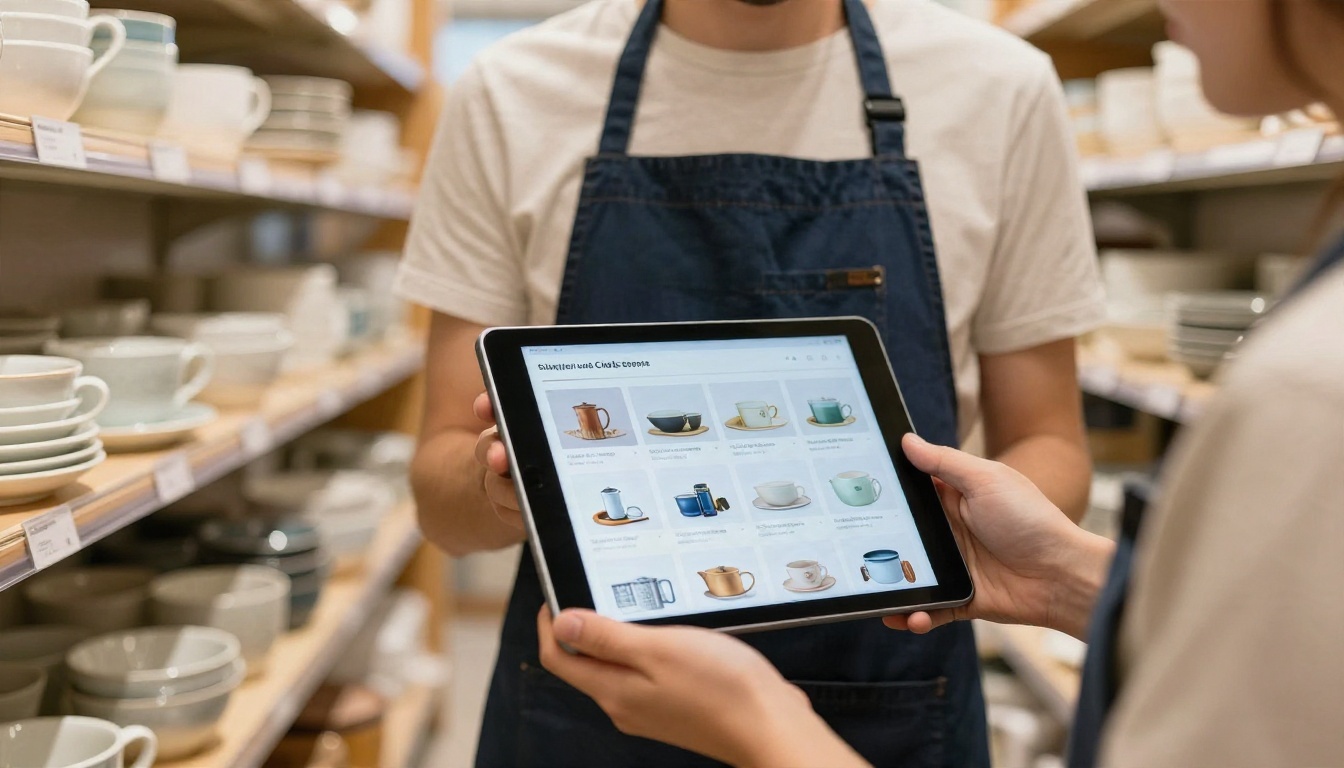
This is the feature that separates catalogs from magazines. A shoppable page lets a reader tap a product and land on the buy page. Publitas builds the whole product around this. Issuu supports links and some interactive elements, which is fine for light use but not the same as a feed-driven catalog.
Product Feed Automation
If you have thousands of SKUs and prices that change monthly, manual PDF updates become a burden. Publitas can pull from a product feed so the catalog reflects current data. Issuu is more of a publish what you designed tool: you update the PDF, you re-upload.
Analytics and Tracking
Both platforms offer reading statistics on suitable plans: views, time on page, and clicks. Publitas leans toward retail metrics such as which products got attention. Issuu leans toward readership and shares. Whichever you pick, confirm which analytics are included on your tier and not just the top one.
Branding and Embeds
Both let you embed a flipbook on your own site. The question is what shows around it. Check whether platform logos, related content suggestions, or upgrade banners appear on your free or lower-tier flipbooks, because a catalog that sends visitors to someone else's content defeats its purpose.
Real Scenarios That Decide It
Feature tables only go so far. These scenarios show how the choice plays out.
A Furniture Retailer
A furniture store publishes a seasonal catalog with 120 products and a web shop. Customers want to tap a sofa and see current price and stock. Publitas fits here because the catalog stays tied to product data. The Furniture Catalog Maker is a lighter alternative if the store does not need feed automation.
A Fashion Label
A small label releases two collections a year as image-led lookbooks. The audience is partly press and influencers. Issuu works well because the content is editorial and benefits from being shareable. A dedicated Fashion Catalog Creator or Interactive Lookbook Designer also fits this pattern.
A Distributor With Thousands of SKUs
A wholesale distributor sends region-specific catalogs to different buyers. Prices vary by country and change often. Publitas is the stronger candidate because automation and multi-market handling save weeks of manual work.
| Scenario | Catalog size | Update frequency | Likely winner |
|---|
| Furniture retailer | 100 to 300 products | Seasonal | Publitas |
| Fashion label | 40 to 80 looks | Twice a year | Issuu |
| Distributor | 2,000+ SKUs | Monthly | Publitas |
| Restaurant or spa | 5 to 20 pages | Occasional | Neither is necessary |
| Freelance designer | Portfolio PDFs | Ad hoc | Issuu or a simpler tool |
✅ Best practice: Test with your real catalog PDF, not a sample. Page weight, image quality and link behavior only show up with real files.
A Third Option to Test
Neither platform is the right answer for every team. Some businesses just want a good-looking, branded catalog online, with unlimited uploads and no watermark, and without a sales process. That is the space Flipbooks AI is built for.
Highlights worth checking against your needs:
- ✅ No watermarks, ever
- ✅ Unlimited flipbooks on the Standard plan and above
- ✅ Password protection for private price lists and dealer catalogs
- ✅ Analytics and lead generation on the Professional plan
- ✅ Offline downloads for sales teams in the field
- ✅ Video and audio embeds inside pages
- ✅ Mobile-responsive reading and custom branding
Compare the current pricing plans to see what each tier includes.

How to Create a Catalog with Flipbooks AI
Here is the full process from PDF to published catalog.
- Open your account. Go to Flipbooks AI and create an account.
- Upload your PDF. Drag your catalog file into the uploader. The PDF to Flipbook Converter turns each page into a page-turning spread, keeping images sharp and text readable. A screenshot of this step would show a drop zone and a progress bar followed by a preview of page one.
- Pick a starting tool. For product pages, the Product Catalog Generator or Digital Catalog Maker are the closest matches. The Catalog Flipbook Creator suits image-heavy catalogs.
- Customize the look. Add your logo, set brand colors, choose a background, and adjust the page-turn effect. Drop in product videos or audio notes where they help a buyer decide.
- Set privacy. Enable password protection if the catalog is only for dealers or wholesale customers.
- Share it. Copy the direct link, or use the Embed Flipbook on Website option to paste the embed code into your product or landing page.
- Track results. On the Professional plan, use analytics and lead generation to see who reads, which pages hold attention, and who asked for follow-up. Offline downloads let your sales team carry the catalog to meetings without a connection.
💡 Pro tip: Export your PDF at a moderate resolution with compressed images. Pages load faster on phones, and most readers will be on mobile.
Where It Fits and Where It Does Not
Be honest about the gap. Flipbooks AI is a strong choice for branded, shareable catalogs, price lists and lookbooks. If your core need is live product feed syncing across many markets, Publitas is built for that and you should evaluate it seriously. If your core need is public audience discovery, Issuu's platform has an edge. Browse all flipbook tools to see whether your use case matches.
Mistakes to Avoid
Buying for Features You Will Not Use
A feed-driven catalog sounds impressive, but if you publish one PDF a year, you are paying for automation you never run. Match the tool to your actual publishing rhythm.
Ignoring Mobile Reading
Most catalog readers open links on a phone. Check how each platform renders on small screens before you commit. A beautiful desktop spread that is unreadable on mobile loses sales.
Skipping the Trial
Request a demo or sign up for the free tier and upload your own file. Ten minutes with a real catalog teaches more than any comparison page.
Forgetting Exit Plans
Ask how you export your content and analytics if you leave. Platforms that lock your data in make switching painful later.
Comparing Only Monthly Price
Add designer hours, integration costs and annual commitments. The cheapest sticker is not always the cheapest outcome.
Here is the decision in three lines. Choose Publitas if you are a retailer who needs shoppable pages synced to a product feed. Choose Issuu if you publish editorial content and want self-serve simplicity plus a public audience. Choose a simpler, watermark-free route if you mainly want a polished, branded catalog online fast.
Ready to test it with your own file? Get started for free on Flipbooks AI, browse the tools and templates, or compare pricing plans to see what fits your budget. If you already know you want analytics and lead capture, you can go straight to pricing after signing in.



