Picking between Joomag and FlippingBook usually starts with a pricing page and ends with a spreadsheet full of question marks. Both tools turn static files into page-turning publications, yet they target different people, charge in different ways and hide their limits in different places. If you also want to know whether a cheaper route exists, Flipbooks AI is worth a look as a third option, and we will compare it fairly further down.
This breakdown is built for people who need to decide fast: marketers, small business owners, publishers, sales teams and freelancers. You will see what each platform is good at, where it gets expensive, and which scenarios favor which tool.
💡 Quick note on prices: Both vendors change plan names, limits and discounts often. The figures and ranges below describe typical structures. Always confirm the final number on each vendor's pricing page before you commit.
Joomag vs FlippingBook at a Glance
Before diving into details, here is the short version. Joomag leans toward magazine-style publishing with a built-in design editor, subscriptions and marketing tools. FlippingBook leans toward fast PDF conversion with polished sharing and lead capture for sales and marketing teams.
| Area | Joomag | FlippingBook |
|---|
| Core strength | Digital magazines, newsletters, design editor | PDF to flipbook conversion, sales collateral |
| Starting point | Upload a PDF or design inside the editor | Upload a PDF and publish in minutes |
| Pricing style | Monthly or yearly plans with feature tiers | Monthly or yearly plans with publication and feature limits |
| Monetization | Paywalls, subscriptions and storefront options | Mostly lead capture and gated access |
| Best fit | Publishers and content brands | Sales, marketing and customer support teams |
| Learning curve | Moderate, more tools to configure | Light, focused on conversion |

Who Each Tool Is Built For
Joomag speaks to people who think like editors. If you run a monthly magazine, a members-only newsletter or a branded content hub, its editor and distribution options feel natural. You can build issues from scratch, reuse layouts and plan a publishing rhythm.
FlippingBook speaks to people who already have a PDF and want it online today. A product catalog, an annual report, a price list or a sales brochure all fit. The workflow is upload, tweak, share.
The Quick Verdict
- Choose Joomag when design inside the platform and content monetization matter most.
- Choose FlippingBook when you mostly convert finished PDFs and want clean sharing, branding and lead capture.
- Choose a lighter, cheaper alternative when you publish many documents, need no watermarks and do not need a full publishing suite.
Joomag Pricing and Plans
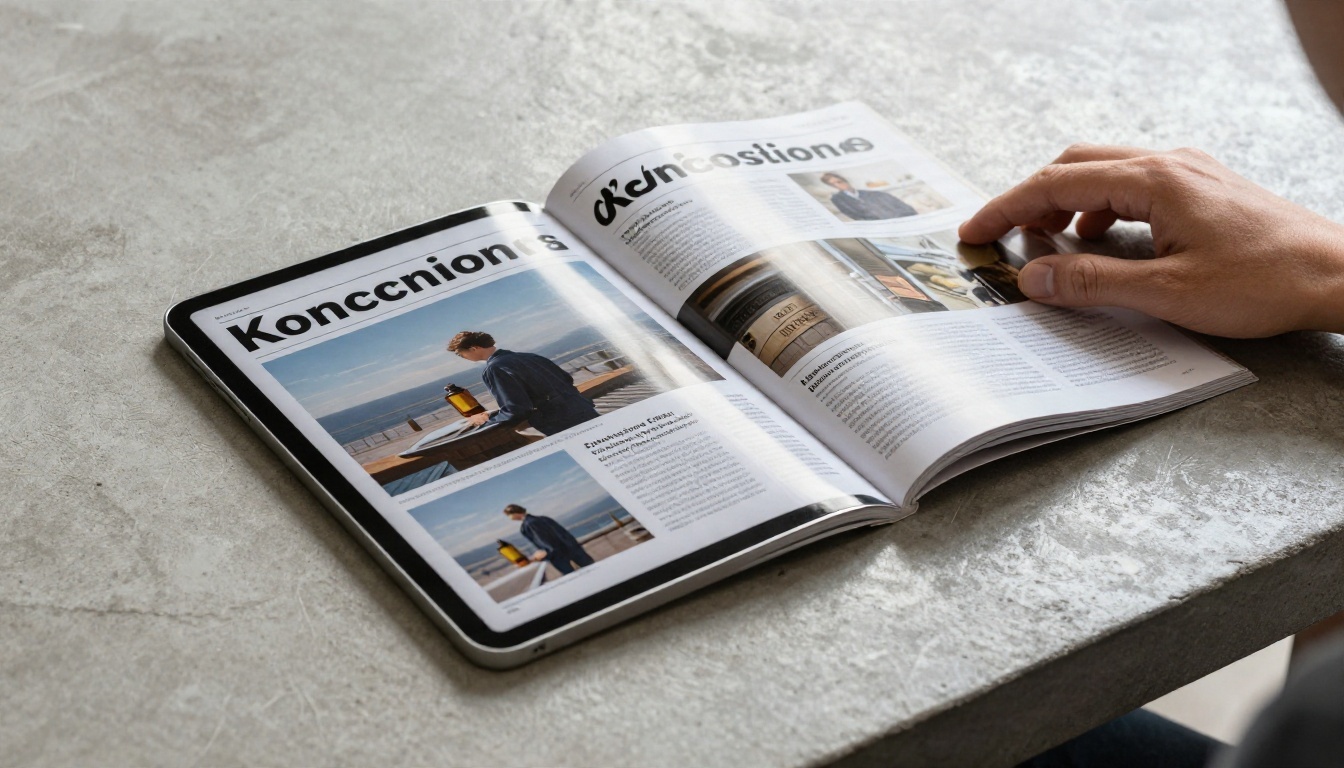
Joomag has historically offered a tiered structure that moves from a limited entry level to business and enterprise plans. Entry plans tend to restrict the number of publications, storage, and access to monetization and marketing add-ons. Higher plans open up custom branding, team seats, integrations and priority support.
What You Actually Pay For
Most of the price difference between tiers comes from four things:
- Publication limits: how many issues or titles you can keep live.
- Branding controls: whether Joomag branding shows on your readers' screens.
- Monetization tools: paywalls, subscriptions and storefront features.
- Team and support: extra seats, roles and faster support.
If you publish one monthly issue, a mid-level plan may feel fair. If you publish dozens of brochures and catalogs per year, the publication cap becomes the real cost driver.
Where Joomag Shines
- A built-in design editor with templates, so you are not forced to create layouts elsewhere.
- Monetization options for publishers who sell issues or subscriptions.
- Marketing hooks such as email tie-ins and audience tools.
- A reader experience that feels like a magazine, not just a PDF viewer.
Where Joomag Falls Short
- The feature set is broad, which means more to configure than a simple converter.
- Entry plans can feel tight if you publish often.
- Teams that only need to convert PDFs may pay for tools they never open.
⚠️ Watch the fine print: Check whether branding removal, custom domains and analytics sit in the plan you are considering, or only in a higher one.
FlippingBook Pricing and Plans
FlippingBook concentrates on turning PDFs into shareable flipbooks. Its online product is sold in tiers that mostly scale by the number of publications, the depth of analytics and the strength of lead capture and branding tools. There is also a desktop publisher option for people who prefer offline software, and a trial period so you can test before paying.

How the Plan Ladder Works
| Plan level | Typical focus | Common limits to check |
|---|
| Entry | Individuals and small teams | Number of publications, branding, basic stats |
| Mid | Marketing and sales teams | Lead capture, custom domain, more publications |
| Business | Larger teams | Seats, integrations, deeper analytics |
| Enterprise | Large organizations | Single sign-on, custom contracts, priority support |
Names and limits vary by region and billing period, so treat this as a map and not a price list.
Where FlippingBook Shines
- Fast conversion: upload a PDF and get a flipbook in minutes.
- Polished sharing: links, embeds and branded viewers that look professional.
- Lead capture: forms placed inside the publication on suitable plans.
- Analytics: reader behavior data that sales teams actually use.
Where FlippingBook Falls Short
- Publication limits on lower tiers can force you to archive or delete older documents.
- Features such as lead capture, custom domains and branding removal usually need upper tiers.
- It is less of a design environment and more of a conversion and delivery tool.
💡 Pro tip: If you manage a large library of catalogs, count every document you want live at the same time. That single number often decides which plan you need.
Feature Showdown
Now the head-to-head. This table sums up the features most buyers ask about.
| Feature | Joomag | FlippingBook | Flipbooks AI |
|---|
| PDF to flipbook | ✅ | ✅ | ✅ |
| Built-in layout editor | ✅ | Limited | PDF-first workflow |
| Page-turn effect | ✅ | ✅ | ✅ |
| Embed on website | ✅ | ✅ | ✅ |
| Password protection | Plan dependent | Plan dependent | ✅ |
| Lead capture | Plan dependent | Plan dependent | Professional plan |
| Analytics | ✅ | ✅ | Professional plan |
| Offline download | Plan dependent | Plan dependent | ✅ |
| Video and audio embeds | ✅ | ✅ | ✅ |
| Watermark on output | Depends on plan | Depends on plan | Never |
| Unlimited flipbooks | Rarely | Rarely | Standard plan and above |

Design and Page Effects
Both Joomag and FlippingBook offer a convincing page-turn animation, zoom, thumbnails, search and a full-screen reader. The real difference is where design happens. Joomag lets you build the layout inside its editor. FlippingBook expects you to bring a finished PDF from InDesign, Canva, Word or similar.
If your team already designs in other software, the Joomag editor is a bonus you may not use. If you do not have a designer, the editor may be exactly what you need.

Analytics and Lead Capture
For sales teams, the question is simple: who opened my brochure, and which pages did they read? FlippingBook has built a reputation around this use case. Joomag also offers stats, with a stronger lean toward audience and publishing metrics.
In both tools, the richest data and lead forms tend to live on higher plans. Flipbooks AI follows a similar pattern, with analytics and lead generation on the Professional plan.
The Real Cost Over 12 Months
Monthly sticker prices hide the full picture. The better question is what you spend for the number of documents you need online during a year.

Three Sample Scenarios
| Scenario | What you need | Likely pressure point |
|---|
| Freelancer with 6 portfolios and price lists | A few flipbooks, no branding from the tool | Entry plan limits and branding |
| Retail brand with 40 seasonal catalogs | Many live publications, custom domain | Publication caps on mid plans |
| Publisher with a monthly magazine | Recurring issues, subscriptions | Monetization tools and issue count |
Hidden Costs to Watch
- Branding removal: sometimes locked to a higher tier.
- Custom domain: often an upgrade feature.
- Extra seats: each teammate may add to the monthly bill.
- Overage or archive rules: older publications may need to be removed or archived.
- Annual billing: cheaper per month, but a larger upfront payment.
✅ Best practice: Build a short list of every document you plan to publish in the next 12 months, then match the list against publication caps before you compare prices.
A Free Alternative: Flipbooks AI
If your main need is to convert PDFs into polished flipbooks without watermarks or publication caps, Flipbooks AI is built for exactly that job. It skips the broad publishing suite and focuses on speed, clean output and fair limits.

What You Get
- ✅ No watermarks, ever, so your content looks like yours.
- ✅ Unlimited flipbooks on the Standard plan and above.
- ✅ Password protection for private content.
- ✅ Offline downloads for readers who need access without a connection.
- ✅ Video and audio embeds inside pages.
- ✅ Mobile-responsive design that works on phones and tablets.
- ✅ Custom branding with your logo and colors.
- ✅ Analytics and lead generation on the Professional plan.
You can try it on the free tier and upgrade only if you need more. Check the pricing page for the current limits of each plan.
How to Create a Flipbook with Flipbooks AI
This is the full workflow, from file to shared link.
- Open your account. Head to Flipbooks AI or create an account in under a minute.
- Upload your PDF. Drag the file into the uploader or use the PDF to Flipbook Converter. The platform converts every page and builds the page-turning viewer automatically.
- Customize the look. Add your logo, pick brand colors, choose a background and adjust page effects. Drop in videos or audio on the pages that benefit from them.
- Set access rules. Turn on password protection if the document is private, or leave it public for easy sharing.
- Share it. Copy a direct link or paste an embed code to embed the flipbook on your website.
- Track and capture leads. On the Professional plan, switch on analytics and lead generation to see who reads what and collect contact details. You can also enable offline downloads here.
💡 Screenshot tip: When you document this process for your team, capture the upload screen, the branding panel and the share dialog. Those three screens answer most onboarding questions.

Tools Built for Specific Jobs
Instead of one generic converter, the platform offers focused tools you can open from the tools directory:
Features matter less than fit. Match your situation to the right tool in this table.
| Use case | Best fit | Why |
|---|
| Monthly magazine with subscriptions | Joomag | Editor and monetization options |
| Sales brochures with reader tracking | FlippingBook | Lead capture and analytics focus |
| Large library of catalogs and price lists | Flipbooks AI | Unlimited flipbooks from the Standard plan |
| Private client documents | Flipbooks AI or FlippingBook | Password protection and branding |
| Quick one-off PDF conversion | Any of the three | Depends on budget |
| Tight budget, no watermarks | Flipbooks AI | Free entry and no watermark policy |

Real-World Examples
- A real estate agent sends a property brochure as a flipbook link before a viewing. Buyers flip through on their phones, and the agent sees who opened it. This works on FlippingBook and Flipbooks AI.
- A restaurant replaces a printed menu with a flipbook that updates when prices change. A low-cost, no-watermark tool is the sensible choice here.
- A fashion label publishes seasonal lookbooks, where Joomag's design editor can speed up layout work.
- A training manager shares a password-protected manual with new hires and tracks completion with analytics.
Mistakes to Avoid
- Buying on monthly price alone. Count the publications, seats and add-ons.
- Ignoring branding rules. A vendor logo on your catalog can undermine a premium brand.
- Overbuying features. A full publishing suite is wasted if you only convert PDFs.
- Skipping the trial. Upload your real file, not a sample, and check how it looks on a phone.
Here is the plain summary. Joomag suits publishers who want design and monetization in one place. FlippingBook suits teams that convert PDFs and care about lead capture. If you want unlimited flipbooks, no watermarks and a lighter bill, Flipbooks AI deserves the first test.
The fastest way to decide is to test with a real document:
Upload one PDF, open it on your phone, share the link with a colleague, and you will know within ten minutes whether the tool fits.



