Most publishers pick newsletter software the wrong way. They compare subscriber limits and send prices, then discover three months later that the tool cannot handle the thing they actually publish: a full magazine issue with photography, long reads and a layout somebody spent weeks designing. If your product is an issue and not just an email, you need two pieces working together: a reliable sender and a way to present the whole edition online. That second piece is where Flipbooks AI fits, and it is also where most of the frustration starts.
This article compares free options, templates and real pricing for newsletter software, then gets into the online flipbook issues that quietly cost publishers readers: slow loading, broken mobile views, watermarks and links that email clients mangle.
What Publishers Actually Need
Email Is Not the Whole Issue
A newsletter is a short, scannable message. A magazine issue is a destination. Publishers who treat them as the same thing end up pasting twelve article teasers into an email and hoping readers click through to a website that looks nothing like the print edition.
A better model has three layers:
- The email carries the hook: a strong cover story line, one image and a clear button.
- The issue itself lives online as a page-turning edition that keeps your design intact.
- The archive keeps every past edition one click away, so back issues keep earning traffic.
Newsletter software handles layer one. A flipbook tool handles layers two and three. Mixing them up is the most common planning mistake we see.
Seven Features Worth Paying For
Before comparing brands, decide which features your publication will use every single week. Here is how the usual suspects rank for magazine and periodical publishers:
| Feature | Why It Matters for Publishers | Priority |
|---|
| Segmentation | Send the travel issue to travel readers only | High |
| Custom domain sending | Protects deliverability and brand trust | High |
| Template editor | Keeps every issue visually consistent | High |
| Paid subscriptions | Needed if you sell issues or memberships | Medium |
| Automation | Welcome series, renewal reminders | Medium |
| Click and open reporting | Shows which stories pull readers in | High |
| Archive pages | Back issues stay searchable | Medium |
💡 Pro tip: Write down your top three features before you open a single pricing page. Every vendor will try to sell you the other forty.
Free Newsletter Software Options
What Free Plans Really Give You
Free tiers are genuinely useful for a new publication. They let you test your audience before you spend anything. Here is how the most common free plans compare. Limits change often, so confirm current numbers on each vendor's pricing page before you commit.
| Platform | Typical Free Limit | Best For | Watch Out For |
|---|
| Mailchimp | Small contact cap, limited sends | Simple campaigns | Features get locked quickly |
| MailerLite | Around 1,000 subscribers | Clean templates | Branding on free sends |
| Brevo | Daily send cap | Transactional plus marketing | Daily limit hurts big issues |
| beehiiv | Around 2,500 subscribers | Growth focused creators | Premium tools sit behind paid tiers |
| Substack | Free to start | Writers with paid tiers | Fee on paid subscriptions |
| Buttondown | Very small free tier | Minimalist writers | Limited design control |
Where Free Plans Break
Free plans rarely fail on subscriber count. They fail on the details publishers care about:
- No custom templates. You get a generic layout that does not match your print identity.
- Platform branding in the footer. Fine for a hobby, awkward for a paid magazine.
- Send limits per day. A 15,000 subscriber list on a 300 per day cap takes fifty days to finish.
- No segmentation. Every reader gets every issue, which drives unsubscribes.
- Thin reporting. You see opens, but not which story people actually read.
⚠️ Warning: Always test a free plan with a real issue before you import your whole list. Moving subscribers between platforms later is possible, but it is tedious and can damage deliverability.
Newsletter Templates That Work
Layouts for Magazine Publishers
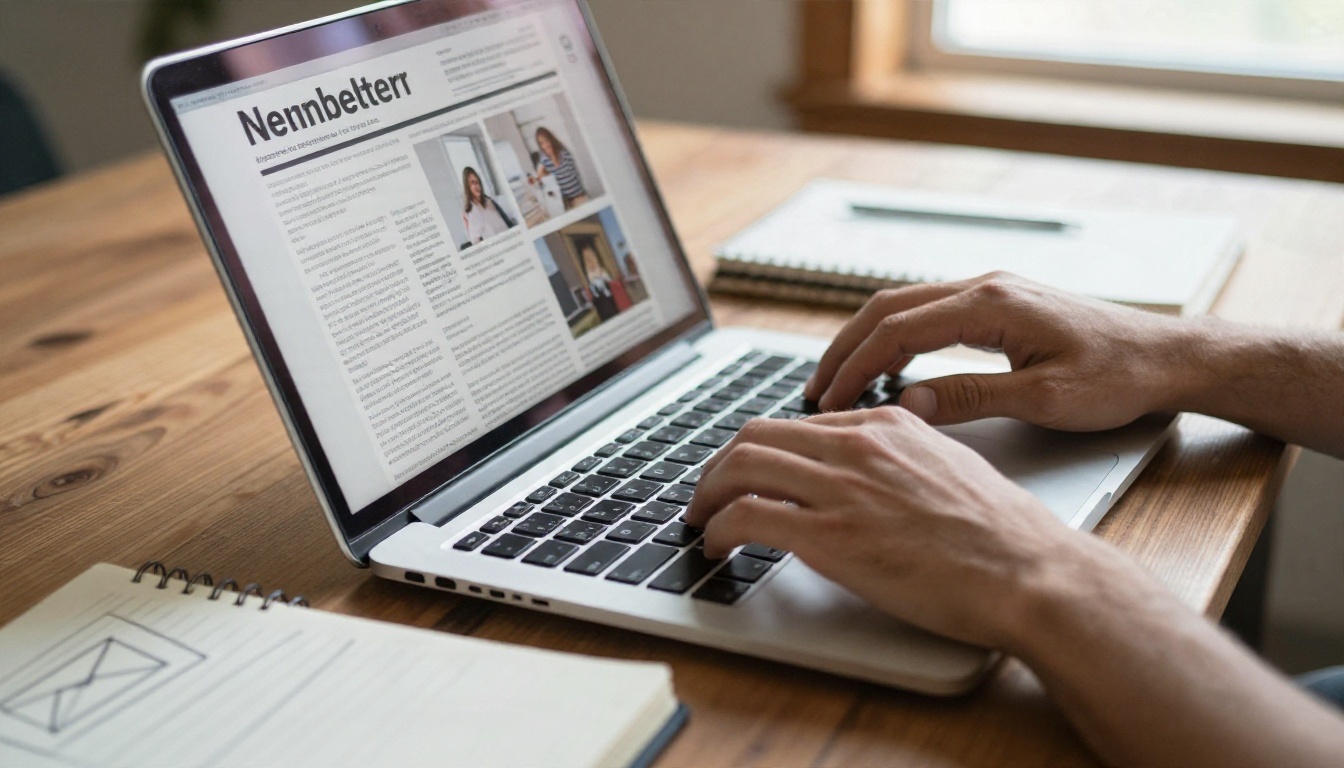
Template libraries are built for retailers and bloggers. Publishers need something different. A good magazine newsletter template usually has five blocks:
- Masthead strip with the issue number and date
- Lead story block with one large image and a two line teaser
- Three story grid with small thumbnails and short headlines
- Issue button that opens the full online edition
- Footer with archive link, social links and an easy unsubscribe
Keep the width at 600 pixels or less, use web safe fallback fonts and make sure every image carries alt text. Many readers still see emails with images blocked by default, so the layout should make sense without them.
Build Once, Reuse Every Issue
The biggest time saver is a locked master template. Create it once, then duplicate it for every edition and swap only the content. Here is a workflow that works for small teams:
- Save a master template with all brand colors and fonts locked.
- Keep a content checklist pinned next to it: lead story, three teasers, issue link, sponsor slot.
- Use saved blocks for repeated items like a sponsor banner or a subscription prompt.
- Send a test to three devices (phone, desktop, webmail) before every send.
A regional food magazine, for example, can use one template for its monthly edition and a second, shorter one for a weekly recipe roundup. Both link to the same online archive.
Newsletter Software Pricing Explained

What Paid Plans Cost
Pricing almost always scales with the size of your list. The ranges below are typical for entry and mid level plans. They are estimates, so treat them as a budgeting frame and check live pricing before you decide.
| List Size | Typical Monthly Range | What You Usually Get |
|---|
| Under 1,000 | Free to about $15 | Basic templates, limited automation |
| 1,000 to 5,000 | About $15 to $60 | Segmentation, custom domain, reporting |
| 5,000 to 25,000 | About $60 to $250 | Automation, A/B tests, priority support |
| 25,000 and above | $250 and up | Dedicated sending, account manager |
Hidden Costs
The sticker price is only part of the budget. Publishers often forget to count these:
- Transaction fees on paid subscriptions, usually a percentage on top of payment processor fees
- Add on pricing for extra seats, extra domains or advanced reporting
- Design time if the template editor is clumsy and every issue takes two extra hours
- Issue hosting, because the email platform will not display your full magazine layout
That last item is the one that surprises people. Email platforms send messages. They do not host a 60 page issue with spreads, video and clickable ads. For that you need a separate home for the edition, and a PDF to flipbook converter is the fastest way to build one from the file you already have.
Online Flipbook Issues Publishers Hit

Flipbooks solve a real problem: they keep your layout intact. They also introduce problems of their own, depending on the tool. Here are the ones that show up most often.
Slow Loading and Heavy PDFs
A print ready PDF can weigh 200 MB. Upload that untouched and your first page may take ten seconds to appear, which is long enough to lose a reader coming from a newsletter link. Export a web optimized PDF at 150 dpi for images, flatten transparencies and remove unused fonts before uploading.
Mobile Reading Trouble
Most newsletter clicks happen on phones. A flipbook that shows tiny two page spreads on a 6 inch screen is useless. Check that your tool switches to single page mode on narrow screens, supports pinch zoom and keeps buttons large enough to tap.
Email Clients Block Embeds
Gmail, Outlook and Apple Mail will not run an embedded flipbook inside an email. Do not try. Use a static image of the cover with a button that links to the online edition. It is reliable, it tracks clicks cleanly and it works everywhere.
Watermarks and Paywalled Basics
Some free flipbook tools stamp their logo on every page or cap you at a handful of publications. That looks unprofessional on a paid magazine. Look for a tool that promises no watermarks, ever, which is exactly what Flipbooks AI offers.
Here is a quick troubleshooting table you can keep nearby:
| Problem | Likely Cause | Fix |
|---|
| Issue takes forever to open | Oversized PDF | Compress to web quality, under 30 MB if possible |
| Text looks blurry on phones | Low resolution export | Export at 150 to 200 dpi, keep text as vector |
| Links inside pages do not work | Links lost in export | Re add links in the layout file before exporting |
| Readers cannot find old issues | No archive page | Build an archive page linking every edition |
| Branding from the tool appears | Free plan watermark | Switch to a watermark free plan |
| Private issue leaked | No access control | Add password protection |
✅ Best practice: Open every issue on a real phone over mobile data before you hit send. If it takes more than three seconds to show page one, compress and try again.
How to Create an Online Issue with Flipbooks AI
If your newsletter points to a full edition, this is the workflow. It takes most publishers under ten minutes per issue once the first one is set up.
Step by Step
- Create your account. Head to Flipbooks AI and sign up. You can start on a free plan and upgrade when your archive grows.
- Upload your PDF. Drag your exported issue into the dashboard. The platform converts each page into a smooth page-turning flipbook automatically. For magazines, the Magazine Flipbook Creator is a good starting point, and the E-Magazine Publishing Tool suits teams who publish on a schedule.
- Apply your branding. Set your logo, brand colors, background and page turning effect so the edition feels like your print product, not a generic viewer.
- Add multimedia. Embed video interviews, audio clips or links to sponsor pages directly on the pages where they belong.
- Share the issue. Copy the direct link for your newsletter button, or grab the embed code and place the edition on your site. The Embed Flipbook on Website tool shows how.
- Protect premium content. Turn on password protection for subscriber only editions so paying readers get exclusive access.
- Link it from your newsletter. Paste the flipbook URL into the issue button of your email template.
💡 Pro tip: If your publication is mostly short updates, the Newsletter Flipbook Publisher turns a designed PDF newsletter into a shareable page-turning edition without any code.
Pro Features Publishers Use
Once the basics are running, the extra tools start to pay for themselves:
- Analytics: see which pages hold attention and where readers drop off. This is the data most email platforms cannot give you.
- Lead generation: collect an email address before a reader opens a premium issue, which grows your list directly from the edition.
- Offline downloads: let readers save an issue for flights and commutes.
- Unlimited flipbooks: the Standard plan and above removes publication limits, so your full archive can stay online.
Analytics and lead generation sit on the Professional plan, so check the pricing plans to see which tier matches the size of your archive.
Which Setup Fits Your Publication
Picking tools works better when you start from a scenario instead of a feature list. Here are four common publisher types and a setup that fits each one.
| Publisher Type | Newsletter Tool | Issue Hosting | Why It Works |
|---|
| Solo writer with a small list | Free plan on a simple sender | Flipbook for quarterly specials | Costs almost nothing while you test demand |
| Local magazine, monthly | Mid tier plan with segmentation | Flipbook per issue plus archive page | Keeps print layout and builds a back catalog |
| Membership publication | Platform with paid subscriptions | Password protected flipbooks | Gives paying members exclusive editions |
| Trade or B2B periodical | Mid tier with automation | Flipbooks with lead capture | Turns every issue into a lead source |
Real Examples
- A city lifestyle magazine sends a short Thursday email with the cover image and a button. The button opens the new flipbook edition. Readers who finish the issue get a follow up email two days later with a related back issue.
- A trade journal locks its annual buyer's edition behind a lead form. Every download feeds a list that the sales team follows up within a day.
- A school or nonprofit uses a school newsletter flipbook for termly updates, avoiding the cost of printing and mailing.
A Simple Decision Path
- If your list is under 1,000 and you publish one edition per month, start free and add a flipbook for each issue.
- If you need segments or automation, move to a mid tier plan once your list passes 2,000.
- If your issues are premium, add password protection or lead capture before you raise prices.
- If you publish several titles, centralize all editions on a single flipbook account with a shared archive.
Send Your Next Issue
The best newsletter stack for a publisher is rarely one tool. It is a sender that gets the message into the inbox and an online edition that does justice to the work inside. Pick a free plan to test your audience, move to a paid tier when segmentation starts to matter, and keep your full magazine layout intact with a flipbook that never stamps its own logo on your pages.
Ready to publish your first online edition? Get started for free on Flipbooks AI, browse all flipbook tools to find the right template for your title, or compare pricing plans to see which tier fits your archive. Your next issue deserves more than a PDF attachment.



