You have a shoebox of photos, a phone full of trip videos, and a stack of ticket stubs that deserve better than a drawer. An online scrapbook maker lets you arrange all of it into pages, add captions and dates, and then turn the result into something people can actually flip through. With Flipbooks AI, the finished scrapbook becomes a page-turning book that opens from a single link, so grandparents, friends and cousins can see it without installing anything.
This article walks through the three decisions that shape every digital scrapbook: which template to start from, which page size to choose, and how to share the finished book. You will also get a step-by-step build, a few real-world examples, and a short list of mistakes that waste hours.
Why Go Digital With Scrapbooks
Paper scrapbooking is wonderful, but it has limits. One album, one owner, one shelf. If the house floods or the album gets lent out and never returns, the memories go with it. A digital scrapbook keeps the same look and feel while fixing those problems.
What You Gain
- Unlimited copies. Send the same book to twenty relatives without printing twenty albums.
- Easy edits. Misspelled a name? Swap one page and re-export instead of peeling off glue.
- Better photo handling. Crop, rotate and resize a picture as many times as you want before it lands on the page.
- Rich extras. You can add video clips and audio to a flipbook, such as a toast from a wedding or a baby's first laugh.
- Safe storage. A PDF master file can sit in cloud storage and on a drive at the same time.
What You Give Up
Be honest about the tradeoffs. You lose the smell of old paper and the feel of a real ribbon. You also lose the quirky randomness of a hand-cut edge. Many people solve this by scanning textures (kraft paper, linen, washi tape) and using them as backgrounds, so the digital pages still feel handmade.
💡 Pro tip: Photograph your favorite physical materials flat, in daylight, and use those images as page backgrounds. A real scrap of wrapping paper looks far better than a generic pattern.
Free Templates Worth Starting With
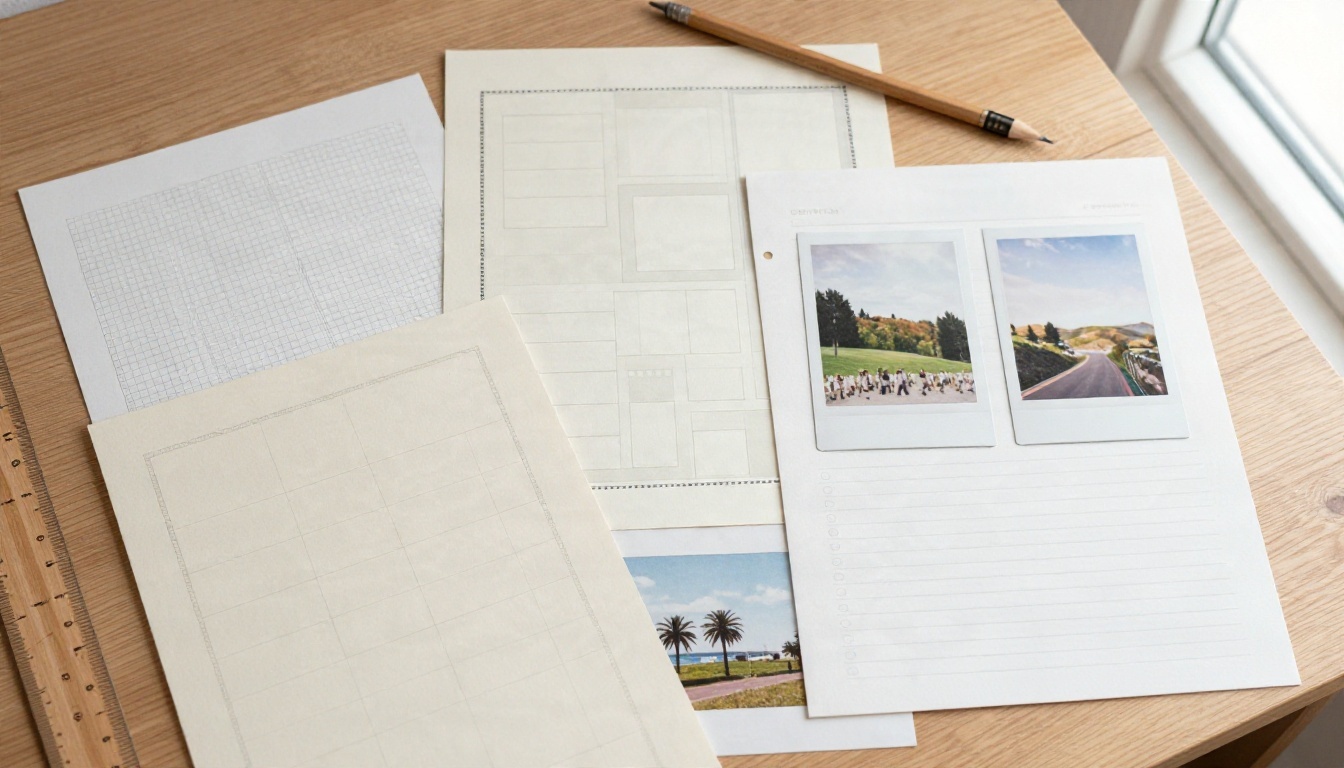
A template saves you from the blank-page problem. You are not hunting for a layout; you are dropping photos into a structure that already works. Plenty of free design tools offer scrapbook-style templates, and since Flipbooks AI accepts a PDF, you can build pages in whatever editor you like and bring them over afterward.
Travel and Holiday Layouts
Travel scrapbooks need room for variety: wide landscape shots, small detail pictures, maps, and boarding passes. Look for templates with one large hero photo, three or four small frames, and a text strip for dates and places. A single spread per day works well for a week-long trip.
Baby and Family Albums
These lean on simplicity. One photo per page, a month label, and a short caption ("First bath, very unimpressed") beat a crowded collage. Choose templates with soft backgrounds and generous white space so the faces stay the focus.
Wedding and Anniversary Spreads
For weddings, pick a layout with a large central image and thin borders. If you plan to turn the whole album into a bigger project, the Wedding Album Flipbook tool is built for exactly this style of page-turning photo book.
Hobby and Recipe Collections
Not every scrapbook is about people. A gardener can log seasons, a baker can collect family recipes, and a runner can keep race bibs and finish-line photos. The Recipe Book Flipbook tool suits the kitchen version of this idea.
| Template Type | Best For | Photos Per Page | Text Space | Difficulty |
|---|
| Single hero photo | Baby, portraits, weddings | 1 | Small caption | Easy |
| Grid collage | Trips, school years, events | 4 to 9 | Minimal | Easy |
| Polaroid scatter | Casual memories, parties | 3 to 6 | Handwritten notes | Medium |
| Timeline strip | Year in review, milestones | 6 to 12 | Dates and labels | Medium |
| Journal style | Travel diaries, hobbies | 1 to 3 | Large | Medium |
✅ Best practice: Pick two or three templates and repeat them across the book. A consistent rhythm looks designed; twenty different layouts look chaotic.
Page Sizes That Actually Work
Page size is the decision people skip, then regret. It controls how your photos crop, how the book looks on a phone, and whether a print shop can reproduce it later.
Square, Portrait, or Landscape
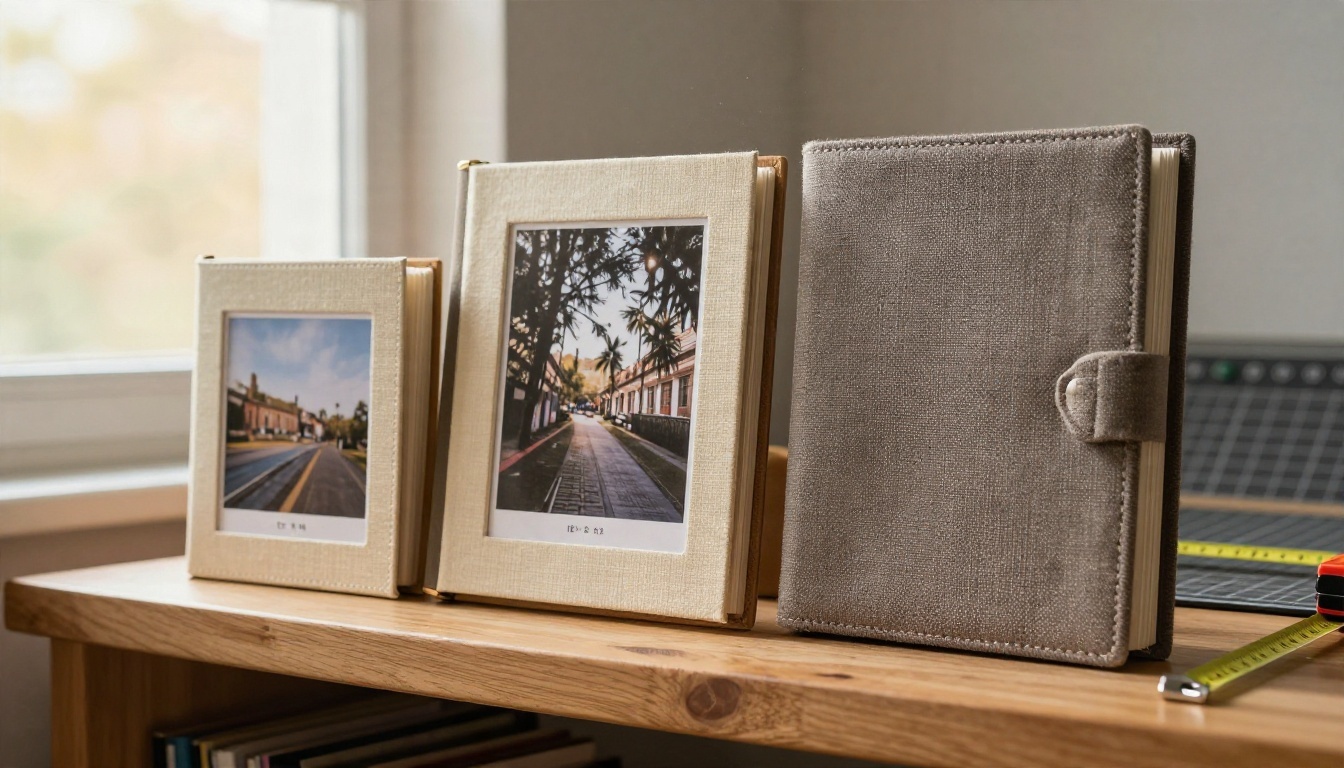
Square is the classic scrapbook shape. It handles both vertical and horizontal photos without awkward gaps, which is why 12 x 12 inches became the standard for paper albums. Portrait (like US Letter or A4) suits text-heavy journal pages. Landscape shows off scenery and looks natural on laptop and TV screens.
For a flipbook that people will mostly read on phones and laptops, square and landscape tend to feel most comfortable. For something you might print on a home printer, stay with Letter or A4.
Pixel Dimensions at 300 DPI
If you export for screen only, 150 DPI is plenty. If there is any chance of printing, build at 300 DPI. Here is a quick reference.
| Page Size | Inches | Millimeters | Pixels at 300 DPI | Best Use |
|---|
| Large square | 12 x 12 | 305 x 305 | 3600 x 3600 | Classic scrapbook, print |
| Medium square | 8 x 8 | 203 x 203 | 2400 x 2400 | Gift books, screens |
| Small square | 6 x 6 | 152 x 152 | 1800 x 1800 | Mini albums, phone viewing |
| US Letter portrait | 8.5 x 11 | 216 x 279 | 2550 x 3300 | Journal pages, home printing |
| A4 portrait | 8.3 x 11.7 | 210 x 297 | 2480 x 3508 | Same, outside the US |
| A5 portrait | 5.8 x 8.3 | 148 x 210 | 1748 x 2480 | Compact keepsake books |
| Landscape Letter | 11 x 8.5 | 279 x 216 | 3300 x 2550 | Travel, scenery, slides |
Margins and Bleed
Keep important content at least 0.5 inch (13 mm) inside every edge. Faces and captions that sit too close to the border get clipped on small screens and trimmed in print. If you add a background that runs to the edge, extend it a few millimeters beyond the page so no white sliver shows.
⚠️ Warning: Do not mix page sizes inside a single PDF. A book with a square page followed by a portrait page will jump around when readers flip, and it looks like a mistake.
How to Build One With Flipbooks AI
Here is the full workflow, from blank page to a shareable book. The process uses a PDF as the bridge, which means you can design in any tool you already enjoy. If you want a closer look at the conversion step by itself, the PDF to Flipbook Converter page explains it.
Design Pages and Export a PDF
- Choose your page size from the table above and set it before placing anything.
- Pick a template and duplicate it for each page or spread you need.
- Drop in photos and crop them so faces sit comfortably inside the safe margin.
- Add captions with a readable font. Handwriting-style fonts are charming for short lines, but use a plain font for anything longer than a sentence.
- Add decoration last: stickers, washi tape, torn edges, pressed flowers. Decoration should frame the photos, not fight them.
- Export as PDF at the highest quality setting, with all pages in the same size.
Upload and Customize
- Go to Flipbooks AI and create an account or sign in.
- Upload your PDF. The platform converts each page into a flippable page automatically.
- Check the page order and preview the page-turn effect.
- Adjust the look: background color, branding, and page effects so the book feels like a physical album.
- Add multimedia where it matters, such as a short video on the page about the beach day or an audio note beside a handwritten letter.
The platform is mobile responsive, so the same book works on a phone, a tablet and a laptop. Flipbooks AI never adds watermarks, so the finished scrapbook looks like yours and nobody else's.

How to Share by Link
This is where a digital scrapbook beats a paper one. Instead of mailing an album, you send a URL.
Direct Link and Password Protection
Once your book is published, you get a direct link you can paste into a message, an email or a family group chat. Anyone who clicks it sees the book open on the first page, ready to flip.
Scrapbooks are personal, so think about who should see them. Password protection keeps private content private: baby photos, wedding albums and family letters can sit behind a password you share only with the people you choose.
| Sharing Option | Best For | Privacy Level | Effort |
|---|
| Direct link | Family chat, email | Anyone with the link | One click |
| Link plus password | Weddings, baby books, letters | Only people with the password | One extra step |
| Embed code | Personal blog, event website | Matches the page it sits on | Paste a snippet |
| Offline download | Trips with poor signal, gifts | Whoever receives the file | Download and send |
Embed on a Website or Blog
If you keep a travel blog or a wedding site, you can place the scrapbook right on the page with an embed code. The Embed Flipbook on Website tool shows how this works. Guests can flip through the book without leaving your site.
Analytics and Extras
Plans at the Professional level add analytics and lead generation, which is more than most family albums need. But if your scrapbook doubles as a portfolio, a school project or a small-business story, seeing how many people opened it can be useful. Compare the options on the pricing page before you pick a plan.
💡 Pro tip: Name the book clearly before sharing. "Lisbon 2026, Day by Day" in a message gets opened. "Untitled flipbook" gets ignored.
Real Examples You Can Copy
Ideas are easier to borrow than to invent. Here are four setups that people use often.
The Weekend Trip Book
Format: 8 x 8 square, 10 to 14 pages. Layout: one hero photo per spread, a small map on page one, ticket stubs or receipts scanned as a final page. Share: direct link sent to the friends who came along, so everyone can add their own favorite memory in the chat.
The Baby's First Year
Format: 12 x 12 square, 13 pages (one cover page and one page per month). Layout: one photo, one date, one line of text. Share: link with a password for grandparents. Add a short audio clip of the baby's laugh on the final page.
The Wedding Thank You Album
Format: landscape Letter, 20 pages. Layout: a large central image, thin border, a handwritten line for each guest group. Share: embed on the wedding website and include the password on the thank-you card. If you are planning a longer, more polished album, see the Wedding Album Flipbook tool.
The School Year Memory Book
Format: A4 portrait, 24 pages. Layout: grid collages for events, one page per student quote. Teachers and parent groups can use the Yearbook Flipbook Maker to keep a class book together.
| Project | Page Size | Pages | Sharing Method | Extras |
|---|
| Weekend trip | 8 x 8 | 10 to 14 | Direct link | Scanned tickets |
| Baby's first year | 12 x 12 | 13 | Password link | Audio clip |
| Wedding thank you | Landscape Letter | 20 | Embed plus password | Video toast |
| School year | A4 portrait | 24 | Direct link | Student quotes |
Common Mistakes to Avoid
Most scrapbook problems repeat. Fix these before you start and you will save hours.
- Low-resolution photos. A picture that looks fine on your phone can turn blurry on a large page. Use the original file, not a screenshot or a messaging-app copy.
- Too many fonts. Two is plenty: one for titles, one for captions.
- Crowded pages. If a page feels busy in the editor, it will feel worse on a phone. Remove one item per page.
- Ignoring page order. Flip through the PDF before uploading. Fixing a misplaced page after you have shared the link means everyone sees the old version first.
- Skipping the privacy check. If the book contains children's photos or home details, add a password before the link leaves your hands.
- Forgetting a backup. Keep the original PDF and the source design file in two places.
⚠️ Warning: Do not share a link in a public social post if the book contains addresses, license plates or school names. Use a password link and send it directly.
Start Your Scrapbook Today
You do not need design experience, special paper or a free weekend. Pick a template, set one page size, and build the first three pages. Once those look right, the rest goes quickly.
Ready to turn your photos into a page-turning book? Get started for free on Flipbooks AI, browse all the flipbook tools to find the right fit for your project, and compare the pricing plans when you want unlimited flipbooks, analytics or lead generation. For a quick start with an existing design, upload it through the PDF to Flipbook Converter and share your first scrapbook by link in minutes.



