The flipbook software market keeps growing, and two names appear in almost every comparison thread: Paperturn and FlipbooksAI. Both convert PDFs into interactive digital publications with realistic page-turn effects. Both run entirely in a browser. Both promise professional-looking results without design expertise. But they approach the flipbook problem from very different angles, price at very different points, and serve very different types of users. This breakdown goes through every feature that actually matters, with tables, real-world examples, and a clear answer for each type of user.
Paperturn is a Denmark-based platform that has been operating since 2010. It is focused on clean, reliable PDF-to-flipbook conversion for business users who want a stable, predictable tool. The platform is solid and functional. It does not try to be everything.
Flipbooks AI is a newer platform built around a broader definition of digital publishing. Beyond basic PDF conversion, it offers over 40 specialized tools for specific content types, from fashion catalogs to hotel brochures to interactive e-books. The platform positions itself as a full digital publishing solution, not just a PDF viewer with animations.
The core difference is scope. Paperturn does one thing reliably. FlipbooksAI does that same thing plus a large set of adjacent publishing tasks, making it the stronger choice for anyone with varied or growing content needs.
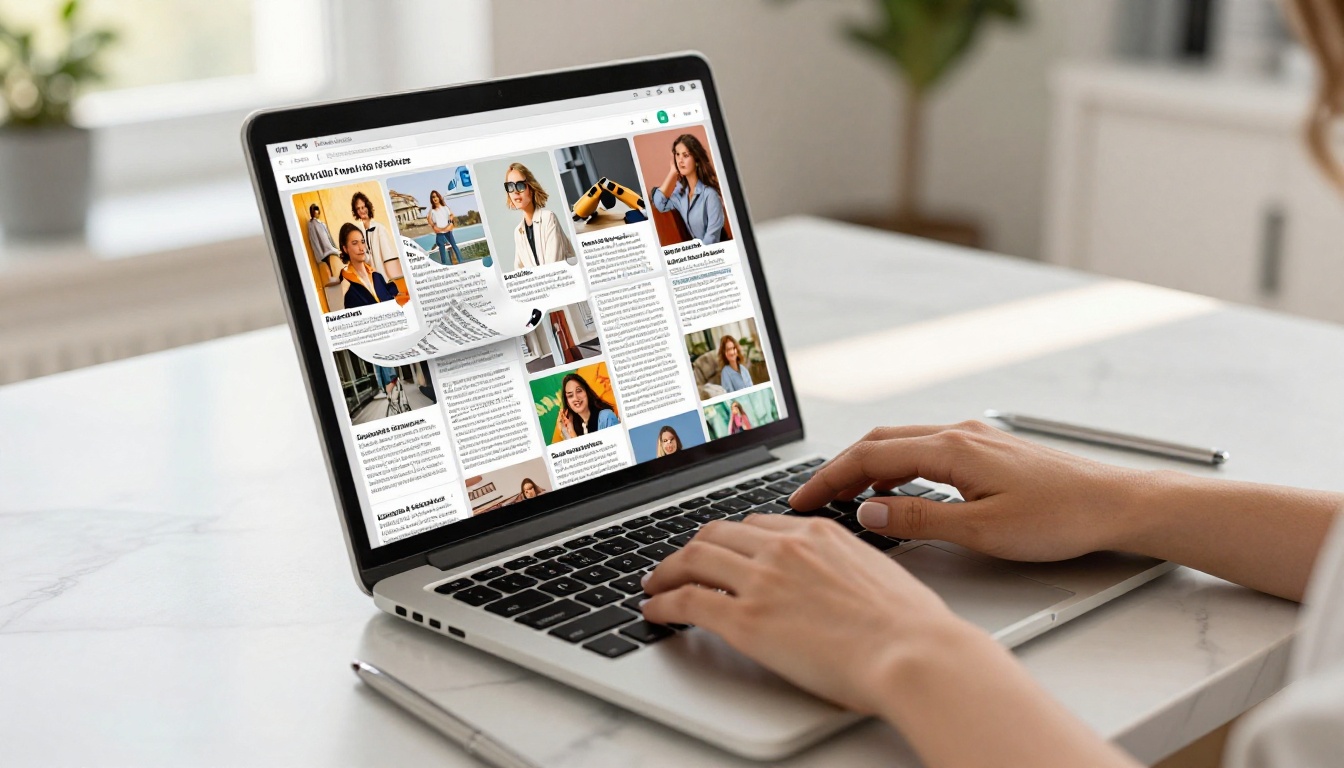
Interface and Ease of Use
First impressions matter in software that non-designers use regularly. Both platforms aim for simplicity, but the execution differs noticeably.
Paperturn has a clean, functional interface that prioritizes stability over aesthetics. The dashboard is straightforward, conversion is reliable, and the editor panel covers the essential customization options. The interface has not changed dramatically in recent years, which means it feels consistent for existing users but slightly dated for new ones.
Flipbooks AI presents a modern, visually polished dashboard with a clear workflow: upload, convert, customize, publish. Each step has clear visual cues, and the live preview updates immediately as you make changes. New users typically publish their first flipbook in under ten minutes without needing documentation.
💡 Both platforms require no design software experience. If you can export a PDF, you can create a flipbook on either platform.
The setup workflow on both platforms follows the same five steps:
- Create an account
- Upload a PDF file
- Wait for conversion (usually under 60 seconds)
- Customize branding and appearance
- Publish and share
The steps are identical. The difference is in how much you can do in step 4 and how many specialized tools you have available before you even start.
Features Side by Side
Here is a complete feature comparison covering every capability that regularly appears in buying decisions.
| Feature | Paperturn | FlipbooksAI |
|---|
| PDF to Flipbook Conversion | ✅ Yes | ✅ Yes |
| Realistic Page-Turn Animation | ✅ Yes | ✅ Yes |
| Custom Branding and Logo | ✅ Paid plans | ✅ All paid plans |
| Watermark-Free Publishing | ✅ Paid plans | ✅ All paid plans |
| Password Protection | ✅ Yes | ✅ Yes |
| Website Embed Code | ✅ Yes | ✅ Yes |
| Video Embedding in Pages | ❌ Limited | ✅ Full support |
| Audio Embedding | ❌ Not available | ✅ Yes |
| Hyperlinks in Pages | ✅ Yes | ✅ Yes |
| Analytics Dashboard | ✅ Higher plans | ✅ Professional plan |
| Lead Generation Forms | ❌ Not available | ✅ Professional plan |
| Offline Download for Readers | ❌ Not available | ✅ Yes |
| Unlimited Flipbooks | ❌ Plan-limited | ✅ Standard plan and above |
| AI-Powered Publishing Tools | ❌ Not available | ✅ Yes |
| Specialized Content Templates | ❌ Generic only | ✅ 40+ specific tools |
| Mobile-Responsive Viewer | ✅ Yes | ✅ Yes |
| Custom Domain | ✅ Higher plans | ✅ Available |
| QR Code Generation | ✅ Some plans | ✅ Yes |

The most striking gap is in specialized tools. Paperturn gives you a one-size-fits-all flipbook creator. Flipbooks AI provides a library of purpose-built tools: the Product Catalog Generator, the Restaurant Menu Creator, the Digital Portfolio Creator, the Magazine Flipbook Creator, and dozens more. Each tool is pre-optimized for its content type, which means faster creation and better results out of the box.
Pricing: What You Actually Pay
Pricing comparisons between platforms require careful reading because the headline numbers rarely tell the full story. The table below gives a realistic picture of what each platform charges for similar capability levels.
| Plan Tier | Paperturn (approx.) | FlipbooksAI |
|---|
| Free | Very limited (trial only) | Basic features available |
| Entry Paid | ~$14/month | Starter tier |
| Standard | ~$29/month | Standard (unlimited flipbooks) |
| Professional | ~$79/month | Professional (analytics + lead gen) |
| Watermarks | Removed on paid plans | Removed on all paid plans |
| Unlimited Publications | Capped by plan | Standard plan and above |
| Custom Branding | Higher plans | All paid plans |
| Offline Downloads | Not available | Included |
⚠️ Paperturn's lower tiers include watermarks and cap publication counts. FlipbooksAI's Standard plan removes both restrictions, giving you unlimited watermark-free flipbooks at a comparable monthly cost.
For high-volume publishers, the unlimited flipbook model on FlipbooksAI's Standard plan is a clear financial advantage. With Paperturn, costs increase as your publication library grows. Check the current FlipbooksAI pricing plans for exact figures and plan comparisons.
Customization and Branding Depth
A flipbook that still looks like it belongs to the platform software is a missed branding opportunity. This is one of the most important practical differences between Paperturn and FlipbooksAI.
Paperturn's customization options cover the core requirements: logo upload, background color, basic font control on the viewer interface, and custom domain on higher plans. For straightforward business documents, this is sufficient.
FlipbooksAI's customization panel goes considerably deeper:
- Logo and brand colors applied consistently across the viewer interface
- Custom background images or gradients behind the flipbook
- Page effects including shadow depth and realistic page texture
- Custom loading screen with branded visuals shown during document load
- Font selection for viewer UI elements
- Multimedia embedding including video clips and audio tracks directly on individual pages
- Interactive elements including clickable hotspots and linked buttons within page content

✅ Best practice: Upload a square PNG logo with a transparent background for maximum clarity. This renders cleanly on both light and dark flipbook backgrounds without white box artifacts.
The multimedia embedding capability in FlipbooksAI is worth highlighting separately. Placing a product video directly on a catalog page, or adding a background audio track to a portfolio presentation, moves the format well beyond what a static PDF can do. Paperturn does not currently match this capability at standard plan levels.
The honest answer to "which is better" depends on your specific context. Here is a breakdown by user type.
Paperturn is a better fit if:
- You have an existing workflow built around Paperturn and switching costs are high
- You publish a small number of general-purpose documents per month
- You primarily need reliable PDF hosting with page-turn presentation
- GDPR compliance with European hosting is a specific contractual requirement
- Simplicity over features is your operating priority
FlipbooksAI is the better fit if:
- You publish regularly across different content types (catalogs, menus, brochures, portfolios)
- You need specialized tools pre-built for your industry or content category
- You want multimedia embedding, lead capture, or detailed analytics
- You want unlimited publications without paying per additional flipbook
- You want offline downloads available for clients and field teams

Real-world use cases where FlipbooksAI clearly wins:
A restaurant owner publishing a seasonal menu gets a purpose-built tool in the Restaurant Menu Creator that formats the document correctly from the start. Paperturn requires you to adapt your content to a generic template.
A fashion brand creating a spring lookbook has a dedicated Interactive Lookbook Designer with pre-optimized visual settings. Paperturn has no equivalent specialized tool for this content type.
A corporate team publishing quarterly reports benefits from the Corporate Report Maker and the Professional plan analytics dashboard to track internal readership and engagement.
A real estate agency publishing weekly property brochures uses the Real Estate Brochure Creator and publishes unlimited brochures under a single Standard plan subscription with no per-document fees.
Sharing and Distribution Options
Publishing a flipbook is only valuable if readers can access it easily across every device and channel they use.
| Distribution Feature | Paperturn | FlipbooksAI |
|---|
| Direct Shareable Link | ✅ Yes | ✅ Yes |
| Website Embed (iframe) | ✅ Yes | ✅ Yes |
| Password-Protected Access | ✅ Yes | ✅ Yes |
| QR Code for Print Materials | ✅ Some plans | ✅ Yes |
| Email Campaign Integration | ❌ Limited | ✅ Yes |
| Offline Download for Readers | ❌ Not available | ✅ Yes |
| Social Media Sharing | ✅ Basic | ✅ Yes |
| Mobile-Responsive Viewer | ✅ Yes | ✅ Yes |
| Custom Domain Hosting | ✅ Higher plans | ✅ Available |

Offline downloads deserve specific attention. FlipbooksAI allows readers to save a downloadable version for offline access. This is genuinely useful for sales teams presenting at trade shows, clients reviewing documents on flights, or field staff without reliable internet access. Paperturn does not include this on standard plans.
The Embed Flipbook on Website tool on FlipbooksAI generates responsive embed codes that adapt to any container width automatically, meaning your embedded flipbook looks correct on desktop, tablet, and mobile with zero additional configuration.
How to Create a Flipbook with FlipbooksAI
For anyone ready to move from research to action, here is the full creation process on FlipbooksAI from account setup to published flipbook.
Step 1: Create your account
Go to flipbooksai.com/account and register. The signup process is straightforward and takes under two minutes.
Step 2: Select your tool
From the tools directory, choose the tool that fits your content type. For general documents, use the PDF to Flipbook Converter. For industry-specific content, browse the specialized options including the Fashion Catalog Creator, the E-Magazine Publishing Tool, or the Training Manual Flipbook.
Step 3: Upload and convert your PDF
Drag and drop your PDF file into the upload area. FlipbooksAI converts the document into individual digital pages with realistic page-turn physics. Conversion completes in under 60 seconds for most documents under 50 pages.

Step 4: Apply your branding
In the editor panel, upload your logo, set your primary brand color, choose a background style, and add any multimedia embeds to specific pages. The live preview reflects every change in real time.
Step 5: Configure access and privacy
Set your flipbook as public, unlisted, or password-protected. For internal company documents like HR policies or financial reports, password protection keeps content secure while still shareable via direct link to authorized recipients.
Step 6: Publish and distribute
Copy your shareable link, grab the embed code for your website, or generate a QR code for printed materials. Your flipbook is immediately mobile-responsive on publish with no additional configuration needed.
💡 The Professional plan adds lead generation forms directly into the flipbook viewer. Readers submit their email to access gated content or request more information, turning passive document readers into active contacts in your pipeline.
Step 7: Review your analytics
On the Professional plan, the analytics dashboard shows engagement metrics including page views, time spent per page, reader drop-off points, geographic distribution, and device breakdown. This data is directly actionable for refining future publications.

The Practical Takeaway
After comparing every feature category, the pattern is consistent. Paperturn is a reliable platform that does its core job without friction. If your needs are simple and your publication volume is low, it is a reasonable choice, particularly if you are already an established user with an existing workflow.
Flipbooks AI wins on features, flexibility, and value at almost every comparable price point. The combination of no watermarks on all paid plans, unlimited flipbooks on Standard, offline downloads, multimedia embedding, 40+ specialized tools, and AI-powered creation gives it a substantial advantage for anyone publishing content with any regularity.

The specialized tools are the clearest differentiator. Paperturn requires every user to adapt to a single generic template. FlipbooksAI adapts its tools to the content type you are actually creating, whether that is a Sales Presentation Flipbook, a Recipe Book Flipbook, a School Newsletter Creator, or a Wedding Album Flipbook. That breadth of specialization is not something a generic PDF viewer can replicate.
For teams publishing catalogs, menus, brochures, lookbooks, portfolios, reports, or educational materials at any meaningful frequency, FlipbooksAI offers a deeper, more capable platform than Paperturn at comparable cost.
Start Publishing Today
The fastest way to stop comparing and start publishing is to try it firsthand. Get started for free on Flipbooks AI and upload your first PDF today. No credit card required for the initial setup, and your first flipbook can be live in under ten minutes.
For users ready to commit to a plan, review the pricing options and choose the tier that fits your publication volume. For teams working across multiple content categories, the full tools library shows every available creator organized by category so you can find exactly what fits your workflow.
Whether you are building product catalogs, publishing company newsletters, creating event programs with the Event Program Maker, or converting training materials with the Course Material Publisher into interactive digital documents, Flipbooks AI offers a more complete and more capable publishing platform than Paperturn at every level.



