Typing pdf flip book free into a search bar usually means one thing: you have a PDF that nobody wants to scroll through, and you want it to feel like a real publication without opening your wallet. That goal is reachable. It also comes with fine print that most landing pages bury. Watermarks, page caps, expiring links and locked embed codes are all common on free tiers, and you only find them after you have uploaded your file. This article lays out how a free online maker works, what the limits look like in practice, how embedding really behaves, and which alternatives are worth a look. If you want to test a converter while you read, Flipbooks AI lets you upload a PDF and see the page-turn result in a couple of minutes.
Flip Book vs Plain PDF
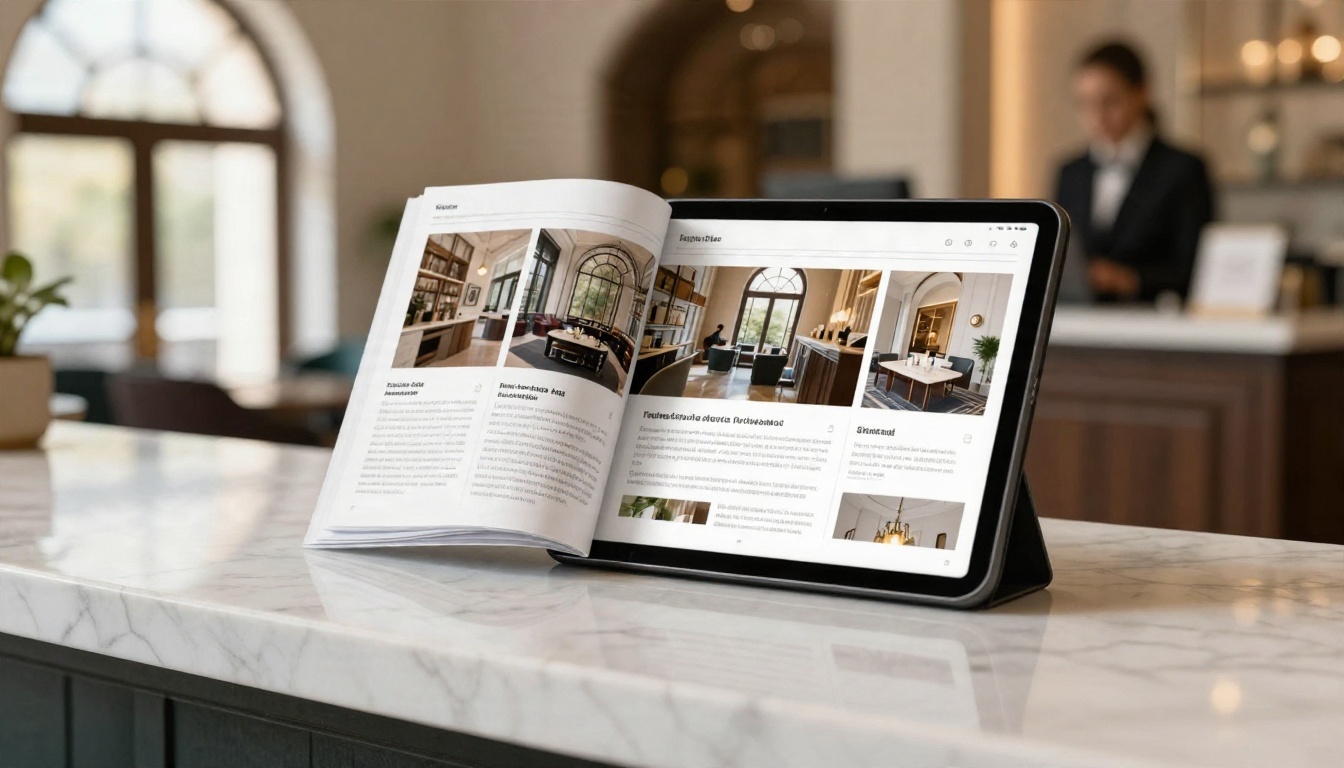
A PDF is a fixed document. A flip book is the same content wrapped in a reader that mimics a printed publication: pages turn, the spread sits side by side on desktop, and the whole thing loads in a browser tab with no download required.

What Changes for Readers
The difference shows up in the first ten seconds. A PDF opens in a viewer that depends on the device, often needs pinching and zooming on a phone, and gives you no sense of progress. A flip book gives readers a familiar page rhythm, fast loading and a shareable link.
| Feature | Plain PDF | Flip Book |
|---|
| Page-turn effect | No | Yes |
| Opens in browser without download | Sometimes | Yes |
| Mobile-friendly layout | Often poor | Responsive |
| Embeds in a web page | Clunky | Clean iframe |
| Tracks views | No | Yes, on most paid plans |
| Video and audio inside pages | Rarely | Supported on some tools |
| Looks like a publication | No | Yes |
💡 Pro tip: Keep your original PDF. A flip book is a presentation layer. Your source file is still what you edit when prices, dates or photos change.
Who Actually Uses Them
Flip books are not just for magazines. The most common real-world uses are:
- Catalogs and price lists for shops and wholesalers
- Restaurant and spa menus that change by season
- Annual reports and investor decks
- Portfolios for photographers, architects and designers
- Training manuals and course material
- Real estate and hotel brochures
Each of these starts as a PDF in most workflows, which is why a converter is the shortest path to a polished result.
The Real Cost of Free
Free is a fair price for a first test. It is a poor price for a project you plan to put in front of customers. Most free plans protect themselves with a handful of predictable restrictions.
Watermarks and Branding
The most visible limit is a logo stamped on the pages or a banner across the reader. For a personal project that is tolerable. For a client-facing catalog it quietly tells readers you are using a trial. Some tools also place ads beside your content or redirect the final page to their own site.
If a clean look matters, check this first. Flipbooks AI states plainly that there are no watermarks, ever, which removes the guesswork from the comparison.
Page Caps and Expiry
Other limits tend to hide in the pricing table rather than on the homepage:
- Page count: some free tools stop at a modest number of pages, so a 120-page catalog gets truncated or refused.
- File size: large image-heavy PDFs may be rejected or compressed hard.
- Number of flip books: you may get one or a few active projects.
- Expiry: links can stop working after a trial period or after inactivity.
- Storage: your file may be deleted if you do not log in.
| Limit | What to check | Why it hurts |
|---|
| Watermark | Logo on pages or reader | Looks unprofessional |
| Page cap | Maximum pages per file | Long documents fail |
| File size | Upload ceiling in MB | Photo-rich PDFs rejected |
| Active flip books | Number allowed at once | Blocks a second project |
| Link expiry | Days until deactivation | Broken links in emails |
| Custom branding | Colors, logo, domain | Stuck with default look |
| Download option | Offline copy | Readers cannot save it |
⚠️ Warning: An expiring link is the most expensive limit. If you print the URL on packaging, a menu card or a business card, a dead link means a reprint.
Embed Options Explained
Sharing a link is easy. Putting the flip book directly into your own web page is where free tools often draw a line, and where the choice of format matters most.

Iframe, Link or Popup
There are three ways most people publish a finished flip book:
- Direct link: a short URL you paste into emails, social bios or QR codes.
- Iframe embed: a snippet of HTML that places the reader inside your page, so visitors never leave your site.
- Popup or lightbox: a thumbnail on your page that opens the flip book in an overlay.
| Method | Best for | Setup effort | Keeps visitors on your site |
|---|
| Direct link | Email, social, QR codes | Very low | No |
| Iframe embed | Landing pages, blog posts | Low | Yes |
| Popup | Product pages, galleries | Medium | Yes |
| Full-page redirect | Standalone microsite | Low | Partly |
The iframe is the workhorse. You paste a single block of HTML into a page builder, a CMS or a custom template, and the flip book appears. The Embed Flipbook on Website tool is built for exactly this flow.
Mobile and Responsive Display
More than half of visits to a typical public document now happen on a phone. A flip book that shows two tiny pages side by side on a narrow screen is worse than a PDF. A good reader switches to single-page mode on small screens, supports swipe and tap, and resizes inside its iframe.

✅ Best practice: Before you share anything, open the link on your own phone, on a different browser, and inside the page where you embedded it. Three tests take two minutes and catch most layout bugs.
How to Make One Free
Here is the workflow, using Flipbooks AI as the example. The steps are similar on most online makers, so you can use this as a checklist for any tool.
Upload and Convert
- Go to the PDF to Flipbook Converter or create an account.
- Drag your PDF into the upload area. A clean export from your design tool works best, with embedded fonts and images at a sensible resolution.
- Wait for conversion. Each page is rendered as an image so the layout never shifts.
- Preview the result. Flip through every page and look for cropped margins or blurry images.
💡 Pro tip: Export your PDF at 150 DPI for screen reading. Higher values bloat file size without any visible gain on a monitor or phone.
Style the Reader
Once the pages are in, the reader can be adjusted to match your brand:
- Set the background color and accent colors
- Add your logo and custom branding
- Choose the page effect and turning speed
- Embed videos and audio on pages that need them
- Add links on products, buttons and contact details
A restaurant, for instance, can start from the Restaurant Menu Creator. A shop can use the Product Catalog Generator, and a studio can pick the Digital Portfolio Creator.
Share and Publish
When the look is right, choose how to publish:
- Copy the direct link for email and social posts.
- Copy the embed code and paste it into your website editor.
- Turn on password protection if the document is private.
- Download an offline copy for readers with poor connectivity.
Features Worth Paying For
Free is for testing. Once a flip book is part of how your business sells or reports, a few features pay for themselves quickly. You can compare them on the pricing page.
Password Protection
Not every document should be public. Investor decks, internal training manuals, price lists for wholesale clients and unreleased catalogs all benefit from a password. Readers open the link, type the password, and read. Nobody else can.

Analytics and Lead Capture
A PDF sent by email is a black box. You do not know who opened it, which pages they read or when they dropped off. Analytics on the Professional plan show views, reading behavior and where attention fades. Lead generation goes one step further by asking for a name or email before the reader can continue.
| Plan feature | Free trial tools | Standard | Professional |
|---|
| No watermark | Rare | Yes | Yes |
| Unlimited flip books | No | Yes | Yes |
| Custom branding | Limited | Yes | Yes |
| Password protection | Sometimes | Yes | Yes |
| Offline downloads | Rare | Yes | Yes |
| Analytics | No | Basic | Full |
| Lead generation | No | No | Yes |
⚠️ Warning: Plan names and limits change over time. Always confirm the current features on the pricing page before you commit.
Alternatives Compared
Flipbooks AI is one option. Depending on your project, you might also look at other online makers, design suites with built-in publishing, or the simplest route of all: a hosted PDF.
Side by Side Options
| Option | Cost | Page-turn effect | Embed | Tracking | Best for |
|---|
| Flipbooks AI | Free to try, paid plans | Yes | Yes | Yes | Catalogs, menus, reports |
| Other online flip book makers | Free tier with limits | Yes | Often locked | Paid only | Quick one-off tests |
| Design suites with publish links | Subscription | Basic | Limited | Limited | Teams already using them |
| Hosted plain PDF | Free | No | Clunky | No | Internal files |
| Self-hosted JavaScript library | Free, needs developer | Yes | Yes | You build it | Technical teams |
The self-hosted route looks free but costs developer hours, hosting and maintenance. For a small business, a managed tool is usually cheaper in the real sense of time.
A Quick Decision Checklist
Ask these questions before you pick a tool:
- Will the final document have more pages than the free cap?
- Do I need no watermark for a client-facing release?
- Can I embed it on my own site without upgrading?
- Will I need password protection or analytics within six months?
- Does the reader work well on a phone?
- Can I download or export my work if I leave?
If you answer yes to two or more, a free tier will probably hold you back sooner than expected.
Real Use Cases
A tool is easier to judge when you see it in someone's workflow.

- A restaurant swaps its seasonal menu PDF into a flip book, prints a QR code on each table, and updates the file without reprinting. The Menu Flipbook Designer fits this case.
- A real estate agent turns a listing brochure into a page-turn document and embeds it on the property page. The Real Estate Brochure Creator speeds this up.
- A photographer converts a portfolio PDF into a flip book to send to clients with a password. See the Photography Portfolio tool.
- A school publishes a monthly newsletter through the School Newsletter Creator and shares one link with parents.
- A nonprofit presents its yearly figures in the Non-Profit Annual Report format.
You can browse every template on the tools directory.
Start Your Flip Book Today
You do not need to choose a plan before you test your first file. Upload a PDF, check how the pages look, try the embed code on a draft page, and see whether the limits match your needs.
A good PDF flip book makes your content easier to read, easier to share and easier to measure. Pick a tool whose free tier shows you the whole picture, not just the best part of it.



