Type "PDF hosting free unlimited" into a search bar and you will get a wall of promises. Spend a month with any of those services and the fine print starts to show: bandwidth caps, forced watermarks, files that quietly disappear. This article looks at what "unlimited" actually means, what free plans really cost, and which options hold up when real readers show up. We will also look at how Flipbooks AI turns a plain PDF into a shareable, branded reading experience without the usual traps.
If you only have a minute, here is the short version: free and unlimited almost never appear in the same sentence without an asterisk. The rest of this piece shows you where the asterisk hides.
What "Unlimited" Really Means
Marketing teams love the word. Engineers know that storage, bandwidth and processing all cost money every time a file is opened. So when a host says "unlimited," it usually means "unlimited until we decide your usage is unreasonable."

Storage Versus Bandwidth
These two numbers get mixed up constantly, and the difference matters.
- Storage is how much space your files take up on the server.
- Bandwidth is how much data leaves the server when people view or download your PDFs.
A 20 MB catalog stored once costs almost nothing. The same catalog opened 5,000 times moves 100 GB of data. That is why a host can offer "unlimited storage" and still throttle your links the moment a post goes viral.
Fair Use Clauses
Almost every unlimited plan has a fair use policy buried in the terms of service. It typically lets the provider:
- Slow down or suspend files that get "excessive" traffic.
- Remove content that is rarely opened to reclaim space.
- Change limits with short notice.
⚠️ Warning: If a free plan never states a number for monthly views or downloads, the limit exists but is unwritten. Assume it is lower than you hope.
Where the Limits Hide
| Limit Type | What the Plan Says | What Often Happens |
|---|
| Storage | "Unlimited files" | Per file size cap, or old files purged |
| Bandwidth | "Unlimited views" | Links throttled after traffic spikes |
| Branding | "Free forever" | Host logo or watermark on every page |
| Downloads | "Share anywhere" | Download buttons disabled or rate limited |
| Support | "24/7 help" | Community forum only on the free tier |
Free PDF Hosts Compared
Not every free option fails the same way. Most fall into three buckets, and each has a different trade off.

General File Storage
Cloud drives such as Google Drive or Dropbox are the default choice for many people. They are reliable and familiar. They are also built for storing files, not for presenting them. A visitor often lands on a generic preview page, sees a download prompt, and has to sign in or click through. There is no branding, no page turning, and limited insight into who read what.
Document Sharing Sites
Public document platforms give your PDF a page of its own and sometimes bring in outside traffic. The price is control. Free uploads can be public by default, surrounded by ads or related content from competitors, and subject to the platform's own rules about what stays online.
Flipbook Platforms
Flipbook tools convert the PDF into a page turning viewer that works on phones and desktops. The reading experience feels closer to a magazine than a download. Quality varies a lot though, because many free flipbook tiers add watermarks, limit page counts, or delete flipbooks after a trial period.
| Hosting Type | Best For | Typical Free Tier Weakness |
|---|
| General file storage | Internal sharing, backups | Plain preview, no branding or reader data |
| Document sharing sites | Public reach, quick uploads | Ads, public listings, little control |
| Flipbook platforms | Catalogs, magazines, brochures | Watermarks, page or flipbook caps |
| Self hosted on your site | Full control | You pay for bandwidth and maintenance |
The Hidden Costs of Free
Free is never zero. You pay in other currencies: credibility, time and sometimes data.

Watermarks and Ads
A third party logo stamped on your price list tells customers you did not invest in your own presentation. For a freelancer pitching a client or a shop sending a seasonal catalog, that small detail changes how the document is perceived. This is why no watermarks, ever is such a meaningful promise on paid plans.
Link Rot and Deleted Files
Free accounts are the first to be cleaned up. Inactive file purges, policy changes and discontinued products all leave you with dead links. If you printed a QR code on packaging or posted a link in a newsletter, you cannot edit it afterward. A dead link in print stays dead.
💡 Pro tip: Before you publish any link in print, open it on a phone using mobile data, and again after a week. If the experience is slow or the file is gone, pick another host.
Privacy and Data Use
Some free platforms index uploaded documents, scan them for recommendations, or keep copies after you delete them. For contracts, internal reports, price lists or client proposals, check three things:
- Can you set a password on the file?
- Can you unpublish it and confirm it is really gone?
- Is the link hard to guess, or listed in a public directory?
What Free Costs in Practice
| Hidden Cost | Who Feels It | Impact |
|---|
| Third party branding | Businesses, freelancers | Weaker brand trust |
| Throttled links | Anyone with a traffic spike | Readers see errors and leave |
| No reader data | Marketers, sales teams | No way to follow up or measure |
| Forced migration | Everyone | Hours lost rebuilding links |
What Paid Hosting Looks Like
Paid PDF hosting usually follows a predictable ladder. Knowing the pattern helps you judge any provider quickly.

Typical Pricing Patterns
- Entry tier: a handful of documents, branding removed, basic sharing.
- Mid tier: many or unlimited documents, custom domains or embed options, password protection.
- Top tier: reader analytics, lead capture, team seats, priority support.
Prices swing widely between providers, so always check the current pricing page rather than trusting a review that may be a year old. The more useful question is: which features sit behind the paywall?
Features Worth Paying For
| Feature | Free Plans | Paid Plans |
|---|
| Watermark removal | Rare | Standard |
| Password protection | Sometimes | Common |
| Embed on your own site | Limited | Common |
| Reader analytics | Almost never | Top tiers |
| Lead capture forms | Almost never | Top tiers |
| Offline downloads | Rare | Common |
| Custom branding | Rare | Common |
On Flipbooks AI, the Standard plan and above unlock unlimited flipbooks, while analytics and lead generation arrive with the Professional plan. You can compare the tiers side by side on the pricing page.
Better Alternatives for Real Work
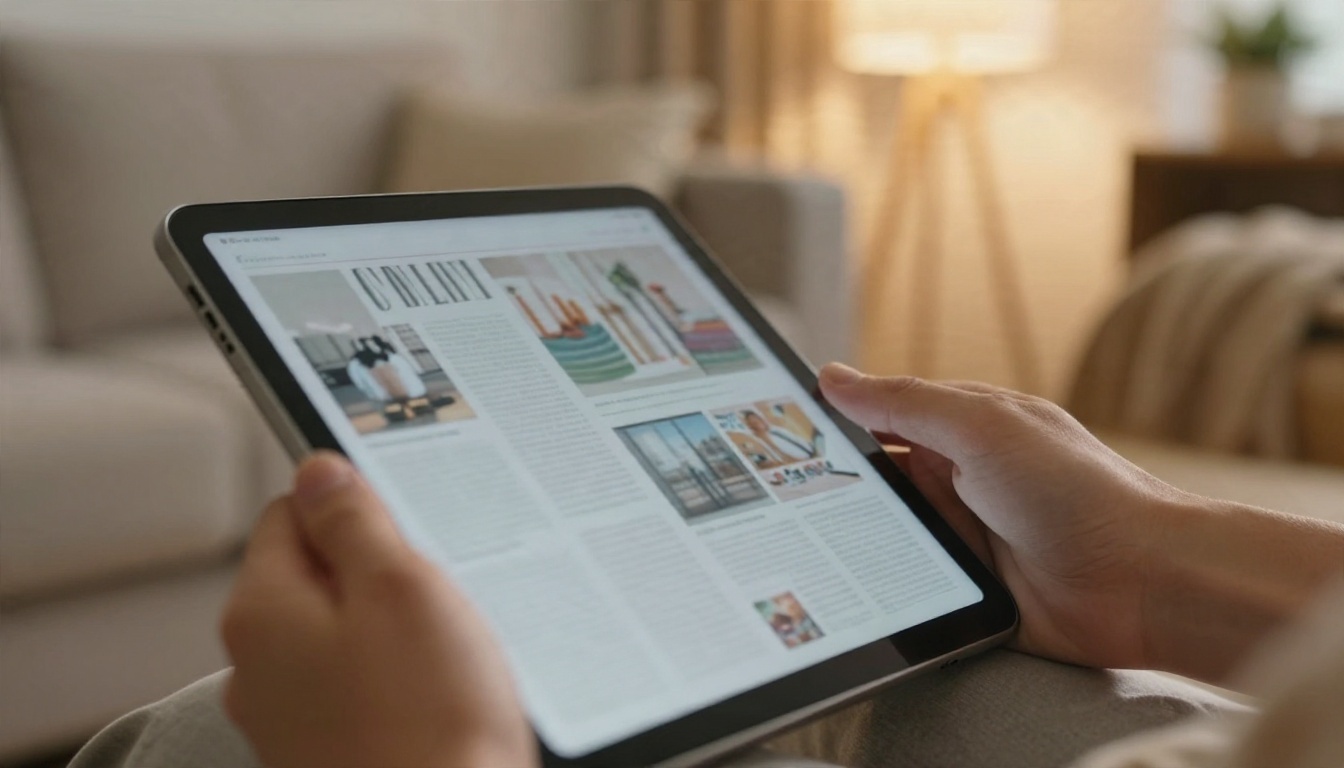
A PDF is a fine file format and a poor reading experience on a phone. Pinching, zooming and scrolling through a 40 page catalog on a small screen is tiring. A flipbook fixes that by reflowing the experience into page turning spreads that load fast and look polished.
Catalogs and Price Lists
Retailers and wholesalers update pricing often. A hosted flipbook lets you replace the file and keep the same link, so older QR codes and emails still work. The Digital Catalog Maker and the Digital Price List Generator are built around exactly that workflow.
Menus and Brochures
A restaurant can print one QR code for every table and update the menu from the back office whenever a dish changes. The Restaurant Menu Creator handles the layout, and a hotel can do the same with the Hotel Brochure Designer.

Reports and Team Documents
Internal teams often email the same PDF to ten people and then lose track of which version is current. One hosted link, protected by a password, solves it. See the Report Flipbook Creator or the Training Manual Flipbook for typical setups.

Side by Side Use Cases
| Scenario | Plain PDF Link | Hosted Flipbook |
|---|
| Seasonal catalog | Download, zoom, scroll | Page turning, fast on mobile |
| Restaurant menu | Slow file on weak signal | Light viewer, easy updates |
| Client proposal | Attachment may be forwarded | Password and tracked views |
| Portfolio | Static document | Branded, embeddable showcase |
| Newsletter | Attachment size limits | One shareable link |
How to Host a PDF with Flipbooks AI
If you want to see the difference yourself, the process takes only a few minutes. Here is the workflow from upload to share link.

Step 1: Create Your Account
Head to Flipbooks AI and create an account. You can try the platform before choosing a plan, and the pricing page lists exactly what each tier includes.
Step 2: Upload Your PDF
- Open your dashboard and choose to create a new flipbook.
- Drag your file into the upload area, or select it from your computer.
- Wait a few seconds while the PDF to Flipbook Converter turns each page into a crisp, page turning spread.
Your original layout, fonts and images stay intact. Links inside the PDF remain clickable.
Step 3: Customize the Look
Open the editor and adjust:
- Branding: add your logo and pick background colors that match your site.
- Page effects: choose how pages turn, from a soft curl to a flat slide.
- Multimedia: embed videos and audio on any page, for example a product demo next to a catalog item.
- Mobile view: preview how the flipbook behaves on a phone, since the design is mobile responsive.
💡 Pro tip: Compress oversized images in your source file before uploading. Faster pages mean fewer readers who give up before the first spread loads.
Step 4: Choose How to Share
| Sharing Option | Best For | Notes |
|---|
| Direct link | Email, chat, social posts | Fastest to send |
| Embed code | Your own website | See Embed Flipbook on Website |
| Password protection | Private proposals, internal reports | Share the password separately |
| Offline download | Trade shows, poor connections | Readers keep a local copy |
Step 5: Turn On Pro Features
On the Professional plan you also get analytics and lead generation. Analytics show which pages hold attention and which ones lose readers. Lead capture asks for an email address before someone can open a gated document, which is ideal for whitepapers and premium catalogs. Browse all flipbook tools to find a template that fits your project.
✅ Best practice: Keep one master flipbook per document and update it in place. Your links, QR codes and embeds will always point to the latest version.
How to Choose Your Host
There is no single right answer. The best host depends on what happens after you click "publish."

A Quick Decision Checklist
Ask yourself these questions before committing:
- Will customers see this document? If yes, avoid watermarks.
- Will it be printed as a QR code? If yes, avoid free tiers with purge policies.
- Is the content private? If yes, require passwords and a real delete option.
- Do you need to know who reads it? If yes, pick a plan with analytics.
- Will you update it often? If yes, choose a host that keeps the same link when you replace the file.
When Free Is Fine
Free hosting is a reasonable choice for short term, low stakes situations: sharing homework, passing a draft to a colleague, or testing a layout. For anything customer facing or long lived, a small monthly cost usually costs less than the time spent fixing broken links later.
| If You Are... | Suggested Route |
|---|
| A student or hobbyist | General cloud storage |
| A freelancer showing work | Flipbook with custom branding |
| A small shop or restaurant | Hosted flipbook with an easy update flow |
| A marketing or sales team | Professional plan with analytics and leads |
| A publisher or magazine | Dedicated Magazine Flipbook Creator |
Host Your PDFs the Better Way
Free unlimited PDF hosting is a nice idea that rarely survives contact with real traffic. Limits, watermarks and dead links are the price of "free," and your readers notice every one of them. A hosted flipbook gives the same file a faster, cleaner and more professional home.
Ready to publish your first one? Get started for free on Flipbooks AI, browse the full list of tools and templates, or compare pricing plans to see which tier fits your documents.



