A potential client messages you at 9 p.m. and asks one simple question: "How much do you charge?" If your answer is a long back and forth, you will lose them to the company that sent a clean price list in two minutes. A well built price list template for cleaning services fixes that. It gives you a single page you can send by text, email, or link, and it answers the money question before anyone has to ask twice. In this article you get a free layout to copy into Word, a PDF checklist, sample rates, pricing ideas, and a simple way to turn the finished sheet into a shareable page-turning document with Flipbooks AI.
What a Good Cleaning Price List Includes
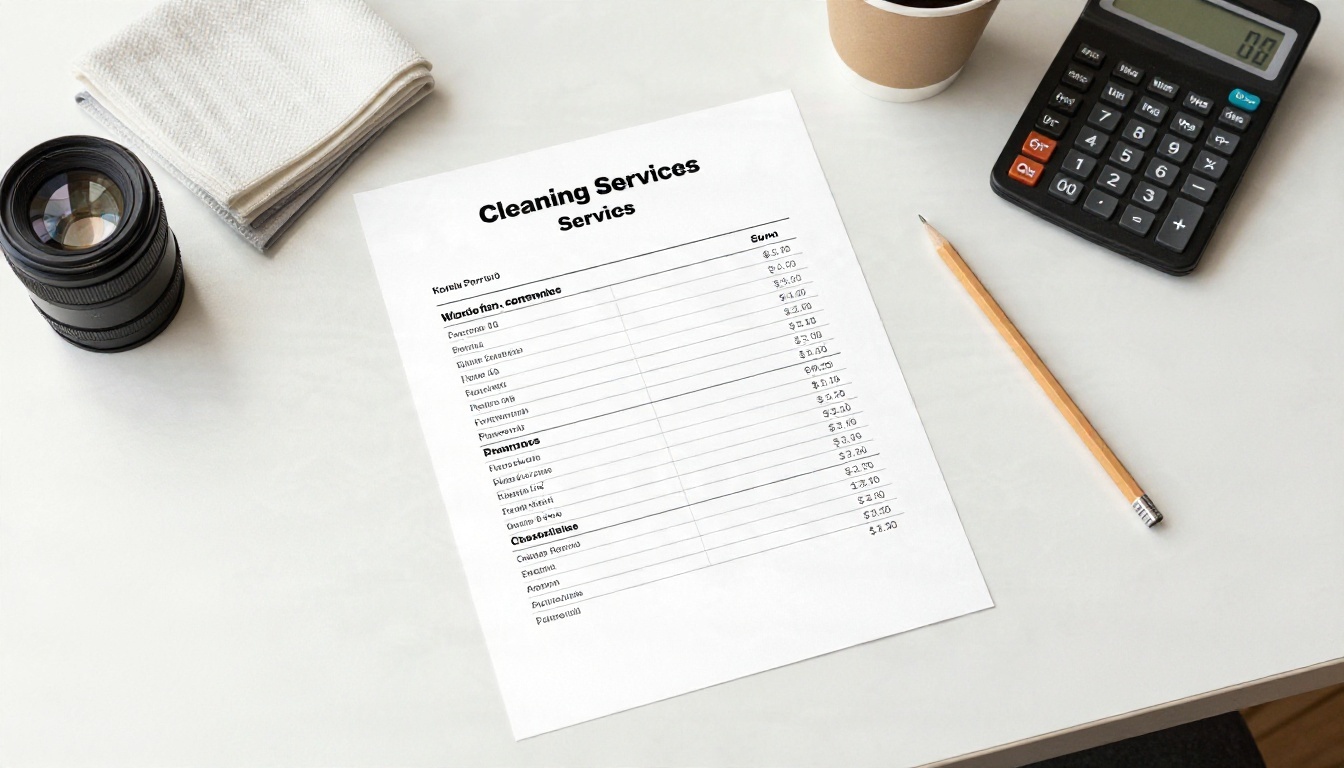
A price list is not a quote. A quote is a promise for one specific job. A price list is your menu: it shows what you offer, how you charge, and what customers can expect before they call. The best ones are short, scannable, and honest.
The Five Parts Every Sheet Needs
Whether you clean apartments, offices, or short-term rentals, your sheet should hold these five parts:
- Business header: name, logo, phone, email, service area.
- Service list: each service with a one line description.
- Prices or price ranges: flat rate, hourly rate, or per square foot.
- Add-ons: extras like inside the oven, windows, or laundry.
- Terms: minimum charge, cancellation window, payment methods, supplies policy.
💡 Pro tip: Put your minimum visit charge near the top. It filters out tiny jobs that cost you more in travel time than they earn.
Flat Rate vs Hourly vs Per Square Foot
There is no single right way to charge. The method should match the work. Here is how the three common models compare.
| Pricing model | Best for | Pros | Watch out for |
|---|
| Flat rate | Standard homes, recurring visits | Easy for clients to compare, fast to quote | Underpricing messy homes |
| Hourly | Deep cleans, move-outs, unknown conditions | Fair when scope is unclear | Clients fear an open ended bill |
| Per square foot | Offices, retail, new construction | Scales with size, simple math | Ignores clutter and condition |
Most small cleaning businesses mix models. A flat rate for a regular two bedroom clean, an hourly rate for deep cleans, and a per square foot rate for commercial bids is a very common setup.
The Free Price List Template

Below is a layout you can copy straight into Word or Google Docs. Select the tables, paste them into a blank document, replace the sample numbers with your own, and save. Every number here is an example, so adjust it to your local market.
Word Template: Residential Services
[Your Business Name]
Professional home cleaning in [City or Service Area]
Phone: [000 000 0000] | Email: [you@yourbusiness.com]
| Service | What is included | Starting price |
|---|
| Standard clean | Dusting, vacuuming, mopping, kitchen and bathroom wipe-down | $120 |
| Deep clean | Standard clean plus baseboards, inside cabinets, grout scrub | $220 |
| Move in / move out | Empty home, inside appliances, closets, all surfaces | $280 |
| Recurring weekly | Standard clean on a fixed day | $95 per visit |
| Recurring biweekly | Standard clean every two weeks | $105 per visit |
| Recurring monthly | Standard clean once a month | $115 per visit |
Word Template: Add-Ons and Extras
| Add-on | Price |
|---|
| Inside oven | $35 |
| Inside refrigerator | $30 |
| Interior windows (per window) | $6 |
| Laundry, wash and fold (per load) | $20 |
| Pet hair treatment | $25 |
| Balcony or patio sweep | $20 |
| Eco-friendly products | $10 |
Word Template: Terms Block
- Minimum visit charge: $90
- Payment: card, bank transfer, or cash at the end of the visit
- Cancellations: free up to 24 hours before the appointment
- Supplies and equipment: included unless noted
- Prices are starting rates and may change after a walk-through
✅ Best practice: Use one font family, two colors, and plenty of white space. A cleaning price list should look like a cleaning business: fresh, light, and uncluttered.
Word Formatting Checklist
- Set page margins to at least 0.75 inches so nothing clips when printed.
- Use a table with no heavy borders, only light row lines.
- Bold the service name and keep descriptions to one line.
- Right-align prices so numbers line up and are easy to scan.
- Add your logo in the header, not the middle of the page.
Save It as a PDF Without Losing Quality
Word files are easy to edit but easy to break too. Fonts shift, tables jump pages, and clients on a phone may see a mess. A PDF locks the layout so every client sees what you designed.
Export Steps That Work Every Time
- Finish your edits and read every price out loud once.
- Choose File, then Save As, then PDF in Word.
- Pick Standard (publishing online and printing) for the best quality.
- Name it clearly, for example
Sparkle-Clean-Price-List-2026.pdf.
- Open the PDF on your phone to confirm text is readable without zooming.
Word vs PDF vs Flipbook
| Format | Editing | Phone friendly | Tracking views | Looks professional |
|---|
| Word (.docx) | Easy | Poor | No | Medium |
| PDF | Hard | Fair | No | Good |
| Flipbook link | Replace the file | Excellent | Yes, on the Professional plan | Excellent |
A PDF is the safe default. A flipbook is the upgrade, and we will get to it in a moment.
Pricing Ideas That Actually Work
Numbers on a page are only half the job. How you frame them decides whether clients book or keep shopping.
Offer Three Tiers
Clients love choosing. Instead of one price, offer three packages and let them pick the middle one most of the time.
| Package | Best for | Example price | What clients get |
|---|
| Fresh | Busy but tidy homes | $110 | Dusting, floors, kitchen, bathrooms |
| Sparkle | Most households | $160 | Everything in Fresh plus baseboards, appliance exteriors, bed making |
| Total Reset | Seasonal or pre-event clean | $260 | Everything in Sparkle plus inside oven, fridge, and windows |
The middle tier works as an anchor. The top tier makes it feel reasonable.
Reward Recurring Clients
A repeat client is worth far more than a one time booking because you spend less time on travel, quoting, and scheduling. Offer a clear discount ladder:
- Weekly: 15 percent off the standard rate
- Biweekly: 10 percent off
- Monthly: 5 percent off
- First visit: charged at the deep clean rate, then moved to the recurring rate
Price Ranges Instead of Fixed Numbers
When condition varies a lot, write "from $120" or "$120 to $160". This protects your margin and sets honest expectations. Clients who see a range rarely feel tricked later.
⚠️ Warning: Never copy a competitor's price list number for number. Their rent, travel time, and insurance costs are not yours. Use their prices as a reference point, then calculate your own.
Seasonal and Event Offers
- Spring reset: a fixed price deep clean in March and April
- Holiday ready: pre-party clean with guest bathroom focus
- Post-renovation: hourly with a two hour minimum
- Realtor package: discounted move-out clean for agents who send repeat referrals
Sample Rates by Service Type
Rates vary a lot by city, so treat this as a starting reference rather than a rule. Check two or three local competitors and adjust up or down.
Residential Rate Examples
| Home size | Standard clean | Deep clean | Move-out clean |
|---|
| Studio or 1 bedroom | $90 to $130 | $150 to $230 | $180 to $260 |
| 2 bedrooms | $120 to $170 | $200 to $300 | $240 to $340 |
| 3 bedrooms | $150 to $210 | $250 to $380 | $300 to $420 |
| 4+ bedrooms | $190 to $280 | $330 to $500 | $380 to $560 |
Commercial Rate Examples
Offices, clinics, and shops are usually priced per square foot or per visit, with a lower rate for larger spaces and frequent service.
| Space type | Typical rate | Common schedule |
|---|
| Small office (under 2,000 sq ft) | $0.10 to $0.20 per sq ft | 2 to 3 times per week |
| Medical or dental office | $0.15 to $0.30 per sq ft | Daily or nightly |
| Retail store | $0.08 to $0.15 per sq ft | Weekly or nightly |
| Post-construction | $0.25 to $0.60 per sq ft | One time |
What About Specialty Work?
Carpet cleaning, window washing, and Airbnb turnovers are different businesses in practice. Give each its own small table on page two rather than mixing them into your main list. For short-term rentals, many cleaners charge a flat turnover fee plus a separate laundry fee, so owners can compare across properties easily.
How to Calculate Your Own Rates
Copying market prices is a start. Calculating your real cost is what keeps the business alive.
The Simple Formula
- Find your hourly cost. Add wages, payroll taxes, insurance, supplies, vehicle costs, and software. Divide by the billable hours you expect each month.
- Add a profit margin. Most healthy cleaning companies aim for 15 to 30 percent above cost.
- Estimate time per job. A two bedroom home might take one cleaner three hours, or two cleaners ninety minutes.
- Multiply and round. Hours times your hourly price, then round to a clean number like $135 instead of $131.40.
Worked Example
| Line item | Amount |
|---|
| Cleaner wage and payroll costs (3 hours at $22) | $66 |
| Supplies and equipment wear | $8 |
| Vehicle and travel time | $12 |
| Insurance, software, admin share | $9 |
| Total cost | $95 |
| Profit margin (25 percent) | $24 |
| Price to charge | $119, rounded to $120 |
Common Pricing Mistakes
- Ignoring drive time. Ten minutes each way adds up across a week.
- Forgetting to raise prices. Review rates every January and every time supply costs jump.
- Pricing to be the cheapest. The cheapest provider attracts the pickiest clients.
- No minimum charge. A $40 job can cost you a whole morning slot.
Add-Ons, Discounts, and Fine Print

Add-ons are where margin hides. A client who books a standard clean and adds the inside of the oven just raised your ticket by 25 percent without much extra effort.
Make Add-Ons Easy to Pick
List them in a separate table with flat prices. Avoid vague wording like "extra charge may apply." Clients should be able to add up their total in their head. Group them by room: kitchen, bathroom, bedroom, outdoors.
Write Terms in Plain Language
Short terms get read. Long terms get ignored. Keep it to five lines:
- How you accept payment and when it is due
- How much notice you need to cancel or reschedule
- Whether you bring supplies and a vacuum
- What happens if a client is not home
- Your satisfaction promise, for example a free re-clean within 24 hours
💡 Pro tip: Add one line that says "Prices valid through [date]." It creates gentle urgency and gives you an easy reason to update rates later.
Discounts That Do Not Hurt Margin
| Discount idea | Typical value | Risk level |
|---|
| Recurring service | 5 to 15 percent | Low |
| Referral credit | $20 off next visit | Low |
| First-time offer | 10 percent off | Medium |
| Bundled services | $15 to $30 off | Low |
| Last-minute fill-in | 10 to 20 percent | Medium |
Turn Your Price List Into a Flipbook
A PDF attachment is fine. A link that opens a smooth, page-turning price list on any phone feels like a real brand. With Flipbooks AI you can convert the PDF you just made into an interactive flipbook in a few minutes, with no watermarks, ever.
How to Create a Cleaning Price List Flipbook
- Open your account. Go to Flipbooks AI and sign in or create a free account.
- Pick a tool. The Digital Price List Generator is built for exactly this job. You can also use the PDF to Flipbook Converter if your file is already finished.
- Upload your PDF. Drag in the file from the Word export. The platform converts each page into a flipbook page and keeps text sharp on small screens.
- Customize the look. Add your logo, set brand colors, choose a page-turn effect, and pick a background. You can also drop in a short video or audio clip, for example a thirty second walk-through of your Total Reset package.
- Set sharing options. Copy a direct link for text messages, grab an embed code for your website using the Embed Flipbook on Website tool, or turn on password protection for private commercial rates.
- Publish and test. Open the link on your phone, flip through every page, and check that each price is readable.
✅ Best practice: Keep a separate private flipbook for commercial bids and protect it with a password. Share the password only with qualified leads.
Features Worth Using
| Feature | Why it helps a cleaning business | Plan |
|---|
| Mobile-responsive design | Clients read it on a phone in seconds | All plans |
| Custom branding | Your logo and colors on every page | All plans |
| Password protection | Private rates for property managers | All plans |
| Offline downloads | Clients can save the list for later | All plans |
| Analytics | See how many people opened your price list | Professional |
| Lead generation forms | Capture a name and email before the price list opens | Professional |
Analytics are useful for more than curiosity. If twenty people open your price list but only two book, your prices or terms may need a second look. If lots of people stop on the add-ons page, that page is working and deserves more attention. Compare pricing plans to see which tier fits your volume, and browse all flipbook tools for other business documents.
Where to Use Your Price List
A price list only earns money when people see it. Put it everywhere a client might look.
Seven Places to Share It
- Your website, in a dedicated "Pricing" page
- Google Business Profile, as a link in the services section
- Instagram and Facebook bios
- Auto-reply on your business phone or messaging app
- Email signature, with a short line like "See our pricing"
- Printed copies inside welcome packs for new clients
- Flyers and door hangers with a link to the digital version
Real-World Scenario
A solo cleaner in a mid-sized city started sending her flipbook link after every first inquiry. Instead of typing out prices, she wrote one line: "Here is our service list, tell me which package fits." Her quote messages dropped from fifteen minutes to under two, and she could answer from a parking lot between jobs. When rates changed, she replaced the file once, and the same link showed the updated prices everywhere.
A Move-Out Example
A property manager needs a move-out clean for a three bedroom unit by Friday. They open your link, see the move-in and move-out service at $300 to $420, tap the add-ons for oven and windows, and message you with a total in their head. You confirm in one reply. That is the whole sales process.
Quick Checklist Before You Send
Run through this list before you publish.
- Business name, phone, and email are correct on every page
- Prices match what you actually want to earn
- Every service has a one line description
- Add-ons are listed with flat prices
- Minimum charge and cancellation terms are visible
- The file name includes your business name and the year
- You opened it on a phone and it was easy to read
- You have a plan to review prices every six to twelve months
⚠️ Warning: Do not leave old price lists floating around. If a client holds a PDF from two years ago, you will be stuck either honoring it or having an awkward conversation. A single flipbook link that you update in place avoids that problem.
Ready to Send Your Price List?
You now have a layout, sample rates, a formula, and a plan to share it. Copy the Word tables above, plug in your numbers, export a PDF, and give your clients a link they will actually open.
A clear price list will not clean a single window for you, but it will fill your calendar with clients who already know what to expect.



