You spent three evenings on a quote, attached it to an email as a 14 MB PDF, and heard nothing for two weeks. Sound familiar? Plenty of UK small businesses lose work not because their price is wrong, but because the proposal is clunky, hard to sign, or impossible to track. The right proposal software fixes all three. And if you want a polished, trackable document without a monthly subscription, you can even turn a plain PDF into an interactive page-turning proposal with Flipbooks AI.
This article compares what is on offer in the UK market: free options, real pricing, how e-signatures hold up legally, and which templates actually win jobs. Prices are indicative and change often, so always check the vendor's own page before you commit.
What Proposal Software Actually Does
Proposal software is any tool that helps you build, send, sign and track a client-facing offer. At the simple end, that is a template and a signature box. At the heavy end, it is a full document workflow with pricing tables, content libraries, CRM sync and approval chains.
Most small businesses need five things:
- A reusable template so you stop starting from a blank page
- A pricing table that adds up VAT and optional extras automatically
- An e-signature the client can complete on a phone
- Tracking, so you know when the proposal was opened and which pages got attention
- Payment or deposit collection, ideally in the same step
💡 Pro tip: If a tool does not tell you when a client opened your proposal, you are still chasing in the dark. Open tracking is the single feature that changes your follow-up timing the most.
Free Proposal Software Options in the UK
Free is a real option here, but each free route comes with a trade-off. Knowing the trade-off before you build your templates saves a painful migration later.
Free Plans Worth Trying
Several established platforms offer a free tier or a free trial that suits a sole trader sending a handful of quotes each month. The usual catch is branding, limits on documents, or locked analytics.
| Option | What you get free | Main limit |
|---|
| PandaDoc free eSign | Unlimited e-signatures, basic templates | No advanced analytics or content library |
| Zoho Sign and Zoho Proposals trials | Signing plus proposal builder | Trial period or low monthly document cap |
| Dropbox Sign free tier | A few signature requests per month | Very low monthly allowance |
| Canva free | Attractive visual layouts | No signing, no tracking |
| Google Docs or Word | Total control over layout | Manual tracking, manual signing |
| Flipbooks AI | Turn any PDF proposal into a flipbook | See pricing for plan limits |
Word, Docs and Canva
Many UK freelancers never leave Word or Google Docs, and that is fine early on. A decent Word template with a numbered scope, a fixed price table and a signature line gets you surprisingly far. Canva helps if your brand is visual, such as a photographer, interior designer or events planner.
The weak spot is everything after you press send. You cannot see if the client opened it, versions pile up in your inbox, and a typed name in an email reply is a flimsy way to record acceptance.
Where Free Stops
Free stops being enough when you send more than about ten proposals a month, when clients ask for revisions, or when you need a proper audit trail. If you are losing track of which quote is at which stage, you have outgrown free.
Proposal Software Pricing in Pounds
Most UK-relevant tools price in US dollars or show a currency switch. Expect to pay roughly £15 to £60 per user per month for a serious small-business plan, with annual billing cheaper than monthly.

Typical Monthly Costs
| Tool type | Typical price per user | Best for |
|---|
| Template plus e-sign only | £0 to £15 | Sole traders, occasional quotes |
| Mid-range proposal builder | £15 to £35 | Freelancers and small agencies |
| Full proposal platform | £35 to £60 | Teams with a sales process |
| Enterprise proposal suites | Custom quote | Larger sales teams, approvals, CRM sync |
| PDF to flipbook converter | Plan based, see Flipbooks AI pricing | Branded, trackable proposal pages |
Well-known names you will meet when comparing include PandaDoc, Proposify, Qwilr, Better Proposals, Bidsketch and Zoho. Each sits in a slightly different band, so test two or three on a real quote before paying.
Hidden Extras
The headline price is rarely the whole bill. Watch for:
- Per-seat charges that multiply when a second person joins
- Paid add-ons for payments, CRM integrations or extra branding
- Document caps on cheaper plans
- Currency conversion if the vendor bills in dollars
- Annual lock-in that makes a monthly trial look cheaper than it is
⚠️ Warning: A tool charging in dollars adds foreign transaction fees on most UK business cards. On a £25 plan that is small, but on a team of five it adds up across a year.
E-Signatures and UK Law
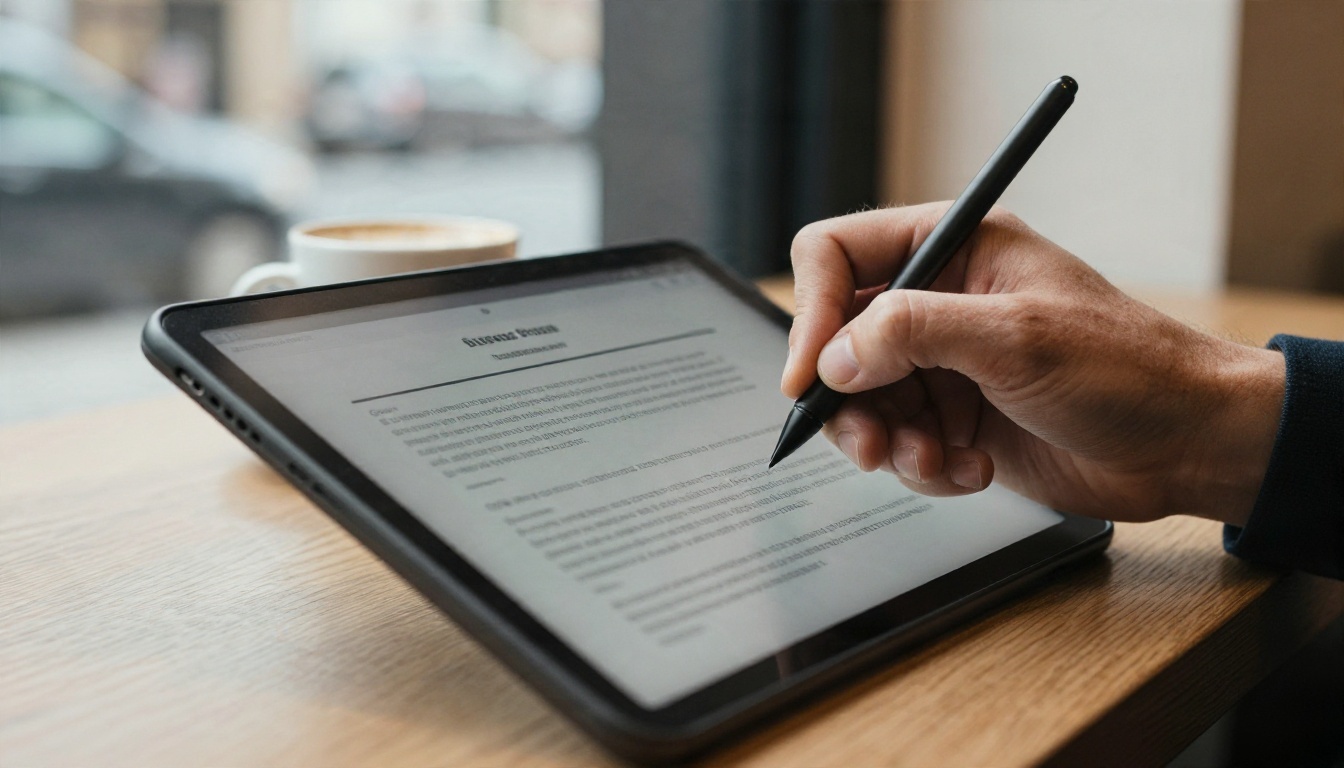
This is the part most small businesses worry about without needing to. In England, Wales and Scotland, electronic signatures are legally recognised for the great majority of commercial agreements, including a typical service proposal or quote.
What Counts as Valid
The Electronic Communications Act 2000 and the UK's retained electronic identification and trust services rules allow electronic signatures to be admitted as evidence. The Law Commission also confirmed that a signature can be typed, drawn or clicked, so long as the signer intended to authenticate the document.
For ordinary proposals, a simple electronic signature is usually enough. What helps you in a dispute is evidence:
- A time and date stamp
- The signer's email address and IP address
- A tamper-evident final PDF
- A record of who opened and viewed the document
When You Need a Witness
Some documents need more than a click. Deeds, certain property transactions and some lasting powers of attorney have specific formalities, including witnessing. A standard proposal for design, marketing, building work or consulting is not normally one of them. If your document is a deed, take legal advice and do not rely on a basic signature button.
E-Signature Features Compared
| Feature | Basic e-sign | Mid-range platform | Full proposal suite |
|---|
| Drawn or typed signature | Yes | Yes | Yes |
| Audit trail certificate | Sometimes | Yes | Yes |
| Multiple signers | Limited | Yes | Yes |
| Signing order | No | Often | Yes |
| Auto reminders | No | Yes | Yes |
| ID verification | No | Add-on | Add-on or built in |
✅ Best practice: Put your terms and conditions in the same document as the proposal, or link them clearly above the signature box. A client who signs once, with terms visible, is far harder to argue with later.
Templates That Win Work
A strong template does half your selling for you. It makes the client feel understood, shows exactly what happens next, and makes saying yes easy.

Sections Every Template Needs
Keep it to the order a busy client actually reads in:
- Cover summary: two or three sentences restating their problem in their words
- Proposed solution: what you will do, in plain language
- Scope and deliverables: a bulleted list of what is included, and what is not
- Timeline: start date, milestones, finish date
- Pricing: a clear table with VAT shown separately
- Terms: payment schedule, cancellation, revision limits
- Next step: one clear action, usually the signature box
A short proposal wins more often than a long one. Two to six pages is plenty for most small jobs.
Examples by Trade
Different businesses lean on different sections. Here is how the same template flexes:
| Business | Lead with | Pricing style |
|---|
| Web designer | Before and after examples | Fixed fee in stages |
| Electrician or builder | Photos, safety and insurance details | Itemised materials and labour |
| Marketing consultant | Goals and expected outcomes | Monthly retainer |
| Photographer | Portfolio gallery | Package tiers |
| Accountant or bookkeeper | Scope and compliance clarity | Fixed monthly fee |
A builder, for instance, wins trust by showing recent finished jobs and stating the insurance cover in one line near the top. A consultant wins by quoting back what the client said on the discovery call.
💡 Pro tip: Offer three tiers, such as Essential, Standard and Premium. Clients tend to pick the middle option, and you quietly anchor your price against the top one.
Build a Proposal Flipbook with Flipbooks AI
Dedicated proposal platforms are strong, but they are not the only route. If you already write proposals in Word or Canva and just want them to look sharper and be trackable, a flipbook is a fast upgrade. Instead of a flat attachment, your client gets a clean, mobile-friendly, page-turning document with your branding. The Sales Presentation Flipbook and Presentation Flipbook Designer tools are built for exactly this.
Here is how to create one.
Upload and Convert
- Finish your proposal as a PDF from Word, Google Docs or Canva.
- Go to Flipbooks AI and create an account.
- Open the PDF to Flipbook Converter and upload your file.
- Wait a few seconds while each page converts into a flipbook page. You will see a preview with page-turn animation.
Brand It
Add your logo, adjust the colours to match your brand, and choose the page effects you prefer. You can also embed video or audio, such as a 60-second walkthrough of the quote, which clients tend to remember better than a paragraph of text. There are no watermarks on your flipbooks, so the proposal looks like yours alone.
Share Safely
- Copy the direct link and paste it into your email.
- Or use an embed code to place the proposal on a client portal page. The Embed Flipbook on Website tool shows how.
- Switch on password protection if the pricing is confidential.
- Allow offline downloads if the client wants a copy for their records.
Track Opens
On the Professional plan you also get analytics and lead generation, so you can see how many times the proposal was viewed and which pages were read. Check the plans to see what each tier includes.

Mobile matters more than most people think. A tradesperson reviewing a quote in a van, or a client reading it on a train, needs a layout that fits the screen. A flipbook is built to be mobile-responsive, which beats pinching and zooming a PDF.
Flipbook, PDF or Proposal Platform?
| Factor | Plain PDF | Flipbook | Full proposal platform |
|---|
| Looks professional | Depends on you | Yes | Yes |
| Mobile friendly | Poor | Yes | Yes |
| Open tracking | No | Yes, Professional plan | Yes |
| Built-in e-signature | No | Pair with a free e-sign tool | Yes |
| Cost | Free | Plan based | £15 to £60 per user per month |
| Set-up time | None | Minutes | Hours to days |
The honest answer is that a flipbook does not replace a signing workflow. A common, cheap pairing is a flipbook for the presentation and a free e-sign option for the signature. If your volume grows, move up to a full platform.
Choosing between a dozen tools is mostly a question of your volume and your habits, not a features checklist.
Quick Decision Checklist
Ask yourself:
- How many proposals do I send each month?
- Do I need more than one person to edit or approve them?
- Does the client need to sign, or is an emailed acceptance enough?
- Do I need payment collected on acceptance?
- Do I already use a CRM that needs to connect?
| If you send... | Start with |
|---|
| Fewer than 5 a month | Word or Docs template plus a free e-sign tier |
| 5 to 20 a month | Flipbook presentation plus e-sign, or a mid-range builder |
| 20 or more a month | A full proposal platform with CRM sync |
| Mostly to large organisations | A platform with approvals and strong audit trails |
Common Mistakes
- Sending too many pages. Nobody reads a 30-page quote for a £900 job.
- Burying the price. Hiding cost on page nine looks evasive.
- Skipping the follow-up. A reminder two days after the proposal is opened often decides the outcome.
- Forgetting VAT. Show whether prices are inclusive or exclusive of VAT, especially for consumers.
- No expiry date. State how long the quote is valid, commonly 30 days, so material costs do not eat your margin.
- Ignoring data rules. Proposals hold names, emails and sometimes addresses. Treat them under UK GDPR and store them sensibly.
✅ Best practice: Time your follow-up to the open notification. If a client opens your proposal at 8pm and you message at 8:15am the next morning, you look attentive, not pushy.
Send Your Next Proposal Faster
You do not need a £50-a-month platform to look professional. A clear template, a legally valid e-signature and a way to see whether anyone opened your proposal will take you most of the way. Start free where you can, and pay only for the feature that is actually costing you work.
Ready to make your next proposal stand out? Create your free account on Flipbooks AI and convert your PDF in minutes. Browse all flipbook tools to find the right format for quotes, price lists and portfolios, such as the Digital Price List Generator. When you are ready to add analytics and lead capture, compare plans here.



