A shopper decides in a few seconds whether a catalog page deserves attention. If the grid feels crowded, the photos look flat or the prices are hard to find, the page gets skipped and so does the sale. This article shows how to build a retail catalog that holds attention, which free templates are worth adapting, and how online flipbook examples from real retail categories turn a plain PDF into something customers actually flip through. If you want to publish as you read, you can start a flipbook on Flipbooks AI at any point.
Why Retail Catalogs Still Sell
Retail has moved online, yet the catalog never went away. It changed shape. A well-built catalog gives buyers a curated, distraction-free view of your range: no pop-ups, no endless scroll, no competing brands. That focus is exactly why boutique owners, wholesalers and home goods brands keep investing in them.
Print Versus Digital Reach
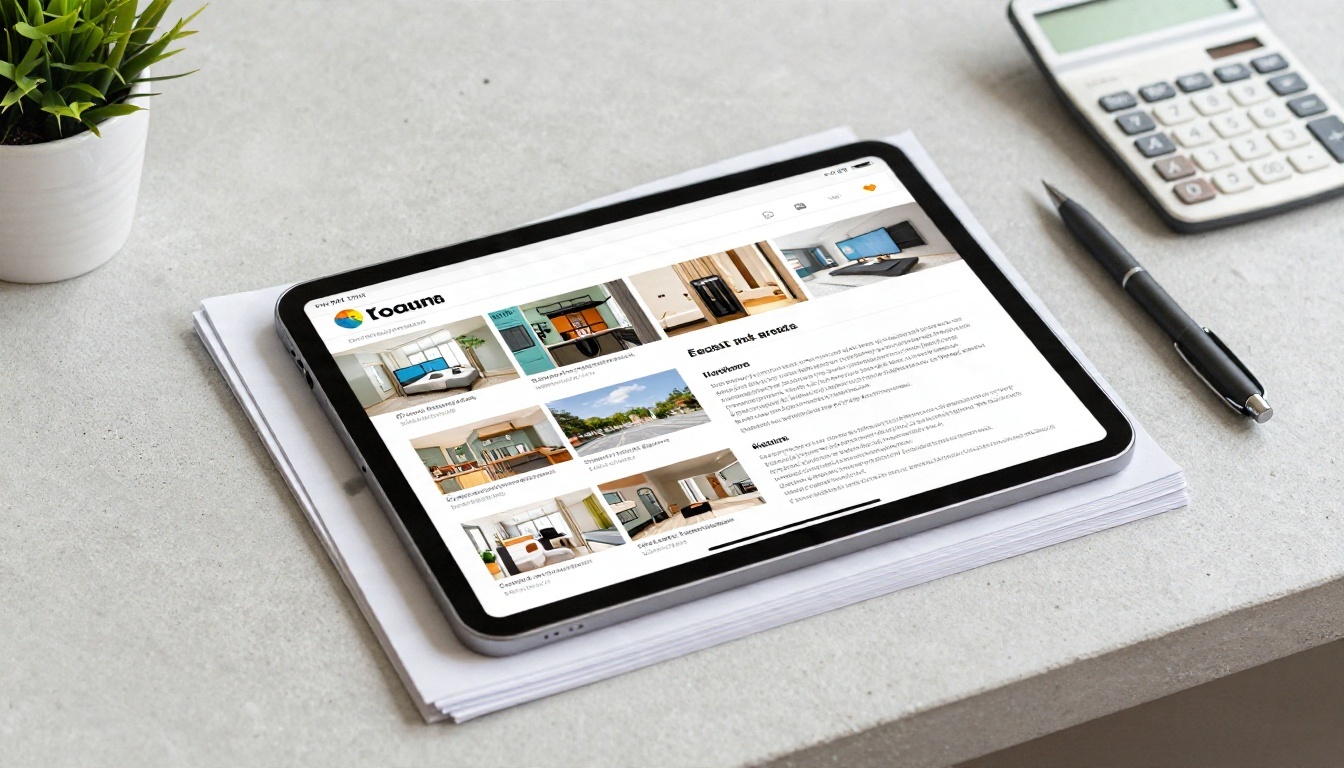
Print has weight and presence. Digital has reach and speed. Most retailers now need both, and the smartest approach is to design once and publish in two formats.
| Factor | Printed Catalog | Online Flipbook |
|---|
| Production cost per copy | High, rises with page count | Near zero after design |
| Update after publishing | Requires reprint | Replace the PDF, same link |
| Distribution | Mail, trade shows, in store | Link, email, QR code, embed |
| Tracking | Almost none | Views, page time, clicks |
| Shelf life | Season or year | Easy to refresh monthly |
| Customer experience | Tactile | Fast, searchable, mobile friendly |
💡 Pro tip: Treat the printed catalog as the premium touchpoint for your best accounts, and send the flipbook link to everyone else.
Who Benefits Most
- Boutiques and independent shops that want to show a seasonal range without building a full online store.
- Wholesalers and distributors who send the same price list and product pages to dozens of buyers.
- Furniture and home brands where customers want to browse room settings, finishes and dimensions at their own pace.
- Fashion labels that need lookbook style storytelling next to practical product details.
Layout Tips That Move Products
Good retail catalog design is mostly restraint. The best pages feel effortless because every element has a job. Before you open any design tool, decide what a reader should do on each page: compare, choose, or reach for the price.
Build a Grid First

A grid is the invisible skeleton of the page. Pick one and stay loyal to it across the whole catalog. Consistency lets readers predict where the next price or product code will be, which makes scanning fast and comfortable.
| Layout Style | Products Per Spread | Best For | Watch Out For |
|---|
| 2 x 2 grid | 8 | Apparel, home decor, giftware | Can feel repetitive without a feature page |
| 3 x 3 grid | 18 | Hardware, accessories, small items | Tiny photos if images are not cropped tight |
| Hero plus grid | 5 to 7 | Collections, new arrivals | Hero image must be exceptional |
| Full bleed feature | 1 to 2 | Brand story, bestsellers | Not suited for price heavy pages |
| List with thumbnails | 12 to 20 | Wholesale price lists | Looks dry without color or spacing |
Three habits keep any grid clean:
- Set generous margins. White space is not wasted space, it is what makes the photos look expensive.
- Align everything to one baseline. Names, prices and codes should line up across columns.
- Repeat the same caption order. Name first, then material or size, then price.
Photography That Carries the Page

Photos do most of the selling in a retail catalog, so consistency matters more than perfection. Use the same backdrop, the same light direction and the same crop ratio for every product on a page. Mix a few lifestyle shots in, because they show scale and context that a plain cutout cannot.
- Shoot against one neutral backdrop for catalog grids.
- Keep light coming from the same side so shadows match.
- Add one lifestyle image per spread to break the rhythm.
- Export at a size that stays sharp on a phone screen, then compress for fast loading.
⚠️ Warning: Mixing white cutouts, dark backgrounds and busy room shots on the same spread makes a catalog look unfinished. Pick one style per page.
Type and Hierarchy Choices

Two typefaces are enough: one for headings, one for body and prices. Create a simple hierarchy and apply it without exceptions.
| Element | Suggested Size (print) | Style Note |
|---|
| Section heading | 28 to 36 pt | Bold or display weight |
| Product name | 11 to 13 pt | Semi-bold |
| Description | 9 to 10 pt | Regular, short lines |
| Price | 11 to 13 pt | Bold, consistent position |
| Fine print | 7 to 8 pt | Light, only where required |
Keep descriptions under two lines. If a reader needs a paragraph to understand a product, the photo or the product name is not doing its job.
Free Templates Worth Adapting
A template saves hours, but only if you treat it as a starting frame rather than a finished design. Many free layouts are available inside the design tools you may already use, and they work well for catalogs when you adjust fonts, colors and photos to match your brand.
Template Types Compared

| Template Type | Page Count | Best Retail Fit | Effort to Customize |
|---|
| Minimal product grid | 12 to 24 | Boutiques, home goods | Low |
| Lookbook style | 8 to 20 | Fashion, accessories | Medium |
| Price list with thumbnails | 6 to 40 | Wholesale, distributors | Low |
| Seasonal collection | 16 to 32 | Gifts, decor, holiday ranges | Medium |
| Brand story plus catalog | 24 to 48 | Premium and artisan brands | High |
If you want to skip layout decisions altogether, the dedicated tools on Flipbooks AI follow similar structures. The Product Catalog tool suits general retail ranges, the Fashion Catalog tool suits apparel, and the Furniture Catalog tool fits larger items with finishes and dimensions.
Customizing Without Losing Brand
A free template looks generic the moment you leave the default fonts and colors. Run through this short checklist before you export:
- Replace every placeholder font with your brand typefaces.
- Pick two brand colors and one neutral, then delete the rest.
- Swap stock photos for your own product shots.
- Rewrite the headings in your own voice.
- Add your logo to the footer, not the middle of the page.
- Check that page numbers, prices and codes follow one format.
✅ Best practice: Customize the first three spreads fully, then duplicate those layouts for the rest. It keeps the catalog coherent and cuts design time sharply.
How to Create a Retail Catalog with Flipbooks AI
Once the PDF is ready, the next step is publishing it as an interactive page-turning experience. Flipbooks AI converts a finished PDF into a flipbook with no watermarks, so your catalog looks like your brand and nothing else. The Digital Catalog Maker and the Catalog Flipbook Creator are both built for this workflow.
Upload Your PDF
- Go to Flipbooks AI and create an account.
- Choose a catalog tool, or open the PDF to Flipbook Converter.
- Drag your exported PDF into the upload area. A file exported at screen quality loads fastest.
- Wait a few moments while the pages convert. Each page becomes a crisp, zoomable flipbook spread.
- Preview the result and check that every price and caption is readable at normal size.
💡 Pro tip: Export your PDF as spreads or single pages consistently. If the first page is a cover spread, the flipbook should open on it with no blank page in front.
Customize Branding and Effects
After the upload, the settings panel lets you make the flipbook feel like part of your store:
- Custom branding: add your logo and choose background colors that match your site.
- Page effects: adjust the page-turn style and speed so it feels natural, not gimmicky.
- Multimedia: embed videos and audio, such as a short product demo or a founder note on the opening page.
- Mobile-responsive display: the flipbook adapts to phones and tablets, which is where many shoppers will open it.

Share, Embed, Protect
Choose how customers reach the catalog:
| Sharing Method | Best Use | Notes |
|---|
| Direct link | Email campaigns, social bios | Fastest option |
| QR code | Store windows, packaging, print ads | Link print to digital |
| Embed code | Product pages, landing pages | See Embed Flipbook on Website |
| Password protection | Wholesale price lists, trade catalogs | Keeps private pricing private |
| Offline download | Trade shows, travelling reps | Works without a connection |
Analytics and Lead Capture
On the Professional plan, you can see which pages readers spend time on and collect leads before they open the catalog. That is valuable for retailers because it shows which products attract attention and which pages get skipped. Compare pricing plans to see which tier fits your range. The Standard plan and above include unlimited flipbooks, which suits brands that publish a new catalog every season.
Online Flipbook Examples by Retail Type
Seeing how real categories use the format makes it easier to plan your own. The scenarios below are practical patterns that work for retail brands of different sizes.
Fashion and Apparel

A boutique can publish a seasonal flipbook that opens with a short styled story, then moves into product pages with sizes and colors. Pair it with the Interactive Lookbook Designer when the mood matters as much as the stock list. Embedding a 20-second runway clip on the opening spread gives the catalog life that a printed page cannot.
Furniture and Home

Home and garden retailers benefit from room scenes, finish swatches and dimension tables. A garden supply shop, for instance, can arrange its catalog by season: spring planting, summer watering, autumn bulbs. The flipbook can be embedded on a blog post about seasonal planting so that readers move from advice to product pages naturally.
Wholesale and B2B

A wholesaler can send one password-protected flipbook to each buyer, with trade pricing and minimum order quantities included. When prices change, replacing the PDF updates the same link, so nobody is holding an outdated version. The Digital Price List Generator is a good fit when the document is mostly tables.
| Retail Type | Opening Spread | Page Structure | Suggested Extra |
|---|
| Fashion boutique | Styled hero image | Collections, then sizes and colors | Short video clip |
| Home and garden | Seasonal scene | By room or season | Dimension tables |
| Furniture | Room setting | By category, then finishes | Fabric swatch page |
| Wholesale | Brand intro and terms | Price list by product family | Password protection |
| Gifts and decor | Gift theme | By price band | QR code for packaging |
Mistakes That Hurt Catalog Sales
Even strong products struggle when the catalog works against the reader. These are the errors that appear most often in retail catalogs.
- Too many products per page. Crowding forces tiny photos and tiny type. Fewer items, larger images.
- Prices in different places. If shoppers have to hunt, they stop hunting.
- No clear call to action. Every spread should hint at the next step: visit the shop, scan the code, request a quote.
- Oversized PDF files. Heavy files load slowly on mobile and readers leave before the first page appears.
- Outdated stock and prices. A flipbook can be refreshed in minutes, so there is no excuse for stale information.
- Ignoring the mobile view. Open your own flipbook on a phone before you share it.
⚠️ Warning: Do not send a catalog to your full list before testing the link, the password and the embedded media on at least two devices.
A quick pre-launch checklist:
- Proofread product names, codes and prices twice.
- Confirm every photo is sharp at full zoom.
- Test the flipbook on a phone and a tablet.
- Add the link to your email signature and social profiles.
- Print the QR code and scan it from a few feet away.
Ready to Publish Yours?
A strong retail catalog starts with a disciplined grid, consistent photography and a template you have made your own. Publishing it as a flipbook then gives you a link you can send anywhere, update at any time and track once it is live.
Ready to create your first catalog flipbook? Get started for free on Flipbooks AI, browse all flipbook tools to find the right template style, or compare pricing plans to choose what works for your range. When you are ready to commit, go straight to your plan and publish this season's catalog today.



