A technician is standing under a lifted tractor, phone in hand, and needs one seal kit. The 400 page parts binder is back at the office, and the PDF someone emailed last spring is the wrong revision. This is exactly the problem a spare parts catalog builder solves. It takes part numbers, exploded diagrams, photos and prices, and turns them into a catalog people can open on any screen. In this article you will see which software types exist, which free options are worth your time, what good examples look like, and how to publish a page turning version with Flipbooks AI in an afternoon.
💡 Quick answer: If your catalog already exists as a PDF, the fastest route is to convert it into an online flipbook and share one link. If your data lives in a database or ERP, pair a parts data tool with a flipbook for the presentation layer.
What a Spare Parts Catalog Builder Does
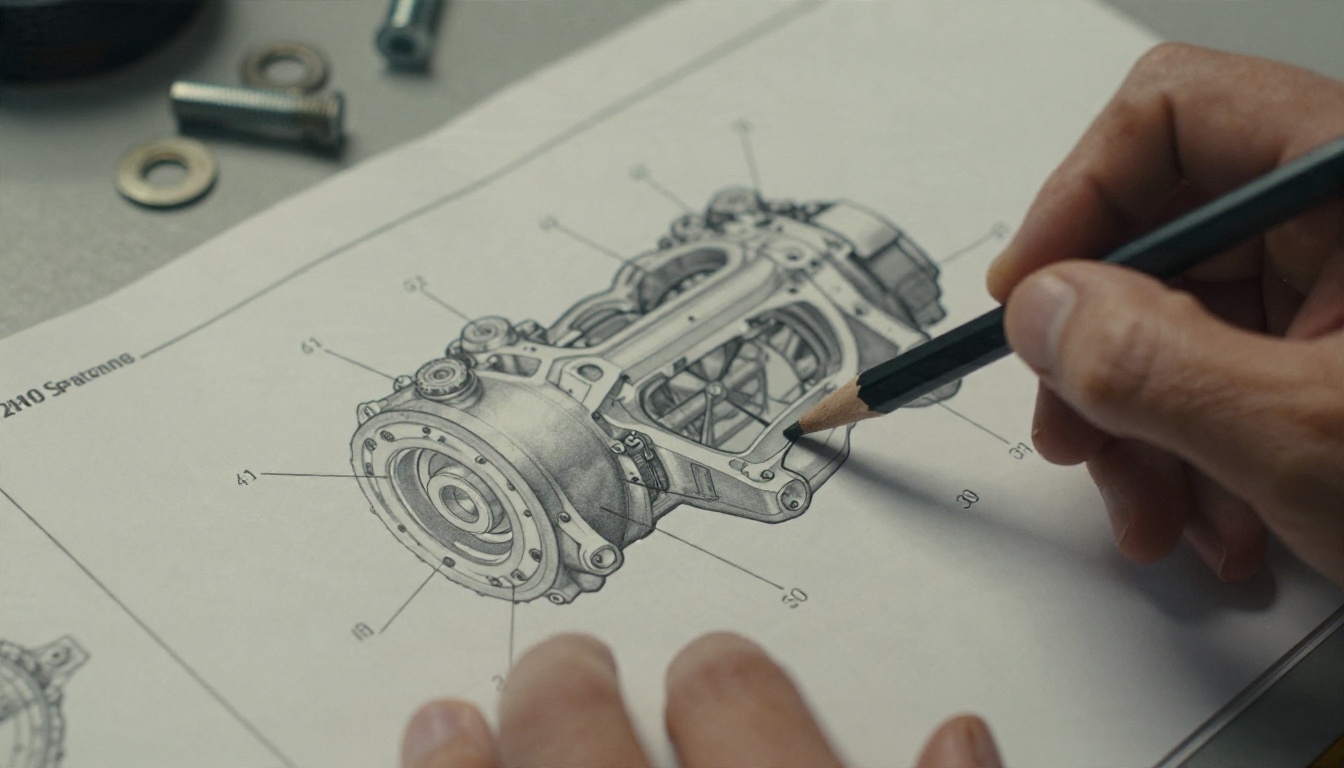
A parts catalog is not a brochure. Customers use it to look up an exact item, confirm it fits, and order it. That changes what the builder must do well.
The Core Jobs
Whatever tool you pick, it should handle these tasks:
- Organize parts by machine, model, assembly or category
- Display exploded views with numbered callouts that match a parts list
- Show part numbers clearly, including superseded and alternate numbers
- Allow search so a user can find "gasket 4417" without scrolling 300 pages
- Update fast when prices, stock or revisions change
- Work on phones, because most lookups happen in a garage, field or warehouse
Who Uses These Catalogs
| Audience | What they need | Typical catalog size |
|---|
| Equipment dealers | Fast lookups by model and serial range | 200 to 1,500 pages |
| Auto parts distributors | Fitment by make, model and year | Thousands of SKUs |
| Manufacturers | Official service parts documentation | Per machine manuals |
| Repair shops | A quick reference for common wear parts | 20 to 100 pages |
| Online resellers | Shareable line cards for buyers | 10 to 60 pages |
If you run a small shop, you can start with a short wear parts list. If you run a dealer network, your catalog is an operations tool and deserves more structure.
Software Options Compared
There is no single best choice. The right builder depends on where your data lives and how often it changes.

Spreadsheet and PDF Route
Most small businesses already have their parts in Excel or Google Sheets. You can design a clean layout in a document editor, export a PDF, and publish it. It is cheap and familiar. The weak point is maintenance: every price change means editing and re-exporting.
Layout Tools
Design apps let you control typography, diagrams and branding. They suit catalogs under 100 pages. Large catalogs become painful because you repeat the same page structure hundreds of times. Some tools support data merge, which helps, but setup takes time.
Dedicated Parts Catalog Systems
Specialist systems store parts in a database and generate pages from it. They handle fitment rules, supersessions and ordering carts. They are powerful and priced like business software, so they fit larger dealers and manufacturers.
| Approach | Best for | Setup effort | Update effort | Cost level |
|---|
| Spreadsheet plus PDF | Small shops | Low | Medium | Very low |
| Layout design tools | Line cards, short catalogs | Medium | Medium to high | Low to medium |
| Dedicated parts systems | Dealers, manufacturers | High | Low | High |
| PDF to flipbook publishing | Any size with an existing PDF | Low | Low | Low |
✅ Best practice: Keep your parts data in one source of truth, even if it is only a clean spreadsheet. Build the catalog from it, never the other way around.
Where Flipbooks Fit
A flipbook is the presentation layer. You bring the PDF or exported pages, and the platform turns them into a fast, mobile ready, page turning catalog. The PDF to Flipbook Converter handles the conversion, and the Digital Catalog Maker is built for exactly this kind of product listing. This pairs well with any of the three approaches above.
Free Options That Actually Work
Free does not have to mean sloppy. A solid free stack can carry a small parts catalog for months.
A Practical Free Stack
- Google Sheets for part numbers, descriptions, fitment notes and prices
- A free design or slides tool for page layouts and diagrams
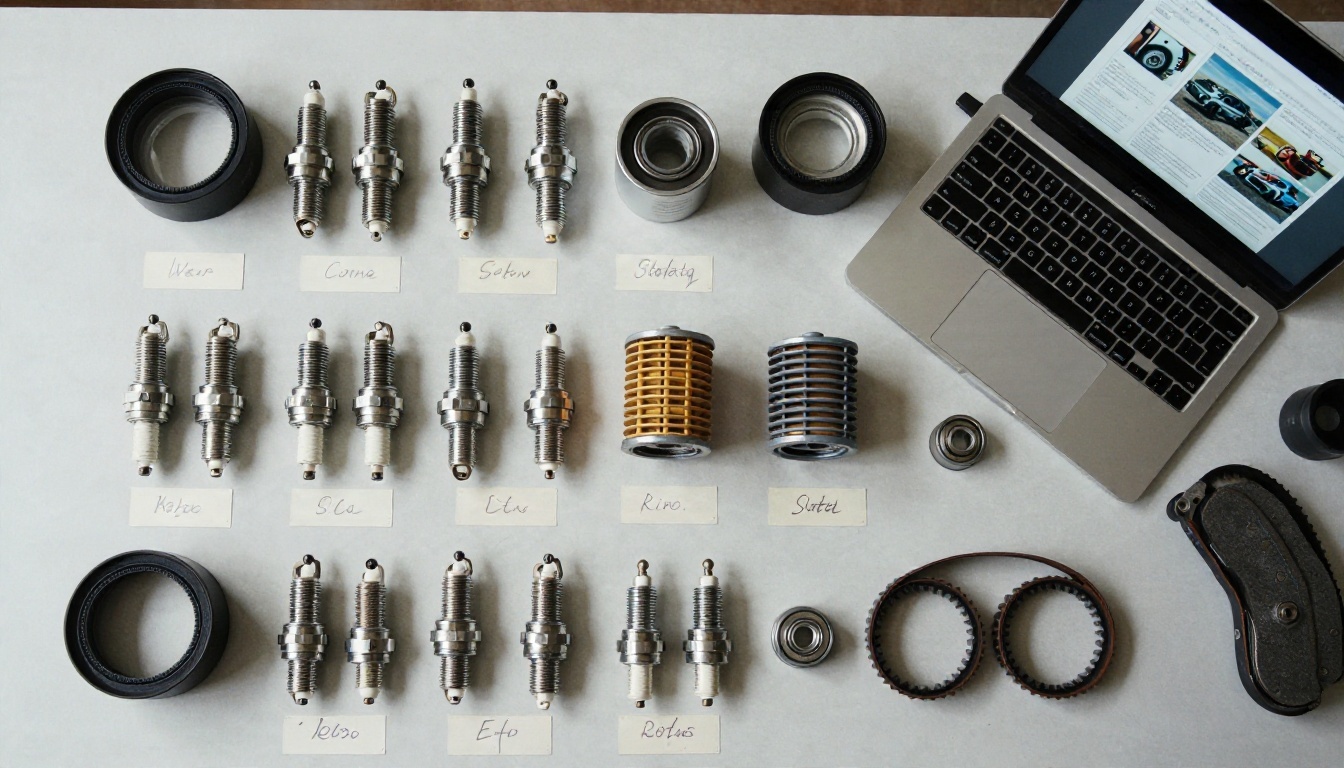
- Your phone camera for part photos on a plain background with window light
- A free PDF export to produce the print and digital source file
- A free flipbook plan or trial to publish it online and test sharing
Photographing parts yourself is underrated. A flat lay with a neutral surface, soft daylight and consistent angles looks professional and removes any copyright worry about manufacturer images.
Limits to Expect
Free tools usually come with trade-offs. Watch for these before you commit:
- Watermarks that make a business catalog look unfinished
- Page limits that stop a 300 page catalog halfway
- No password protection, which matters for dealer only pricing
- No analytics, so you never know which pages customers read
- No custom domain or branding
⚠️ Warning: Never publish confidential dealer pricing in a public catalog just because the tool is free. Use a password or a separate dealer version.
Flipbooks AI publishes without watermarks, which is a real difference for business use. You can compare plans on the pricing page to see which limits apply to you.
Real Examples by Industry
Examples show what works better than theory. These are practical setups, not hypothetical ones.

Equipment and Machinery Dealers
A tractor dealer publishes one flipbook per machine family. Each starts with a model index, then breaks into assemblies: engine, hydraulics, transmission, electrical. Every exploded view sits next to its parts list. Technicians open the right book on a tablet from a QR code stuck inside the service truck.
Auto and Truck Parts Distributors
A distributor builds a seasonal wear parts catalog: brake pads, filters, belts, wipers, bulbs. Sections are organized by vehicle make, with fitment tables for each model range. The sales team sends the link to workshops after every call, so buyers always see the latest version.
Industrial and HVAC Suppliers
An HVAC wholesaler publishes a compressor, motor and thermostat catalog. The pages include cross reference tables from old part numbers to current replacements. Contractors keep the link bookmarked on their phones.
| Example | Structure | Main benefit |
|---|
| Tractor dealer | One flipbook per machine family | Technicians find parts at the machine |
| Truck parts distributor | Sections by make and model | Fewer wrong part orders |
| HVAC wholesaler | Cross reference tables | Faster quoting |
| Repair shop | One wear parts list | Customers can pre approve repairs |
| Online reseller | Brand line cards | Easier sharing with buyers |
💡 Pro tip: Add a one page "most ordered parts" section at the front. It handles a surprising share of daily lookups and saves everyone time.
How to Build One With Flipbooks AI
If your catalog is a PDF, this process takes minutes. If it is not, export one from your design tool or spreadsheet first. The Catalog Flipbook Creator and Product Catalog tools are good starting points for parts content.

Step by Step Process
- Open the platform. Go to Flipbooks AI and create an account. You can try it before choosing a plan.
- Prepare your PDF. Use clear part photos, readable part numbers and consistent page headers. Keep file size reasonable by compressing images before export.
- Upload and convert. Drag your PDF into the uploader. The platform converts each page into a smooth page turning flipbook that loads quickly on phones and desktops.
- Check the pages. Flip through the result. Look at small text on exploded views, because that is what customers zoom into most.
- Apply your branding. Add your logo, pick brand colors and choose a background that matches your website.
- Add multimedia. Embed a short video showing how to install a tricky part, or audio notes for a technician training section.
- Set sharing rules. Choose a public link, embed code or a password protected version for dealers.
- Publish and test. Open the link on a phone, a tablet and a laptop before you send it to anyone.
Customization and Pro Features
Branding and page effects make the catalog feel like yours. Flipbooks AI supports custom branding, mobile responsive layouts and no watermarks. Pro level plans add:
- Analytics to see which pages and sections get read
- Lead generation forms that capture contact details before a download
- Offline downloads for workshops with poor signal
- Unlimited flipbooks on Standard plans and above, handy when you have one book per machine family
Check plan details to match the features to your needs.
Online Sharing That Gets Parts Ordered
A great catalog that nobody can find does nothing. Sharing is where your catalog starts to earn money.

Links and Embeds
A direct link is the simplest option. Paste it into emails, WhatsApp messages, quotes and invoice footers. For your website, use an embed code so the catalog opens inside your own page. The Embed Flipbook on Website tool shows how this works.
Passwords and Dealer Versions
Many suppliers have two price levels: public and dealer. Publish a public catalog with list prices, and a second password protected one with net prices. Change the password when a dealer relationship ends.
QR Codes in the Real World
QR codes are the bridge between physical and digital. Place them:
- On the machine or equipment data plate sticker
- Inside the service truck door
- On packaging and invoices
- At the parts counter
- On trade show banners

| Sharing method | Best use | Security level |
|---|
| Public link | Marketing, social posts | Open |
| Embed code | Website parts page | Open |
| Password protected link | Dealer pricing | Restricted |
| QR code on equipment | Field lookups | Depends on link |
| Offline download | Remote workshops | Controlled by plan |
Reading the Numbers
Once the catalog is live, check its performance. Analytics show which sections are opened most, how long visitors stay and where they stop reading. If the hydraulics section gets triple the views of electrical, move it earlier and expand it.

Review analytics monthly. Small changes, like moving popular parts forward, often reduce phone calls to your sales desk.
Mistakes That Cost Sales
These problems show up again and again in parts catalogs:
- Blurry or tiny diagrams. If a callout number cannot be read, the page is useless.
- Mixed part number formats. Pick one format and stick to it, with a clear note for alternates.
- No revision date. Always print "Updated" and the date on the first page.
- Huge file sizes. Large images slow loading on mobile data.
- One giant book. Break big catalogs into separate books by machine or category.
- No search or index. Add a clear table of contents with links and a part number index at the back.
- Old links floating around. Replace the file behind the same link when possible, so shared URLs never go stale.
✅ Best practice: Assign one person to own catalog updates. A catalog without an owner becomes outdated within a season.
Here is a short checklist to run before every publish:
- Part numbers match your current price list
- Diagrams are readable on a phone
- Revision date is visible
- Contact and ordering details are on the first and last pages
- Links and QR codes open the right version
Build Your Parts Catalog Today
You do not need a huge budget or a month of design work. Start with a clean spreadsheet, export a PDF, and publish it as a flipbook that technicians, dealers and buyers can open anywhere.
Ready to put your parts in every technician's pocket? Get started for free on Flipbooks AI and share your first catalog link today.



