A college application gives you a few hundred words and a list of activities. A student portfolio for college gives you room to show the work behind them: the sketchbook, the lab report, the short story, the robot that finally walked. The catch is that most students either bury their best pieces in a messy folder or send a 90 MB file that never opens on the admissions officer's phone. This article shows you what to include, how to lay out a sample PDF, which format works best, and how to share everything online with a clean link. If you want a fast way to turn a finished PDF into a page-turning web version, Flipbooks AI does that in a few minutes.
💡 Quick answer: Pick 8 to 15 of your strongest pieces, add a short note about the thinking behind each one, export a single PDF under 20 MB, and share it through a link that opens on any device.
Why Colleges Ask for Portfolios

Test scores and grades tell a reader what you achieved. A portfolio shows how you think. That is why art, architecture, design, film, and music programs have asked for one for decades. Now more programs in engineering, journalism, and even business invite optional supplements, and an optional supplement is often the cheapest way to stand out.
Who Needs One
You almost certainly need a portfolio if you are applying to:
- Art, design, and architecture programs, where it is usually required
- Film, photography, and media programs, which often ask for a reel or a sample set
- Music and theater programs, which pair it with an audition
- Creative writing and journalism tracks, where writing samples carry real weight
- Engineering and computer science programs that accept optional project showcases
- Scholarship committees that fund talent in any of the above
If your program does not request one, you can still build it. Many admissions offices accept an optional link, and a tidy portfolio can support recommendation letters and interviews.
What Admissions Officers Look For
Officers read hundreds of files each week. They are not hunting for perfection. They are looking for four things:
- Range: Can you work in more than one style or format?
- Depth: Did you push one idea further than the assignment required?
- Growth: Does your newer work look sharper than your older work?
- Voice: Does it feel like you made it, and not a template?
✅ Best practice: Put your strongest piece first and your second strongest last. Readers remember the opening and the ending.
What to Include in Your Portfolio
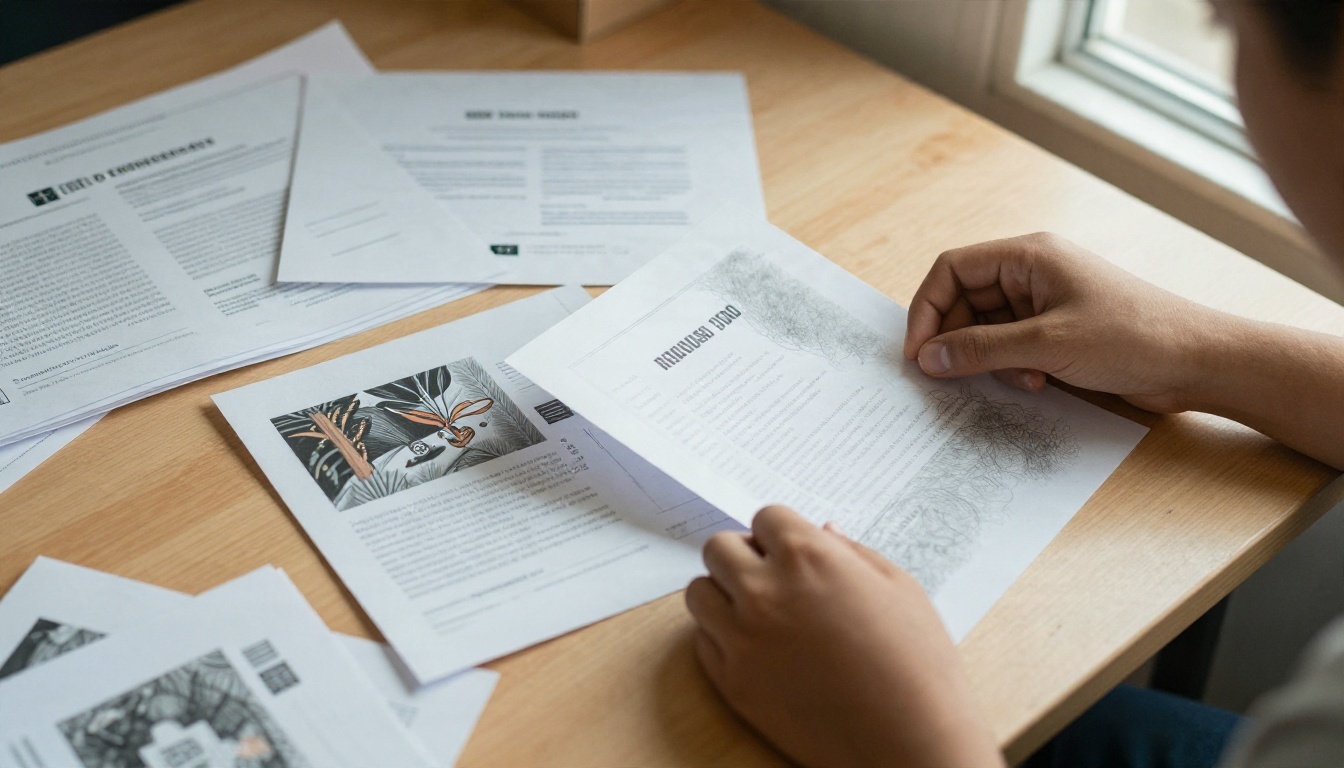
Quality beats volume every time. A focused set of 8 to 15 pieces usually reads better than 40 average ones. Always check the exact requirements of each school first, because limits on page counts, file size, and number of works vary widely.
Work Samples
Choose pieces that show skill and curiosity. Include process work where it helps: rough sketches, early drafts, or prototype photos. A final piece beside its first draft says more than the final piece alone.
Written Reflections
Add 50 to 120 words under each piece. Cover three points: what the project was, what problem you faced, and what you would change. Keep the tone natural. Short and honest beats long and polished.
Proof of Impact
Numbers and outcomes make your work credible. A club newsletter with 600 subscribers, a mural painted for a school hallway, or an app used by 40 classmates all count. Add awards, publications, or exhibitions on one concise page near the end.
The table below shows what typically fits each intended major.
| Intended Major | Strong Work Samples | Suggested Pieces | Process Material |
|---|
| Art and Design | Drawings, paintings, digital illustrations, mixed media | 12 to 20 | Sketchbook pages, color studies |
| Architecture | Models, floor plans, hand drafting, photos of built work | 10 to 15 | Concept sketches, iteration boards |
| Film and Media | Short film stills, scripts, edited clips (linked) | 6 to 10 | Storyboards, shot lists |
| Computer Science | Project screenshots, repository links, app demos | 4 to 8 | Design notes, bug-fix stories |
| Writing and Journalism | Essays, articles, short fiction, poems | 4 to 8 | Draft comparisons, editor notes |
| Business and Leadership | Event plans, fundraising results, startup pitch decks | 4 to 6 | Budget sheets, outcome charts |
⚠️ Warning: Do not include work you cannot prove is yours. Group projects need a clear line: "I designed the wiring and wrote the code for the sensor module."
Sample PDF Structure You Can Copy
A reader should know what they are looking at within five seconds. A simple, repeatable layout does that for you. Use the same grid on every page so your work, and not the design, gets the attention.
Page by Page Outline
Here is a sample structure for a 14-page PDF:
| Page | Content | Notes |
|---|
| 1 | Title page: your name, intended program, one hero image | Use one strong photo, little text |
| 2 | About me: 100-word intro and a small portrait | Mention your focus and what drives you |
| 3 | Contents list with page numbers | Clickable links inside the PDF |
| 4 to 5 | Project 1 with process images | Your best piece goes here |
| 6 to 7 | Project 2 | Show a different skill than Project 1 |
| 8 to 9 | Project 3 | Add a short reflection |
| 10 to 11 | Project 4 | Choose a collaborative piece, credit your role |
| 12 | Awards, exhibitions, publications | One tight list |
| 13 | Skills and tools | Software, materials, languages |
| 14 | Contact page with email and portfolio link | Your closing impression |
A Real Example
Take a fictional student, Maya, applying to a design program. Her portfolio opens with a charcoal portrait of her grandmother, followed by a packaging redesign she built for a local bakery. Page 8 shows three drafts of a poster, each with a one-line note: "Version 2 was too busy, so I cut half the colors." She closes with a bakery sales figure: weekend sales rose by roughly a fifth after the new labels. That short sequence shows range, process, and results in four pages.
💡 Pro tip: Name your file clearly. "MayaLopez_DesignPortfolio_2027.pdf" looks careful. "final_final2.pdf" does not.

Most application portals accept PDF, JPG, or links. PDF wins because it keeps your layout the same on every screen, embeds fonts, and works offline.
PDF vs Other Formats
| Format | Strengths | Weaknesses | Best For |
|---|
| PDF | Fixed layout, easy upload, prints cleanly | Feels static on a phone if pages are dense | Required uploads |
| Personal website | Unlimited space, easy updates | Needs hosting and upkeep, can load slowly | Ongoing creative work |
| Slide deck | Quick to build | Layout shifts between programs | Presentations and interviews |
| Flipbook link | Page-turn feel, mobile friendly, shareable by URL | Needs a short setup step | Optional supplements, scholarship reviews |
| Printed binder | Tactile impact | Costly, cannot be sent instantly | In-person interviews |
The smart move is to build one master PDF and then convert it into a flipbook link. You upload the PDF where a portal demands it, and you share the link everywhere else.
Size, Fonts and Accessibility
Follow these settings and your file will open almost anywhere:
- Page size: Landscape 16:9 or 11 x 8.5 inches for easy screen reading
- File size: Keep it under 20 MB, or lower if the portal states a limit
- Image resolution: 150 to 200 dpi on screen pages, enough for crisp zoom
- Fonts: Embed them, or use two common families at most
- Color: Export in RGB for screens
- Alt text and reading order: Add them so screen readers can follow your pages
- Links: Test every clickable link before you send the file
✅ Best practice: Open the PDF on your phone before you submit. If you must pinch and zoom to read a caption, make the text bigger.
How to Create a Flipbook with Flipbooks AI
A flipbook turns your PDF into a smooth, page-turning web version that opens in any browser. No app, no download, no watermark. For a student portfolio, it is a polished way to share your work with admissions readers who may open your link on a train. The PDF to Flipbook Converter is the core tool, and the Digital Portfolio Creator and Portfolio Flipbook Builder are tuned for creative work.
Upload and Convert
- Go to Flipbooks AI and create an account.
- Click Create new flipbook and choose the PDF upload option.
- Select your finished portfolio PDF. Conversion usually takes under a minute for a file of this size.
- Preview the result. Each PDF page becomes a flippable page, and your internal links stay clickable.
- Give the flipbook a clear title such as "Maya Lopez, Design Portfolio".
Style It
Once your pages load, polish the viewing experience:
- Branding and colors: Match the background to your portfolio palette so the pages feel like one piece.
- Page effects: Choose a soft page-turn animation, or a flat slide if you prefer less motion.
- Multimedia: Embed a short film clip, an audio recording of a piece you wrote, or a video of a robot demo right on the page.
- Mobile-responsive layout: The viewer adapts to phones and tablets, so a reader on a small screen still sees full pages.
If your work is photo heavy, the Photography Portfolio tool suits it well. Fashion and design applicants can look at the Interactive Lookbook Designer.
Pro Features
The Professional plan adds tools that matter during application season:
- Analytics: See when someone opens your portfolio and which pages they view
- Lead generation: Collect an email address before a reader sees the pages, useful for competitions and open calls
- Offline downloads: Let a reviewer save a copy for a committee meeting
- Unlimited flipbooks: Standard plan and above lets you keep a separate version for each school
💡 Pro tip: Make one flipbook per program. A design school and an engineering school care about different pieces, so reorder the pages and change the opening image for each.
Sharing Your Portfolio Online

A portfolio only helps if the right person can open it. Think about who will click your link, what device they will use, and whether the work should be public or private.
Links, Embeds and Passwords
| Sharing Option | How It Works | Privacy Level | Best Use |
|---|
| Direct link | Paste a short URL in an email or application field | Medium | Application forms, supplement boxes |
| Embed on a website | Place the flipbook inside your personal page with an embed code | Public | Personal sites, school profiles |
| Password-protected link | Reader enters a password you share | High | Scholarship panels, mentors, unfinished work |
| PDF attachment | File sent through email or portal | Medium | Required uploads |
| Offline download | Reader saves a copy | Controlled | Committee review |
To embed a flipbook in your own page, use the Embed Flipbook on Website tool. It gives you a snippet to paste into most site builders. For anything unpublished, such as early drafts, turn on password protection and send the password in a separate message.
Here is a simple sending routine that works:
- Test the link on a phone and a laptop.
- Open it in a private browser window to confirm a stranger can see it.
- Add the link to your resume, your email signature, and your application's supplement field.
- Send a short note: "I have included an optional portfolio of 12 pieces at the link below."
- Check analytics, if you have them, a week later.
Mistakes to Avoid
- Sending too much: Fifty pages cause fatigue. Cut until each piece earns its spot.
- Hiding the best work: Do not save your strongest piece for page 12.
- Skipping captions: A piece with no context forces the reader to guess.
- Broken links and private folders: A "request access" screen can end a review before it starts.
- Inconsistent file names and versions: Keep one master PDF and update only that.
- Ignoring school rules: Some portals cap file size or ban external links, so read the instructions twice.
⚠️ Warning: Never post personal details like your home address or phone number on a public link. An email address is enough.
Your Portfolio Timeline
Give yourself six to eight weeks. A realistic plan looks like this:
| Week | Task | Output |
|---|
| 1 | List every project, then rate each from 1 to 5 | Shortlist of 20 |
| 2 | Pick the final 8 to 15, photograph or scan them | Clean image files |
| 3 | Write short reflections | Captions for each piece |
| 4 | Build the PDF using the sample outline | Draft PDF |
| 5 | Ask a teacher or mentor for feedback | Revised draft |
| 6 | Export, compress, and convert to a flipbook | Shareable link |
| 7 | Test on three devices | Bug-free version |
| 8 | Submit and track | Confirmation emails |
Ready to Build Yours?
A strong student portfolio is not about having the most impressive work. It is about showing your best pieces clearly, with context, in a format that opens fast and looks sharp. Start with a clear list, follow the sample PDF outline, keep the file light, and give reviewers a simple link.
When your PDF is ready, get started for free on Flipbooks AI and turn it into a flipbook in minutes. You can browse all flipbook tools to find the right template for your field, or compare pricing plans if you want analytics, password protection, and a separate version for every school. When you are ready to share it with the world, sign up and pick your plan.



