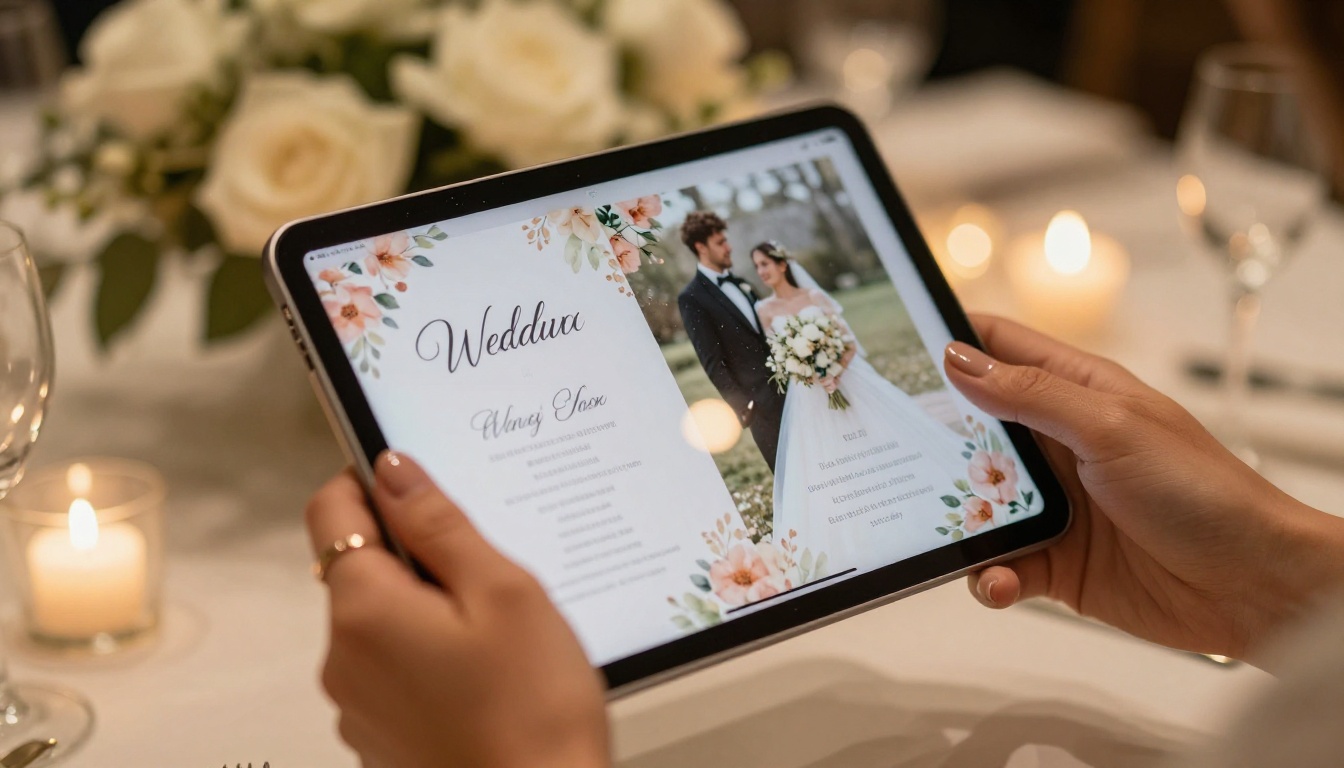
Planning a wedding or corporate event today means juggling dozens of moving parts, and your printed materials are no exception. Digital flipbooks have become one of the most elegant ways to present wedding programs, event schedules, vendor lookbooks, and seating charts to guests without the hassle of printing. But with so many flipbook tools on the market, choosing the right one for your specific needs as a wedding or event planner can feel overwhelming. This article breaks down the top 5 flipbook creators for wedding and event planners, comparing features, pricing, ease of use, and what each tool does best so you can make a confident, informed choice.
What Makes a Flipbook Creator Right for Events
Not every flipbook tool is built with event planners in mind. The right platform needs to handle more than just PDF conversion. It should offer custom branding, easy sharing via QR codes and links, mobile responsiveness for guests at the venue, and ideally, password protection for private content like VIP itineraries.
Before ranking the tools, here are the core criteria used to evaluate each one:
- Ease of use: How fast can a non-designer create a polished flipbook?
- Design quality: Does the output look professional and wedding-worthy?
- Sharing options: QR codes, direct links, embeds, and email sharing
- Branding control: Custom colors, logos, fonts, and domain
- Pricing: Free tier availability and value at paid tiers
- Mobile experience: How it looks on smartphones at the event
💡 The best flipbook for a wedding is one your guests can open on their phone in seconds, without downloading any app. Prioritize platforms with instant web-based viewing.

The Top 5 Flipbook Creators for Wedding and Event Planners
1. Flipbooks AI
Flipbooks AI is the strongest all-in-one flipbook platform for event planners who want professional results without a steep learning curve. It converts your existing PDFs into stunning interactive flipbooks in minutes, with realistic page-turn animations, custom branding, and a suite of event-specific tools that no other platform on this list matches.
What sets it apart for weddings and events is the depth of specialized tools available. You can create a Wedding Album Flipbook, an Event Program Maker, or even a fully branded Digital Portfolio Creator for vendor presentations, all from the same dashboard. The platform supports embedding videos and audio directly into flipbook pages, which is ideal for wedding highlight reels or event promo videos.
Standout features for event planners:
- No watermarks on any paid plan
- Unlimited flipbooks on Standard plan and above
- Password protection for private event materials
- Analytics and lead generation on the Professional plan
- Mobile-responsive design for on-venue viewing
- Offline downloads for remote or low-signal locations
- Embed codes for wedding websites and vendor portals

2. Issuu
Issuu is one of the oldest names in digital publishing and offers a robust platform for creating magazine-style flipbooks. It is particularly well-suited for event programs that follow a traditional magazine layout, with strong typography controls and a clean reader interface.
The platform shines for high-volume publishers and marketing teams. For wedding planners, the main draw is Issuu's large template library and built-in distribution network. However, the free tier places Issuu branding on all publications, which can clash with the premium feel most weddings demand.
Issuu pros for event planners:
- Strong layout and typography control
- PDF import with high fidelity
- SEO-friendly public publications
- Mobile app available for readers
Issuu cons:
- Watermarks on the free tier
- Higher pricing required for white-label output
- Less focused on interactive features like video and audio embeds
3. FlipHTML5
FlipHTML5 has been around for over a decade and offers one of the most feature-packed free tiers of any flipbook platform. For budget-conscious event planners, it provides a solid entry point with animated page effects, basic customization, and cloud hosting.
It works well for creating multi-page event booklets, seating chart documents, and vendor catalogs. The drag-and-drop editor allows for light customization without touching any design software. However, the interface feels dated compared to modern platforms, and the output can sometimes look less polished than competitors.
FlipHTML5 pros:
- Generous free tier with cloud hosting
- Animated page-turn effects
- Multiple sharing options
- HTML5 output works across all devices
FlipHTML5 cons:
- Dated interface and user experience
- Limited branding options on the free tier
- Customer support response times can be slow

4. Publuu
Publuu is a modern, clean flipbook platform that has gained traction among small business owners and event professionals. It offers a distraction-free reading experience and some of the sharpest page-turn animations in the industry.
For event planners, Publuu's strongest feature is its analytics dashboard, which shows you who viewed your event program, how long they spent on each page, and whether they clicked any links. This is valuable for post-event reporting and understanding which sections of a program guests spent the most time on.
Publuu pros:
- Beautiful, crisp page-turn animations
- Built-in analytics on paid plans
- Clean, modern interface
- Good mobile reading experience
- Embedding and link sharing available
Publuu cons:
- Smaller template library than competitors
- Video embedding limited to higher-tier plans
- Free tier includes watermark on all publications
5. Canva with PDF Export to Flipbook
Canva is not a native flipbook creator, but its combination with flipbook converters makes it a powerful workflow for event planners who already use Canva for design work. You design your wedding program or event materials in Canva, export as PDF, and then import into a flipbook tool like Flipbooks AI for conversion.
This approach gives you the full creative freedom of Canva's drag-and-drop design library, paired with the interactive flipbook features of a dedicated converter. It requires slightly more steps than a native end-to-end tool, but the design quality ceiling is higher for planners with strong visual taste.
Canva workflow pros:
- Unlimited design flexibility with a massive template library
- Templates built specifically for weddings and events
- High-quality PDF output
- Pairs seamlessly with dedicated flipbook platforms
Canva workflow cons:
- Not a native flipbook creator (requires export and import steps)
- No built-in flipbook analytics or sharing
- Extra cost if using premium Canva plus a separate flipbook platform
Head-to-Head Comparison
| Feature | Flipbooks AI | Issuu | FlipHTML5 | Publuu | Canva + Converter |
|---|
| No Watermarks | Yes (paid) | Yes (paid) | Yes (paid) | Yes (paid) | Depends on converter |
| Video Embeds | Yes | Limited | Yes | Paid plans only | Via converter |
| Analytics | Professional plan | Business plan | Limited | Paid plans | Via converter |
| Password Protection | Yes | Yes | Yes | Yes | Via converter |
| Custom Branding | Yes | Yes | Limited | Yes | Full control |
| Mobile Responsive | Yes | Yes | Yes | Yes | Yes |
| Offline Downloads | Yes | No | Yes | No | N/A |
| Event-Specific Tools | Yes | No | No | No | Via templates |
| Free Tier Available | Yes | Yes | Yes | Yes | Yes |
Pricing Breakdown
Understanding what you actually get at each price point helps you choose the right tool without overpaying or underestimating your needs.
| Platform | Free Tier | Entry Paid Plan | Professional Plan |
|---|
| Flipbooks AI | Available | Standard (unlimited flipbooks, no watermarks) | Full analytics, lead gen, offline downloads |
| Issuu | Watermarked | Starter | Premium with white-label branding |
| FlipHTML5 | 2GB cloud storage | Plus | Enterprise tier |
| Publuu | Watermarked, 1 publication | Mini | Business with full analytics |
| Canva | Limited templates | Pro ($12.99/mo) | Teams with admin controls |
⚠️ Several platforms advertise a "free" tier but apply prominent branding watermarks that make your wedding program look unprofessional. Always check what "free" actually means before committing to a workflow.
For a full breakdown of what each tier includes on Flipbooks AI, visit the pricing page.

Best Flipbook by Event Type
Different events call for different tools. Here is how to match each platform to your specific use case:
| Event Type | Best Tool | Why |
|---|
| Wedding ceremony program | Flipbooks AI | Specialized Wedding Album Flipbook tool, no watermarks |
| Corporate gala | Flipbooks AI or Publuu | Analytics dashboard, polished professional output |
| Bridal lookbook | Flipbooks AI | Dedicated Interactive Lookbook Designer |
| Vendor portfolio | Canva + Flipbooks AI | Design freedom paired with flipbook sharing features |
| Event seating chart | FlipHTML5 or Flipbooks AI | Multi-page PDF support |
| Digital invitation suite | Flipbooks AI | Custom branding and password-protected sharing |
| Annual charity gala | Flipbooks AI | Non-Profit Annual Report tool built in |
| Wedding vendor fair | Flipbooks AI | Digital Portfolio Creator for booth materials |
How to Create a Wedding Event Program with Flipbooks AI
Since Flipbooks AI consistently comes out on top for wedding and event use cases, here is exactly how to build a polished event program on the platform.
Step 1: Sign Up and Set Up Your Account
Go to Flipbooks AI and create your free account. No credit card is required to start. You can upgrade to Standard or Professional once you are ready to remove watermarks and access analytics features.
Step 2: Design Your Program
You have two options. If you already have your wedding program designed in Canva, Adobe InDesign, or any other tool, export it as a PDF. If you are starting from scratch, Flipbooks AI provides pre-built templates for event programs and wedding booklets that you can customize directly within the platform.
Step 3: Upload Your PDF
In your dashboard, click "Create New Flipbook" and upload your PDF. The PDF to Flipbook Converter processes your file and generates a live preview in seconds. All pages, images, and text formatting from your original file are preserved with high fidelity.
Step 4: Customize Your Branding
Once uploaded, open the customization panel to:
- Set your brand colors to match your wedding palette
- Upload your monogram or event logo
- Choose your page flip animation style (soft curl, hard flip, or smooth swipe)
- Add background music or ambient audio directly to the flipbook
- Embed a wedding highlight video on the welcome page

Step 5: Set Sharing and Privacy Options
Decide how guests will access your program:
- Public link: Share via email or social media before the event
- QR code: Print on ceremony cards or table settings for instant mobile access at the venue
- Password protected: Ideal for VIP itineraries or private pre-wedding events
- Embed code: Add directly to your wedding website using the Embed Flipbook on Website tool
Step 6: Track Views with Analytics
With the Professional plan, you get access to performance data showing:
- How many guests viewed the program
- Which pages guests spent the most time on
- Whether embedded links were clicked
- Lead capture data if you include a contact form
✅ Generate a QR code for your flipbook and print it on physical ceremony programs. Guests who want the digital version can scan it instantly, and you reduce printing costs significantly.

After evaluating all five platforms, a clear pattern emerges: event planners need tools that prioritize speed, sharing, and brand control above everything else. You rarely have weeks to learn complex software before an event. You need to upload a PDF, make it look stunning, and share it via QR code within a day.
Flipbooks AI delivers on all three fronts better than any other tool on this list. The Event Program Maker tool alone justifies the platform for wedding professionals. Add in the Wedding Album Flipbook, the lookbook tools, and the ability to embed video and audio directly into pages, and you have a complete event publishing stack in one place.
For planners who need maximum design flexibility and do not mind a two-step workflow, pairing Canva with Flipbooks AI as the conversion and publishing layer is the most powerful combination available today.
For budget-conscious planners just starting out, FlipHTML5 offers a generous free tier with enough features to produce serviceable event programs. Just be prepared for a slightly older interface and less polished visual output.
Issuu and Publuu both have their strengths but are better suited to ongoing publication needs, like monthly event newsletters or regular vendor lookbooks, rather than one-off event programs with a tight turnaround.
Build Your First Event Flipbook Today
The right digital flipbook elevates every touchpoint of a wedding or event, from the first invitation to the post-event thank-you album. Whether you are coordinating an intimate garden wedding, a 500-person corporate gala, or a multi-day conference, having the right tool in your stack makes the difference between materials that impress and materials that just inform.
Ready to see the difference for yourself? Create your first event program for free on Flipbooks AI and have it ready to share in minutes. Browse all available tools built specifically for events, weddings, portfolios, and more. When you are ready to go watermark-free and access full analytics, compare pricing plans to find the right tier for your business.
Your next event deserves better than a static PDF.



