The digital brochure landscape has changed fast. Businesses still sending static PDFs are watching prospects close the tab in seconds, while competitors using interactive, page-turning brochures report 3x more time spent on their materials and measurably higher conversion rates. In 2026, the tools available for building interactive brochures range from dead-simple drag-and-drop platforms to enterprise-grade publishing suites, and picking the wrong one wastes both time and budget. Flipbooks AI delivers the best overall package, but here is the full picture so you can decide for yourself.
This comparison scored seven of the most-used interactive brochure makers across features, pricing, ease of use, and real-world performance. Whether you run a small business, a hotel group, a real estate agency, or a fashion brand, there is a right tool in this list for your situation.
What Makes a Brochure "Interactive"
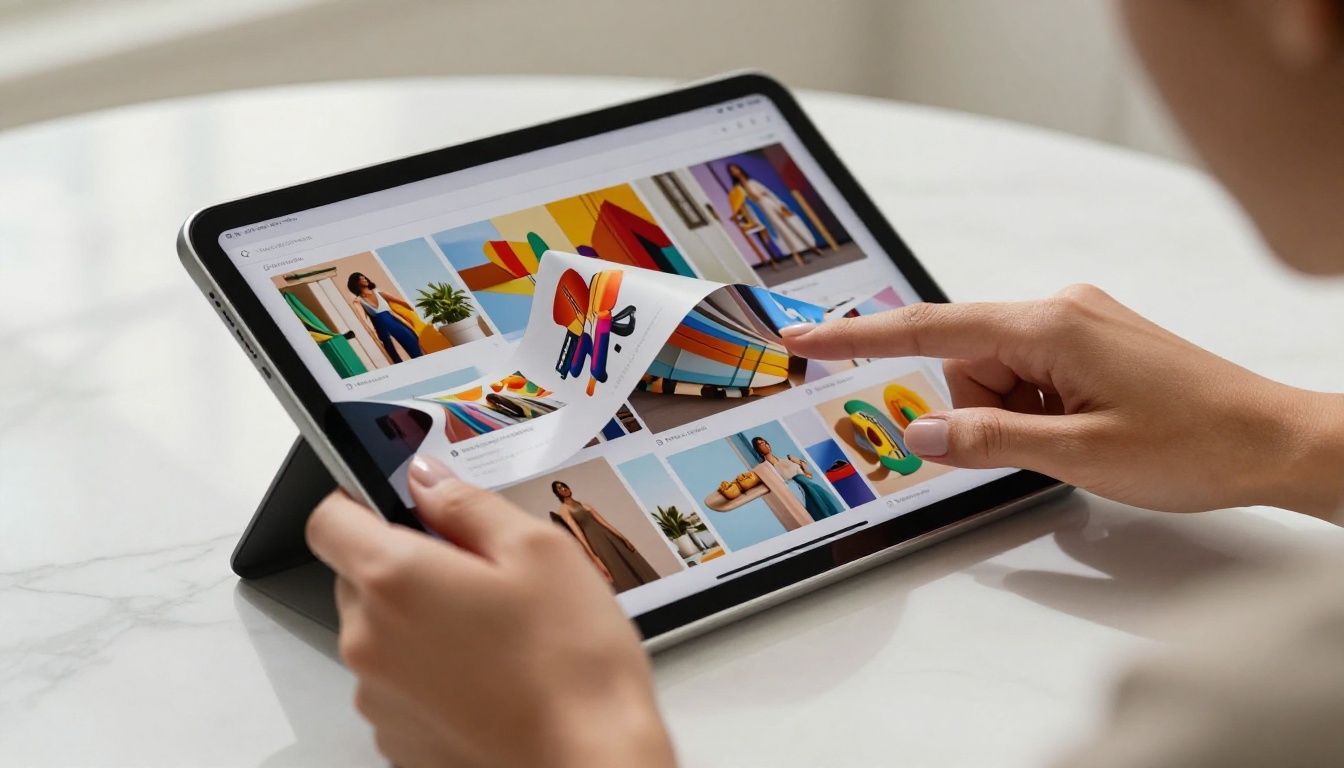
Not all digital brochures are equal. A static PDF exported to a webpage is not interactive. A true interactive brochure offers page-flip animations, embedded multimedia, clickable hotspots, and analytics to track who opened it and for how long.
The best platforms in 2026 also deliver:
- Page-turn animations that mimic physical reading
- Embedded video and audio in individual pages
- Clickable links and CTAs within pages
- Lead capture forms and gated access via password protection
- Analytics dashboards showing views, time-on-page, and click-through rates
- Responsive rendering across mobile, tablet, and desktop
- Embed codes to publish directly on websites
💡 The difference between a PDF link and a proper interactive brochure can mean a 15-second bounce versus a 4-minute reading session.
Our scoring used five weighted criteria:
| Criterion | Weight |
|---|
| Feature depth (interactivity, multimedia) | 30% |
| Ease of use and upload speed | 25% |
| Pricing vs. value | 20% |
| Customization and branding control | 15% |
| Analytics and lead generation | 10% |
We focused specifically on tools that start with a PDF upload workflow (the most common real-world use case), support embed codes, and offer at least some free or trial access.

#1 Flipbooks AI - Built for Results
Flipbooks AI tops this list because it solves the problem most businesses actually have: you have a PDF brochure, you want it online and interactive, and you want it to look premium without a design team. The platform converts PDFs into page-flip publications in seconds, with no watermarks on any paid plan, no usage caps on the Standard plan and above, and a clean interface that requires zero technical knowledge.
What sets it apart in 2026:
- Full custom branding on every flipbook, no Flipbooks AI attribution on paid plans
- Password protection for private or client-facing materials
- Analytics and lead generation tools on the Professional plan
- Offline download support so recipients can access brochures without internet
- Embedded video and audio inside individual pages
- Mobile-responsive rendering across all devices
The Brochure Flipbook Maker tool is specifically built for marketing teams, and specialist tools like the Hotel Brochure Designer, Real Estate Brochure Creator, and Automotive Brochure Generator give industry-specific audiences the right starting point without building from scratch.

Flipbooks AI pricing at a glance:
| Plan | Price | What You Get |
|---|
| Free | $0 | 3 flipbooks, Flipbooks AI branding |
| Standard | $9/mo | Unlimited flipbooks, no watermark, custom branding |
| Professional | $19/mo | Analytics, lead generation, offline downloads, password protection |
✅ Best for: Small businesses, marketing teams, hotels, real estate agencies, and retailers who need a fast, professional solution without a steep price tag.
#2 Issuu - Strong for Publishers
Issuu is one of the oldest names in digital publishing. It shines for magazine-style content and editorial publications, with a large built-in reader community and decent SEO value from being hosted on Issuu's indexed domain.
Strengths:
- Large discovery community
- Good embed options for websites
- Built-in analytics on paid plans
Weaknesses:
- Issuu branding is prominent on the free tier
- Less control over custom domains and branding on lower-tier plans
- Pricing has risen significantly in recent years
- Lead capture and gating locked behind top-tier plans
For a brochure-first workflow, Issuu can feel overbuilt. It is optimized for the publication use case, not the sales or marketing brochure workflow that most businesses actually need.
#3 FlipHTML5 - Feature-Rich but Complex
FlipHTML5 delivers an impressive feature set including animations, video embedding, HTML5 compatibility, and SCORM support for training materials. It is a serious tool for users who need deep customization.
Strengths:
- Extensive animation and multimedia options
- SCORM export for e-learning use cases
- Offline package download
- Wide range of templates
Weaknesses:
- Interface is noticeably dated compared to modern competitors
- Steep learning curve for new users
- Free plan output carries watermarks and has file size restrictions
- Inconsistent customer support response times
FlipHTML5 is best suited for technical users or organizations with dedicated content teams who will invest real time learning the platform before seeing results.
#4 Canva - Great Design, Limited Interactivity
Canva's dominance in design is undeniable. Its brochure templates are beautiful, and the drag-and-drop editor is the most intuitive in this entire list. However, Canva is primarily a design tool, not a flipbook publishing platform.
Strengths:
- Unmatched design templates and visual assets
- Easy team collaboration
- Broad brand kit support on paid plans
Weaknesses:
- No true page-flip interactivity
- Published links do not behave like flipbooks
- No embed code with flipbook behavior
- Analytics are basic
For designing the source PDF that you will then publish in a tool like Flipbooks AI, Canva is excellent. As a standalone interactive brochure publisher, it does not compete at this level.

#5 Flipsnack - Solid Mid-Market Option
Flipsnack sits comfortably in the mid-market tier. It offers a straightforward PDF-to-flipbook workflow, clean templates, and reasonable analytics for the price.
Strengths:
- Clean, modern interface
- Fast and reliable PDF upload
- Good embed code support
- Shopping links and product hotspots for e-commerce use cases
Weaknesses:
- Free plan is very restricted (3 flipbooks, Flipsnack watermark)
- Team collaboration requires higher-tier plans
- Pricing feels steep for solo users
- Less industry-specific tooling compared to dedicated platforms
Flipsnack works well for e-commerce brands wanting to add product hotspots to catalogs or lookbooks, but it is not the strongest option for general marketing brochures.
#6 Publitas - Best for Retail Catalogs
Publitas is purpose-built for retail and e-commerce catalog publishing. It integrates with product feeds and supports clickable product hotspots that link directly to product pages, making it a genuine powerhouse for large retailers.
Strengths:
- Deep e-commerce and product feed integration
- Product hotspot linking to live product pages
- Strong analytics and conversion tracking
- Clean, fast reader experience
Weaknesses:
- Pricing starts high, not accessible for small businesses
- Designed almost exclusively for product catalogs, not general brochures
- Limited template variety for non-retail use cases
If you run a large retail operation with a product catalog of hundreds of SKUs, Publitas is worth the investment. For brochures, proposals, or marketing materials, the scope is too narrow.

#7 Adobe Express - Adobe Power, Adobe Price
Adobe Express brings the Adobe design ecosystem in a more accessible format. Output quality is high, and integration with Adobe Stock and Creative Cloud is seamless for teams already in that ecosystem.
Strengths:
- High-quality output and precision design control
- Adobe ecosystem integration
- Solid animation and page transition options
Weaknesses:
- Not a dedicated flipbook platform
- Interactive publishing requires a full Creative Cloud subscription
- Steep learning curve outside the Adobe ecosystem
- Per-user pricing escalates quickly for larger teams
Adobe Express suits teams already embedded in Creative Cloud. For standalone interactive brochure publishing, it is not the right entry point for most businesses.
Full Feature Comparison

| Feature | Flipbooks AI | Issuu | FlipHTML5 | Canva | Flipsnack | Publitas | Adobe Express |
|---|
| PDF to Flipbook | ✅ | ✅ | ✅ | ❌ | ✅ | ✅ | ❌ |
| Page-flip animation | ✅ | ✅ | ✅ | ❌ | ✅ | ✅ | Partial |
| No watermark (paid) | ✅ | ✅ | ✅ | ✅ | ✅ | ✅ | ✅ |
| Embed code | ✅ | ✅ | ✅ | Limited | ✅ | ✅ | ❌ |
| Password protection | ✅ | ✅ | ✅ | ❌ | ✅ | ✅ | ❌ |
| Analytics | ✅ | ✅ | ✅ | Basic | ✅ | ✅ | Basic |
| Lead generation | ✅ | ❌ | ❌ | ❌ | Partial | Partial | ❌ |
| Offline downloads | ✅ | ❌ | ✅ | ❌ | ❌ | ❌ | ❌ |
| Video embed in pages | ✅ | ✅ | ✅ | ❌ | ✅ | ❌ | ❌ |
| Mobile responsive | ✅ | ✅ | ✅ | ✅ | ✅ | ✅ | ✅ |
| Free plan available | ✅ | ✅ | ✅ | ✅ | ✅ | ❌ | ✅ |
| Starting price (paid) | $9/mo | $17/mo | $14/mo | $15/mo | $14/mo | $45/mo | $10/mo |
⚠️ Prices are approximate starting rates as of 2026 and may vary by region or billing cycle.
Pricing Compared Side by Side
| Platform | Free Tier | Entry Paid Plan | Mid Tier |
|---|
| Flipbooks AI | 3 flipbooks, watermark | $9/mo (unlimited, no watermark) | $19/mo (analytics, leads) |
| Issuu | 1 publication | $17/mo | $33/mo |
| FlipHTML5 | 5 flipbooks, watermark | $14/mo | $28/mo |
| Canva | Full design tools, no flipbook publish | $15/mo | $30/mo (teams) |
| Flipsnack | 3 flipbooks, watermark | $14/mo | $35/mo |
| Publitas | None | $45/mo | $99/mo |
| Adobe Express | Limited | $10/mo (Express only) | $55/mo (CC) |
How to Create an Interactive Brochure with Flipbooks AI
Creating a professional interactive brochure takes under five minutes with Flipbooks AI. Here is the exact workflow:
Step 1: Sign Up for an Account
Head to flipbooksai.com/account and register. No credit card required for the free plan.
Step 2: Upload Your PDF
Click "Create New Flipbook" and upload your PDF brochure. The PDF to Flipbook Converter processes your file in seconds, preserving all layouts, typography, and imagery at full fidelity.
Step 3: Customize Your Brochure
Once uploaded, you can:
- Set custom brand colors and add your logo
- Choose a page flip style (soft, hard, or flat)
- Add background music or ambient audio
- Embed videos directly into individual pages
- Set a custom page thumbnail for the opening spread
Step 4: Set Sharing and Access Controls
- Generate a shareable link for direct access
- Copy the embed code to publish on your website using the Embed Flipbook on Website tool
- Set a password for client-facing or confidential materials
- Enable lead capture to collect emails before granting access (Professional plan)
Step 5: Track Performance
On the Professional plan, the analytics dashboard shows exactly who opened your brochure, which pages held attention, where readers dropped off, and which links they clicked. This data is invaluable for refining your marketing materials over time.
💡 Use the Online Brochure Designer if you want to start from a professionally designed template rather than uploading your own PDF.
Industry-specific brochure tools on Flipbooks AI:
Which One Should You Pick
The right choice depends on what you actually need it for:
| Use Case | Best Tool |
|---|
| Marketing brochures, hotel, real estate | Flipbooks AI |
| Magazine and editorial publishing | Issuu |
| Training materials with SCORM export | FlipHTML5 |
| Designing the source PDF | Canva |
| Large retail e-commerce catalogs | Publitas |
| Adobe Creative Cloud teams | Adobe Express |
| Mid-market catalogs with product hotspots | Flipsnack |
For the majority of businesses, Flipbooks AI delivers the best combination of speed, price, features, and output quality. The no-watermark policy on all paid plans separates it from most competitors, and the industry-specific tools mean you are not starting from a blank slate.
The Professional plan at $19/mo includes everything a marketing team actually needs: analytics, lead generation, offline downloads, and password protection. Compare that to Publitas at $45/mo for a narrower feature set targeting only retail catalogs, or Issuu at $17/mo with less branding control and no lead generation.
Real estate agents use Flipbooks AI to turn PDF property brochures into shareable interactive listings that clients can flip through on their phones. Hotels use it to send password-protected press kits to travel agents and booking platforms. Fashion brands publish seasonal lookbooks that load instantly on mobile with embedded video clips. Restaurants build digital menus that update without printing a single new page.
Ready to build your first interactive brochure? Get started for free on Flipbooks AI, or check the pricing plans to choose what works best for your team. Browse all available brochure tools and templates to find the perfect fit for your industry.



