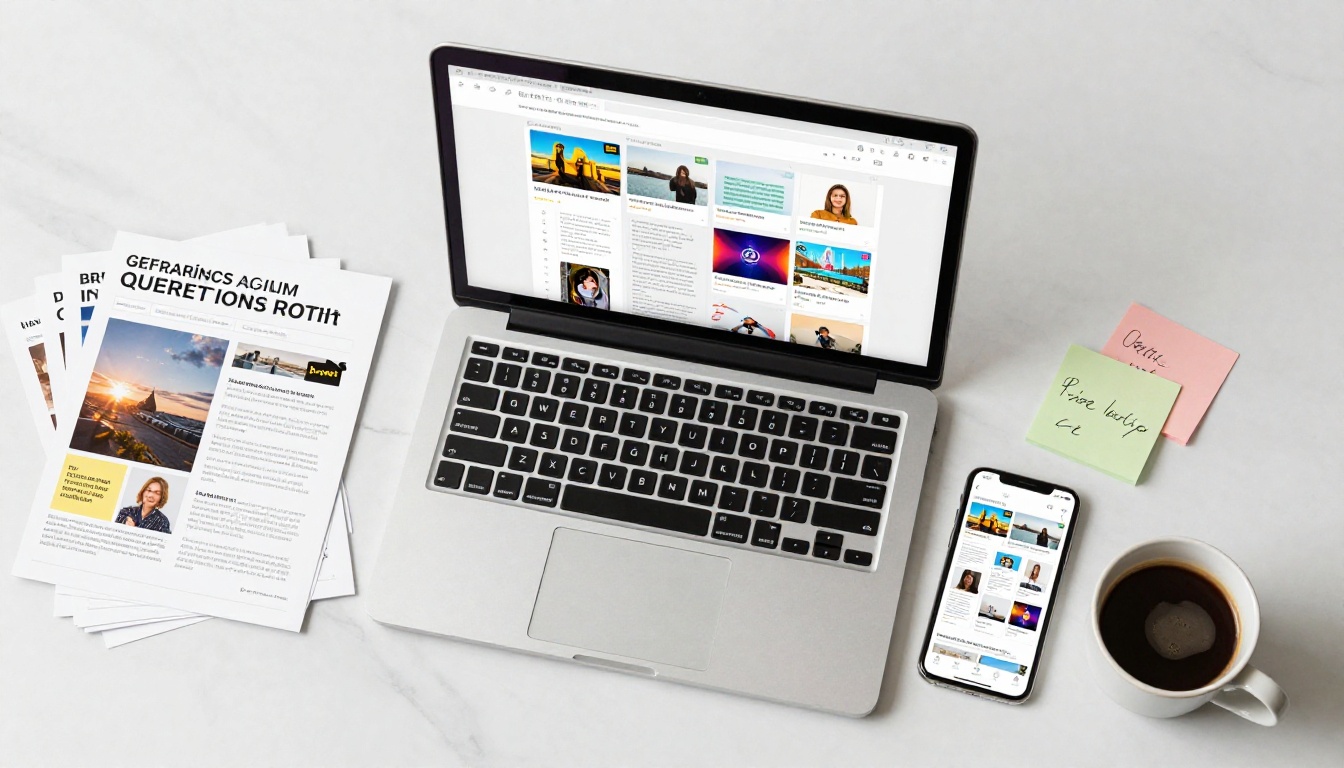
Static PDFs are losing the battle for attention. People want to click, swipe, and interact with content, not scroll through flat documents. That's exactly why interactive flipbooks have become a go-to format for marketers, educators, and business owners who want their content to feel alive. If you're looking for a free way to create one, the options in 2026 are better than ever, but they're not all equal.
Flipbooks AI leads the pack with a clean, no-watermark experience even on its free tier, but it's far from the only player worth your time. This ranking breaks down the Top 8 Free Tools to Make Interactive Flipbooks in 2026, comparing features, limitations, watermarks, embed options, and ideal use cases so you can make a smart choice.

Not every free plan is actually free in any meaningful sense. Some slap large watermarks across your content. Others limit you to two or three flipbooks. A few hide essential features like embedding behind a paywall and call the whole thing "free."
Before diving into the list, here's what separates a genuinely useful free flipbook tool from a frustrating trial:
- No watermarks (or clearly disclosed watermarks that don't ruin the experience)
- PDF upload and conversion as a core feature
- At least 3-5 flipbooks on the free plan
- Shareable link for distribution without needing to embed
- Mobile-responsive output that works on any device
- Reasonable file size limits (at least 10MB)
💡 The tools that score highest on all six points tend to be the ones actually worth using for professional output.

1. Flipbooks AI
Best for: Clean, professional flipbooks without the friction.
Flipbooks AI earns the top spot because it removes the most common complaints about free flipbook tools in one shot: no watermarks, a fast conversion engine, and a genuinely polished output right out of the box.
Upload a PDF, choose your page-flip style, and you have a shareable, embeddable flipbook in under two minutes. The platform is mobile-first, meaning your flipbook will look just as sharp on a phone as on a desktop. The free plan gives you access to the core toolset without forcing you through an upsell every five minutes.
Standout free features:
- No watermarks on published flipbooks
- PDF to flipbook conversion with realistic page-turn effects
- Shareable links and basic embed codes
- Mobile-responsive output
- Access to specialized tools: PDF to Flipbook Converter, Digital Catalog Maker, and more
For businesses that need more, the Standard and Professional plans unlock unlimited flipbooks, custom branding, password protection, analytics, and lead generation. Check the pricing page for current plan details.
2. FlipHTML5
Best for: Users who want desktop software plus cloud hosting.
FlipHTML5 has been around long enough to be considered a veteran in this space. It offers both a desktop application and a cloud-based editor, which is a setup some users prefer if they work offline frequently. The free plan includes up to 100MB of cloud storage and allows publishing with FlipHTML5 branding.
The output quality is solid, and it supports video and audio embedding even on free accounts. The catch is the prominent branding on the viewer and a limit on published books without upgrading.
Free plan highlights:
- Desktop and cloud hybrid workflow
- Audio and video embed support
- Basic analytics on free tier
- HTML5 output that works on all devices
3. Heyzine
Best for: Quick, modern-looking flipbooks with minimal setup.
Heyzine has built a reputation for delivering the cleanest free flipbook experience after Flipbooks AI. The interface is minimal and the conversion is fast. Free accounts get up to 3 flipbooks with Heyzine branding, which is a hard limit but acceptable for occasional use.
It supports audio narration, video embeds, and clickable links within flipbooks, which puts it ahead of several competitors at the same price point (zero).
What you get free:
- 3 flipbooks (Heyzine branding visible)
- Audio and video support
- Clickable links in pages
- Direct share URL
4. Issuu
Best for: Publishers and media brands that want discovery features.
Issuu is less a flipbook tool and more a digital publishing platform, but it's relevant here because it creates interactive, page-turning publications and has a large built-in audience discovery feature. Free accounts can publish an unlimited number of documents, but output sits behind Issuu branding and there are restrictions on private publishing.
If your goal is reach, getting eyes on your content from Issuu's own user base, this platform has a built-in edge. If you need white-label output or custom embedding, it falls short on the free tier.
Free plan notes:
- Unlimited publications
- Issuu branding on viewer
- Public publishing only (private is paid)
- Discovery through Issuu's platform
5. Yumpu
Best for: Simple magazine and catalog publishing.
Yumpu is a no-frills platform that specializes in turning PDFs into HTML5 flipbooks. The free plan is fairly generous with storage and the output is clean. The primary downside is the Yumpu watermark and limited customization options.
For businesses that just need a quick digital version of a printed brochure or magazine, Yumpu gets the job done without much setup.
Free features:
- Unlimited uploads
- HTML5 output
- Basic embeds
- Yumpu watermark on viewer
6. Publuu
Best for: Sales and marketing teams wanting basic analytics.
Publuu stands out in the free tier for including basic reading analytics, which most tools lock behind paid plans. You can see how many people viewed your flipbook and for how long. The free plan is capped at 1 flipbook, which is a significant limitation, but the quality of that one flipbook is high.
Free plan highlights:
- 1 flipbook (Publuu branding)
- Basic view analytics
- HD quality output
- Embed and share link
7. Flipsnack
Best for: Teams that need collaboration and design templates.
Flipsnack is a well-designed tool with a strong template library. The free plan gives you 3 flipbooks with Flipsnack branding, access to basic templates, and the drag-and-drop design editor. It is one of the better options if you want to design a flipbook from scratch rather than converting an existing PDF.
Free plan notes:
- 3 flipbooks with Flipsnack branding
- Drag-and-drop design editor
- Template library access
- PDF import available
8. Canva (with Presentation Export)
Best for: Users already in the Canva ecosystem.
Canva doesn't produce a "flipbook" in the traditional HTML5 page-flip sense, but its interactive presentations and PDF exports can be published as shareable, page-turning documents. With Canva's free plan being one of the most generous in design software, this is worth mentioning for users who are already building content there.
The limitation is the experience: Canva output doesn't produce the realistic page-curl effect that dedicated flipbook tools do. It's a workaround, not a purpose-built solution.
Canva free tier:
- Unlimited designs
- Shareable presentation links
- No true page-flip effect
- PDF export with link
Side-by-Side Feature Comparison

| Tool | Free Flipbooks | Watermark | Page-Flip Effect | Embed | Analytics Free |
|---|
| Flipbooks AI | Multiple | None | Yes | Yes | No (Pro plan) |
| FlipHTML5 | Unlimited* | Yes | Yes | Yes | Basic |
| Heyzine | 3 | Yes | Yes | Yes | No |
| Issuu | Unlimited | Yes | Yes | Limited | No |
| Yumpu | Unlimited | Yes | Yes | Yes | No |
| Publuu | 1 | Yes | Yes | Yes | Basic |
| Flipsnack | 3 | Yes | Yes | Yes | No |
| Canva | Unlimited | No | No | Yes | No |
*FlipHTML5 free plan limited by cloud storage, not flipbook count.
⚠️ Tools showing "Unlimited" in the free tier often impose storage or traffic limits. Always read the fine print before publishing business-critical content.
| Tool | Free Plan | Starter Paid | Mid Tier | Key Paid Feature |
|---|
| Flipbooks AI | Yes | Standard | Professional | Analytics, lead gen, offline |
| FlipHTML5 | Yes | ~$14/mo | ~$29/mo | White label, more storage |
| Heyzine | Yes | ~$8/mo | ~$18/mo | Unlimited flipbooks |
| Issuu | Yes | ~$19/mo | ~$29/mo | Private publishing |
| Yumpu | Yes | ~$16/mo | ~$33/mo | No watermark |
| Publuu | Yes | ~$9/mo | ~$19/mo | More flipbooks |
| Flipsnack | Yes | ~$14/mo | ~$35/mo | Team collaboration |
| Canva | Yes | ~$15/mo | Teams plan | Brand kits, more assets |
💡 For most small businesses and content creators, the sweet spot is a tool that offers a genuinely useful free tier with a reasonable upgrade path. Flipbooks AI's pricing plans are designed to scale without forcing upgrades for basic publishing needs.
How to Make an Interactive Flipbook with Flipbooks AI

If you've landed on Flipbooks AI as your tool of choice, here's exactly how to create your first interactive flipbook in minutes.
1. Create your account
Head to flipbooksai.com/account and sign up. The process takes under a minute with email or social login.
2. Upload your PDF
From the dashboard, click "New Flipbook" and upload your PDF. The PDF to Flipbook Converter processes the file and generates a paginated preview automatically. Supported file sizes vary by plan.
3. Customize the appearance
Once your PDF is converted, you can adjust:
- Page-flip style (realistic curl, slide, or fade transitions)
- Background color and viewer theme
- Cover and back cover design
- Branding elements (logo, custom colors on paid plans)
4. Add interactive elements
Depending on your plan, you can embed:
- Videos inside specific pages
- Audio tracks for narration
- Clickable links (internal navigation or external URLs)
- Lead capture forms (Professional plan)
5. Publish and share
When satisfied, hit "Publish." You'll get:
- A direct shareable URL
- An embed code for your website (use the Embed Flipbook on Website tool for guidance)
- Optional password protection (Standard plan and above)
6. Track performance
On the Professional plan, the analytics dashboard shows page-by-page engagement, total views, time spent per page, and lead data if you've added a capture form. This is the feature that separates casual use from serious content marketing.
✅ Best practice: Export your source file at 150-200 DPI before uploading. Higher resolution files produce sharper flipbook pages, especially for image-heavy catalogs or portfolios.
The right tool depends almost entirely on what you're publishing. Here's how different users should approach the decision:
Retailers and product brands: A product catalog with page-flip effects significantly outperforms a static PDF in terms of engagement time. Use the Product Catalog Generator or Fashion Catalog Creator for purpose-built templates.
Restaurants: A digital menu that opens with a page-turn effect creates a memorable experience. The Restaurant Menu Creator handles this with pre-built layouts designed for food service.
Real estate agents: Property brochures converted to interactive flipbooks are shareable by text message and email without attachment size issues. The Real Estate Brochure Creator is purpose-built for this use case.
Educators: Course materials, school newsletters, and training manuals all benefit from the page-flip format. Tools like the Training Manual Flipbook and Course Material Publisher make this straightforward.
Photographers and creatives: A portfolio in flipbook format is more immersive than a standard gallery page. The Photography Portfolio Flipbook delivers a professional result fast.
Free plans make sense in specific scenarios. Here's an honest breakdown:
| User Type | Free Plan Suitable? | Recommended Tool | When to Upgrade |
|---|
| Freelancer testing the format | Yes | Flipbooks AI or Heyzine | When publishing client work |
| Small business (1-3 flipbooks/month) | Yes | Flipbooks AI | When needing analytics |
| Marketing team (regular publishing) | Partial | Flipbooks AI | Immediately for brand control |
| Publisher (magazine, catalog) | Partial | Issuu or FlipHTML5 | For private or gated content |
| Educator (school/university) | Yes | Flipbooks AI | For lead gen or offline access |
| E-commerce brand | No | Flipbooks AI | Start on Standard plan |
⚠️ If watermarks on your content are unacceptable for professional reasons, including client work or branded publications, skip tools that can't remove them on the free tier. Start with Flipbooks AI where the free tier is genuinely clean.
What to Look for Beyond the Free Tier

Most users who start on a free plan eventually want more. The features worth paying for include:
- Custom domain: Your flipbook URL reflects your brand, not the platform
- Password protection: Essential for internal documents, client-only content, or gated downloads
- Lead generation forms: Capture emails directly inside your flipbook before visitors can view the content
- Offline access: Let readers download flipbooks for viewing without internet
- Advanced analytics: Page-level engagement data, not just total views
- Unlimited flipbooks: Once you're publishing regularly, hard limits become a real bottleneck
On Flipbooks AI, these features are available starting from the Standard plan. For teams that publish frequently, the Professional plan adds analytics and lead generation that can directly impact revenue. Browse all plans to find what fits.

The honest answer depends on three questions:
-
How many flipbooks do you need? If it's one or two per year, almost any free plan works. If you publish monthly, you need unlimited capacity from day one.
-
Does your audience expect branded, watermark-free content? If you're representing a business or a client, watermarks are a non-starter. That eliminates most of this list immediately.
-
Do you need to track how people engage with your content? If yes, analytics become the most important feature in your decision.
For most people reading this article, Flipbooks AI hits the right balance: a clean free tier, no watermarks, a wide range of specialized tools for specific industries, and a paid upgrade path that adds analytics and lead generation without pricing out small teams.
FlipHTML5 and Heyzine are worth considering if you're comfortable with platform branding and want specific features like desktop editing or audio-forward content. Issuu makes sense if distribution and discovery matter more than customization.
But if you want professional output from a free plan without compromise, start with Flipbooks AI. Create your account in under a minute and have your first interactive flipbook live before the end of the day. When you're ready for analytics, lead capture, and custom branding, compare pricing plans to find what works for your volume.
The tools are free. The results depend on which one you choose.



