A new hire opens a 40-page PDF to find out how to restart a packaging line. A customer opens the same PDF to find out how to change the filter on the machine they just bought. Same file, two completely different needs, and at least one of those readers is about to give up. That is the user manual vs SOP problem in a single sentence.
The two documents look alike. Both have numbered steps, both have screenshots or photos, and both end up as PDFs buried in a shared drive. But they have different readers, different goals and different rules for how they get written and updated. In this article you will see exactly how they differ, get side by side examples and templates you can copy, and finish with a simple rule for choosing the right one. You will also see how to publish both as interactive page-turning documents with Flipbooks AI, so people actually open them.
What a User Manual Does
A user manual explains how to use a product or a piece of software. The reader is a customer, an end user or sometimes a technician who did not build the thing. They want to get a result: make the coffee, pair the headset, export the report. They do not care how your company works internally.

The Reader Is Outside Your Company
Because the audience is external and varied, a user manual has to assume very little. It uses plain words, defines every control, and shows the product from the user's point of view. It answers the question "How do I do this with the thing I bought?"
What Goes Inside
A solid user manual usually contains:
- Product overview with labeled parts or interface zones
- Safety warnings and legal notices
- Setup and installation steps
- Daily operation instructions, grouped by task
- Maintenance and cleaning routines
- Troubleshooting table with symptoms, causes and fixes
- Warranty and support contact details
💡 Pro tip: Organize a user manual by what the user wants to do, not by how the product was engineered. "Make a double espresso" beats "Pump assembly operation."
What an SOP Does
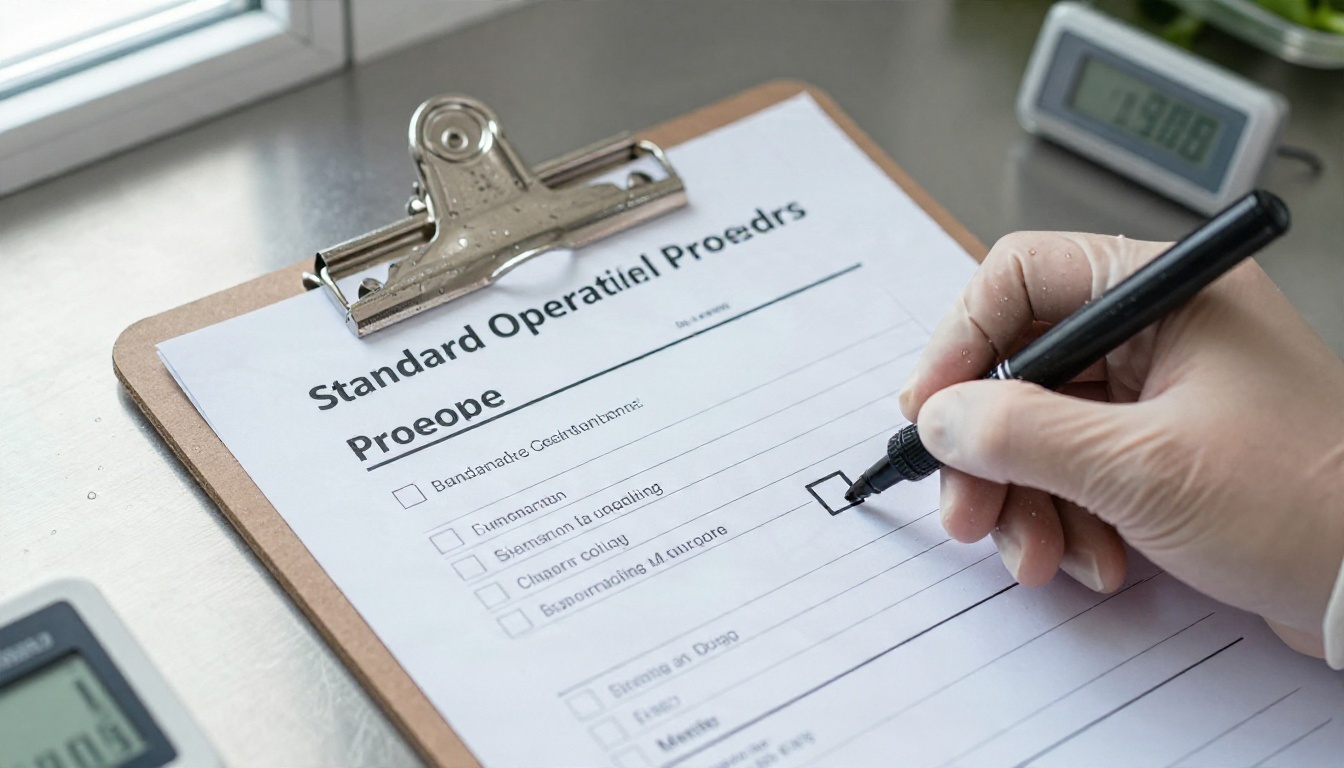
An SOP, short for standard operating procedure, describes how your organization performs a process so the outcome is the same no matter who does the work. The reader is an employee, a contractor or an auditor. The goal is consistency, safety and compliance.
The Reader Is Inside Your Company
An SOP assumes the reader already works for you, knows your tools and has a role with defined responsibilities. It states who does what, when, and what counts as done. It answers the question "How do we do this here, every time?"
What Goes Inside
A working SOP normally includes:
- Title, ID and version number
- Purpose and scope: why it exists and where it applies
- Roles and responsibilities
- Required tools, materials and prerequisites
- Step-by-step procedure with decision points
- Quality checks or acceptance criteria
- Records to keep (logs, forms, signatures)
- Revision history with approval dates
⚠️ Warning: An SOP without an owner and a review date goes stale fast. Outdated procedures are worse than none, because people follow them with confidence.
User Manual vs SOP Side by Side
Here is the quick comparison most teams need.
| Factor | User Manual | SOP |
|---|
| Main reader | Customer or end user | Employee, contractor, auditor |
| Goal | Help someone use a product | Make a process repeatable and compliant |
| Perspective | The user's task | The organization's process |
| Tone | Friendly, plain, explanatory | Direct, precise, imperative |
| Scope | One product or software | One process or task |
| Includes roles? | Rarely | Always |
| Includes approvals? | Rarely | Usually, with version control |
| Update trigger | New product version | Process change, audit, incident |
| Typical length | 20 to 200 pages | 1 to 10 pages |
| Delivered with | The product | Internal systems, training |
The One Question That Settles It
Ask yourself: who reads this and what do they need to do afterward?
- If a customer needs to operate a product, you need a user manual.
- If a team member needs to perform a process the approved way, you need an SOP.
Where They Overlap
Sometimes the two touch. A hospital may keep the vendor's user manual for an infusion pump and also an SOP that says which nurse programs it, how a second nurse verifies the dose, and where the check is logged. The manual describes the device. The SOP describes your rules for using it.
| Situation | Document Needed | Why |
|---|
| Selling a smart thermostat | User manual | Customers must operate the device |
| Onboarding a support agent | SOP | Agents must follow one escalation path |
| Using a vendor's lab machine | Both | Manual for the device, SOP for your protocol |
| Training a franchise owner | SOP plus training manual | Consistency across locations |
| Shipping a mobile app | User manual or help center | End users need task based help |
Real Examples You Can Copy
Abstract definitions only go so far. These scenarios show the difference in practice.
Example 1: Espresso Machine
- User manual: "To steam milk, turn the dial to the steam icon, wait for the light to stop blinking, and hold the pitcher under the wand." Written for a home user.
- SOP: "At opening, the shift lead flushes the group head for 5 seconds, records the boiler temperature in the opening log, and signs the sheet before the first order." Written for café staff.
Example 2: Accounting Software
- User manual: "Click Reports, choose Profit and Loss, then select a date range."
- SOP: "On the third business day, the accounts payable specialist exports the Profit and Loss report, the controller reviews variances above 5 percent, and the approved file is stored in the month-end folder."
Example 3: Warehouse Scanner
- User manual: Explains the buttons, battery charging and how to pair the scanner by Bluetooth.
- SOP: Defines how incoming pallets are received, who verifies quantities, what happens when a barcode does not scan, and who signs the receiving report.
Templates You Can Steal
Copy these outlines into your word processor, fill in the blanks and export to PDF.
User Manual Template
- Cover page: product name, model number, version, date
- Safety first: warnings, symbols, intended use
- What is in the box: parts list with photos
- Product overview: labeled diagram
- Setup: numbered steps with one action per step
- Everyday tasks: one section per task
- Care and maintenance: schedule table
- Troubleshooting: symptom, cause, fix
- Specifications: dimensions, power, compliance marks
- Support: contact details and warranty
SOP Template
- Header: title, SOP ID, version, owner, effective date
- Purpose: one or two sentences
- Scope: who and what it applies to
- Definitions: terms and acronyms
- Responsibilities: role by role
- Materials and tools: what must be ready
- Procedure: numbered steps, with decision points marked "If X, then Y"
- Quality checks: how to confirm success
- Records: forms, logs, retention period
- Revision history: change, date, approver
✅ Best practice: Keep SOP steps to one action each and start every step with a verb: Open, Check, Record, Sign. Short steps get followed. Long paragraphs get skipped.
Format Comparison for Your Templates
| Template Element | User Manual | SOP |
|---|
| Visuals | Product photos, annotated diagrams | Flowcharts, checklists, form screenshots |
| Numbering | By task | By sequence |
| Warnings | At top and before risky steps | Before the step that needs a control |
| Sign-off | None | Owner and approver |
| Best medium | Interactive page-turning file, help center | Searchable internal library, controlled PDF |
When to Use Each
Use the right document at the right moment and most confusion disappears.

Choose a User Manual When
- You are shipping a product that customers must operate
- You want to reduce support tickets about basic usage
- Regulations require user instructions with your product
- You publish software releases and need release specific instructions
Choose an SOP When
- A task must be done the same way by everyone
- You are preparing for an audit, certification or inspection
- A mistake would be costly, unsafe or non-compliant
- You are onboarding staff and want faster ramp-up time
Choose Both When
- Your team uses a vendor's product inside a regulated process
- You run a franchise where the product and the procedure both matter
- You sell equipment that customers must maintain under a service contract
| Business Type | Likely Document Set |
|---|
| Consumer electronics brand | User manual, quick start sheet |
| Restaurant group | SOPs for kitchen and front of house |
| Medical clinic | SOPs, vendor user manuals for devices |
| SaaS startup | User manual or help center, SOPs for support and release |
| Manufacturer | User manuals for customers, SOPs for production lines |
How to Publish Both with Flipbooks AI
A static PDF is hard to read on a phone, impossible to track and easy to forget. Turning it into an interactive flipbook fixes all three. Here is the workflow for both documents using Flipbooks AI.
Step by Step
- Create your account. Go to Flipbooks AI and sign up. You can start with a single manual and add more later.
- Upload your PDF. Drop your finished file into the PDF to Flipbook Converter. Pages convert in seconds and keep fonts, tables and images sharp.
- Customize the look. Add your logo, set brand colors, pick a page-turning effect and choose a background. For user manuals, embed videos and audio next to the setup steps so users can watch a filter change instead of reading about it.
- Choose your sharing option.
- Customer manuals: use a direct link or the embed flipbook on your website option so the manual lives on your product page.
- Internal SOPs: turn on password protection so only your team can open them.
- Use the Pro features. On the Professional plan you get analytics to see which pages people read, lead generation forms for gated manuals, and offline downloads for technicians working without signal. Check the pricing plans for details.
Handy Tools for This Job
Every flipbook is mobile responsive and free of watermarks. Standard plans and above include unlimited flipbooks, so you can publish each manual and each SOP as its own file instead of one giant bundle.
💡 Pro tip: Keep one flipbook per SOP. When a procedure changes, replace only that file and your link or embed stays the same. Nobody has to hunt for the new version.
5 Common Mistakes
Most failed documentation comes from the same handful of errors.
- Writing an SOP for customers. Internal approvals and role tables confuse buyers.
- Writing a user manual for staff. It leaves out ownership, records and sign-offs.
- Mixing both in one file. Readers cannot tell which rules are optional tips and which are mandatory.
- Skipping version control. If two versions float around, someone will follow the wrong one.
- Never testing the steps. Ask a person who has never done the task to follow your document. Every place they hesitate is a bug.
| Mistake | Fix |
|---|
| Wall of text | Break into short steps with photos |
| No owner | Name a person and a review date |
| Jargon | Define terms or replace them |
| Hidden file | Publish one link and share it everywhere |
| No feedback loop | Check analytics and ask users what confused them |
Ready to Publish Yours?
Pick the document your reader needs, write it with the templates above, and put it somewhere people will actually open it. A user manual helps customers succeed with your product. An SOP helps your team deliver the same result every time. Most growing companies end up needing both, and the best ones keep them separate.
When your drafts are ready, create your free account on Flipbooks AI and convert your first PDF in minutes. Browse all flipbook tools to find a format for your catalogs, reports and training material, or compare pricing plans to see which one fits your team.



