Web Based Church Bulletin: Online Options, Embedding on Your Site and Free Tools
A practical look at the web based church bulletin: how it compares with paper, which online options exist, how to embed a page-turning bulletin on your church website, and which free tools let a small volunteer team publish every week.
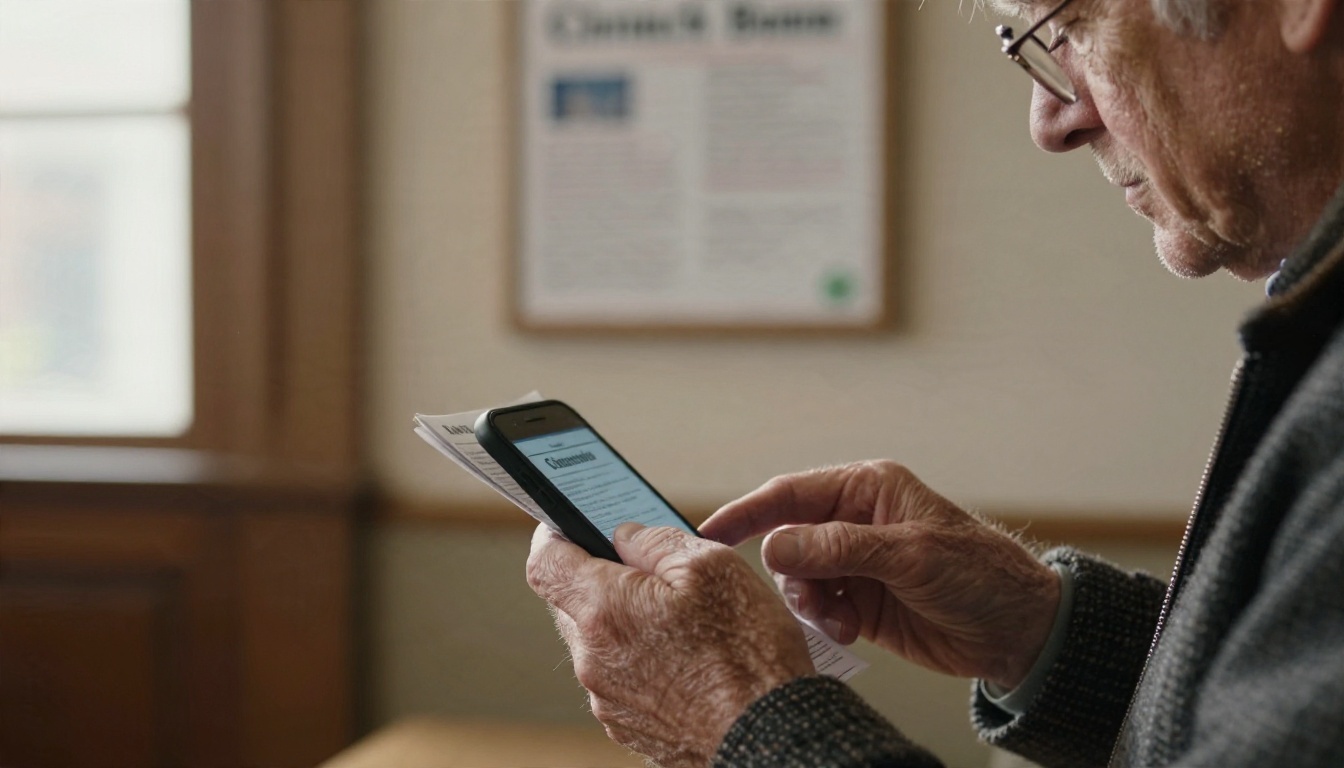
Every Saturday night, somewhere, a church secretary is staring at a photocopier that has just jammed again. The bulletin is due, the toner is low, and half the congregation will never see the printed version anyway because they were out of town or stayed home with a cold. A web based church bulletin fixes that problem at the root: you publish once, and every member reads it on a phone, tablet or laptop, whenever they like. With a tool like Flipbooks AI, you can even turn your regular PDF into a page-turning bulletin that looks like the paper one, only it never runs out of copies.
This article walks through the real options, from a plain PDF link to church software to flipbooks. You will see how to embed the bulletin on your own website, which free tools are worth your time, and how to build a weekly routine that a small volunteer team can actually sustain.
What a Web Based Church Bulletin Is
A web based church bulletin is simply your weekly (or monthly) bulletin delivered through a web page instead of, or alongside, paper. It usually contains the order of worship, announcements, prayer requests, upcoming events, volunteer schedules and giving information. The difference is where it lives and how people reach it.
Instead of a stack of sheets on a welcome table, you share a link, a QR code, or an embedded viewer on your church website. Members open it on whatever device they carry.
Paper vs Digital Side by Side
Most churches do not need to pick one forever. Still, it helps to see where each format wins.
Factor
Printed bulletin
Web based bulletin
Cost per week
Paper, toner, copier upkeep
Close to zero after setup
Reach
Only people in the building
Anyone with the link
Update after printing
Impossible
Replace the file in minutes
Links and buttons
None
Sign-up forms, maps, giving pages
Accessibility
Fixed font size
Zoom, screen readers, large text
Archive
Boxes in a closet
Searchable past issues
Environmental load
Hundreds of sheets weekly
None
💡 Pro tip: Keep a small run of paper copies for members who prefer them, and put a QR code on that paper. It nudges print readers toward the online version without forcing anyone.
Who Reads It Online
The audience is wider than you might think. A few real patterns show up in many congregations:
Busy parents who check announcements on a phone in the parking lot or at the kitchen table.
Homebound and traveling members who still want to follow church life.
Visitors who looked up the church website before their first Sunday and want to see what a typical week looks like.
Volunteers who need the schedule on hand without searching for an old email.
Older members, who often appreciate being able to enlarge the text far beyond what a printed page allows.
Online Bulletin Options Worth Weighing
There is no single correct setup. Three approaches dominate, and each suits a different kind of church.
Plain PDF on Your Site
The simplest route: export your bulletin as a PDF and upload it to a page on your website. Members tap the link and the file opens or downloads.
Strengths: fast, free, and familiar to everyone on your team.
Weaknesses: on a phone, a PDF often means pinching and scrolling sideways. Large files load slowly on weak signals. You also get no insight into whether anyone opened it.
Church Management Software
Many church management systems include a bulletin or announcements module. They can pull events from a shared calendar and push the content to an app or email list.
Strengths: one system handles directory, giving, calendar and communication.
Weaknesses: monthly fees, a learning curve for volunteers, and layouts that are less flexible than a design you build yourself. If your bulletin has a distinct look, the template may feel limiting.
Flipbook Viewers
A flipbook converts your finished PDF into a page-turning online publication. It keeps your original design, loads quickly, and adapts to any screen. Readers swipe or click through pages the way they would with a paper booklet, so the format feels natural to people of every age.
Here is how the three compare:
Feature
Plain PDF link
Church software module
Flipbook viewer
Keeps your design
Yes
Often limited
Yes
Mobile friendly
Poor
Good
Good
Embeds on your site
Link only
Varies
Yes, one snippet
Reading analytics
None
Sometimes
Available on higher plans
Password protection
Rare
Varies
Yes
Setup time
Minutes
Hours to days
Minutes
Typical cost
Free
Subscription
Free to low monthly
For most small and mid-sized congregations, a flipbook gives the best balance. You still design in the tool you already know, and the online presentation takes care of itself.
Free Tools for Church Bulletins
A budget of zero is common in volunteer-run parishes, and that is fine. A good bulletin does not require expensive software.
Design and Layout
You likely already own what you need:
Word processors such as Microsoft Word or Google Docs, which handle a two-column weekly layout easily.
Free browser design editors that offer bulletin and flyer templates.
Desktop publishing apps if someone on the team already knows them.
Whatever you pick, export to PDF at the end. That single file is the raw material for every online option above.
✅ Best practice: Build one master template with locked sections for the order of worship, announcements, and events. Each week, volunteers only replace the text. Consistency makes the bulletin easier to read and faster to produce.
Conversion and Sharing
Once you have a PDF, a converter turns it into something readers enjoy. The PDF to Flipbook Converter is built for exactly this step, and you can create an account to try it with your own bulletin file. Flipbooks produced there carry no watermarks, which matters when the bulletin represents your church to newcomers.
If your church also sends a monthly newsletter, the Newsletter Flipbook Publisher handles that format with the same workflow.
This is the practical part. Follow these steps with last Sunday's bulletin as a test file.
Create your account. Go to Flipbooks AI and sign up. It takes a minute.
Upload the PDF. Drag your bulletin file into the upload area. The platform converts each page into a flipbook page. Short bulletins of two to eight pages convert quickly.
Check the page order. Flip through the preview. Confirm that the order of worship, announcements, and events display correctly.
Apply your branding. Add your church logo, pick a background color that matches your website, and choose a page-turning effect. Subtle effects look more reverent than flashy ones.
Add extras. You can embed video and audio. A short welcome message from the pastor, or the audio of last week's sermon, fits well on the final page.
Set privacy. For a members-only bulletin that includes prayer lists or contact details, turn on password protection. Public bulletins can stay open.
Share. Copy the direct link, grab the embed code, or download the QR code for your printed materials.
Review on a phone. Open the link on a real phone before you announce it. Check text size and that links inside the pages work.
💡 Plan note: Unlimited flipbooks are available from the Standard plan, which suits a weekly bulletin that builds up an archive. Reader analytics and lead generation belong to the Professional plan. Compare options on the pricing page.
Pro Features Worth Using
Once the basics run smoothly, a few extras pay off:
Analytics: see how many people opened the bulletin and which pages held their attention. If nobody reaches page four, move the volunteer sign-up higher up.
Offline downloads: let members save the bulletin for a Sunday spent somewhere with no signal.
Lead generation: add a short form so first-time visitors can leave their email for a welcome note.
Custom branding: keep a consistent look across the bulletin, newsletters and event programs. The Event Program Maker is handy for Easter or Christmas services.
Embedding the Bulletin on Your Site
A link in an email is useful. A bulletin that appears right on your homepage is better, because a visitor sees it without hunting.
Embed Code Basics
An embed code is a short snippet of HTML that displays your flipbook inside a page you already own. It usually looks like this (the address below is only a placeholder, your real code comes from the platform):
You paste it into a page, and the viewer appears. When you replace the PDF next week, the embedded version updates on its own, so you never edit the page again. The Embed Flipbook on Website tool walks through the process in more detail.
WordPress, Wix and Squarespace
Every popular site builder has a spot for custom code. Here is where to find it:
Platform
Where to paste the embed code
WordPress
Add a Custom HTML block in the editor
Wix
Add an Embed element, then choose HTML code
Squarespace
Insert a Code block on the page
Weebly
Drag in an Embed Code element
Plain HTML site
Paste directly in the page body
⚠️ Watch the width: Set the width to 100% so the bulletin shrinks cleanly on small phone screens. Fixed pixel widths cause sideways scrolling.
Direct Links and QR Codes
Not every church has a website with editing access. Direct links solve that.
Put the link in your weekly email and social media post.
Print a QR code in the hall, on the pew card, and on the sign outside.
Add the link to your voicemail greeting or text message group.
Save a short, memorable page such as yourchurch.org/bulletin that always points to the latest issue.
A Weekly Workflow That Saves Hours
Tools only help when someone owns the routine. Here is a rhythm that works for volunteer teams.
Day
Task
Owner
Monday
Collect announcements and event updates
Office volunteer
Wednesday
Draft the bulletin from the master template
Secretary
Thursday
Pastor reviews and approves
Pastor
Friday
Export PDF, convert to flipbook, update embed
Web volunteer
Saturday
Send link by email and text
Communications lead
Sunday
Display QR code, print a small run
Welcome team
Who Does What
Name one person responsible for each stage. Shared responsibility sounds friendly and in practice means nothing gets done. Add a backup for each role, because volunteers get sick and travel.
Mistakes to Avoid
Churches that struggle with online bulletins usually run into the same few problems:
Posting too late. If the link goes out Sunday morning, members have no time to plan. Aim for Friday or Saturday.
Tiny fonts. A layout that looks fine on paper may be unreadable on a phone. Use at least 11 point text in the PDF.
Broken links. Test every link inside the bulletin before publishing.
No archive. Keep past issues available. Newcomers like to see what church life looks like over several weeks.
Abandoning paper too fast. Run both formats for a few months, then decide.
Privacy, Accessibility and Real Use Cases
A church bulletin is not like a restaurant menu. It often names members, mentions illnesses, and lists birthdays or addresses. Treat it with care.
Protecting Member Information
Share only first names in prayer lists, or ask permission before listing anyone.
Put the members-only edition behind a password and keep a public edition without personal details.
Never publish phone numbers or home addresses in an open bulletin.
Change the password periodically, and tell members through your usual announcement channels.
⚠️ Reminder: Anything published on an open page can be indexed by search engines. When in doubt, restrict access.
Making It Readable for Everyone
Accessibility is part of welcoming people. Use high contrast between text and background, avoid text over busy photos, and keep a plain text version of key announcements in your email. A flipbook that lets readers zoom helps people with low vision, and offline downloads help those with unreliable internet.
Use Cases in Real Congregations
A rural parish with scattered members posts the bulletin on Friday so farmers and shift workers read it before Sunday.
A growing urban church embeds the bulletin on its homepage, so first-time visitors see weekly life at a glance.
A youth ministry shares a monthly event calendar as a flipbook, and teens open it from a group chat. The School Newsletter Creator offers a similar approach for faith-based schools.
A nonprofit outreach team publishes yearly impact summaries with the Non-Profit Annual Report tool to show donors where contributions go.
Ready to Publish Your First Online Bulletin?
A web based church bulletin does not need a big budget or a technical team. It needs a template, a PDF, and about fifteen minutes on Friday afternoon. Start with last week's file, convert it, embed it on your site, and share the link with a few trusted members for feedback before you announce it to everyone.