A blank page is the hardest part of any comic. You have a joke, a character, maybe a whole story arc, and then you stare at an empty sheet wondering how wide the panels should be. That is exactly the problem an online comic strip template solves. It gives you the structure first, so you can spend your energy on the story. And once your strip is finished, a tool like Flipbooks AI can turn the exported PDF into a page-turning flipbook you can share anywhere.
So what features does a comic strip template really offer? Below you will find the building blocks, the most common layouts, the truth about free options, real examples, and a step-by-step way to publish your work.
What a Comic Strip Template Includes
Open any decent template and you will notice the same core pieces. They look simple, but each one saves you a surprising amount of time.
Panel Grids and Gutters
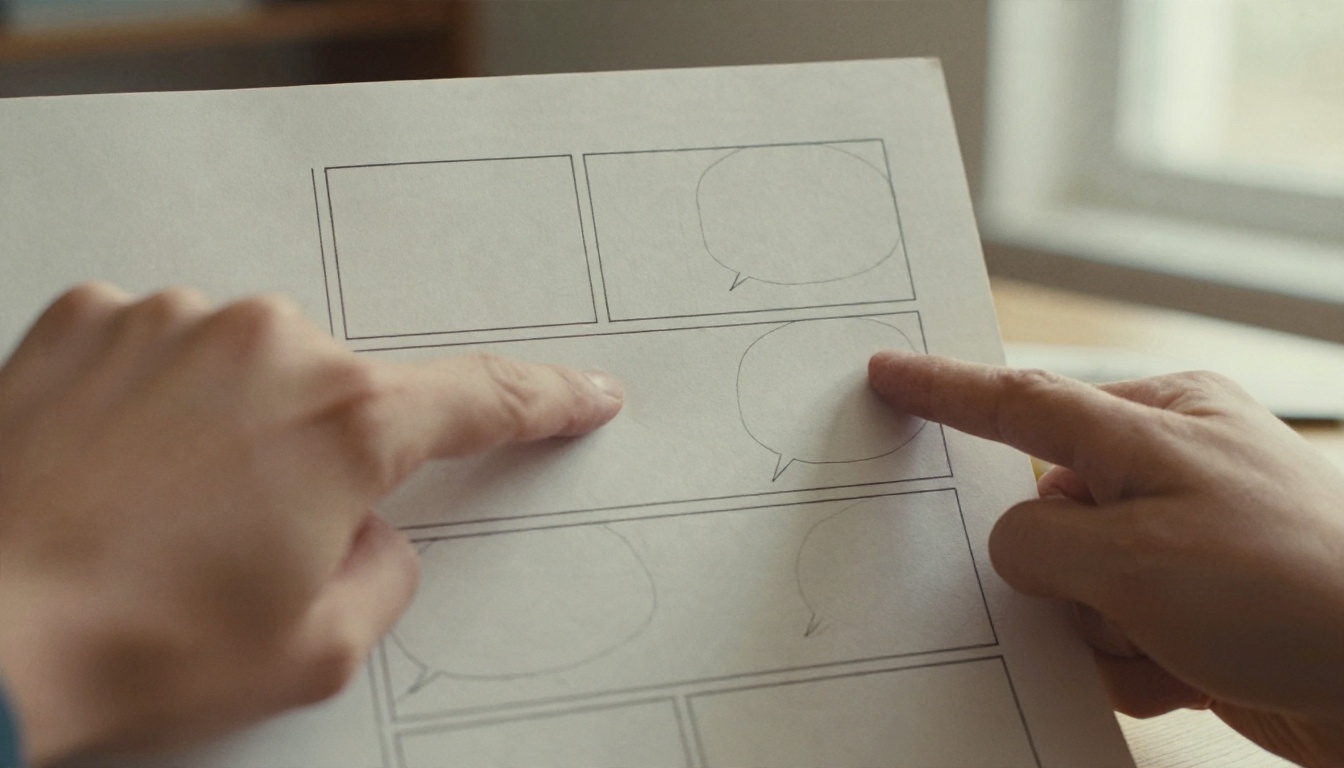
The panel grid is the skeleton of your comic. A good template sets the panel count, the proportions, and the gutter, which is the white space between panels. Gutters matter more than most beginners expect: too narrow and the page feels cramped, too wide and the story loses its rhythm.
Most templates give you:
- Pre-sized panels that snap to a grid so edges line up perfectly
- Adjustable gutters, usually between 3 and 8 mm
- Panel borders in different weights, from thin hairlines to bold ink lines
- Layer guides that keep sketches, inks and lettering separate
Speech Bubbles and Captions
Lettering is where many first comics fall apart. Templates usually ship with a library of speech bubbles, thought clouds, shout bursts and caption boxes. The best ones let you resize the tail, flip the direction, and keep the text centered as you type.
💡 Pro tip: Place speech bubbles first, then draw around them. Artists who do it the other way round often end up covering a character's face with dialogue.
Bleed, Margins and Safe Zones
Professional templates include bleed and safe-area marks. Bleed is the extra edge that gets trimmed in print. The safe zone is the inner margin where text and faces stay protected. Even if you only plan to publish online, respecting these zones means your strip can go to print later without a redesign.
Layouts You Can Pick From
Not every story fits the same shape. Here is how the most popular layouts compare.
Classic Strips and Webcomics
The horizontal strip is the newspaper favorite: three or four panels in a row, built for a quick setup and punchline. The vertical scroll format is the modern webcomic standard, with tall panels stacked for phone reading.
| Layout | Panels | Best For | Reading Style |
|---|
| Horizontal strip | 3 to 4 | Gags, daily humor | Left to right |
| Square grid (2x2) | 4 | Social media posts | Z-pattern |
| Vertical scroll | 6 to 20+ | Webcomics, mobile | Top to bottom |
| Full-page grid | 6 to 9 | Print booklets | Page by page |
| Splash plus insets | 1 large + 3 small | Dramatic moments | Focal point first |
Full Page Grids
When you want a multi-page story, full-page templates let you build spreads with a consistent margin system. A six-panel grid is the sweet spot for pacing: dense enough to tell a story, loose enough to keep art readable. Many templates also include irregular grids with diagonal cuts and overlapping frames for action scenes.

Free Options Worth Using
You do not need to pay to get a solid start. Plenty of free comic strip templates are available as printable PDFs, drag-and-drop editors, and downloadable files for drawing apps.
What Free Templates Give You
A typical free template includes basic panel grids, a few bubble shapes, and standard page sizes like A4, US Letter and square 1080 px. That is enough for a school project, a first webcomic, or a quick social post.
Free options usually offer:
- Printable blank strips you can draw on by hand
- Editable online layouts with built-in text tools
- Downloadable PNG or PDF files for use in any drawing app
- Basic character poses and props in simple libraries
Where Free Falls Short
The limits show up when your project grows. Here is a realistic comparison.
| Feature | Free Template | Paid Template or Tool |
|---|
| Panel layouts | 5 to 15 presets | Dozens plus custom grids |
| Export quality | Often low resolution | Print-ready 300 DPI |
| Watermarks | Common | Removed |
| Bleed and safe zones | Rarely included | Built in |
| Custom fonts | Limited | Upload your own |
| Interactive sharing | Rare | Flipbook, embed, analytics |
⚠️ Watch out: Some free editors add a watermark to the exported image. Check the export preview before you spend hours on a strip you cannot publish cleanly.
The good news is that you can mix both worlds. Draw with a free template, export a clean PDF, and publish it with a flipbook tool that adds no watermarks, ever.
Real Examples and Use Cases
Templates are not only for aspiring cartoonists. Here are three places they earn their keep.
Classroom Storytelling
Teachers use four-panel templates to have students retell a chapter, explain a science process, or practice a new language. The grid forces students to choose the most important moments, which is a skill in itself. A teacher can collect the strips into one class booklet using the Course Material Publisher and share a single link with parents.
Brand Mascots and Marketing
A small brand can run a weekly strip starring its mascot. A bakery, for example, might draw a three-panel gag about a croissant that refuses to rise. Collected into a seasonal booklet, those strips double as a friendly digital catalog. The Digital Catalog Maker is a natural fit for that format.
Personal Webcomics
Independent creators often start with a vertical-scroll template and publish an episode a week. When a story arc ends, they bundle the episodes into a downloadable volume. The Interactive E-Book Publisher is useful here because readers can flip pages on any device.
| Use Case | Template Type | Output | Audience |
|---|
| Classroom project | 4-panel grid | Class booklet | Students, parents |
| Brand mascot | Horizontal strip | Seasonal flipbook | Customers |
| Webcomic volume | Full-page grid | E-book | Fans, subscribers |
| Training story | 6-panel grid | Manual | New employees |

How to Pick the Right Template
Before you commit to a layout, run through this short checklist.
- Where will it be read? Phones favor vertical scroll. Print favors full-page grids.
- How long is the story? A single gag suits a strip. A story arc needs multiple pages.
- Do you need print later? Choose a template with bleed marks.
- Will you add color? Pick a layout that supports layers.
- Can you export a clean PDF? This matters for the publishing step below.
✅ Best practice: Always test the template with a single page before building the whole story. Fixing a grid after twenty pages is painful.
How to Create a Comic Strip Flipbook with Flipbooks AI
A static PDF works, but a flipbook feels like holding a real comic. Pages turn, readers zoom, and the story keeps its pacing. Here is how to do it.
Upload Your PDF
- Export your finished strip or booklet as a PDF from your template or drawing app.
- Go to Flipbooks AI and create an account.
- Upload the file. The PDF to Flipbook Converter turns each page into a turnable flipbook page in moments.
💡 Export at 150 to 300 DPI. Fine ink lines stay crisp when readers zoom in.
Customize the Look
Once your flipbook is ready, you can tune the experience:
- Branding: add your logo and choose a background color that suits the art
- Page effects: pick a realistic page-curl or a clean slide
- Multimedia: embed audio, background music, or a short video behind a panel for extra atmosphere
- Mobile layout: the flipbook is responsive, so it adapts to phones and tablets
Share and Protect
You have several ways to publish:
| Sharing Option | Best For |
|---|
| Direct link | Social posts, email, messages |
| Embed code | Your own website or blog, see Embed Flipbook on Website |
| Password protection | Private drafts, paid subscriber episodes |
| Offline download | Readers without a connection |
Pro Features Worth Knowing
If you publish regularly, the Professional plan adds analytics and lead generation. You can see how many people open an episode, how far they read, and collect emails before a reader continues to the next chapter. Standard plans and above include unlimited flipbooks, so a long-running series never hits a cap. Compare options on the pricing page.
Common Mistakes to Avoid
Even with a great template, a few errors keep showing up.
- Too much text per bubble. If a bubble holds more than 15 words, split it.
- Inconsistent gutters. Mixing widths makes the page look accidental.
- Ignoring reading order. Place bubbles so the eye moves left to right, top to bottom.
- Low-resolution export. A blurry PDF stays blurry in any viewer.
- Skipping a test read on mobile. Most readers will see your strip on a phone.
⚠️ Do not crowd the edges. Anything near the trim line can be cut off in print or hidden by a viewer frame.
Your Next Strip Starts Here
An online comic strip template gives you panel grids, gutters, speech bubbles, bleed marks and page presets. Free versions handle a school project or a first webcomic. Paid tools add print-ready quality, custom fonts and cleaner exports. Whichever you choose, the finished strip deserves a better home than a flat image.
Ready to publish? Create your first flipbook in minutes, browse all flipbook tools to find the right format, or compare pricing plans when you are ready to grow your series.



