You finish a three-month project, zip forty files, paste a link into an email, and hit send. Then the client replies: "Which one is the final logo?" That moment is a deliverable problem, not a design problem. A digital deliverable is the thing you hand over, and how you package it decides whether the client sees a polished result or a pile of attachments. Tools like Flipbooks AI exist for exactly this gap: they turn a flat PDF into a branded, page-turning publication that clients can open in one click.
This article defines the term in plain language, lists real examples by agency type, compares the formats that work best, and shows how to deliver work without confusion. If you run an agency, freelance, or manage client projects, you will leave with a repeatable system.
What a Digital Deliverable Actually Is
A Simple Definition
A digital deliverable is any tangible, electronic output produced during a project and handed to a client or stakeholder. It can be a file, a document, a dataset, a website, or a recorded presentation. The key test is simple: can the client open it, review it, and approve or use it? If yes, it is a deliverable.
Deliverables are usually tied to a contract, a statement of work, or a project milestone. That tie matters. A deliverable is something you promised, which means it can be accepted, rejected, or revised.
💡 Pro tip: Write every deliverable as a noun in your proposal ("Brand standards document, 32 pages, PDF and web version") instead of a verb ("Create branding"). Nouns can be checked off. Verbs start arguments.
Deliverable vs. Asset vs. Output
Teams mix these words constantly, and the confusion leads to scope fights. Here is how they differ.
| Term | Meaning | Example | Client sees it? |
|---|
| Output | Anything produced during work | Draft sketches, internal notes | Rarely |
| Asset | A reusable file or element | Logo file, icon set, stock photo | Sometimes |
| Deliverable | A promised, accepted item in the contract | Final brand manual, campaign report | Always |
| Milestone | A checkpoint that may include deliverables | "Phase 1 approved" | Yes |
A single deliverable often contains many assets. A brand manual, for instance, bundles logos, color values, type rules, and usage examples into one reviewable package.
Digital Deliverable Examples by Agency Type
Every agency ships something different, but the pattern is the same: a finished item with a clear purpose and a clear owner.
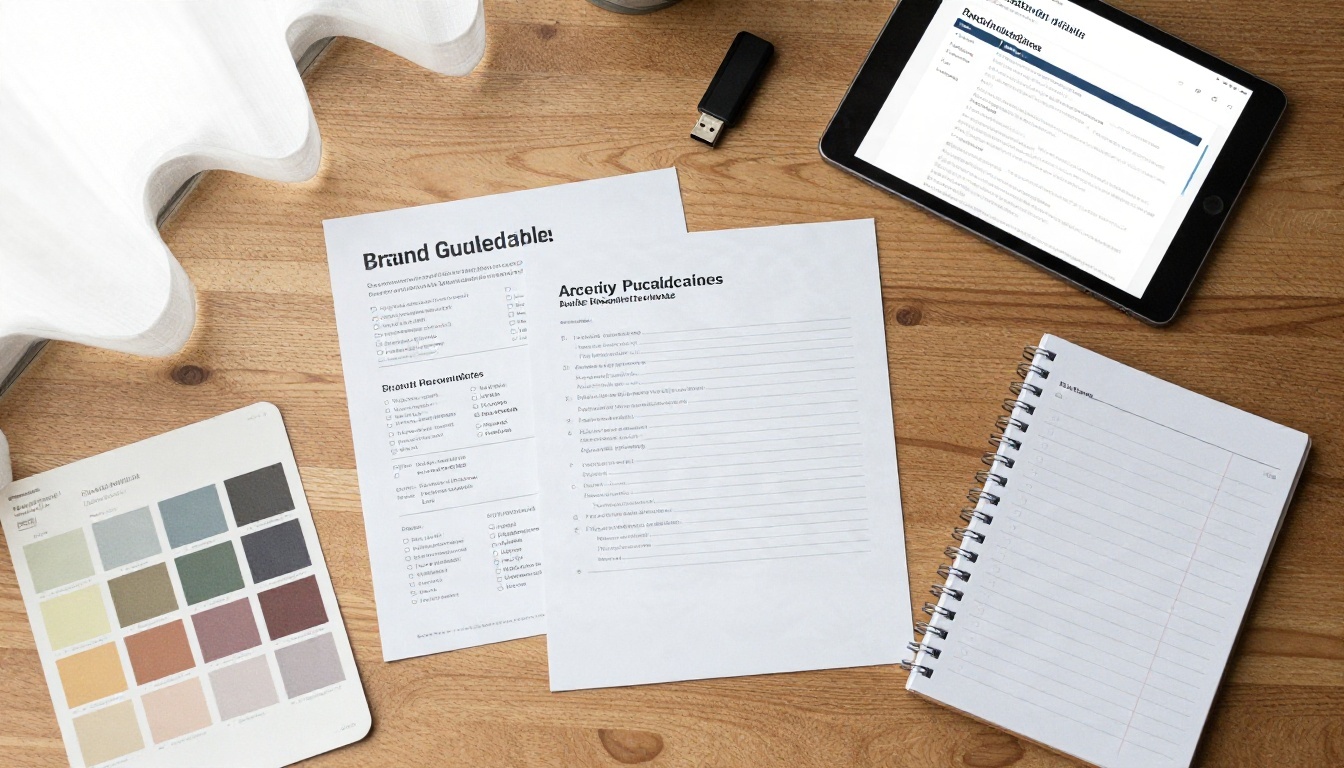
Creative and Branding Agencies
Design studios hand over the most visual deliverables, and presentation matters as much as content.
- Brand standards manuals with logo rules, palettes, and typography
- Logo packages in vector and raster formats
- Lookbooks and mood boards for campaign direction
- Packaging mockups and print-ready files
- Social media template kits
A studio presenting a lookbook can use an Interactive Lookbook Designer to deliver it as a flipbook the client can flip through on a phone, instead of a 90 MB PDF that fails to open.
Marketing and SEO Agencies
Performance agencies live on reports. The deliverable is proof of work and a plan for what comes next.
- Monthly performance reports with traffic, leads, and revenue figures
- Content calendars and editorial plans
- Keyword research sheets and site audit documents
- Campaign recaps with screenshots and results
- Press kits for launches
A Press Kit Designer helps PR teams package logos, bios, and fact sheets into one shareable publication. For monthly reporting, a Report Flipbook Creator keeps charts, commentary, and recommendations in a single branded document.
Web and Product Teams
Development shops deliver items that are partly files and partly access.
- Staging and live website links
- Source code repositories and handover notes
- Design files with developer annotations
- Technical documentation and training manuals
- Analytics dashboards with login access
For the documentation side, a Training Manual Flipbook turns a dense handover document into something a client team will actually read.
Quick Comparison of Common Deliverables
| Agency type | Typical deliverable | Best format | Review style |
|---|
| Branding | Brand manual | Flipbook plus PDF | Page by page |
| Marketing | Monthly report | Flipbook or PDF | Summary first |
| SEO | Site audit | Spreadsheet plus PDF | Prioritized list |
| Web | Technical docs | Flipbook or web page | Searchable |
| Photography | Final gallery | Flipbook or gallery link | Visual approval |
| Video | Final cut | Streaming link | Timestamped notes |
Choosing a format is a delivery decision. The right one depends on who opens it, on what device, and what they must do next.

Static Formats
PDF remains the default because it looks the same everywhere. It prints well, it is easy to archive, and almost every client knows how to open it. The weakness is size and flexibility. A PDF with high-resolution images can reach hundreds of megabytes, and it offers no analytics, no branding wrapper, and no way to revoke access once sent.
Other static formats include:
- DOCX for editable text that the client must modify
- XLSX or CSV for data and tables
- PNG, JPG, SVG for individual graphic assets
- ZIP archives for bundles of source files
Interactive Formats
Interactive deliverables are growing because clients expect to review on a phone between meetings.
- Flipbooks from a PDF to Flipbook Converter keep the page layout but add a page-turning viewer, links, and embedded media
- Web pages for living documents that change often
- Video walkthroughs where you narrate a design or a report
- Shared dashboards for ongoing metrics
Format Comparison Table
| Format | Mobile friendly | Branded | Trackable | Editable | Best for |
|---|
| PDF attachment | Fair | Limited | No | No | Contracts, invoices |
| DOCX | Poor | No | No | Yes | Drafts, copy edits |
| Cloud folder link | Good | No | Basic | Yes | Source files |
| Flipbook | Excellent | Yes | Yes | No | Reports, manuals, lookbooks |
| Video walkthrough | Good | Partial | Basic | No | Explaining decisions |
⚠️ Warning: Never send source files and final files in the same folder without clear labels. Clients will grab the first file they see, and it is rarely the right one.
How to Deliver Work to Clients
A great deliverable sent badly still feels like a bad deliverable. Delivery is part of the product.

Delivery Methods Compared
| Method | Speed | Professional feel | Control after sending | Risk |
|---|
| Email attachment | Fast | Low | None | Size limits, spam filters |
| File transfer link | Fast | Medium | Expiry date only | Links expire unnoticed |
| Cloud folder | Medium | Medium | Permissions | Messy structure |
| Client portal | Slow setup | High | Full | Extra login for client |
| Flipbook link or embed | Fast | High | Password and access | Needs a quick setup |
For most agencies, the best balance is a single branded link that opens instantly and works on any device. A flipbook link can also be embedded on a client website or inside a project hub page.
Naming and Version Control
Chaos usually starts with file names. Use a simple pattern and apply it every time:
- Client or project code, for example
ACME
- Deliverable name, for example
BrandManual
- Version number, for example
v3
- Status, for example
FINAL or DRAFT
- Date, formatted year first, for example
2026-11-19
The result: ACME_BrandManual_v3_FINAL_2026-11-19.pdf. It sorts correctly, and nobody has to ask which one is current.
Handoff Timing and Approval
Send deliverables with a short cover note that states what is attached, what you need from the client, and the deadline for feedback. Three lines is enough. Then log the approval date in writing. If a deliverable is accepted by email, save that email in the project folder.
How to Build a Flipbook Deliverable
If your deliverable is a document, a flipbook is the fastest way to make it look finished. Here is the process on Flipbooks AI.
Step 1: Upload and Convert
- Create an account on Flipbooks AI.
- Click to create a new flipbook and upload your PDF. Export it from your design tool at a balanced quality so pages load quickly.
- Wait a few seconds while the platform converts each page into a turnable spread.
- Preview the result on desktop and on your phone.
Step 2: Customize the Look
This is where the deliverable starts to feel like yours.
- Add your client's logo and your own studio branding
- Choose background colors that match the brand palette
- Pick page-turn effects and sound, or turn them off for a quieter, corporate feel
- Add links, video, and audio directly on the pages, for example a narrated walkthrough of a campaign result
Flipbooks AI keeps output clean: no watermarks, ever, and the viewer is mobile responsive.
Step 3: Share and Protect
Pick the delivery path that fits the client:
- Direct link for a quick review
- Embed code for a project page or client intranet
- Password protection for confidential work such as unreleased campaigns
- Offline download so the client can keep a copy
✅ Best practice: Use password protection on anything under embargo, then share the password in a separate message.
Step 4: Track What Clients Read
On the Professional plan, analytics show how many people opened the document and how they moved through it. Lead generation forms can also capture details when you share a deliverable with an audience beyond one client, such as a public case study. See the full list of plan features on the pricing page.

Matching Tools to Deliverables
Mistakes Agencies Make
Mistake 1: Vague Scope
"Website design" is not a deliverable. "Five page templates in Figma, plus a responsive staging site" is. Specific wording prevents free extra work.
Mistake 2: Too Many Files
Clients do not want forty attachments. They want the three things they asked for, in order. Bundle supporting files into a clearly labeled archive and put the main deliverable first.
Mistake 3: No Proof of Delivery
If a client later claims they never received something, you need a date, a link, and an access record. A tracked link gives you that. An attachment lost in an inbox does not.
⚠️ Warning: Expiring links break trust. If you use a transfer service, note the expiry date in your email and keep a backup copy ready.
A Reusable Handoff Checklist
Print this, paste it into your project tool, and run it before every handoff.
Real-World Example: Monthly Reporting
A mid-sized SEO agency used to email a 28-page PDF each month. Open rates were unclear and half of the clients asked for a summary call anyway. The team moved the same report into a flipbook with a one-page summary at the front and a video note from the account manager embedded on page two. Clients reviewed the report on their phones, and the summary calls dropped because the answers were already visible. The change took about ten minutes per report.
Real-World Example: Brand Launch
A branding studio delivers a final brand manual in three layers: a flipbook for reading, a PDF for printing, and a ZIP of source assets for the client's design team. Each layer has a single job, and the client never has to guess which one to open.
Deliverable Format Cheat Sheet
| If the client needs to... | Deliver... |
|---|
| Approve a design | Flipbook or annotated PDF |
| Edit the text | DOCX or Google Doc |
| Print it | Print-ready PDF |
| Reuse the files | ZIP with source assets |
| Track results | Dashboard or flipbook with analytics |
| Share with a team | Embedded flipbook or link |
Send Your Next Deliverable Properly
A deliverable is more than a file. It is the last impression of your work, and it sets the tone for the next contract. Define it clearly in the proposal, choose the format that fits the reader, name it consistently, and send it in a package that looks as good as the work inside.
Ready to try it? Create your free account on Flipbooks AI and convert your next report or brand manual in a few minutes. Browse all the flipbook tools to find the right template for your agency, or compare pricing plans to see which one includes analytics, unlimited flipbooks, and custom branding.



