A wholesale buyer opens your email, sees a 40 MB PDF attachment, and closes it. That single moment costs suppliers more orders than any pricing mistake. A wholesale digital catalog fixes it: one link, instant page-turning on any phone, live prices, and a button that takes the buyer straight to an order form. This article shows real examples, compares free tools, breaks down pricing models, and walks through order link setup on Flipbooks AI so you can ship your first catalog this week.
💡 Quick answer: Build the catalog from a PDF, add your tier prices, link every product page to an order form, and share one URL or QR code. Everything below explains how to do each step well.
Why Buyers Prefer Digital Catalogs
Retail buyers review dozens of suppliers per season. They scroll on phones between store visits, at trade shows, and in warehouses. A catalog that fails on a small screen loses to one that works.

The Problem With PDF Attachments
Plain PDFs are heavy, hard to zoom on mobile, and impossible to track. You never learn whether the buyer opened page 3 or abandoned on page 1. Worse, every price change means resending a new file, and old versions keep circulating in inboxes for months.
What Buyers Actually Want
Wholesale buyers ask for the same few things again and again:
- Fast loading on weak connections
- Clear SKU numbers, pack sizes and minimum order quantities
- Prices they can trust without calling a rep
- One obvious way to order
- Photos that show real product scale and finish
A flipbook delivers all five from a single URL. If you want a quick overview of the format, the Digital Catalog Maker page shows what a finished catalog looks like.
Print Versus Digital Costs

Print still has a place at trade shows, but it is slow and expensive to update. Here is how the two compare for a typical 40-page catalog.
| Factor | Printed Catalog | PDF Attachment | Digital Flipbook |
|---|
| Cost per buyer | High (print and postage) | Near zero | Near zero |
| Update speed | Weeks | Hours, but resend needed | Minutes, same link |
| Mobile friendly | No | Poor | Yes |
| Click to order | No | Limited | Yes, links on every page |
| Buyer tracking | None | None | Page views and leads |
| Password protection | No | Weak | Yes |
Wholesale Digital Catalog Examples
The best catalogs share a pattern: strong photography, a tight grid, and prices placed where the buyer's eye already lands. Here are three patterns that work, by industry.
Fashion and Apparel Catalogs

A clothing brand sells by size run and colorway. The strongest fashion catalogs use one hero image per style, then a small table with sizes, case packs and wholesale price. Fabric close-ups sit on the facing page so buyers can judge quality without a sample. Brands in this space often pair the catalog with a lookbook. The Fashion Catalog and Interactive Lookbook Designer tools suit that approach.
What to copy: group by season, show every colorway as a swatch row, and put the minimum order on the first spread.
Furniture and Home Catalogs

Furniture buyers care about dimensions, lead times and freight. A good furniture catalog lists width, depth, height and carton weight beside each item, and shows a room scene next to a clean cutout. A furniture wholesaler can use the Furniture Catalog Maker to keep that structure consistent across hundreds of SKUs.
What to copy: add a "ships in" line to every product and a shipping summary page near the back.
Food and Giftware Catalogs

Small producers selling to delis, cafes and gift shops often exhibit at regional trade shows. Their catalogs work best when they list shelf life, case size and allergen notes clearly. After the show, they email the same link to every lead, so the booth conversation continues without a single printed sheet.
What to copy: print a QR code on your booth sign that opens the flipbook. Visitors can browse at the table and order later from their desk.
✅ Best practice: Keep one master catalog and publish seasonal editions as separate flipbooks. Buyers then always know which collection they are looking at.
You can start without paying. The tradeoff is usually limits, watermarks or missing features that matter for wholesale, such as password protection.

Free Tool Options Compared
| Tool Type | Best For | Typical Limits | Order Links |
|---|
| Spreadsheet plus shared link | Under 30 products | No visuals, no branding | Manual |
| Presentation software export | Quick visual catalogs | Static PDF output | Basic hyperlinks |
| Design tool templates | Good-looking layouts | Export size and brand limits | Hyperlinks if supported |
| Free tier of a flipbook maker | Interactive page-turning | Page or flipbook caps | Hyperlinks, depends on plan |
| Marketplace listing | Built-in traffic | Fees, no control of branding | Platform checkout only |
What Free Plans Usually Limit
Watch for three things before you commit. First, watermarks on every page, which look unprofessional to buyers. Second, caps on pages or flipbook count, which hurt when you publish seasonal editions. Third, no privacy controls, which matter when you do not want retail customers seeing wholesale prices.
⚠️ Warning: Never publish wholesale prices on a public link unless you intend them to be public. Use a password or a separate buyer edition.
Where Flipbooks AI Fits
Flipbooks AI converts a PDF into a mobile-responsive flipbook with no watermarks, ever. The Standard plan and above include unlimited flipbooks, and password protection keeps wholesale pricing private. For plan specifics and current limits, check the pricing page. If you already have a price list in a spreadsheet, the Digital Price List Generator is a useful companion.
How to Create One with Flipbooks AI
This is the fastest route if you already have a PDF from your design software or a spreadsheet export. The whole process usually takes under an hour.
Step 1: Prepare Your PDF
- Export each product page at a readable size. Keep one hero image and a data block per product.
- Put minimum order quantity, case pack and lead time on page two.
- Name each product with its SKU so buyers can quote it in emails.
Step 2: Upload and Convert
- Go to Flipbooks AI and create an account.
- Upload your PDF with the PDF to Flipbook Converter.
- Wait for conversion. Your pages become a page-turning flipbook with realistic page effects.
For a catalog-specific starting point, try the Catalog Flipbook Creator or the Product Catalog tool.
Step 3: Brand and Customize
- Add your logo and brand colors so the flipbook looks like your company.
- Choose page effects and a background that suit your products.
- Embed videos and audio where they help: a 20-second fabric demo or a factory tour can answer questions that photos cannot.
- Link each product to its order form (see the order link section below).
Step 4: Protect and Share
- Turn on password protection if the catalog contains wholesale prices.
- Copy the direct link for emails, or grab the embed code to place the flipbook on your reseller portal using the Embed Flipbook on Website option.
- Allow offline downloads if your buyers work in warehouses or at shows with poor reception.
Step 5: Track and Capture Leads
On the Professional plan, analytics and lead generation show which pages buyers view and let you capture contact details before they see prices. See the pricing plans to compare tiers.
💡 Pro tip: If a buyer spends most of their time on pages 12 to 18, your sales rep should call about that collection first.
Wholesale Pricing Models That Work

Pricing inside the catalog affects how buyers order. Three models cover most cases.
Tiered Quantity Pricing
Buyers see a lower unit price as quantity rises. This pushes orders up without discounting everyone.
| Tier | Quantity | Unit Price | Discount vs Retail |
|---|
| Starter | 12 to 47 units | 50% of retail | 50% |
| Standard | 48 to 143 units | 46% of retail | 54% |
| Volume | 144 or more units | 42% of retail | 58% |
Use a small table like this on the page for each category, not on every product. It keeps pages clean and the logic consistent.
Flat Wholesale Price
One price per item, one minimum order. This is simplest for small brands and works well for items where keystone pricing (retail is double wholesale) is standard in the category.
Price on Request
Some suppliers hide prices and capture a lead first. This suits custom or high-value goods. It also gives your team a reason to start the conversation. Lead capture on the Professional plan makes this easy to run.
Which Model to Choose
| Model | Best For | Risk |
|---|
| Tiered | Consumable or repeat goods | Pages get busy if overdone |
| Flat | Small brands, simple lines | Less incentive for large orders |
| Price on request | Custom or premium products | Some buyers will not ask |
Order Link Setup
The order link is what turns a nice catalog into revenue. Without it, buyers admire the product and then have to hunt for how to buy.
Option 1: A Single Order Form Link
Create one online form with fields for company name, tax or resale ID, SKU, quantity and delivery date. Place its URL in a button on the first spread and on the last page. It is the quickest setup and works with any form tool or ordering system you already use.
Option 2: Product Level Links
Link each product to a pre-filled form or a product page on your wholesale portal. Buyers click the item they like and land directly on the right SKU. This takes more setup but lifts order accuracy because the SKU is carried in the link.
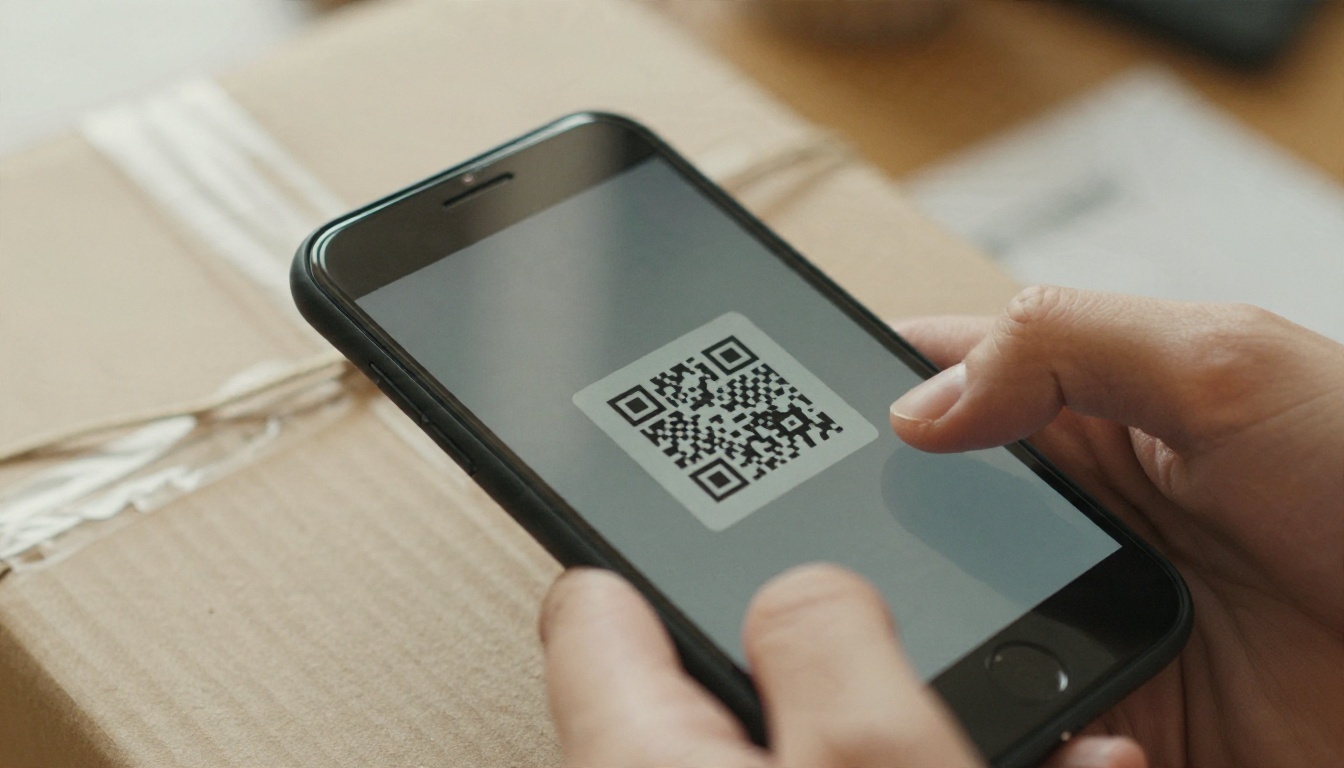
Option 3: QR Codes for Print and Events
Generate a QR code that points to your flipbook URL. Place it on trade show signs, packing slips, business cards and invoices. A buyer who scans a code on a shipped parcel can reorder from the same catalog.
Checklist Before You Publish
- Click every order link yourself on a phone.
- Confirm that the form works without logging in, or explain how to get an account.
- Add a contact email and phone number on the last page.
- Test the password and make sure the buyer email includes it.
- Check that the minimum order and shipping terms are stated clearly.
✅ Best practice: Use one link per catalog edition, then replace the PDF behind it when prices change. Buyers keep using the same URL, and nobody orders from old pricing.
Sending It to Buyers

The best catalog is useless if buyers do not open it. A simple email works better than a long pitch: a one-line greeting, the link, the password if needed, and the date new pricing takes effect. Sales reps can send the same link by text message after a store visit, since a flipbook opens without any app on a phone. Reps who sell to boutiques, salons and restaurants also use matching tools such as the Sales Presentation flipbook for first meetings.
Common Mistakes to Avoid
- Hiding the minimum order. Buyers who find it on page 30 feel tricked. Put it on page two.
- Mixing retail and wholesale prices. Keep separate editions with different passwords.
- Using photos without scale. Show a hand, a shelf or a room so buyers know the size.
- Forgetting to test on mobile. Most first views happen on a phone.
- No update routine. Set a monthly reminder to check stock status and prices.
- No tracking. Without analytics you will never know which products attract attention.
Build Yours This Week
A wholesale digital catalog is simple to run and quick to pay back: fewer print runs, faster quotes, and buyers who can order from the page they are reading. Start with one collection, add your order link, and share it with your five best accounts for feedback.
Ready to build? Create your account on Flipbooks AI, try the Digital Catalog Maker, browse all flipbook tools, or compare pricing plans to pick the one that fits your wholesale business.



