Most proposals fail before the client reads a single word. They land as attachments in a crowded inbox, look indistinguishable from every other PDF someone sent that week, and disappear into a folder labeled "Review Later" that no one ever opens again. If you have been wondering why your close rate feels stuck, the format of your proposal might be the real problem, not the price or the pitch.
In 2027, the best way to send a proposal has shifted dramatically. Buyers are more distracted, more skeptical, and have higher expectations for digital experiences than ever before. A static 12-page PDF attached to an email is no longer a competitive tool. Interactive, trackable, and beautifully formatted proposals are what separate sales professionals who close deals from those who follow up into silence. Flipbooks AI is one of the platforms making that shift fast and affordable for any business.
This article covers what actually works: the formats, the tools, the timing, and the step-by-step process for building proposals that demand attention and drive decisions.

Why Most Proposals Still Fail
The Attachment Trap
Emailing a PDF is comfortable because it feels professional. The problem is that comfort has become your competition's weakness too. Everyone sends PDFs. They all look the same. They all require the client to download, open, scroll, and somehow remember what they read three days later when the actual decision gets made.
There is no way to know if the client opened it. There is no way to see which sections they spent time on. There is no way to follow up with precision because you are operating completely blind.
⚠️ Research consistently shows that proposals sent as static PDF attachments have significantly lower open and response rates compared to proposals delivered through interactive, web-based formats with tracking enabled.
What Clients Actually Want
Modern buyers want proposals that feel like experiences, not documents. They want:
- Fast loading: No waiting for a 4MB PDF to download on mobile
- Mobile-friendly layouts: Most executives check proposals on their phones first
- Clear visual hierarchy: Scannable sections, not walls of text
- Easy sharing: The ability to forward to decision-makers without friction
- A clear next step: Not "let me know your thoughts" but an actual CTA or e-signature option
The format of your proposal communicates as much as its content. A polished, interactive proposal signals that you invest in quality at every touchpoint.

The 5 Best Ways to Send a Proposal
Interactive Flipbook Proposals
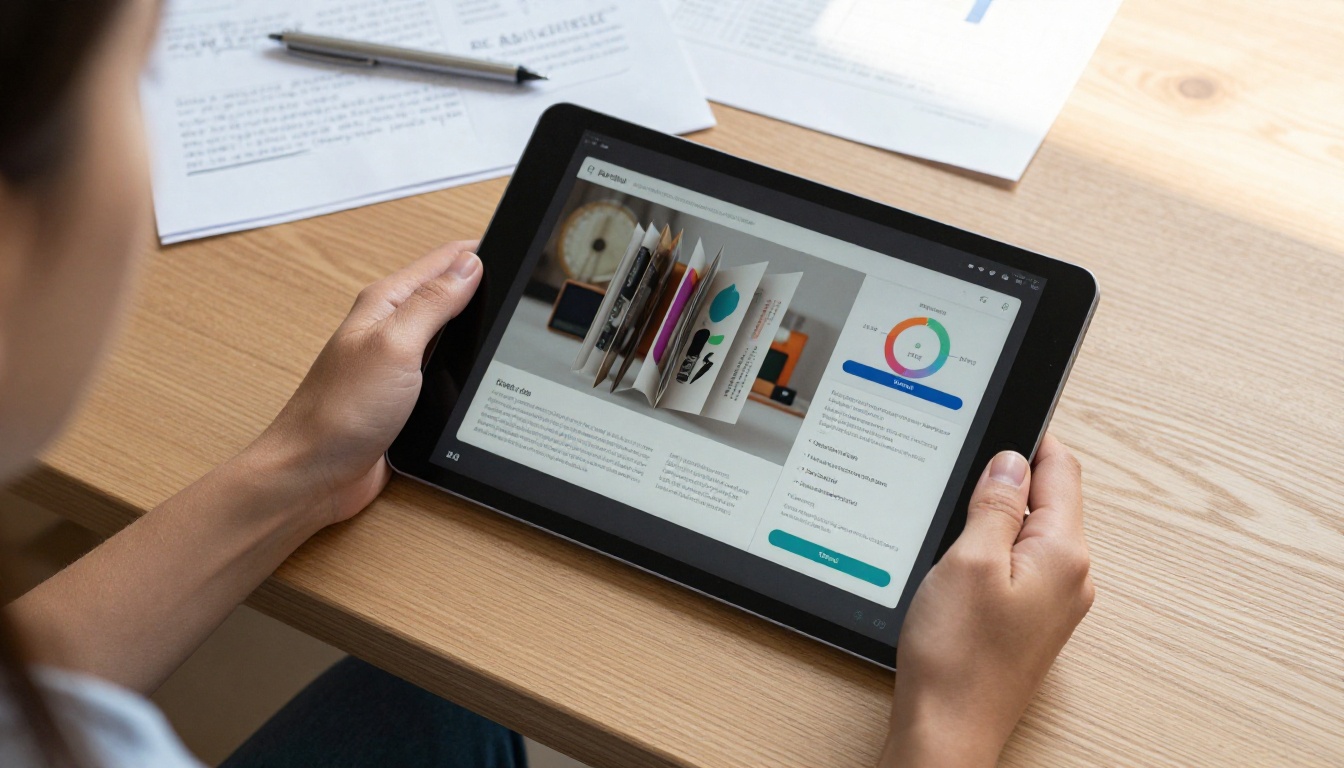
This is the format making the biggest difference in 2027. An interactive flipbook transforms your proposal into a page-turning digital publication that clients open directly in their browser, with no download required. Tools like Flipbooks AI let you convert any PDF proposal into a stunning interactive flipbook in minutes, complete with custom branding, embedded multimedia, and shareable links.
The advantages over static PDFs are substantial:
- Clients open a link, not an attachment (no spam filters, no download friction)
- You get detailed data on who opened it, how long they spent reading, and which pages they viewed
- It works perfectly on any device and any screen size
- Password protection keeps sensitive pricing confidential
- You can embed video testimonials or product demos directly into the pages
Web-Based Proposal Platforms
Dedicated proposal tools like Proposify, PandaDoc, or Qwilr offer templates and e-signature functionality built in. These are strong for high-volume sales teams where templating and CRM integration matter more than design flexibility. The tradeoff is cost, as most require per-seat monthly pricing that adds up fast.
Video Proposals
Short personalized video proposals, under 3 minutes, recorded via Loom or Vidyard are highly effective at the top of the funnel or as a companion to your written proposal. They add a human face to the pitch. The limitation is they do not scale well and require dedicated recording time per prospect.
Email-Embedded Proposals
For very short, transactional proposals such as single-service quotes or quick project estimates, a well-formatted HTML email with bullet points and a clear price block can be entirely sufficient. Keep these under 300 words. The moment your proposal requires nuance, explanation, or multiple options, move to a richer format.
PDF with Tracking
If you must use PDF, at minimum embed tracking using tools like DocSend or Attach.io. These wrap your PDF in a link that reports open rates and page-level data. It is still a PDF, but you get visibility. Treat this as a minimum viable upgrade from blind email attachments.
| Format | Open Visibility | Mobile Friendly | Design Control | Cost | Best For |
|---|
| Interactive Flipbook | Full analytics | Excellent | High | Low | All proposal types |
| Web Proposal Tool | Yes | Good | Medium | High | High-volume sales teams |
| Video Proposal | No | Excellent | Low | Free-Low | First contact, personal pitches |
| Email-Embedded | No | Good | Low | Free | Quick quotes only |
| PDF with Tracking | Partial | Poor | High | Low-Medium | Existing PDF workflows |
How to Create a Proposal with Flipbooks AI
Flipbooks AI is perfectly suited for proposals because it takes your existing PDF and turns it into an interactive digital publication that looks premium without requiring any design skills. Here is exactly how to do it.
Step 1: Set Up Your Account
Head to Flipbooks AI and create your account. The Standard plan gives you unlimited flipbooks with no watermarks, which is exactly what you need for client-facing proposals. You do not want a watermark on a document you are using to close a $20,000 contract.
Step 2: Upload Your Proposal PDF
Once logged in, click New Flipbook and upload your PDF proposal. Flipbooks AI converts it automatically into a page-turning digital format. The conversion takes under 60 seconds for most documents.
💡 Pro tip: Design your PDF in Canva, Adobe InDesign, or even Google Slides first. Flipbooks AI handles the conversion, so the better your source PDF, the better the final result.
Step 3: Customize Your Branding
After conversion, use the customization panel to:
- Upload your company logo
- Set brand colors for the flipbook interface
- Choose page-turn effects (realistic or flat)
- Add a custom background behind the flipbook viewer
- Set a branded sharing URL on the Professional plan
This is what separates a polished proposal from a generic one. When a client opens a link and sees your exact brand colors, it reinforces professionalism before they read a single word.
Step 4: Add Multimedia
On supported plans, you can embed:
- Video testimonials directly onto a page so clients see and hear from your past customers
- Audio walkthroughs narrating specific sections
- Clickable links within the flipbook pointing to case studies or your portfolio
Use the Sales Presentation tool for proposals built specifically around pitching products or services.
Step 5: Share and Track
Click Share to generate your proposal link. Options include:
- Direct link: Copy and paste into your email. The client clicks and it opens instantly in their browser.
- Embed code: Embed the flipbook into a dedicated proposal page on your website
- Password protection: Set a password for sensitive pricing documents
- Analytics (Professional plan): See who opened it, how many times, which pages they read, and when they last viewed it
✅ Best practice: Always share via link, never as a downloaded file. The link gives you full tracking and guarantees the client always sees the latest version if you make edits after sending.

Flipbooks AI Plan Comparison for Proposals
| Feature | Free | Standard | Professional |
|---|
| Flipbooks | 1 | Unlimited | Unlimited |
| Watermark | Yes | No | No |
| Custom Branding | No | Yes | Yes |
| Password Protection | No | Yes | Yes |
| Embed Videos and Audio | No | Yes | Yes |
| Analytics and Tracking | No | No | Yes |
| Lead Generation Forms | No | No | Yes |
| Offline Downloads | No | No | Yes |
For professional proposals, the Standard plan is the minimum. For teams who want to know exactly when a client opens a proposal and which pricing page they studied, the Professional plan's analytics are worth every penny. Compare all options on the pricing page.
Writing a Proposal That Wins
The Opening Hook
Your proposal's first page is the most important. Do not open with "Thank you for the opportunity to submit this proposal." Every proposal says that. Open with the client's problem stated back to them in their own language. Show them you listened.
Weak opening: "We are pleased to present this proposal for web development services."
Strong opening: "Your current website takes 6 seconds to load on mobile. That alone is costing you an estimated 40% of visitors before they see your offer. Here is how we fix it in 8 weeks."
Problem, Solution, Proof
The three-part structure that works every time:
- Problem: Articulate their pain point with specificity. Use numbers where possible.
- Solution: Present your approach as a direct answer to that specific problem, not a generic list of services.
- Proof: Back the solution with evidence. Case studies, testimonials, before/after metrics.
The proof section is where most proposals go thin. Clients are not buying your services, they are buying a result they believe you can deliver. Proof is the bridge between the claim and the belief.
Pricing Presentation
Never bury your pricing at the end as an afterthought. Place it after the proof section, when the perceived value of what you are delivering is at its highest. Structure it clearly:
- Show one recommended option prominently, anchored at your preferred tier
- Offer one alternative, either stripped down or premium
- Explain what they are paying for, not just how much
💡 Pro tip: A flipbook format lets you put pricing on a dedicated page with its own visual treatment. Clients cannot skip straight to the number without seeing the context first.
Proposal Timing and Follow-Up Strategy
When to Send
Timing matters more than most salespeople realize:
| Day | Open Rate Tendency | Notes |
|---|
| Tuesday | Highest | Decision-makers are in planning mode |
| Wednesday | High | Mid-week focus at its peak |
| Thursday | Good | Still in full work mode |
| Monday | Low | Catching up from the weekend |
| Friday | Low | Mentally checked out by afternoon |
| Weekend | Very Low | Avoid entirely |
Send between 9:00 AM and 11:00 AM in your client's time zone. Avoid the post-lunch slump and end-of-day inbox chaos.
⚠️ Never send a proposal without a follow-up plan already mapped out. Sending and waiting is not a strategy.
How to Follow Up
The follow-up cadence that consistently works:
- Day 1 (same day): Brief confirmation: "Just sent you the proposal via link. Opens in your browser in seconds, no download needed."
- Day 3: Reference a specific detail if there is no response: "Wanted to make sure you saw the timeline breakdown in section 3, happy to walk through it on a call."
- Day 7: A soft check-in with a deadline: "Keeping the current pricing open until [date], wanted to make sure you had everything you need to decide."
- Day 14: Final touch. Short, no pressure. Offer a different format or a quick call instead.
If you have Flipbooks AI analytics active, you do not have to guess. When you can see a client opened the proposal four times and spent most of their time on the pricing page, that intelligence changes how you follow up entirely.

5 Common Proposal Mistakes
Most lost proposals share the same handful of problems. Recognizing them is the first step to fixing them.
1. Too long, not focused enough
A 25-page proposal is not more impressive than a 10-page one. It is more exhausting. Cut anything that does not directly address the client's specific situation. Generic service descriptions that belong on your website have no place in a proposal.
2. Sending before alignment
If the proposal is the first time the client sees your price, you skipped a step. Budget conversations should happen in discovery calls. Proposals should confirm and detail, not introduce.
3. No clear CTA
Every proposal should end with one specific next step. "Let me know your thoughts" is not a next step. "Click here to schedule a 20-minute call to finalize details" is a next step.
4. Sending as a PDF attachment
This is 2027. A PDF attachment communicates "I do not invest in the client experience." An interactive flipbook link communicates "This is what working with me looks like." The format is the first impression of your working relationship.
5. No proposal template
Rebuilding proposals from scratch for every prospect is a time drain and a consistency killer. Build one well-designed PDF template, upload it to Flipbooks AI, and customize it per client. You get consistency at speed.

Real-World Use Cases by Industry
Different industries benefit from proposals in different ways. Here is how the interactive flipbook format works across common sectors:
| Industry | Proposal Type | Best Feature to Use |
|---|
| Agencies (Design, Marketing) | Project scope with portfolio pages | Embed portfolio videos, visual case studies |
| Real Estate | Property proposals, buyer presentations | Real Estate Brochure format, high-res images |
| Consulting | Strategy proposals, audit reports | Password protection, analytics on pricing pages |
| SaaS and Tech | Product pitches with demo content | Video embedding, interactive product screenshots |
| Events | Event packages, venue pitches | Event Program Maker, visual page layouts |
| Freelancers | Project quotes, scope of work | Single-use flipbooks, professional branding |
💡 Pro tip for agencies: Use the Digital Portfolio Creator to attach case studies as companion flipbooks linked from within your main proposal. Clients can click through your past work without leaving the proposal experience.
The Anatomy of a Winning Proposal
Here is a proven page order for a high-converting business proposal in 2027:
- Cover page: Company logos (yours and theirs), proposal title, date, prepared by
- Executive summary: One paragraph. Their problem, your solution, the result. Nothing else.
- Situation overview: Show them you understand their specific context and goals
- Proposed approach: Your methodology or process, specific to their situation, not a generic capabilities list
- Timeline: Visual, scannable, with clear milestones
- Investment: Pricing structured with context and options
- Proof: One or two relevant case studies or testimonials
- About us: Brief. Credentials, team, and only the most relevant experience
- Next steps: One clear action. Sign, call, or reply. Pick one.
When this structure lives inside a Flipbooks AI interactive document, each section becomes its own visual chapter. The page-turn experience creates natural pacing, keeping clients reading from the cover to the closing CTA instead of skipping straight to the price.

Stop Sending Proposals. Start Sending Experiences.
The sales professionals consistently winning in 2027 are not the ones with the longest proposals or the lowest prices. They are the ones who make the buying experience feel easy, credible, and worth choosing at every stage, including the proposal.
Switching from a PDF attachment to an interactive flipbook proposal takes about 10 minutes the first time. The payoff is a higher open rate, better client read-through, precise follow-up intelligence, and a format that immediately sets you apart from competitors still sending the same attachments everyone else does.
Get started for free on Flipbooks AI and convert your first proposal today. Use the Sales Presentation tool if you are building from scratch, or upload your existing PDF directly. Browse all available tools to find the right fit for your industry.
When your proposal looks this good, following up becomes a conversation, not a chase.
Compare pricing plans and pick what works for your workflow.