Trade buyers are busy. The person sitting across from you at a buying appointment has twenty suppliers competing for their open-to-buy budget, and they will spend an average of four minutes deciding whether to dig deeper into your line or move on. Four minutes. That is the window your catalog needs to perform in.
The problem is that most brands send trade buyers a PDF attached to an email, a bulky printed catalog, or worse, a Dropbox link to a folder of product images. None of these formats work the way modern wholesale buyers actually operate. A digital flipbook changes that completely, and building one for your trade channel is simpler than most people think. Flipbooks AI gives you every tool you need to create a professional, branded, interactive catalog that buyers can open anywhere, share with their team, and revisit before placing their order.
This is exactly how to do it.

What Trade Buyers Actually Want From a Catalog

Before you build anything, spend ten minutes thinking from the buyer's side of the table. Trade buyers are not consumers browsing for inspiration. They are professionals making commercial decisions that affect their inventory, their margin, and their ability to move product off shelves.
Speed Over Everything Else
A trade buyer's first question when they open your catalog is not "does this look beautiful?" It is "can I find what I need in thirty seconds?" That means your catalog needs a clear table of contents, logical product categories, and enough structure that a buyer can jump directly to the section relevant to their market without scrolling through thirty pages they do not care about.
Color-coding by category, numbered sections, and a clean index page at the front are basics that get overlooked constantly. Do not skip them.
Numbers That Make the Decision Easy
Trade buyers need specific data to do their job. A beautiful lifestyle photo without a price range, an MOQ, or a lead time is not useful to them professionally. Every product spread in your catalog should include:
- SKU or reference number for reordering
- Unit price (and tiered pricing if volume discounts apply)
- Minimum order quantity (MOQ)
- Case pack size
- Available colorways or variants
- Lead time from order to delivery
- Country of origin where relevant
Missing any of these forces the buyer to send a follow-up email. That is friction, and friction kills deals.
Why Printed Catalogs Fail in B2B Sales

Printed catalogs were the backbone of wholesale sales for decades. They still have a place in certain high-touch luxury segments. But for most brands selling to multiple retail accounts, the economics and the logistics of print have become genuinely unsustainable.
The Print Cost Problem
A professionally printed, perfect-bound catalog of 80 pages costs between $8 and $25 per unit at quantities under 500. Add shipping to accounts in multiple cities or countries, and you are looking at a meaningful line item in your sales budget every season. When your product line changes, those catalogs are obsolete on the day your new collection launches.
Brands that run two or three buying seasons per year are printing three separate books, often shipping them internationally, and carrying the cost of returns and waste on top of that.
The Outdated Information Problem
Prices change. Products get discontinued. Minimum orders get adjusted mid-season based on production capacity. In a printed catalog, none of those changes can be reflected without reprinting. In a digital flipbook, you update the source PDF and re-upload. The link you already sent your buyers now shows the current version. No reprint. No resend. No confused buyers placing orders on discontinued lines.
⚠️ Buyers who receive outdated information from a supplier lose trust quickly. A catalog with wrong pricing is not just an inconvenience, it is a credibility problem that takes time to repair.
What Your Trade Flipbook Must Include

Product Photography That Converts
Trade buyers need two types of product imagery. The first is clean, white-background product shots that show the item clearly without distraction. The second is lifestyle or context shots that help buyers visualize the product on their shelf or in their store. Both belong in your flipbook.
For apparel and soft goods, include a front and back shot of each SKU. For food and beverage products, show both the individual unit and the case pack. For home goods, show the product in a room setting so buyers can communicate the visual story to their own customers.
💡 High-resolution images in your flipbook are non-negotiable. Buyers zoom in. If your product photography is soft or low-resolution, it signals poor production standards, even if your product is excellent.
Pricing Tiers and MOQ Tables
Tables are the trade buyer's best friend. Instead of scattering pricing information across individual product pages, include a dedicated pricing and terms section with a structured table that shows all tiers at a glance.
| Order Volume | Unit Price Discount | Lead Time |
|---|
| Under 50 units | Standard wholesale price | 4-6 weeks |
| 50-199 units | 5% below wholesale | 3-5 weeks |
| 200-499 units | 10% below wholesale | 3-4 weeks |
| 500+ units | 15% below wholesale | 2-3 weeks |
This format makes your pricing transparent and removes one of the most common friction points in wholesale negotiations.
Terms, Shipping, and Returns Pages
The last section of your trade flipbook should address business terms clearly. Buyers share catalogs internally, and a purchasing manager reviewing your book without a sales rep present needs to find your payment terms, shipping policy, and returns procedure without calling anyone.
Include a dedicated page or spread that addresses:
- Payment terms (net 30, deposit requirements, accepted methods)
- Shipping carriers and who pays freight
- Returns and defective goods policy
- Reorder minimums vs. first order minimums
- Season cutoff dates and delivery windows
How to Build Your Flipbook for Trade Buyers
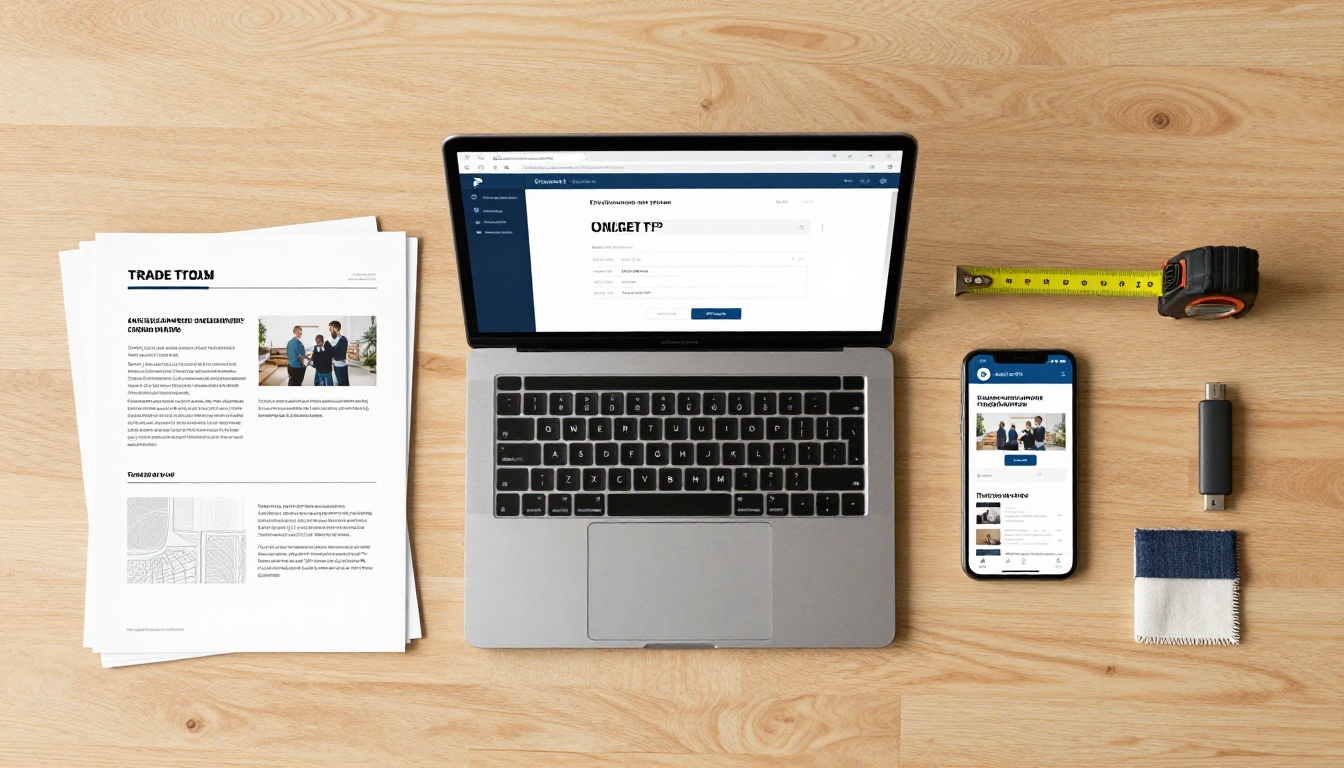
This is the practical part. The workflow below assumes you have your catalog designed as a PDF. If you are starting from scratch, tools like Adobe InDesign, Canva Pro, or Affinity Publisher all export clean PDFs suitable for flipbook conversion.
Step 1: Design Your PDF Catalog
Before uploading anything, your PDF needs to be structured for a reading experience, not just a printing experience. That means:
- Spreads that work as two-page reads (facing pages tell a story together)
- A table of contents with clear category labels
- Consistent typography throughout (one heading font, one body font)
- A cover page and a closing page with contact details
- Enough white space on each page that the layout does not feel cramped on screen
✅ Export your PDF at 150-300 DPI. Higher than 300 makes the file unnecessarily large. Lower than 150 makes product images look soft on high-resolution screens.
Step 2: Upload to Flipbooks AI
Go to Flipbooks AI and create your account. The upload process is straightforward:
- Click "New Flipbook" from your dashboard
- Drag your PDF file into the upload area
- Wait for the conversion to complete (usually under two minutes for a standard catalog)
- Preview the flipbook to confirm all pages rendered correctly
The PDF to Flipbook Converter handles everything automatically. Page turns, pagination, and mobile scaling are all applied without any manual configuration. For product catalogs specifically, the Catalog Flipbook Creator gives you additional formatting options tailored to product-heavy documents.
Step 3: Set Branding and Password Protection
Once your catalog is uploaded, customize the viewer to match your brand. This includes:
- Custom logo in the header of the viewer
- Brand colors for the toolbar and navigation elements
- Password protection so only invited accounts can access your pricing
Password protection is especially important for trade catalogs. Wholesale pricing is confidential. Setting a password ensures that only buyers who have received your credentials can view the catalog, protecting your pricing structure from being shared publicly or reaching consumers directly.
💡 Use different passwords for different buyer tiers. Your flagship accounts with net 60 terms and deeper discounts should not be looking at the same pricing page as a new account on standard terms.
Step 4: Share With Your Buyers
With your flipbook live, you have several sharing options:
- Direct link: Share a URL via email or WhatsApp. The buyer opens it in any browser, no app or login required.
- Embed code: If you use a B2B portal or a showroom website, embed the flipbook directly on the page using the Embed Flipbook on Website tool.
- Offline download: Buyers attending trade shows without reliable WiFi can download the catalog for offline viewing. This is available on the Standard plan and above.
- QR code: Print a QR code on your trade show booth that links directly to the flipbook. Buyers scan it and have your full catalog on their phone before they walk away from your stand.
Flipbook Features Trade Buyers Actually Use

The best feature is the one the buyer actually interacts with. Based on how wholesale buyers consume digital catalogs, these three capabilities consistently deliver the most value.
Analytics That Show Who Read What
With a Professional plan, you get access to page-by-page analytics. You can see which accounts opened your catalog, how long they spent on each spread, and which product sections received the most attention. This data changes how you follow up.
If you can see that a buyer spent six minutes on your outerwear pages and skipped directly past accessories, you know exactly how to open that follow-up call. Analytics turn a passive catalog into an active sales intelligence tool.
Offline Access for Trade Shows
Trade shows are notoriously difficult for data connectivity. Hundreds of exhibitors, thousands of buyers, and one overloaded convention center WiFi network. Buyers who want to reference your catalog mid-floor often cannot load a web page reliably.
Offline download capability means your catalog loads from local storage and works perfectly regardless of signal quality. This feature alone justifies the upgrade from a static PDF email attachment.
Mobile-Friendly Across All Devices
The majority of catalog review happens on mobile devices, often while buyers are commuting, waiting between appointments, or sitting in a hotel room the night before a buying appointment. A flipbook that works beautifully on a phone at any screen size eliminates one of the biggest frustrations buyers have with PDF attachments, which require zooming and scrolling to read on small screens.
Real-World Use Cases by Industry

Fashion and Apparel Wholesale
Apparel brands running seasonal collections are the most natural fit for trade flipbooks. A typical fashion wholesale catalog has 60-120 pages, changes twice a year, and needs to reach buyers in multiple countries with different pricing structures. The Fashion Catalog tool is built specifically for this workflow, with support for multi-page lookbook spreads and embedded product video.
A mid-sized womenswear brand with accounts in ten countries can maintain one master catalog, create password-protected variations for different pricing tiers, and share region-specific versions without printing a single page.
Food, Beverage, and FMCG
Grocery distributors and food service buyers want to see product specifications, nutritional information, pack sizes, and shelf positioning clearly laid out. A digital catalog with embedded video can show a product being used in a kitchen or demonstrate how it performs on a retail shelf, which printed catalogs simply cannot do.
💡 For perishable or seasonal products, updating a flipbook when a product goes out of season takes less than five minutes. No more buyers placing orders on lines that are no longer available.
Furniture and Home Goods

Furniture wholesale catalogs are some of the most complex documents in trade sales. Individual SKUs often come in multiple finishes, fabrics, or dimensions, and the catalog needs to communicate all combinations clearly without becoming unwieldy. Tables are essential here.
| SKU | Finish Options | Fabric Options | Lead Time | MOQ |
|---|
| SOF-001 | Natural Oak, Walnut, Black | Linen, Velvet, Bouclé | 8 weeks | 2 units |
| TAB-034 | White Marble, Slate, Travertine | N/A | 6 weeks | 1 unit |
| BED-012 | Raw Pine, Smoked Oak | Organic Cotton, Tencel | 10 weeks | 1 unit |
A flipbook that links from the product page directly to a finish or fabric specification sheet gives buyers every detail without overloading the main catalog layout. The Furniture Catalog Maker is purpose-built for this type of configuration-heavy catalog.
Flipbook vs. PDF Email vs. Printed Catalog
This comparison covers the three most common formats brands use to share product information with trade buyers.
| Feature | Digital Flipbook | PDF Email | Printed Catalog |
|---|
| Cost per catalog | Near zero | Near zero | $8-25+ per unit |
| Updateable after sending | Yes (re-upload) | No (resend required) | No (reprint required) |
| Analytics on who opened | Yes (Professional) | No | No |
| Password protection | Yes | No | No |
| Mobile experience | Excellent | Poor (zoom/scroll) | N/A |
| Offline access | Yes (download) | Yes | Yes |
| Embeddable on website | Yes | No | No |
| Multimedia support | Yes (video, audio) | Limited | No |
| Environmental impact | Minimal | Minimal | High |
| Shareable internally by buyer | Easy (link) | Easy (forward) | Physical handoff only |
The only real advantage of a printed catalog is the tactile experience, which matters in high-end luxury segments where the physical quality of the book signals brand value. For most wholesale categories, digital wins on every practical metric.
Start Sending Smarter Catalogs Today
Every season you spend shipping printed catalogs to trade buyers is a season where your competitors with digital tools are getting faster feedback, better analytics, and lower costs. The buyers you want to reach are already comfortable with digital-first sales tools. They expect suppliers to be too.
Building your first trade flipbook does not require a design agency or a dedicated digital team. It requires a well-organized PDF and fifteen minutes on Flipbooks AI.
Here is where to start:
Your buyers are making purchasing decisions right now. Give them a catalog that makes your product easy to say yes to.
Get started for free on Flipbooks AI and have your first trade flipbook live before your next buying appointment.



