Your sales team works hard. They spend hours putting together proposals, product decks, and presentation PDFs that get emailed to prospects, downloaded once, and never opened again. The truth is brutal: static PDFs are forgettable, and forgettable materials lose deals.
If you want to make a flipbook for your B2B sales team, you are already thinking about this the right way. Interactive, page-turning digital flipbooks do not just look better than PDFs. They perform better. They get forwarded, they get remembered, and with the right platform, they even tell you exactly who read them and how far they got.
This is the full breakdown of how to do it: what to put in your flipbook, how to build one without a design team, how to share it, and how to use analytics to close more deals.
Why Static PDFs Are Costing You Deals
Let's be direct about the problem. When your sales rep sends a PDF attachment, here is what typically happens: the prospect downloads it, glances at the first page, maybe skims the pricing table, and closes it. There is no indication of who read what, no way to update the content once it is sent, and nothing about the experience that feels different from the hundreds of other PDFs they receive every week.

The attachment problem
PDFs are static. Once sent, they cannot be updated. If your pricing changes the day after you send the proposal, the prospect has the wrong version. If you realize there is a typo on page 3, you have to resend the whole file and hope they open the new one. And you have absolutely no visibility into whether the CFO actually reviewed the budget breakdown or if the email sat in the inbox unopened.
What interactive flipbooks do differently
A flipbook is a digital publication with a realistic page-turn effect that opens in any browser, on any device, with no app needed. But the format is really the smallest part. The bigger value is in what comes with it:
- Real-time updates: Change your pricing or update case studies and every link you have already shared reflects the new version automatically.
- Analytics: See who opened it, which pages they spent the most time on, and when they shared it internally.
- Shareable links: Instead of a heavy email attachment, you send a single clean URL.
- Embeddable: Drop your flipbook directly into your website, proposals page, or email signature.
- Mobile-first: It reads perfectly on a phone or tablet, which is where many executives actually review materials.
💡 A prospect who spends 4 minutes on your pricing page but never reaches the case studies is telling you exactly what objection to address in the follow-up call.
What Goes in a B2B Sales Flipbook
Not everything needs to be in one document. In fact, the most effective B2B teams maintain a small library of flipbooks tailored to different stages of the funnel. Here is what typically works:

Company overview and credibility
This is your "who we are" document. It should be short (8 to 12 pages), visually strong, and designed to build confidence. Include your founding story, client logos, notable statistics, and team highlights. This is what gets shared in the first email.
Product and service showcases
Use the Sales Presentation format to walk prospects through your offering page by page. Each product or service gets its own spread with benefits, specs, and a clear use case. Include photography, not just bullet points.
Proposals and pricing documents
These are tailored per-prospect. With a platform like Flipbooks AI, you can create a templated proposal layout, duplicate it per client, and customize the numbers without starting from scratch every time. Password protection keeps it confidential.
Case studies and social proof
Social proof closes deals. A dedicated flipbook featuring 4 to 6 detailed case studies, with real client names (where permitted), before-and-after metrics, and quotes, gives prospects something to forward to their own internal stakeholders.
| Flipbook Type | Sales Stage | Ideal Length | Core Content |
|---|
| Company Overview | Awareness | 8-12 pages | Story, clients, stats |
| Product Showcase | Consideration | 12-20 pages | Features, specs, use cases |
| Custom Proposal | Decision | 10-16 pages | Pricing, timeline, ROI |
| Case Study Pack | Decision | 15-25 pages | Metrics, quotes, results |
| Annual Report | Retention | 20-40 pages | Performance, roadmap |
How to Make a Flipbook for Your B2B Sales Team
Here is the step-by-step process using Flipbooks AI. The whole workflow takes about 20 minutes for a first-time build.

Step 1: Create or export your PDF
Before uploading anything, your content needs to exist. Use whatever tool your team already works in: PowerPoint, Google Slides, Canva, InDesign. Design your sales deck with the flipbook format in mind, landscape orientation (16:9 or 4:3), large visuals, minimal text per page.
Export it as a PDF. That is the file Flipbooks AI will convert.
✅ Use high-resolution images (at least 150 DPI) in your source file. The conversion preserves quality, so what goes in is what comes out.
Step 2: Upload and convert
Go to Flipbooks AI and create your account. From the dashboard, click "New Flipbook" and upload your PDF. The conversion runs automatically. Within seconds, you have a fully interactive flipbook with a page-turning interface, ready to customize.
The PDF to Flipbook Converter handles everything from single-page documents to complex 100-plus page publications without quality loss.
Step 3: Brand it to your company
This is where most platforms fall short, but where Flipbooks AI stands apart. You can:
- Set a custom domain so the link reads your company URL instead of a generic address
- Upload your logo and favicon
- Set your brand colors for the interface and controls
- Choose a custom background and page texture
- Add your social sharing metadata so it looks right when shared on LinkedIn
There are no watermarks on any plan at Standard and above.
Step 4: Add interactive elements
Static page turns are just the beginning. Inside the flipbook editor, you can embed:
- Video links that play directly inside the flipbook
- Clickable hotspots linking to product pages, booking links, or contact forms
- Audio for narrated presentations
- Pop-up text boxes for additional detail without cluttering the main layout
For proposals, a "Book a Call" hotspot on the final page has a measurably higher conversion rate than a static phone number.
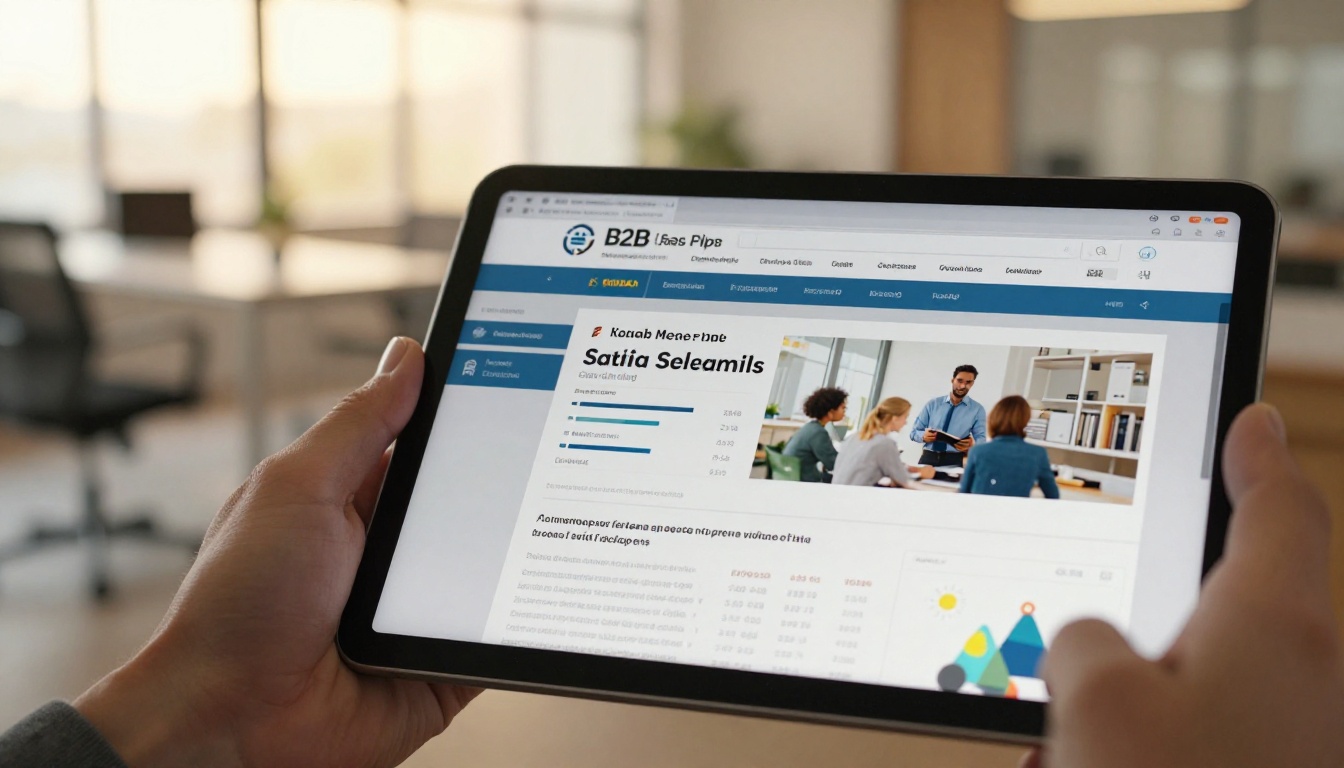
Step 5: Set sharing and access controls
Flipbooks AI gives your sales team several ways to share:
- Public link: Anyone with the URL can view it, great for company overviews
- Password protection: Required for proposals, pricing, and confidential content
- Embedded on your site: Use the Embed Flipbook on Website tool to drop a snippet into your landing page
- Email link: A short, clean URL that does not trigger spam filters the way large PDF attachments often do
⚠️ Never send unprotected pricing documents as public links. Always use password protection for anything containing client-specific numbers.
Step 6: Track and act on analytics
On the Professional plan, you get full reader analytics. This is where the platform pays for itself in a B2B context:
- Which pages each viewer spent the most time on
- Total time spent in the document
- Whether they shared it with others
- Lead capture via gated access where the viewer enters their email to unlock the flipbook
Use this data before your follow-up call. Knowing that the decision-maker spent 6 minutes on the ROI section but skipped the implementation timeline tells you exactly how to open the conversation.
B2B Flipbook vs. Static PDF
The decision to switch from PDF to flipbook should be straightforward. Here is the direct comparison:

| Feature | Static PDF | Flipbook (Flipbooks AI) |
|---|
| Mobile-friendly reading | Poor | Excellent |
| Real-time content updates | No | Yes |
| Analytics and tracking | No | Yes (Professional) |
| Password protection | No | Yes |
| Embed on website | No | Yes |
| Brand customization | Limited | Full |
| Lead capture | No | Yes (Professional) |
| Video embedding | No | Yes |
| Offline access | Yes | Yes (download available) |
| Watermark-free | Varies | Always (Standard+) |
The only column where a PDF wins is offline access, and Flipbooks AI addresses that with downloadable offline versions on eligible plans.
Choosing the Right Plan for Your Team
Not every team needs every feature. Here is how to think about plan selection based on your sales workflow:

| Plan | Best For | Standout Features |
|---|
| Starter | Solo sales reps, testing | Basic flipbooks, limited publications |
| Standard | Small sales teams | Unlimited flipbooks, no watermarks, custom branding |
| Professional | Full B2B sales teams | Analytics, lead capture, password protection, offline downloads |
You can see the full breakdown on the Flipbooks AI pricing page. For most B2B teams with more than 2 to 3 active sales reps sending materials regularly, Standard or Professional makes the most financial sense when you factor in the time saved on manual PDF updates alone.
💡 The Professional plan's lead capture feature pays for itself if even one extra qualified lead comes through a gated flipbook per month.
Sharing Flipbooks Across Your Sales Team
One issue teams run into: making sure everyone on the sales team is sharing the same, current version of materials. With PDFs, you are fighting version control constantly. With Flipbooks AI, the solution is simple.
One link, always current
Every flipbook has a permanent URL. When you update the content, the URL stays the same. Your sales team bookmarks one link per document type, and it always points to the most current version. No more "which version did you send?" confusion.
Embed in your CRM
Most CRM platforms allow custom fields and linked resources. Store your flipbook URLs directly in your CRM alongside each opportunity. When a rep is preparing for a call, the right materials are one click away, always up to date.
Use the tools built for B2B
For specific sales scenarios, Flipbooks AI has purpose-built tools. The Sales Presentation tool is optimized for pitching. The Product Catalog format works well for companies with large SKU libraries. The Annual Report Creator handles structured, data-heavy documents for enterprise account management.
You can browse the complete library at Flipbooks AI tools.
Real-World Use Cases by Industry
The format works across sectors. Here is how different B2B teams are putting it to work:

SaaS companies use flipbooks to replace lengthy feature comparison PDFs. Instead of a 20-page static document, prospects get an interactive walkthrough where each feature section links directly to a demo or a Calendly booking page.
Manufacturing and wholesale teams replace printed product catalogs with digital versions using the Product Catalog Generator. This is especially impactful for international teams where shipping physical catalogs is expensive and slow.
Professional services firms, including consulting, legal, and accounting practices, use flipbooks for capability statements and proposal documents. A well-designed capability statement flipbook shared before an RFP response positions the firm as detail-oriented before a word of the proposal is read.
Real estate agencies working with commercial clients use the Real Estate Brochure Creator to deliver property portfolios that feel premium without the printing cost.
Building a Flipbook Library for Your Team
Rather than creating one-off documents, the highest-ROI approach is building a modular flipbook library. Think of it as a content system:
- 1 company overview flipbook (updated quarterly)
- 1 product or service flipbook per offering line
- 3 to 5 case study flipbooks organized by industry or use case
- A templated proposal flipbook customized per client
- 1 onboarding flipbook for new clients post-close
Each document has one owner who controls updates. The sales team shares links, not files. Analytics flow back into the CRM to inform the follow-up strategy.

This approach cuts document-preparation time significantly. Instead of a sales rep spending 2 hours tailoring a PDF for every major prospect, they spend 20 minutes personalizing a proposal template and spend the remaining time actually selling.
✅ Assign one person on the team as the "flipbook manager" responsible for keeping content current and reviewing analytics. Even 30 minutes per week of active management produces measurable improvements in content performance.
Start Sending Flipbooks This Week
The barrier to getting started is genuinely low. You do not need a designer, a developer, or a new budget line item to make a flipbook for your B2B sales team. You need a PDF and 20 minutes.
Flipbooks AI handles the conversion, the branding, the hosting, and the analytics. Your team gets shareable links instead of email attachments. Your prospects get a better reading experience. And you get actual data on what is working.
Ready to replace your sales PDFs? Create your account and build your first flipbook today. Browse all tools and templates to find the right format for your team's needs. When you are ready to scale, compare pricing plans to find the right fit for your team.



