Planning a family trip is one of the most rewarding experiences you can have together, but it only stays rewarding when everyone is on the same page. Sharing a well-structured travel itinerary with your family can mean the difference between a seamless vacation and a chaotic string of missed reservations and arguments in airport queues. Whether you're coordinating a multigenerational trip across Europe or a weekend road trip with the kids, the method you choose to share that plan matters far more than most people realize. Tools like Flipbooks AI are changing the way families share travel documents, moving them away from confusing email threads and toward interactive, visual experiences that everyone actually reads.
Why a Shared Itinerary Changes Everything

When Everyone Knows the Plan
A shared itinerary does more than list flights and hotels. It creates a shared mental model of the trip. When every family member, from the teenager with headphones to the grandparent with no smartphone, knows what's happening on Day 3 in Florence, the group moves with confidence. Fewer "what are we doing today?" questions. Fewer frustrated negotiations at the breakfast table.
Travel groups that share detailed itineraries consistently report higher satisfaction with their trip coordination. More importantly, they spend less time managing confusion and more time enjoying the destination.
The Hidden Cost of Poor Communication
Most family travel stress doesn't come from delayed flights or overbooked hotels. It comes from information gaps. One family member doesn't know the dinner reservation time. Another forgot the museum requires advance tickets. Someone booked an Uber when the plan was to walk.
⚠️ Warning: Sharing an itinerary once via email and assuming everyone read it is the single most common cause of family travel friction. A static PDF sent to seven people becomes seven different versions within 24 hours.
The solution isn't to send more emails. It's to choose a sharing format that's dynamic, accessible offline, visually clear, and designed for the way families actually consume information.
Top Methods for Sharing a Family Travel Itinerary

There is no shortage of ways to share a trip itinerary. The real question is which method works for your family's mix of ages, tech comfort, and travel style.
Email and PDF Attachments
The classic approach. You build the itinerary in Word or Google Docs, export it to PDF, and email it to everyone. It works, but barely. PDFs are static. They can't be updated once sent. If the hotel changes or a museum closes, you're resending a new version to the whole family and hoping everyone downloads the right file.
Best for: Small trips, tech-averse family members who prefer printing, one-time reference documents.
Shared Google Docs or Spreadsheets
A step up from email. Google Docs lets everyone view the same live document, and changes propagate instantly. It's collaborative, free, and universally accessible.
The downside is visual appeal. A Google Doc feels like a work meeting agenda, not a trip to the Amalfi Coast. It's functional but uninspiring, and uninspiring documents don't get read carefully.
Best for: Budget-conscious planners, families comfortable with Google Workspace, collaborative editing needs.
Travel Planning Apps
Dedicated apps like TripIt, Wanderlog, or Google Travel can auto-import reservations from email and build a structured timeline. Some allow family sharing through an invite link.
The friction point: not everyone wants to install another app. Getting a 70-year-old grandmother and a 14-year-old to both use the same trip app reliably is harder than it sounds.
Best for: Tech-forward families, frequent travelers, those who want automated reservation imports.
Digital Flipbooks
This is where the experience shifts from functional to genuinely enjoyable. A digital travel flipbook combines the visual richness of a travel magazine with the accessibility of a web link. No app install required. Pages turn with a satisfying animation. Photos fill the spread. Day-by-day itineraries read like a travel editorial, not a spreadsheet.
Flipbooks AI lets you upload a designed PDF and convert it into a shareable interactive flipbook in minutes. Family members open it on their phone, tablet, or laptop, flip through the pages, and actually feel excited about the trip ahead.
💡 Pro tip: Use the Travel Guide Flipbook tool to create a destination-specific flipbook that doubles as both an itinerary and a mini travel reference your family will love.
| Method | Visual Appeal | Real-Time Updates | Offline Access | No App Install | Sharing Ease |
|---|
| Email PDF | Low | No | Yes (if saved) | Yes | Medium |
| Google Docs | Medium | Yes | Partial | Yes | High |
| Travel Apps | Medium | Yes | Yes (in-app) | No | Medium |
| Digital Flipbook | Very High | On republish | Yes (downloadable) | Yes | Very High |
Digital vs. Paper Itineraries
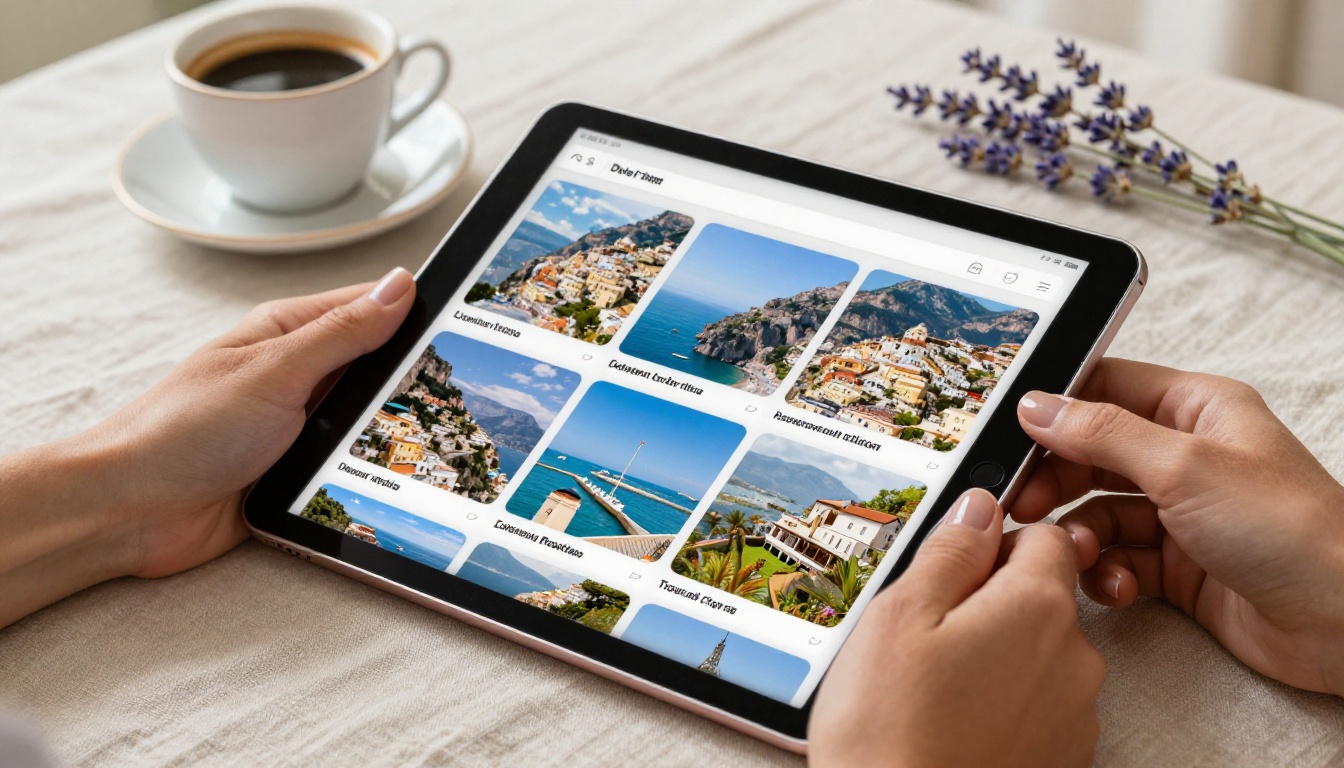
The paper-versus-digital debate is real in family travel, especially when the group spans multiple generations. There's value on both sides, but the practicalities favor digital in almost every scenario.
| Factor | Paper Itinerary | Digital Itinerary |
|---|
| Updates | Requires reprinting | Instant on republish |
| Portability | Single physical copy | Accessible on all devices |
| Visual richness | Limited by printing costs | Full color, photos, interactive |
| Weather and damage risk | High | None |
| Searchability | Manual scanning | Tap to find |
| Environmental impact | Higher | Minimal |
| Offline availability | Always | Available if downloaded |
| Collaboration | Difficult | Real-time in most platforms |
✅ Best practice: Create a primary digital itinerary but export a single clean one-page summary PDF for any family member who genuinely prefers paper. Two-tier approach, minimal extra effort.
How to Turn Your Itinerary into an Interactive Flipbook

Flipbooks AI is built for exactly this use case. You don't need to be a designer. You need a PDF and about ten minutes.
Step 1: Create Your Account
Head to flipbooksai.com/account and sign up. The process takes under two minutes. No credit card required to start. Once inside the dashboard, you'll see your flipbook library and a prominent upload button.
Step 2: Design and Upload Your Itinerary PDF
Build your itinerary in Canva, Google Slides, PowerPoint, or any design tool you're comfortable with. Structure it page-by-page, with one day per page for a clean layout. Add destination photos, color-coded activity blocks, meal reservation times, and transportation notes. Export as PDF.
Back in Flipbooks AI, click Upload PDF and select your file. The platform converts it to an interactive flipbook automatically, preserving all your fonts, colors, and images with no quality loss.
💡 Pro tip: Use landscape orientation for itinerary pages. It mirrors how people naturally hold tablets and looks stunning on desktop screens.
Step 3: Customize the Experience
This is where Flipbooks AI separates itself from basic PDF converters. You can:
- Add a branded opening page with the trip name and a destination photo
- Set a page flip animation that feels like opening a real travel magazine
- Embed audio clips such as ambient destination sounds or a personal welcome message from the trip organizer
- Add clickable links to restaurant booking pages, Google Maps pins, and activity websites
- Apply custom branding with your chosen colors and fonts
The PDF to Flipbook Converter handles any PDF at professional quality with no watermarks on Standard plans and above.
Step 4: Share with Your Family
Once published, your flipbook gets a unique shareable link. Copy it, paste it into a family group chat, text message, or email. Family members click the link and the flipbook opens directly in their browser, with no downloads, no accounts, and no friction whatsoever.
For privacy-conscious families: the Professional plan includes password protection, so your itinerary stays between family members only. Offline download lets family members save the flipbook to their device before departing for international destinations.

Flipbooks AI features that matter for family trip sharing:
- ✅ No watermarks, ever
- ✅ Unlimited flipbooks (Standard plan and above)
- ✅ Password protection for private content
- ✅ Offline downloads so family can access without data
- ✅ Embed videos, destination preview clips, and hotel tours
- ✅ Mobile-responsive on any screen size
- ✅ Analytics to see who opened and read the itinerary (Professional plan)
3 Common Mistakes When Sharing Travel Plans

Too Much Detail, Not Enough Clarity
There's a version of an itinerary that overwhelms the reader. Twelve-point font, wall-to-wall text, every Google Maps coordinate, every backup option listed. Family members look at it, feel exhausted, and set it aside. The teenager never opens it again.
Keep each day to a clear visual hierarchy: Morning, Afternoon, Evening. Bold the must-know information such as departure times, reservation names, and addresses. Put supporting context in smaller text below.
One Format for Everyone
A detailed day-by-day itinerary is not the same document as a quick reference card. Build both. The full flipbook goes to adults coordinating logistics. A simple one-pager with daily highlights and essential contacts such as hotel address and emergency numbers goes to everyone, including kids.
💡 Pro tip: Use the embed feature to put the itinerary directly on a private family website or shared Google Sites page so it's always one click away.
No Offline Access
This one is critical. International data plans are expensive and unreliable. The moment you land in a foreign country and switch off roaming, a cloud-only itinerary becomes inaccessible. Always export an offline version.
With Flipbooks AI, family members can download the flipbook directly to their device before departure. It works on any phone or tablet without an internet connection, ensuring no one is ever left without the plan.
Making Your Itinerary Work for Every Age

Kids and Teens
Kids engage with visuals, not bullet points. Structure their version of the itinerary with photos of each destination, activity names in large type, and the daily highlight called out clearly on each page. Let them see the whole trip as a visual story before it even begins.
Teens want autonomy within the plan. Give them a dedicated section in the itinerary: free time windows, wifi passwords for each hotel, local transportation options, and a list of activities they helped choose themselves.
Grandparents and Older Family Members
Clarity and simplicity are everything here. Large type. High contrast colors. Clear contact information on every page. Include the hotel address prominently on every relevant day so there's never any doubt about where to go.
Consider a printed backup for family members who may struggle with digital devices in stressful travel situations. But make the primary version a flipbook link they can hand to a younger family member to pull up on their behalf at any moment.
What to Include in a Family Travel Itinerary

Not every itinerary element carries the same weight. Here's a breakdown of what's essential versus what enriches the experience:
| Category | Essential | Strongly Recommended | Optional |
|---|
| Flights | Departure times, flight numbers, terminal | Airline app link, baggage policy | Seat map |
| Accommodation | Address, check-in time, confirmation number | Wifi password, parking info | Room photos |
| Activities | Name, address, booking confirmation | Opening hours, nearest transit | Insider tips |
| Meals | Reservation name, time, address | Menu preview link | Dress code |
| Transport | Transfer times, pickup locations | Taxi app links, transit maps | Driver contact |
| Emergency Info | Local emergency number, nearest hospital | Embassy contact, travel insurance | Local phrases |
| Day-by-day flow | Morning, afternoon, evening structure | Weather forecast link | Packing notes by day |
✅ Best practice: Include a "Day at a Glance" summary at the top of each day's page. One sentence. Three to five activities. That's all most family members need to feel oriented and confident.

Before your itinerary becomes a flipbook, it has to get built. Here's how to divide the planning workload effectively across a family group:
Who handles what:
- Lead planner: Flights, accommodation booking, overall day structure
- Activity curator (often a teen or young adult): Restaurants, experiences, local events
- Logistics coordinator: Airport transfers, car rentals, transit passes, packing lists
- Communications lead: Keeping everyone updated and sharing the final flipbook link
Once the structure is agreed on, the lead planner compiles everything into a designed PDF and uploads it to Flipbooks AI. The result is a polished, professional-looking trip itinerary that the whole family can be proud of sharing, reading, and referencing throughout the trip.
For families who travel regularly, Flipbooks AI pricing plans offer unlimited flipbook creation starting from the Standard plan, making it cost-effective to create a fresh, custom itinerary for every trip throughout the year.
💡 Pro tip: Save your best itinerary layout as a reusable template. Each new trip starts with a consistent structure, then you swap the content, photos, and destination details.
Stop Sending PDFs Nobody Reads
Planning the perfect family trip deserves more than an email attachment nobody opens. The best way to share a travel itinerary with family is one that meets them where they are: visually engaging, accessible on any device, shareable in a single link, and readable without any setup.
Digital flipbooks deliver all of that. They're the format that makes the trip feel real before it even begins, and keeps the whole family aligned from the moment you share that link to the day you return home.
Ready to stop sending attachments and start sharing something your family will actually read? Create your first travel flipbook on Flipbooks AI today.
Browse all flipbook tools to find templates and formats for every travel style. Compare pricing plans to find the right fit for how often your family travels together.



