Every year, nonprofits spend weeks crafting detailed fundraising reports that most donors never finish reading. The design is flat, the PDF is static, and once it lands in someone's inbox, it becomes just another file. There is a better way. With Flipbooks AI, you can turn that same report into a rich, interactive experience that people actually open, scroll through, and share, without rebuilding the content from scratch.
Why Most Fundraising Reports Get Ignored
Donors gave you their money because they believed in your mission. When you send them a 20-page PDF to prove it was worth it, you are asking them to do work. Most won't.
The problem is not the content. It's the format.
The PDF Problem
Static PDFs are not designed for the way people read online. They don't adapt to mobile screens. They don't invite interaction. They don't let you embed a video of the family your organization helped last quarter. And when a donor forwards the file to a colleague or posts it on social media, it lands as an attachment, which means most recipients never open it.
A printed report has tactile appeal. A PDF has neither the tactility of print nor the interactivity of the web. It sits in an uncomfortable middle ground that serves no one particularly well. The average nonprofit PDF report has an open rate well below 30%, and those who do open it rarely make it past the first five pages.
What Donors Actually Want to See
Research on donor behavior consistently points to the same things: donors want to see the impact of their money in human terms, not just spreadsheet terms. They want stories, they want faces, and they want numbers presented in a way that feels meaningful rather than bureaucratic.

A well-structured fundraising report should answer these questions for every donor:
- Where did my money go?
- What changed because of it?
- Do I trust this organization with more?
The format you choose either helps you answer those questions clearly or puts obstacles in the way. An interactive flipbook removes those obstacles entirely.
What a Fundraising Report Needs to Say
Before worrying about format, the content itself needs to be solid. A beautiful flipbook with weak content is still a weak report. But strong content in a beautiful flipbook is a donor retention and acquisition tool that works year-round.
The Sections That Build Donor Trust
| Section | What It Does | Why It Matters |
|---|
| Executive Summary | One-page snapshot of results | Donors with limited time still get the full story |
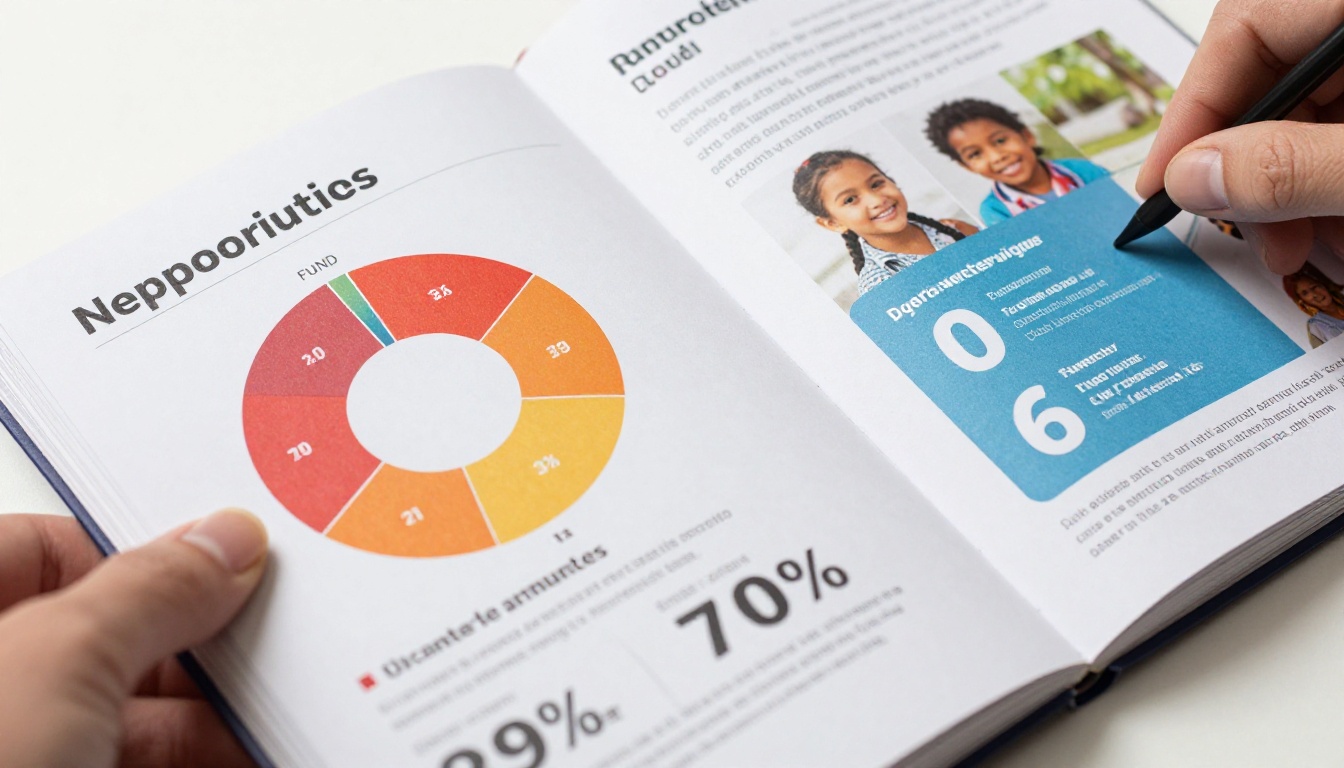
| Financial Breakdown | Pie or donut chart of fund allocation | Shows fiscal responsibility at a glance |
| Program Impact Stories | 2-3 human narratives with photos | Makes raw data feel real and personal |
| Year-Over-Year Comparison | Growth metrics vs. previous year | Shows momentum and organizational credibility |
| Donor Recognition | Named or tiered acknowledgment | Rewards giving behavior and signals appreciation |
| Upcoming Priorities | What the next cycle will fund | Gives donors a concrete reason to give again |
Each of these sections serves a specific psychological role. The financial breakdown answers the accountability question. The impact stories answer the emotional question. The donor recognition answers the appreciation question. Skip any one of them and you leave a gap that donors will notice even if they can't name it.
Data That Moves People, Not Just Informs Them
Numbers alone don't inspire. Context does. Instead of writing "We served 1,200 families," write "1,200 families had access to clean water for the first time." Instead of "$340,000 raised," write "$340,000 in total donor contributions, with 68% directed to direct program delivery."

💡 Use large-format numbers on your most important statistics. Bold them in the layout. Donors should be able to open your report, glance for five seconds, and walk away knowing the three most important things you accomplished this year.
The visual presentation of data matters as much as the data itself. Pie charts for allocation, bar graphs for year-over-year comparison, and photography paired with individual stories work together to create a report that feels both credible and human.
How to Create a Fundraising Report as a Beautiful Flipbook
Once your PDF is polished and ready, converting it into an interactive digital flipbook takes less time than you might expect. Flipbooks AI is built exactly for this purpose, with a workflow designed for teams who are not designers and don't have a development budget.

Step 1: Prepare Your PDF Report
Your PDF needs to be print-quality and final before you upload it. This means all images are embedded at high resolution, all fonts are included or outlined, and page dimensions are consistent throughout. A 16:9 landscape layout works best for digital viewing, but standard letter or A4 portrait also converts cleanly.
⚠️ Avoid uploading draft PDFs or files with placeholder text. Once uploaded, the conversion is based on the exact file you provide.
Before uploading, run through this checklist:
- All images at 150 DPI or higher
- Color mode is RGB, not CMYK, for accurate screen display
- No password protection on the PDF
- File size under 200MB
- All pages are in their final order
Step 2: Upload to Flipbooks AI
Create your account and navigate to your dashboard. Select your PDF using the upload button. The platform converts your file through its PDF to Flipbook Converter and generates a fully interactive version with realistic page-turning animation within minutes. Once the conversion completes, you'll see a full preview of your flipbook exactly as donors will experience it.
Step 3: Brand It to Match Your Organization
This is where the format shift pays off immediately. Flipbooks AI lets you apply your organization's full branding to the flipbook viewer itself, not just the pages inside.
Customize the following:
- Viewer background color to match your nonprofit's primary brand color
- Logo placement on the flipbook viewer interface
- Custom domain or subdomain for sharing (available on Standard plan and above)
- Font choices for your viewer controls and captions
- Page shadow and binding style to match your aesthetic
✅ Apply your brand colors to the viewer frame, not the PDF pages themselves. This creates a cohesive experience without requiring you to redesign the entire document.
Step 4: Add Multimedia Elements
This is the feature that makes a digital fundraising report genuinely different from anything you can print. With Flipbooks AI, you can embed videos, audio clips, and hyperlinks directly within the flipbook pages.
Consider adding:
- A short video message from your executive director on the opening page
- Embedded video testimonials from program beneficiaries placed alongside their written stories
- Clickable hyperlinks on your donation total that link directly to your current campaign
- Audio narration for supporters who prefer listening over reading
The Non-Profit Annual Report tool and Annual Report Creator are specifically built for this use case, with formatting and layout options optimized for nonprofit storytelling.
Step 5: Share With Your Donor Base
Once your flipbook is live, Flipbooks AI generates multiple sharing options that fit every channel you already use.

- Direct link: A clean URL you can include in email campaigns, text messages, or social media posts
- Embed code: Drop the flipbook directly into your website or donor portal with a single line of HTML via the Embed Flipbook on Website tool
- Password protection: For reports shared exclusively with major donors or board members
- QR code: Print on physical event programs or thank-you cards for quick mobile access
💡 Password-protected flipbooks work exceptionally well for grant reports shared with specific foundations. They get the benefit of the interactive format without the report being publicly indexed or discoverable.
Features That Make Flipbooks Perfect for Fundraising Reports
Not every digital tool is suited for nonprofit reporting. Flipbooks AI has specific features that align directly with what organizations need when sharing sensitive financial and impact data.
| Feature | Why Nonprofits Need It |
|---|
| No watermarks | Reports look professional and donor-facing, not promotional for the platform |
| Password protection | Sensitive financial data stays with the intended audience only |
| Analytics (Professional plan) | See who opened the report and how long they spent on each page |
| Lead capture forms | Collect email addresses from new donors who discover the report organically |
| Offline downloads | Board members can access the report without internet during in-person meetings |
| Mobile-responsive viewer | Donors read on phones, and this format works perfectly on every screen size |
| Unlimited flipbooks | Publish quarterly updates, mid-year, and annual reports without extra cost |
| Custom branding | No third-party logos appear on your donor-facing materials |
Analytics deserve particular attention. With the Professional plan, you get page-level data showing exactly where donors spend the most time. If everyone stops reading at page 6, that tells you something important about your report structure. If people linger on the photography section, that confirms where your storytelling is working. These are insights no printed report can ever give you.
Flipbooks AI Plans for Nonprofits
Organizations of every size can find a plan that fits their budget and reporting volume.
| Plan | Best For | Capabilities |
|---|
| Free | Small orgs testing the flipbook format | Basic creation, limited flipbooks per month |
| Standard | Most nonprofits with regular reporting schedules | Unlimited flipbooks, custom branding, no watermarks, custom domain |
| Professional | Larger organizations with analytics and lead gen needs | Full analytics, lead generation forms, offline downloads, priority support |
Compare all pricing options in detail to find the tier that matches your organization's reporting cycle and team size. Nonprofits publishing more than one report per year, which includes quarterly updates, mid-campaign summaries, and grant reports, will find the Standard plan's unlimited flipbooks eliminates the per-report cost calculation entirely.
✅ If your board requires a polished presentation at every quarterly meeting, the offline download feature alone justifies upgrading from the free tier.
Real Scenarios Where This Works

Annual Donor Reports
This is the most common and highest-impact use case. A full-year impact and financial report sent to every donor in your database after the fiscal year closes. The flipbook format means every donor gets the same high-quality experience whether they open the link on a phone, tablet, or desktop computer. You can feature the same report in your email newsletter, on your website, and in social posts without reformatting a single page.
Mid-Campaign Progress Reports
For organizations running multi-month fundraising campaigns, a mid-point progress report keeps donors informed and measurably increases the likelihood of repeat giving before the campaign closes. A flipbook format is fast to update, easy to reshare, and far more likely to be opened than a PDF attachment arriving in an already crowded inbox.
Grant Reports for Foundations
Many foundations now accept or actively prefer digital reporting formats over static PDFs. A well-designed interactive report signals that your organization is modern, transparent, and attentive to how information is presented. Use password protection to keep the report exclusive to the foundation contact, then include embedded charts and short video clips to bring grant outcomes to life in a way that a printed document simply cannot.

Campaign Wrap-Up Reports for Corporate Sponsors
Corporate partners often require formal documentation of how their sponsorship dollars were spent. A polished, branded flipbook report positions your organization as a serious partner worth continued investment. The Report Flipbook Creator and Corporate Report Maker tools are well-suited for producing this level of presentation.
The Right Way to Distribute Your Flipbook Report
The best fundraising flipbook in the world has no impact if donors don't see it. Distribution strategy matters as much as the report itself.
Email campaigns: Send a plain-text email with a single clear link and a static preview image. Avoid attaching the PDF alongside the flipbook link, since this signals to donors that the digital version is secondary rather than the intended experience.
Donor portal or website: Embed the flipbook directly on your donor impact page. This turns your website into a living archive of your organization's work that prospective donors can browse at any time.
Social media: Share the direct link with a short caption and a preview image pulled from the flipbook. LinkedIn performs especially well for nonprofit impact reports because the professional audience is already oriented toward this kind of content and actively shares it within their networks.
Board meetings: The offline download feature ensures board members can access the full report even in locations with unreliable internet. No one has to squint at a printout or wait for a PDF to load.

Event distribution: Print QR codes on gala programs, event signage, or thank-you cards that link directly to the flipbook. Donors at in-person events can scan and browse the report on their phones the same evening while the impact of your work is still fresh in the room.
⚠️ Avoid sending the flipbook link in a mass blast without any personalization. Segment your donor list and tailor the subject line to giving tier. Major donors should feel as though the report was sent specifically to them, because it should be.
Your Donors Deserve This
Donors who feel informed are donors who give again. The format of your fundraising report is not a cosmetic choice; it is a strategic one that directly affects how many people actually read your impact story and how confident they feel about continuing their support next year.
Static PDFs have had their time. An interactive flipbook published through Flipbooks AI takes the same content you have already created and makes it something donors actually want to open, share, and come back to.
Ready to make yours? Create your account and upload your first report today. The conversion takes minutes, and the difference in how donors respond is immediate and measurable.
Browse all fundraising and report tools to find the right fit for your organization's style and reporting needs. See all available plans to pick the tier that fits your volume and budget.
Your donors did their part. Show them yours.



