You spent three weeks building the deck. Then it lands in an investor's inbox as a 38 MB attachment that bounces, gets buried under newsletters, or opens on a phone as a wall of microscopic text. Digital pitchbook conversion closes that gap. Instead of sending a heavy file and hoping for the best, you turn the PDF into a page-turning flipbook that loads fast, looks sharp on any screen, and lives behind a single link. With Flipbooks AI, the whole process takes minutes, and the result carries no watermark, ever.
This article walks through the full workflow: preparing the PDF, converting it, customizing the look, sharing it by link, embedding it on a website, and tracking what happens after you hit send.
Why PDF Pitchbooks Fall Short
A pitchbook is a sales document first and a file second. Yet most teams still treat it like a file, attaching it to emails and praying nobody's inbox rejects it.
The Attachment Problem
Think about what happens after you press send. The recipient's mail server may strip or block a large attachment. If it arrives, it gets downloaded, saved to a random folder, and forgotten. You also lose control: once a PDF leaves your outbox, you can't update it, you can't see who opened it, and you can't revoke access when the deal changes.
Version chaos makes it worse. Someone finds a typo on slide 14, you export again, and now three different versions float around the investor's team. Which one is current? Nobody knows.

What Interactive Changes
A flipbook keeps the polished layout of your PDF but wraps it in a viewer people actually enjoy using. Pages turn with a realistic curl, zoom works with a tap, and the same link opens cleanly on desktop, tablet and phone. Because the content lives online, you can swap in a corrected version without sending a new link.
| Feature | Static PDF Attachment | Interactive Flipbook |
|---|
| Delivery | Email attachment, often blocked when large | One short link |
| Mobile reading | Pinch and scroll, tiny text | Mobile-responsive viewer |
| Updates after sending | Impossible | Replace the file, keep the link |
| Access control | None once sent | Password protection |
| Reader tracking | None | Analytics and lead capture (Professional plan) |
| Video and audio | Rarely works | Embed videos and audio |
| Website display | Download link only | Inline embed |
| Branding | Fixed in the file | Custom colors, logo, background |
💡 Pro tip: Keep the original PDF as your master file. The flipbook is the delivery layer, so you can edit the PDF in your design tool and re-upload whenever numbers change.
Prepare Your PDF Before Converting
A flipbook can only be as good as the PDF behind it. Ten minutes of cleanup here saves you from awkward surprises later.
Fix Structure and File Size
Start with the basics. Export from your design or presentation software at a sensible resolution, around 150 to 200 dpi for screen reading, rather than a 600 dpi print master. Check that fonts are embedded so nothing shifts when the file is processed. Remove hidden layers, off-slide notes and old comments that you wouldn't want an investor to spot.
Here is a quick checklist:
- Page order: confirm the cover page, executive summary and appendix sit where they should.
- Page size: use one consistent size. Mixed orientations make the flip animation look uneven.
- Links inside the PDF: test every internal and external link before converting.
- Images: compress oversized photos, but don't push them so far that charts turn blurry.
- Sensitive data: strip metadata, author names and draft watermarks.
Design for Screens
Many pitchbooks are built for print or for a conference-room projector. Readers open your link on a phone between meetings, so design for that. Use body text of at least 12 points, keep one idea per page, and give charts generous margins. A landscape layout usually reads best on both desktop and mobile.

⚠️ Warning: Dense financial tables that look fine on a 27-inch monitor can become unreadable on a phone. Split them across two pages or enlarge the font before you convert.
How to Create a Pitchbook Flipbook with Flipbooks AI
This is the practical part. The steps below use the PDF to Flipbook Converter workflow. If you don't have an account yet, create one here and follow along.
Step 1: Upload the PDF
- Sign in to your dashboard and choose the option to create a new flipbook.
- Drag your pitchbook PDF into the upload area, or browse to select it from your computer.
- Wait for the conversion to finish. Each page is processed into a crisp, zoomable page of the flipbook, so a 40-page deck usually takes only a short while.
- Preview the result and flip through every page. Check that charts, fonts and links survived the trip.
Screenshot description: the upload screen shows a large dashed drop zone, a progress bar beneath it, and a thumbnail strip of your pages appearing as conversion runs.

Step 2: Brand and Customize
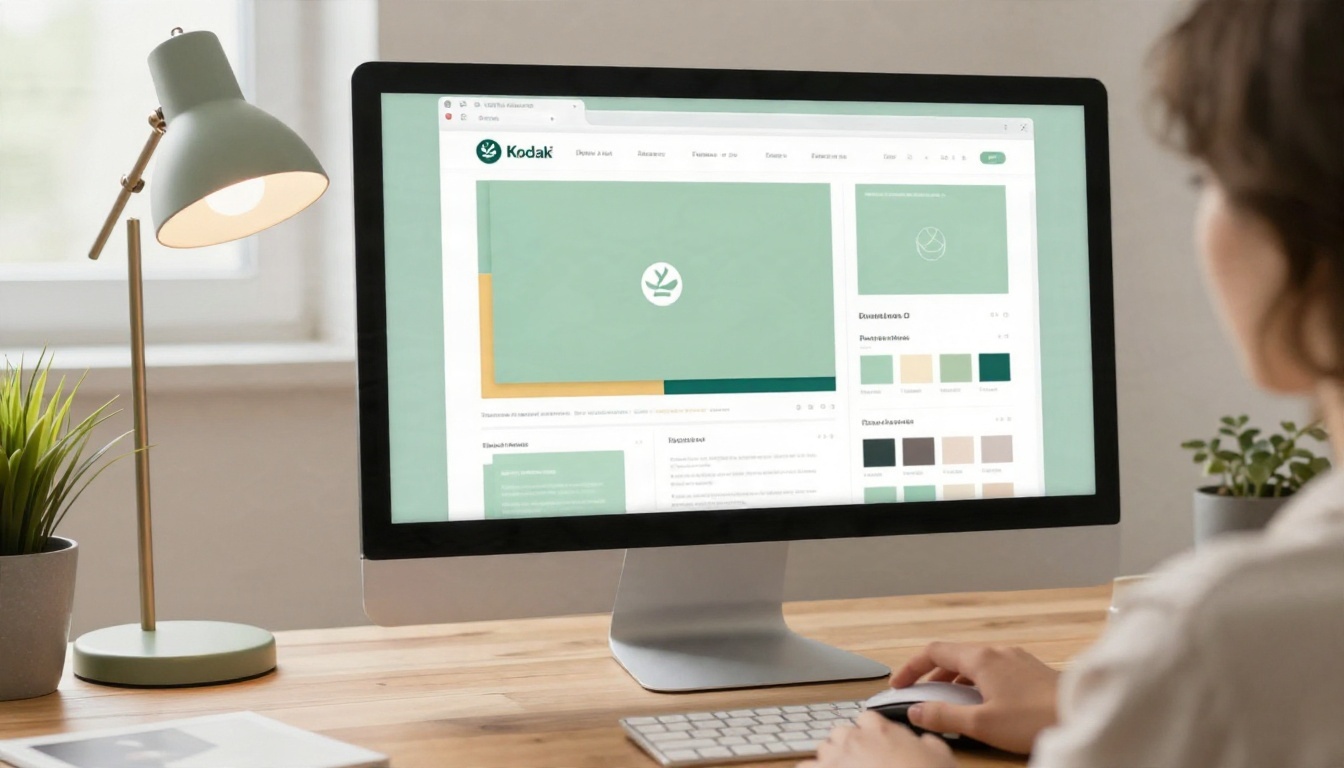
Now make it look like yours. A pitchbook is a trust signal, so the viewer should feel like an extension of your company, not a generic template.
- Branding: add your logo and pick background and toolbar colors that match your brand palette.
- Page effects: choose the page-flip style and speed. A calm, quick turn feels more professional than a dramatic one.
- Multimedia: embed a short founder video on the team page or an audio walkthrough on the financial summary. Videos and audio play right inside the flipbook.
- Layout: decide whether the book opens in single-page or spread view.
✅ Best practice: Use the same two or three brand colors as your slides. When the viewer chrome matches the deck, the whole experience feels deliberate.
Step 3: Set Privacy and Publish
Pitchbooks often contain numbers you don't want floating around the open web. Before publishing, switch on password protection for private content, and share the password through a separate channel such as a text message or phone call.
- Open the sharing settings for your flipbook.
- Enable the password option and set a strong passphrase.
- Publish the flipbook.
- Copy the generated link or embed code, which we'll use in the next two sections.

Sharing Links That Get Opened
A link is the simplest way to deliver an interactive pitchbook, and it works everywhere: email, chat apps, CRM notes and calendar invites.
Direct Link Best Practices
Treat the link like part of your pitch. Put it where the reader will see it immediately, and explain what they'll find.
- Name it clearly. "Q4 Series A Pitchbook, 12 pages, 5 minute read" beats "see attached."
- Add a human line. One sentence that tells them where to look first, for example "Start with page 6 for the traction numbers."
- Send the password separately if the flipbook is protected.
- Test on a phone before sending. Open the link the way your investor will.

Email and Messaging Tips
Different channels suit different audiences. Here is how the common options compare:
| Channel | Best For | Watch Out For |
|---|
| Email | Formal investor and client outreach | Spam filters, so keep the message short and avoid link stacking |
| Messaging apps | Warm contacts and quick follow-ups | Links get buried in long chats, so resend when needed |
| CRM notes or sequences | Sales teams tracking multi-step deals | Make sure the link isn't broken by tracking wrappers |
| Calendar invite | Pre-reading before a meeting | Add the password in the invite body only if the invite is private |
| Social direct message | Founders reaching out cold | Keep it short and offer the link, not a wall of text |
💡 Pro tip: Put the link in the meeting invite as pre-reading. People who open the flipbook before the call arrive with better questions, and the call itself gets shorter.
Embedding on Your Website
A shareable link is great for outreach. An embed is better when you want the pitchbook to live on your own site, whether that's an investors page, a partner portal or a landing page for a product launch. The Embed Flipbook on Website tool makes this a copy-and-paste job.
Basic Embed Steps
- Open your published flipbook and select the embed option.
- Copy the embed code, which is a short snippet that loads the flipbook inside your page.
- Paste it into the HTML block of your CMS, whether that's WordPress, Webflow, Squarespace, Wix or a custom page.
- Adjust the width and height so the flipbook fits your layout. A 16:9 or 4:3 frame usually works well.
- Publish the page and test it on desktop and mobile.
⚠️ Warning: If your page sits behind its own login, a password-protected flipbook may ask visitors for a second password. Decide whether you need both layers before you embed.
Where Embeds Work Best
Not every page needs a pitchbook. These placements tend to perform:
| Placement | Audience | Why It Works |
|---|
| Investors page | Angels, VCs, analysts | Always-current deck, no emailing files |
| Product landing page | Prospects comparing options | Visitors read before they book a demo |
| Partner portal | Resellers and channel partners | One place for the latest sales material |
| Press page | Journalists | Instant access to facts and figures |
| Careers page | Candidates | Shows company vision and growth story |
Because the embedded flipbook is mobile-responsive, it resizes to the visitor's screen without you writing extra code.
Track, Protect, and Take It Offline
Sending the pitchbook is half the story. The other half is knowing what happens next.
Analytics and Lead Capture
On the Professional plan, analytics show you how many people opened the flipbook, how long they stayed, and which pages held their attention. Lead generation lets you request an email address before someone reads, so every open becomes a contact you can follow up with. See the pricing plans for what each tier includes.

Here is how to use that data:
- Page drop-off: if readers leave after the market slide, rewrite it.
- Time on financials: long dwell time on the numbers signals serious interest, so follow up within a day.
- Repeat opens: someone reopening the deck three times is probably sharing it internally.
Offline Downloads
Some investors want to read on a flight or inside a secure network. Offline downloads let you give them a copy without sending a raw PDF, so your branding stays intact. Pair this with password protection when the content is sensitive.
| Capability | Standard Plan and Above | Professional Plan |
|---|
| Unlimited flipbooks | Yes | Yes |
| No watermarks | Yes | Yes |
| Password protection | Yes | Yes |
| Custom branding | Yes | Yes |
| Embed videos and audio | Yes | Yes |
| Analytics | No | Yes |
| Lead generation | No | Yes |
Real Pitchbook Scenarios
Theory is useful. Seeing the workflow in action is better.
Startup Fundraising Round
A seed-stage founder has a 24-page investor deck and 30 target investors. Instead of emailing 30 attachments, they convert the PDF, protect it with a password, and send a short link with a personal note. Analytics show that eight investors reached the financial page and three opened it twice. Those three get a call the next morning. When the founder updates the revenue chart mid-round, the link stays the same and every reader sees the fresh version.
Real Estate Deal Teams
A property investment team sends project summaries to limited partners. They convert each summary with the Real Estate Brochure Creator, embed the flipbook on a private portal page, and add a walkthrough video on the amenities page. Partners read on their phones and the team sees which properties draw the most attention.
Other professionals use the same approach:
✅ Best practice: Keep a short and a long version. A 10-page teaser goes out first, and the 40-page full deck sits behind a password for serious prospects.
Ready to Convert Your Pitchbook?
Your pitchbook already contains the story. What it needs is a better way to travel. A flipbook gives you a fast link, a clean embed, password protection, and a clear view of who is reading.
Here is your next move:
- Create your account and upload your first PDF.
- Add your branding, test the preview on your phone, and switch on a password if the numbers are private.
- Share the link or paste the embed code into your site.
- Browse all flipbook tools for formats that fit your next document.
- Compare pricing plans when you're ready for analytics and lead generation, or get started free and upgrade whenever it suits you.
Stop sending attachments. Start sending pitchbooks people actually open.



