If you've spent any time looking for a free flipbook maker, you've probably run into both FlipHTML5 and Flipbooks AI. Both offer free plans, both convert PDFs into interactive page-turning publications, and both promise to make digital publishing accessible without upfront costs. But the experience of actually using those free tiers? Worlds apart.
This comparison cuts through the marketing language to show you exactly what each free plan includes, where the limits kick in, and which platform actually serves you better when you're not paying a cent.
The Free Plan Promise (and the Fine Print)
Free plans in SaaS tools almost always come with trade-offs. The trick is figuring out which trade-offs you can live with and which ones will actively hurt your work or brand image.
What FlipHTML5 Offers for Free
FlipHTML5 has been around since the early days of digital flipbook publishing. Its free tier offers a basic set of features that lets you convert PDFs and publish them online. On the surface, it looks generous. Dig deeper, though, and the restrictions start to pile up.
The free plan includes:
- PDF to flipbook conversion
- Online hosting on FlipHTML5 servers
- Basic page-flip animation
- Limited customization options
- FlipHTML5 branding on every publication
- No custom domain
- Storage caps on uploaded files
- No offline download for readers
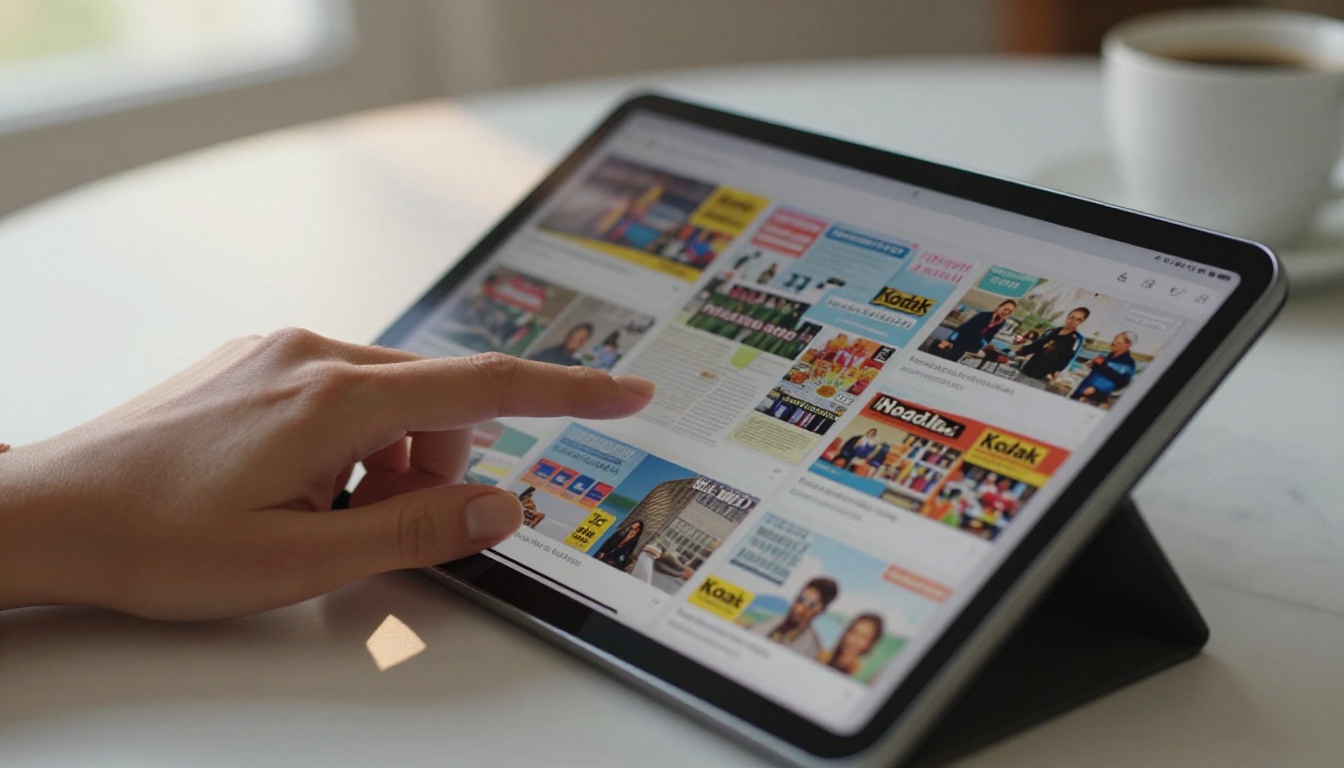
That branding point is where most users hit a wall. Every single flipbook published on the free plan carries FlipHTML5's logo and watermark. For personal projects, this might be tolerable. For business use, it tells your clients and customers that you couldn't afford a paid tool.
What FlipbooksAI Offers for Free
Flipbooks AI takes a different approach to its free offering. Rather than gating core functionality behind paid plans and leaving the free tier as a glorified demo, the platform gives users a genuinely usable experience from day one.
Key free plan features include:
- PDF to flipbook conversion via the PDF to Flipbook Converter
- Mobile-responsive publications by default
- Clean, modern page-flip interface
- Sharing via direct link
- No forced platform branding visible to readers
- Access to specialized creation tools
💡 The no-watermark approach matters more than most users realize. When you share a flipbook for a client presentation, a product catalog, or a school newsletter, third-party branding immediately undermines your credibility.
Feature-by-Feature Breakdown
Here's where the comparison gets concrete. The table below shows the most important free plan features side by side.
| Feature | FlipHTML5 Free | FlipbooksAI Free |
|---|
| PDF Upload | ✅ | ✅ |
| Page-Flip Animation | ✅ | ✅ |
| Mobile Responsive | ✅ | ✅ |
| Platform Watermark | ❌ Always visible | ✅ No watermark |
| Custom Branding | ❌ No | ✅ Basic branding |
| Online Hosting | ✅ | ✅ |
| Offline Download | ❌ Paid only | Paid plans |
| Embed on Website | Limited | ✅ via Embed Tool |
| Analytics | ❌ Paid only | Paid plans |
| Custom Domain | ❌ Paid only | Paid plans |
| Specialized Templates | ❌ Basic | ✅ Multiple categories |
| Password Protection | ❌ Paid only | Paid plans |
Page Limits and Publication Count
FlipHTML5's free plan puts a cap on both the number of flipbooks you can host and the number of pages per publication. Once you hit that ceiling, you either delete old projects or upgrade.
FlipbooksAI's free plan allows you to start creating right away. Unlimited flipbooks are available from the Standard plan upward, giving you a clear upgrade path when you're ready. The free tier lets you test the full creation workflow without artificial friction.
⚠️ Always check current plan limits directly on the platform's pricing page, as these details update regularly.
Watermarks: The Deal-Breaker for Many Users
This one deserves its own section because it's so often the deciding factor.
FlipHTML5's free plan stamps its branding prominently on every flipbook. This isn't a small footer credit. It's a visible overlay that signals to every reader that this content was published using a free tool. For anyone sharing flipbooks professionally, this is a significant problem.
Flipbooks AI takes a clean-slate approach: no watermarks, ever. Whether you're on the free plan testing things out or a paid subscriber, your flipbooks look like yours. That's a meaningful philosophical difference between the two platforms.
Storage and File Size Limits
FlipHTML5 restricts the file size of PDFs you can upload on the free tier, and total storage is capped. Large catalogs, high-resolution magazines, or detailed reports can quickly exceed these limits, forcing an upgrade just to get a document converted.
FlipbooksAI handles larger files more gracefully and focuses on giving free users a realistic taste of the platform's capabilities rather than walling off functionality after the first few uploads.

Sharing, Embedding, and Hosting
A flipbook that no one can access isn't useful. Both platforms handle online hosting, but how they handle sharing and embedding differs significantly.
Custom Domain Support
Neither platform offers custom domain support on free plans, which is expected. FlipHTML5 hosts your flipbooks on their subdomain (e.g., yourname.fliphtml5.com), while FlipbooksAI hosts on its own infrastructure.
For free users, this isn't usually a blocker. But it's worth knowing that upgrading to a paid plan on FlipbooksAI gives you a cleaner path to custom branding and domain options.
Embedding Options
FlipHTML5 offers embed codes on its free plan, but with limitations on how the embedded flipbook appears, including their branding inside the embed.
FlipbooksAI provides embed functionality through its dedicated Embed Flipbook on Website tool, which makes it straightforward to drop your publication onto any website or landing page. The embed looks professional without any third-party watermarks cluttering the experience.
✅ For small business owners embedding a menu, brochure, or catalog on their own site, the clean embed experience on FlipbooksAI is a clear win over the branded embeds from FlipHTML5's free tier.

Branding and Customization on Free Plans
Customization on free plans is where most flipbook tools show their true priorities.
| Customization Feature | FlipHTML5 Free | FlipbooksAI Free |
|---|
| Background Color | Limited | ✅ |
| Logo Upload | ❌ | Limited |
| Custom Cover | ❌ | ✅ |
| Flip Sound On/Off | ✅ | ✅ |
| Reading Direction | ✅ | ✅ |
| Auto-flip Speed | Limited | ✅ |
| Table of Contents | ❌ | Paid |
| Social Share Buttons | ✅ (with branding) | ✅ |
FlipHTML5's free tier offers minimal customization and the controls that do exist are mostly cosmetic. The platform's branding overrides much of what you do anyway.
FlipbooksAI gives free users more direct control over the look and feel of their publication, which matters when you're building something for a real audience rather than just testing the technology.

This isn't a situation where one tool is objectively better for every single user. Context matters.
FlipHTML5 Is Best For
- Users who specifically need FlipHTML5's older, legacy feature set
- Projects where watermarks don't affect the end result (internal documents, personal archives)
- Users who are deeply embedded in FlipHTML5's ecosystem and already have a paid plan
- Situations where the platform's long history and feature depth matter more than design polish
FlipbooksAI Is Best For
- Businesses sharing flipbooks externally (catalogs, menus, brochures, reports)
- Educators and students who need clean publications without third-party branding
- Freelancers building flipbooks for clients who expect professional output
- New users who want a modern, intuitive interface without a steep learning curve
- Anyone who needs specialized tools like the Restaurant Menu Creator, Real Estate Brochure Creator, or Digital Portfolio Creator
💡 If you're sending a flipbook to a client, a customer, or anyone outside your organization, professional appearance matters. That's where the no-watermark policy on FlipbooksAI changes the equation entirely.
How to Create a Flipbook with FlipbooksAI for Free
Since this comparison highlights FlipbooksAI as the stronger free option, here's exactly how to get started and publish your first professional flipbook without spending anything.
Step 1: Create your account
Head to flipbooksai.com/account and sign up for free. No credit card required. The onboarding is straightforward and you're inside the dashboard in under two minutes.
Step 2: Choose your tool or start with PDF upload
From the dashboard, you have two paths:
- Use the PDF to Flipbook Converter if you already have a document ready
- Browse the tools directory to find a specialized creator that matches your project (catalog, menu, brochure, portfolio, and more)
Step 3: Upload your PDF
Click "Upload PDF" and select your file. FlipbooksAI processes the file and generates a preview of your flipbook with page-turn animation. This usually takes under 30 seconds for standard documents.
Step 4: Customize the appearance
Once uploaded, use the customization panel to:
- Set the background color or texture
- Adjust the flip speed and sound settings
- Add a custom cover if needed
- Toggle reading direction (left-to-right or right-to-left)
Step 5: Share or embed
When satisfied with the preview, hit publish. You'll get:
- A direct shareable link you can send via email, messaging apps, or social media
- An embed code for dropping the flipbook onto your website using the Embed Flipbook on Website tool
- Options to enable password protection on paid plans (see Flipbooks AI pricing)
Step 6: Upgrade when you need more
When your needs grow beyond the free plan, FlipbooksAI's paid tiers add:
- Unlimited flipbooks
- Analytics and lead generation (Professional plan)
- Offline download for readers
- Custom domain support
- Advanced branding controls
Check the full breakdown on the pricing page.

Real-World Use Cases: Side-by-Side
Let's put both platforms in real scenarios to see how the free plan differences actually play out.
| Use Case | FlipHTML5 Free | FlipbooksAI Free |
|---|
| Restaurant sharing a digital menu | ❌ Watermark visible to diners | ✅ Clean, professional look |
| Real estate agent sending property brochure | ❌ Competitor branding on document | ✅ No branding interference |
| Teacher distributing course materials | ✅ Functional but branded | ✅ Clean and credibility intact |
| Freelancer delivering client work | ❌ Client sees third-party logo | ✅ Looks like your own work |
| Internal company report | ✅ Watermark tolerable internally | ✅ Clean either way |
| Fashion brand sharing lookbook | ❌ Undermines brand image | ✅ Use the Lookbook Builder |
| Non-profit annual report | ❌ Donor-facing doc with third-party brand | ✅ Professional donor presentation |
The pattern is clear: any time a flipbook goes beyond internal use, FlipHTML5's forced watermark becomes a real liability.
The Pricing Step Up: What You Get for Paying
Even though this article focuses on free plans, it's worth knowing where each platform goes when you decide to pay.
FlipHTML5's paid plans unlock watermark removal, more storage, and advanced features like SCORM export and analytics. The pricing is competitive but the jump from free to paid is significant because the free plan is so restricted.
FlipbooksAI's pricing structure feels like a more natural progression. The free tier gives you genuine value, and upgrading adds meaningful capabilities (analytics, lead generation, unlimited flipbooks, offline downloads) rather than just removing artificial restrictions that were put there to push upgrades.
✅ A platform that gives you real value for free and then offers meaningful upgrades is more trustworthy than one that cripples the free experience to force you toward paid plans.
Which Free Plan Actually Wins
The answer depends on what you're building and who will see it.
If you're creating flipbooks purely for internal use, personal archiving, or testing the technology without any business implications, both free plans serve their purpose. FlipHTML5 has a longer history and a larger feature set at higher tiers.
But if your flipbooks are going to anyone outside your own screens, the watermark question settles the debate immediately. Sending a digital catalog, brochure, portfolio, newsletter, or any client-facing document with a third-party platform's logo embedded in it is simply not a professional option.
Flipbooks AI solves this with a clear, no-compromise policy: no watermarks at any plan level. That one decision changes the entire value proposition of its free tier.
For freelancers, small businesses, educators, and anyone who takes their digital publications seriously, FlipbooksAI is the stronger free option by a wide margin.

Ready to see the difference yourself? Create your free account on Flipbooks AI and publish your first watermark-free flipbook in minutes. Browse all tools to find the right format for your project, or compare plans when you're ready to go further.



