Your digital flipbook is already doing something static PDFs could never do: it holds attention. Readers flip through pages, absorb visuals, and stay longer. But if you're not capturing their information while they're engaged, you're leaving the most valuable moment of the interaction on the table. Adding a sign-up form to your flipbook turns passive readers into active subscribers, and with Flipbooks AI, the whole process takes less than five minutes.

Most businesses spend significant effort driving traffic to their digital publications. A product catalog, a real estate brochure, a fashion lookbook: each of these attracts an audience that is already curious about what you sell. Without a lead capture mechanism, that audience reads, closes the tab, and disappears.
A flipbook sign-up form changes the dynamic entirely.
The Numbers Don't Lie
Email remains the highest-ROI marketing channel available, averaging $36 for every $1 spent. Yet most digital publications capture zero contact information. By embedding an email opt-in directly inside your flipbook, you create a permission-based list of people who already know your brand and are interested in your content.
Readers Are Warm Leads
Someone reading your catalog or brochure has already opted in to your world. They're not cold traffic. A person flipping through your restaurant menu, your hotel brochure, or your product catalog is expressing intent. A sign-up form placed at the right moment converts that intent into a relationship that compounds over time.

Not every sign-up form performs equally. The ones that convert share a handful of common traits.
Keep Fields Minimal
The fastest way to kill conversion rates is to ask for too much information. A high-performing flipbook form typically collects:
- First Name (for personalization in follow-up emails)
- Email Address (the primary goal of the entire exercise)
- Optionally: Company Name or Phone (only for B2B contexts)
💡 Every additional field you add drops conversion rates by roughly 10-20%. Start with just name and email, then expand only if your use case truly demands it.
Write a Clear Value Proposition
Your form needs to answer one question before the reader even reaches the submit button: what do I get? Generic phrases like "subscribe to our newsletter" convert poorly. Specific ones do not:
- "Get exclusive offers before anyone else"
- "Download the full price list instantly"
- "Receive new catalog updates every month"
Use a Compelling Call-to-Action Button
The button text matters more than most people realize. "Submit" is consistently the lowest-performing option. Compare these:
| Button Text | Relative Conversion Rate |
|---|
| Submit | Baseline |
| Sign Up | +15% |
| Get Access | +28% |
| Send Me Updates | +34% |
| Yes, I Want In | +41% |
✅ Use first-person phrasing on buttons whenever possible. "Send Me Updates" outperforms "Get Updates" consistently across industries.

Flipbooks AI includes a built-in lead generation feature on the Professional plan that lets you add a sign-up form directly to any flipbook without third-party tools, iframes, or developer help.
Step 1: Create or Open Your Flipbook
Log into your account. From your dashboard, either upload a new PDF to convert into a flipbook or open an existing one. The PDF to Flipbook Converter handles any PDF instantly, preserving your layout, typography, and images exactly as designed.
Step 2: Open the Lead Generation Settings
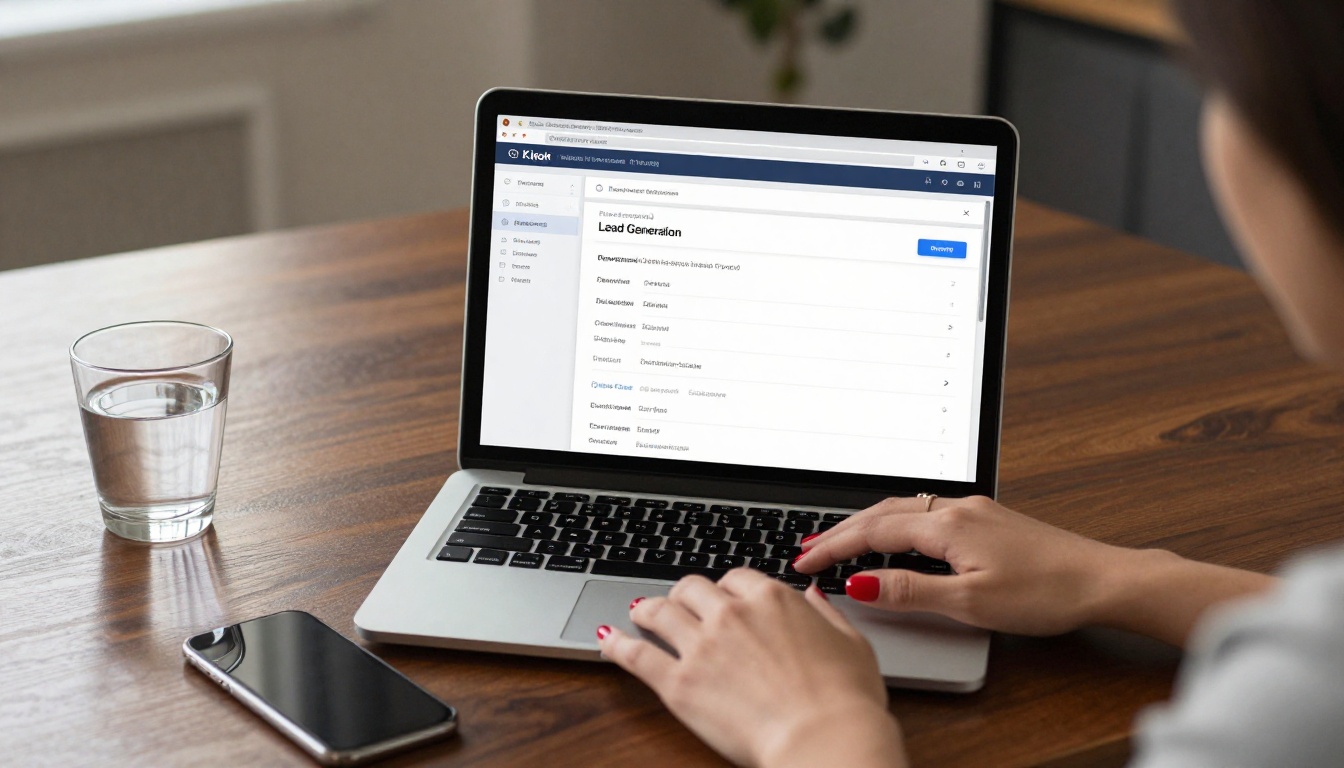
Inside the flipbook editor, locate the Settings panel in the left sidebar. Scroll to the Lead Generation section. This is where you configure the sign-up form behavior, appearance, and trigger timing, all from a single interface.
Step 3: Enable the Form and Set Fields
Toggle the lead generation form to On. You'll see options to:
- Add a form title (e.g., "Get Exclusive Access" or "Stay in the Loop")
- Toggle fields: First Name, Last Name, Email, Phone, Company
- Mark fields as required or optional
- Write a custom description that appears above the input fields
- Edit the submit button text to match your offer
⚠️ Only mark the fields you truly need as required. Optional fields are visible but won't block submission, which keeps friction low.
Step 4: Configure the Trigger Timing
Choose when the form appears during the reading experience. Flipbooks AI offers multiple trigger options:
| Trigger Type | When It Fires | Best For |
|---|
| On Open | Immediately when flipbook loads | High-intent audiences, gated content |
| After X Pages | After reader flips N pages | Warming up readers before asking |
| On Exit Intent | When cursor moves toward closing the tab | Re-capturing nearly lost visitors |
| On a Specific Page | Fires on a chosen page number | Contextual offers tied to content |
The After X Pages trigger is the most common choice for editorial and marketing content because it lets readers sample the publication before being asked for anything. It feels earned rather than forced.
Step 5: Add Branding and Styling
Match the form to your brand identity. You can customize:
- Background color and overlay opacity
- Form title font and color
- Submit button color and text color
- Add a logo or thumbnail image to the form header
Consistent branding on the opt-in form signals trust to the reader. A form that looks disconnected from the flipbook's visual identity sees measurably lower conversion rates.
Step 6: Set a Redirect or Thank You Message
After submission, choose what happens next:
- Display a thank you message (customizable text shown inline, no page reload)
- Redirect to a URL (send them to a download page, a landing page, or your website)
If you're offering a lead magnet, such as a discount code, a free download, or an exclusive price list, the redirect option is ideal. It sends readers directly to the resource they signed up for, delivering instant gratification.
Step 7: Publish and Share
Click Save and republish your flipbook. The form is now active across every channel. Every embed, direct link, and shared URL will include the sign-up form behavior you configured. Use the Embed Flipbook on Website tool to place your lead-generating flipbook directly on any web page with a single code snippet.

The timing of your sign-up form has a bigger impact on conversion than almost any other variable. Showing it too early feels aggressive. Showing it too late means you've already lost the reader's momentum.
The 30% Rule
A widely adopted standard in digital publishing: trigger the form after the reader has seen roughly 30% of the content. For a 20-page catalog, that means showing the form after page 6. For a 10-page brochure, after page 3.
This timing works because:
- The reader has already seen enough to be genuinely interested
- They haven't finished yet, so they still have incentive to provide their details for continued access
- It doesn't feel intrusive because there's been a real exchange of value already
Hard Gate vs. Soft Gate
You can also choose how strict the gate is:
- Hard Gate: The reader cannot continue without submitting the form. Best for proprietary or premium content.
- Soft Gate: The form appears but can be dismissed, and the reader continues freely. Best for public marketing materials.
💡 Even a soft gate captures a meaningful percentage of readers, because many will submit simply because the form appears at a natural pause point. The absence of pressure paradoxically increases trust.
Beyond timing, placement within the reading experience shapes the result.
Full-Page Overlay vs. Corner Widget
Flipbooks AI renders the sign-up form as a full-page overlay on top of the flipbook. This ensures maximum visibility and eliminates any chance of the form being ignored. Unlike a corner widget that readers train themselves to tune out, a centered overlay demands attention without being impossible to dismiss.
The overlay includes:
- A semi-transparent backdrop so the flipbook content is still faintly visible behind
- The form box centered both vertically and horizontally on the screen
- A clear dismiss option if you're using a soft gate configuration

Real Use Cases Across Industries
The sign-up form inside a flipbook isn't a one-size-fits-all tool. Different industries apply it in ways that fit their specific sales cycle and audience.
Retail and E-Commerce
A fashion brand using the Fashion Catalog Creator can gate access to their seasonal lookbook behind a sign-up form. Readers who convert become email subscribers who receive new collection launches automatically. The catalog itself doubles as a lead magnet, attracting sign-ups through its own visual appeal.
Real Estate
Agents using the Real Estate Brochure Creator embed a form at the back of property brochures. Interested buyers who reach the end of a brochure are precisely the high-intent leads worth capturing. Form fields can include phone number as optional, giving agents multiple contact methods for follow-up.
Restaurants and Hospitality
A restaurant using the Restaurant Menu Creator can offer exclusive monthly specials or loyalty program sign-ups directly inside their digital menu. Diners who view the menu online are already engaged, making the conversion moment feel entirely natural rather than sales-driven.
B2B and Sales Teams
Companies sharing detailed presentations with the Sales Presentation Flipbook can gate the full document behind a business email form. This qualifies leads before they even make contact with sales, filtering for the prospects most worth pursuing.
Education and Corporate Training
Training departments publishing materials with the Training Manual Flipbook can use soft-gate forms to collect learner information for compliance tracking and automated follow-up communications after course completion.
Tracking Your Results
Adding the form is step one. Knowing whether it's working is step two.
Built-In Analytics
Flipbooks AI's Professional plan includes analytics that show:
- Total views per flipbook across all share channels
- Number of form impressions (how many readers saw the form)
- Number of form submissions received
- Conversion rate (submissions divided by impressions, expressed as a percentage)
- Individual subscriber data with timestamps for each submission
✅ Aim for a conversion rate of 10-25% on flipbook sign-up forms. Rates below 10% suggest the trigger timing, button text, or form copy needs adjustment.
Performance Benchmarks by Flipbook Type
| Flipbook Type | Avg. Form Impression Rate | Avg. Conversion Rate |
|---|
| Product Catalog | 78% | 18% |
| Real Estate Brochure | 65% | 22% |
| Restaurant Menu | 55% | 14% |
| Annual Report | 45% | 31% |
| Fashion Lookbook | 82% | 20% |
These averages reflect professional-grade publications with relevant, targeted audiences. Content quality and trigger timing are the two biggest levers available to you.

Exporting Your Subscriber List
All form submissions are collected inside your Flipbooks AI dashboard under the lead generation tab. You can export the subscriber list as a CSV at any time for import into your email marketing platform of choice: Mailchimp, ActiveCampaign, Klaviyo, HubSpot, or any platform that accepts CSV uploads.
💡 Set a weekly reminder to export and sync your flipbook leads to your CRM. Captured data sitting idle inside a dashboard is wasted potential.
Make Your Flipbook Work Harder
The sign-up form is one piece of a broader lead generation strategy. Once readers are in your email list, the real compounding begins.
Pair the Form with a Lead Magnet
Give readers a concrete reason to submit beyond "stay informed." Effective flipbook lead magnets include:
- Exclusive discount codes (retail, restaurants, hospitality)
- Full price list access (B2B, furniture, automotive)
- Private collection preview (fashion, interior design)
- Free downloadable resources (education, professional services)
- VIP event invitations (hospitality, luxury brands, product launches)
Use Password Protection for Premium Content
For your highest-value flipbooks, combine password protection with the sign-up form. Readers who want access must submit their email to receive the password. This creates a two-step gate that filters for the most interested prospects while adding an air of exclusivity to the content.
Flipbooks AI supports password protection on Standard and above plans, and pricing plans are structured to make this accessible without enterprise budgets.
Embed Your Flipbook Everywhere
A flipbook with a sign-up form inside becomes a lead capture asset that works across every channel you use. Website pages, blog posts, email campaigns, LinkedIn posts, and QR codes at physical locations all become lead generation touchpoints. The form fires inside the embedded view exactly as it does on a direct link.
The Embed Flipbook on Website tool generates a clean embed code in seconds. Place it on any landing page and your flipbook's form works automatically, no additional configuration needed.

Plan Comparison: Which Tier Includes Lead Generation
Before you can activate the sign-up form, it's worth knowing exactly which Flipbooks AI plan gives you access to this feature and what else comes along with it.
| Feature | Free | Standard | Professional |
|---|
| Flipbooks | Limited | Unlimited | Unlimited |
| Custom Branding | No | Yes | Yes |
| Password Protection | No | Yes | Yes |
| Lead Generation Forms | No | No | Yes |
| Analytics Dashboard | No | Basic | Full |
| Offline Downloads | No | No | Yes |
| Watermarks | Yes | No | No |
| Export Subscriber CSV | No | No | Yes |
Lead generation is a Professional plan feature. For businesses that rely on email marketing as a growth channel, the ROI from a single campaign capturing even 50 new warm subscribers typically covers the plan cost many times over. See the full breakdown on the pricing page.
Start Capturing Leads Today
Your flipbook is already doing the hard work of holding a reader's attention. Adding a sign-up form is the step that turns that attention into a business asset you own outright. The process with Flipbooks AI is straightforward: enable the feature, configure your fields and timing, match the form to your brand, and publish.
From there, every reader becomes a potential subscriber. Every page flip becomes a data point. And every submission becomes the start of a relationship that you own, not rented from an algorithm or tied to a platform's reach.
Ready to put your flipbook to work? Create your account and activate lead generation on the Professional plan today. Or browse all flipbook tools to find the right starting point for your industry and content type.



