Sending a press release as a plain text email with a PDF attachment is how you guarantee it ends up in the trash. Journalists receive hundreds of pitches daily, and most get dismissed in under three seconds. The format itself is working against you before a single headline is read. Flipbooks AI changes that equation by letting you convert your press release into a visually rich, page-turning digital flipbook that opens instantly in any browser, with no downloads required. This article walks you through exactly how to create a press release as a flipbook, from writing and formatting to publishing and tracking the results.

Why Static Press Releases Get Ignored
The traditional press release format has not changed much since the 1980s. A wall of text, boilerplate quotes, and a PDF attached to an email. In a world where editorial inboxes are flooded, that approach signals "low priority" before anyone even reads the subject line.
The 3-Second Rule in Journalism
Editors and journalists make snap decisions. If your press release does not communicate value in the first glance, it is gone. A static document buried in an email chain forces the reader to work. A flipbook press release, on the other hand, opens instantly in the browser, shows a professional layout immediately, and signals that your brand takes its communications seriously.
💡 Pro Tip: A clickable link in your email pitch performs significantly better than a PDF attachment. Journalists on mobile especially appreciate not having to deal with file downloads.
What Journalists Actually Want
Reporters are not looking for fluff. They want:
- The news in the first sentence
- Supporting data they can cite immediately
- High-resolution images they can use without asking
- A contact they can reach in under 30 seconds
- A shareable link they can forward to their editor without friction
A flipbook press release puts all of this in one clean, navigable document.

What a Flipbook Press Release Actually Is
A flipbook press release is your standard press release document converted into an interactive, browser-based digital publication. It mimics the physical page-turn of a real document while adding capabilities that a static PDF simply cannot offer.
Beyond the PDF Attachment
When you convert your press release to a flipbook, you get:
- Instant browser access with a shareable URL
- Page-turn animations that create a tactile reading experience
- Embedded multimedia including video clips, audio statements, and image galleries
- Mobile-responsive layout that adjusts to any screen automatically
- No software required on the recipient's end
The Press Kit Designer tool makes this process straightforward, giving your communications the visual polish of a premium brand without requiring a design team.
The Interactive Advantage
Static documents are passive. A flipbook press release is active. Readers can:
- Click through to your website directly from the document
- Navigate between sections with a table of contents
- View full-resolution product images without downloading
- Watch a statement video without leaving the page
- Share the entire publication with a single link
✅ Best Practice: Include a short video statement from your CEO or communications lead directly inside the flipbook. It dramatically increases time-on-page and gives journalists usable multimedia content ready to embed.
What to Include in Your Press Release Flipbook
A flipbook gives you more space and more tools than a standard email press release, but structure still matters. Clarity and hierarchy define whether a journalist reads to the end.
The Essential Sections
Every press release flipbook should contain these elements in order:
- Cover page with your logo, headline, date, and a hero image
- The news in the opening paragraph: who, what, when, where, and why
- Supporting details with data, statistics, or context across 2-3 paragraphs
- Executive quote from a named spokesperson with their title and photo
- About the company boilerplate in a clearly labeled final section
- Media assets section with links to a downloadable high-resolution image pack
- Contact information with name, email, and direct phone number prominently placed
- Appendix (optional) with additional data, charts, or background reference materials
Media Assets That Matter
The assets you include inside the flipbook determine whether journalists can actually use your story. Include:
- High-resolution product or event images (minimum 2-3 photos)
- Executive headshots for the spokespeople quoted in the release
- Data visualizations or infographics that support your claims
- Logo files in both light and dark versions
- B-roll description or video link if applicable to the announcement
| Press Release Element | Static PDF | Flipbook |
|---|
| Hero image with full bleed | Limited | Yes |
| Embedded video statement | No | Yes |
| Clickable links to resources | No | Yes |
| Mobile-responsive layout | No | Yes |
| Shareable URL (no download) | No | Yes |
| Analytics on who reads it | No | Yes (Pro) |
| Password protection | No | Yes |
| Custom branding and colors | Limited | Yes |
Before you upload anything to a flipbook platform, your source document needs to be clean. A sloppy PDF produces a sloppy flipbook.
Design Rules That Convert Cleanly
Follow these formatting principles when building your press release in Word, Google Docs, InDesign, or Canva:
- Use standard page sizes: Letter (US) or A4 works best for flipbook conversion
- Leave adequate margins: Minimum 0.75 inches on all sides to prevent text clipping
- Embed all fonts: Avoid system fonts that may not render correctly on other machines
- Use high-resolution images: 300 DPI minimum for crisp rendering in the flipbook viewer
- Avoid overlapping elements: These can misalign during PDF-to-flipbook conversion
- Save as PDF/A when possible for maximum compatibility across devices
File Prep Checklist
Before uploading, verify:
| Format | Shareable | Interactive | Trackable | Mobile-Friendly |
|---|
| Email body text | Partial | No | No | Partial |
| PDF attachment | No | No | No | Partial |
| Google Doc link | Yes | No | Basic | Yes |
| Flipbook (standard) | Yes | Yes | No | Yes |
| Flipbook (Pro) | Yes | Yes | Full analytics | Yes |

How to Create a Press Release Flipbook with Flipbooks AI
Flipbooks AI is one of the fastest ways to turn any PDF press release into a professional interactive flipbook. Here is the full process from upload to live link.
Step 1: Set Up Your Account
Go to flipbooksai.com/account and create your account. No credit card required to start. The free tier lets you publish flipbooks immediately, while paid plans remove watermarks and unlock advanced features like analytics and lead generation forms.
Step 2: Upload Your PDF
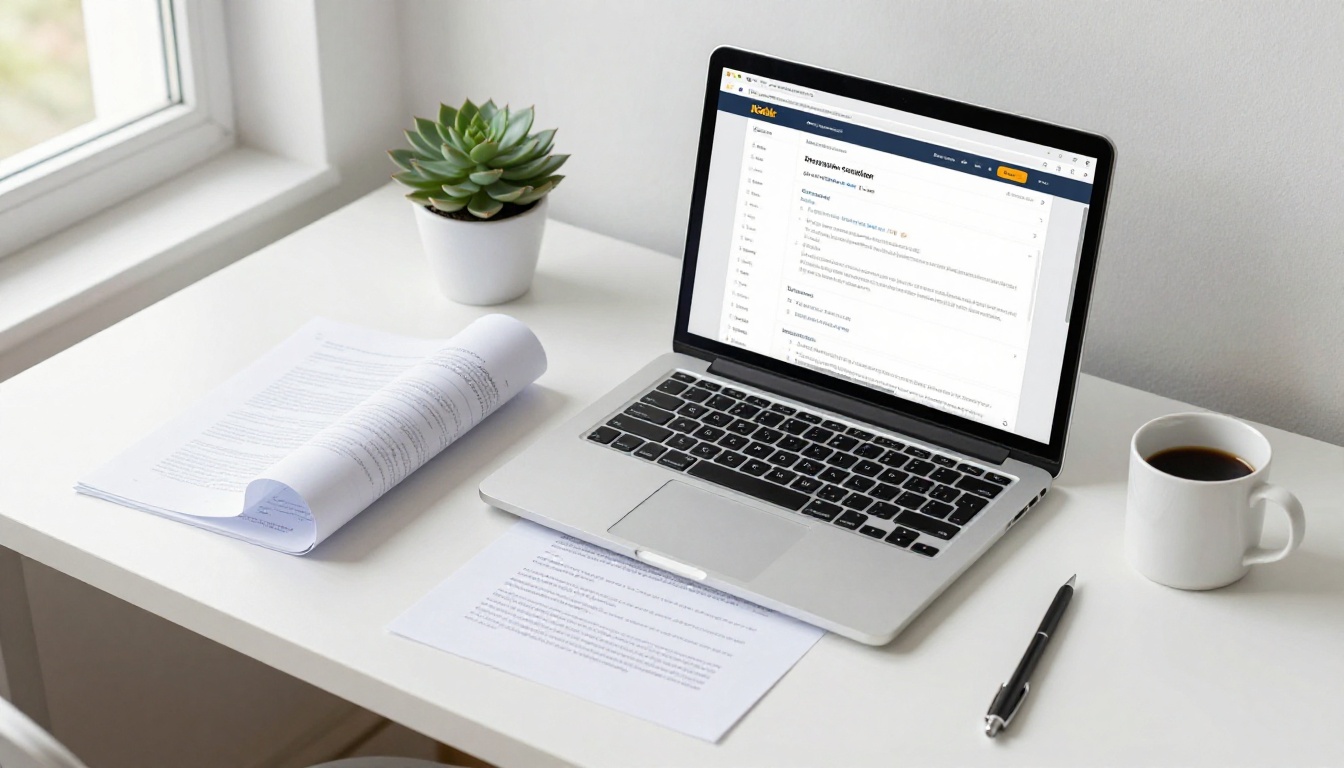
From your dashboard, click "Create New Flipbook" and upload your press release PDF. The conversion process runs automatically and typically completes in under 60 seconds, even for multi-page documents with embedded images and charts.
💡 Pro Tip: If your press release has multiple clearly labeled sections, the platform automatically creates a navigable table of contents based on your document's heading structure.
Step 3: Customize Branding and Colors
Once uploaded, personalize the flipbook experience:
- Set your company's brand colors for the navigation bar and page background
- Upload a custom logo that appears in the flipbook header on every page
- Choose a page-turn effect style: standard flip, slide, or fade transition
- Set a custom domain or subdomain for the flipbook URL (Standard plan and above)
This step matters more than most people realize. A press release that opens with your brand colors and logo tells a journalist immediately that this is a polished, credible communication, not a rushed email blast. First impressions happen before a word is read.
Step 4: Add Multimedia Elements
Inside the editor, enrich your press release with:
- Embedded YouTube or Vimeo videos placed directly on any page of the document
- Audio clips for spokesperson statements or event recordings
- Clickable image hotspots that open full-resolution photos in a lightbox overlay
- External links on any text block or image within the document
The Presentation Flipbook Designer feature is especially useful if your press release includes data slides or supporting visuals that need interactive treatment.

Step 5: Publish and Copy Your Share Link
When satisfied with the result, click "Publish." You will receive:
- A direct flipbook URL you can paste into any email pitch or media advisory
- An embed code to integrate into your online newsroom or press page
- A QR code for physical press materials like event programs and badge packets
⚠️ Warning: Always preview on mobile before sending to media contacts. Most journalists read email on their phones first, and a flipbook that does not render properly on mobile is a missed opportunity before any content is read.
Sharing Your Press Release Flipbook
Creating the flipbook is only half the work. How you distribute it determines whether it actually reaches the right journalists and editors.
Email Pitches with Embedded Links
Replace your PDF attachment with a direct link. The framing matters:
Instead of: "Please find our press release attached as a PDF."
Try: "You can read the full release, including executive video statement and downloadable image assets, here: [link]."
That single change signals competence, saves the journalist a download step, and ensures the release opens on any device without friction.
Online Newsroom Integration
If your company maintains a dedicated press or media page, embed your flipbook directly into it using the embed code Flipbooks AI provides. Journalists who visit your newsroom get an interactive, always-accessible press hub instead of a folder of aging PDFs.
The Embed Flipbook on Website tool makes this a one-step process with a copy-paste snippet.
Social Media Distribution
Your flipbook URL is shareable on every platform without any special setup:
- LinkedIn: Post the link with a brief context paragraph on your company page
- X (Twitter/X): Include the link in a thread breaking down your announcement
- Instagram Stories: Use a link sticker pointing to the flipbook for product launches
- WhatsApp and Telegram press groups: The direct link works without any friction

Tracking Who Actually Reads It
One of the biggest advantages of a digital flipbook over a static PDF is measurability. With the Flipbooks AI Professional plan, you get complete read analytics that a PDF attachment can never provide.
What the Analytics Dashboard Shows
- Total views over any date range you select
- Average time spent per individual page
- Page-by-page drop-off so you know exactly where readers stop engaging
- Geographic location of readers broken down by country and region
- Device breakdown across desktop, mobile, and tablet
- Lead capture data if you have enabled a gated entry form
This data tells you which part of your press release journalists actually read, which sections lose their attention, and whether your distribution campaign reached the right geographic markets.

| Feature | Free | Standard | Professional |
|---|
| Flipbook creation | 1 | Unlimited | Unlimited |
| Watermark-free publishing | No | Yes | Yes |
| Custom branding | No | Yes | Yes |
| Password protection | No | Yes | Yes |
| Page-level analytics | No | No | Yes |
| Lead generation gate | No | No | Yes |
| Offline downloads | No | Yes | Yes |
| Embedded video and audio | No | Yes | Yes |
| Custom domain | No | Yes | Yes |
Explore pricing plans to see which tier fits your PR operation and budget.
Real-World Use Cases by Industry
Flipbook press releases work across sectors, but the advantages differ meaningfully by context and announcement type.
Corporate Announcements
For mergers, acquisitions, executive appointments, or earnings disclosures, a flipbook press release adds credibility through clean, organized presentation. Financial journalists handling complex data appreciate a navigable multi-section document over a wall of numbers embedded in an email.
The Annual Report Creator and Corporate Report Maker are strong companion tools for organizations that publish recurring reports alongside press releases and want visual consistency across all communications.
Product Launches
Consumer brands launching new products benefit enormously from embedding product photography directly in the flipbook. A tech company announcing a new device can include detailed spec comparisons, product lifestyle shots, and a CEO video statement, all in one link. Retail editors get everything they need without a single back-and-forth email.
Event Announcements
Festivals, conferences, and cultural institutions use flipbook press releases to combine the factual announcement with visual storytelling. Attendee photos from past editions, speaker headshots, and sponsor logos all live in one shareable document that doubles as a promotional asset.
✅ Best Practice: For event press releases with embargo dates, set a publication date range so the flipbook automatically becomes accessible only when the embargo lifts. This protects exclusivity while giving journalists early access to prepare their coverage.
Non-Profit Campaigns
Non-profits announcing fundraising campaigns, program impact reports, or advocacy initiatives use flipbook press releases to tell a visual story that connects emotionally with editors. Data visualizations showing program outcomes pair with real photography of beneficiaries for a press kit that moves editors to prioritize the story.
The Non-Profit Annual Report template is well-suited for organizations that need to communicate both hard news and narrative impact within the same document.

A press release is only as effective as the format it arrives in. If you are still attaching PDFs to emails and hoping editors open them, you are working against yourself. The content may be solid, but the delivery is invisible to journalists who simply will not open an attachment from an unknown sender.
Converting your press release into an interactive flipbook takes the same document and turns it into something journalists can open instantly, navigate with ease, and share with their team in a single click. It positions your brand as professional, credible, and media-ready before anyone reads a single word of your announcement.
Ready to publish your next press release as a flipbook? Create your free account on Flipbooks AI and have your first interactive press release live in under 10 minutes.
Explore the Press Kit Designer or browse all flipbook tools to find the right format for your specific communications goals. When you are ready to access full analytics and lead tracking, compare pricing plans to choose the tier that fits your team.



