Most product catalogs look forgettable the moment someone closes them. They have the products, the prices, maybe even decent photography. But something is off. They feel flat. Generic. Like they were built to check a box rather than to sell.
The difference between a catalog that feels premium and one that does not is not budget. It is decisions. Decisions about spacing, typography, image quality, paper weight (or screen experience), color restraint, and the story each page tells. This article breaks down every one of those decisions so you can apply them, whether you are creating a print catalog, a digital PDF, or an interactive flipbook with Flipbooks AI.
Why Most Catalogs Miss the Mark

The instinct when building a catalog is to fill every inch of space. More products per page, more callouts, more color. The logic seems sound: give people more to look at, and they will find more to buy.
This is exactly what makes catalogs look cheap.
Premium catalogs do the opposite. They give products room to breathe. They use white space not as empty space, but as a design element that says: this product is worth your attention. Luxury brands have known this for decades. A single product on a spread, properly lit, properly placed, signals exclusivity. A grid of forty items signals a clearance sale.
The problems most catalogs share:
- Too many fonts: Three or more typefaces fighting for attention
- Inconsistent photography: A mix of product shots from different photographers, lighting setups, and angles
- Color overload: Brand colors applied to every element instead of used selectively
- No visual hierarchy: Every item treated as equally important
- Cheap presentation: Low-resolution images, poor contrast, inconsistent margins throughout
The Visual Hierarchy Rule
Every page in a premium catalog has a clear focal point. Before a customer reads a single word, their eye should land somewhere intentional.
This is controlled through:
- Size contrast: The hero product is larger. Supporting items are smaller.
- White space allocation: More space around the most important item
- Typographic weight: Bold headlines draw the eye; body copy stays restrained
- Color contrast: One accent color pulls attention; neutrals support it
💡 A useful test: print your catalog page in black and white. Can you still tell which product is the most important? If not, the hierarchy needs work.

Typography: The Underrated Signal
Nothing tells a viewer more about a brand's quality faster than the fonts it chooses. Premium catalogs use typography with discipline.
The two-font rule works for almost every catalog:
- A serif typeface for headlines (Garamond, Didot, Freight Display, or similar)
- A clean sans-serif for body copy and product details (Helvetica Neue, Aktiv Grotesk, or similar)
That is it. Two fonts. Consistent sizing. Generous line spacing (at least 1.5x the font size for body text). Tight tracking for display headlines.
| Element | Premium Standard | Common Mistake |
|---|
| Headline font | Elegant serif, 28-48pt | Comic Sans, display fonts, 3+ options |
| Body font | Clean sans-serif, 9-11pt | Same as headline, too small or too large |
| Line spacing | 1.5x to 1.8x | Single-spaced or double-spaced |
| Tracking | Slightly loose on body | Default or inconsistent |
| Font colors | Black, dark gray, or brand tone | Multiple colors on body text |
| Number of fonts | 2 maximum | 4+ competing typefaces |
⚠️ Never use outline fonts or drop shadows on product text in a catalog. These effects were dated before smartphones existed.
Product Photography: One Standard, No Exceptions

The single fastest way to make a catalog look premium is to fix the photography. Not the filters. Not the layout. The actual photographs.
Premium catalog photography follows one standard across every page:
- Consistent background: White, light gray, or one curated lifestyle setting. Never mixed.
- Consistent lighting: Same light setup across every product shot. Shadows fall the same direction on every page.
- Consistent angle: Products photographed from the same height and distance unless intentionally varied for feature shots
- High resolution: Minimum 300 DPI for print. For digital, at least 2000px on the longest edge.
When different products were shot by different photographers or in different conditions, the inconsistency reads as unprofessional immediately, even to viewers who cannot articulate why.
✅ Brief your photographer with a "catalog bible" before the shoot: one page with background color, lighting direction, shadow treatment, and example reference images. This keeps every shot aligned across the entire catalog.
Color: Restraint as a Strategy
Most brands use too many colors in their catalogs. A premium catalog limits itself to three maximum:
- A neutral base: White, off-white, light gray, or warm cream
- A primary brand color: Used on section headers and key callouts only
- An accent: A secondary color used sparingly, almost as a surprise
The restraint signals confidence. Brands that plaster every page with their colors are working hard to be noticed. Brands that use color selectively are saying: the products speak for themselves.
| Color Strategy | Effect | Example Brands |
|---|
| All neutrals with one bold accent | Modern, minimal, editorial | Apple, Muji |
| Warm cream and gold tones | Luxury, heritage, premium | Hermès, Rolex |
| Dark backgrounds with light products | Dramatic, high-contrast, exclusive | Chanel, Dior |
| Bright multi-color pages | Playful, mass-market, accessible | IKEA, Argos |
| Inconsistent palette | Cheap, unprofessional, confusing | Most unguided small business catalogs |
Layout Principles That Signal Quality

A premium catalog layout is built on a grid. Not a rough approximation of a grid. An actual grid, with consistent margins, gutters, and column alignments.
Standard catalog grid setup:
- Outer margins: At least 15mm on print, or 5-8% viewport on digital
- Inner gutter: 8-12mm between columns
- Baseline grid: All text aligned to the same baseline intervals throughout
The other layout rule that separates premium from ordinary: page rhythm. A premium catalog does not run the same layout on every spread. It alternates. A full-bleed hero image follows a product grid page. A text-heavy editorial spread breaks up a run of product listings. The rhythm keeps the reader engaged and signals intentional design thinking.
Spread types to rotate through:
- Full-bleed hero image spread
- Two-column product grid (4-6 items)
- Single product with lifestyle context
- Editorial text spread with one supporting image
- Comparison table or specification page
💡 Add at least one double-page spread showing a product in use for every section. Lifestyle context raises perceived value immediately, often more effectively than any copy can.
The Paper (or Screen) Experience

For print catalogs, paper weight is a brand statement. Thin paper telegraphs low budget before the reader sees a single product. The standard minimums for premium print:
| Paper Type | Weight | Best For |
|---|
| Coated gloss | 130gsm+ | Vivid product photography |
| Coated silk | 150gsm+ | Premium editorial feel |
| Uncoated matte | 120gsm+ | Organic, artisanal brands |
| Cover stock | 300gsm+ | Front and back cover |
For digital catalogs, the equivalent of paper quality is the interface experience. A flat PDF downloaded to a desktop feels cheap. An interactive flipbook with a realistic page-turn, smooth navigation, and embedded media signals the same premium quality as thick silk-coated stock.
This is exactly what Flipbooks AI delivers. Instead of static PDFs that sit in download folders, you get a rich digital experience that mirrors the tactile quality of a premium printed piece, shareable in seconds with zero print cost.
How to Build a Premium Digital Catalog with Flipbooks AI

Once your catalog design is ready as a PDF, the digital delivery format matters as much as the design itself. Here is how to turn it into a premium interactive experience:
Step 1: Create your account
Go to flipbooksai.com/account and sign up. The free plan lets you test the platform immediately with no credit card required.
Step 2: Upload your PDF
Use the Product Catalog tool or the Digital Catalog Maker. Upload your designed PDF and the system converts it automatically. High-resolution PDFs (300 DPI) produce the sharpest flipbook output.
Step 3: Customize the presentation
Apply your brand colors to the reader interface. Remove platform watermarks (Standard plan and above). Choose your page-turn animation style: classic flip, slide, or scroll. Add your logo to the viewer shell for a fully branded experience.
Step 4: Embed video and audio
For products that benefit from demonstration, embed short product videos directly into the flipbook pages. This is not possible with a standard PDF. It is a significant differentiator for fashion, beauty, and home goods catalogs where motion and sound add context.
Step 5: Set access controls
For trade catalogs or exclusive collections, add password protection so only approved buyers can access the content. The Catalog Flipbook Creator supports this directly, adding a layer of exclusivity that reinforces premium positioning.
Step 6: Share and track
Generate an embed code to place the catalog on your website, or share a direct viewer link. With the Professional plan (see pricing), you get page-level analytics showing exactly which products viewers spend the most time on, plus built-in lead capture to convert browsers into prospects.
✅ Flipbooks AI features that elevate digital catalogs:
- No watermarks on Standard plan and above
- Unlimited flipbooks
- Password protection for private catalogs
- Page analytics and lead generation on Professional plan
- Video and audio embeds on any page
- Mobile-responsive viewer on all devices
- Custom branding throughout the reader interface
Copywriting: Premium in Three Lines or Less

Premium catalogs use almost no copy. What they do use is precise.
Three elements per product, maximum:
- Product name: Clean, short, no marketing language
- One line of description: The single most important fact or benefit
- Price: Displayed with confidence, never buried
The instinct to fill space with adjectives ("luxurious," "premium quality," "best-in-class") has the opposite effect. It makes the catalog read like an infomercial. Real premium brands describe products plainly and let the photography carry the emotional weight.
Compare these two:
Ordinary: "Our luxurious, handcrafted full-grain leather wallet features premium Italian tanning and is the perfect accessory for the modern professional."
Premium: "Vegetable-tanned calf leather. Slim 6-card profile. Burnished edges."
The second version sounds expensive. The first one sounds like it is trying too hard. The principle applies regardless of product category: say less, say it precisely, and trust the images to do the rest.
The Details That Buyers Notice
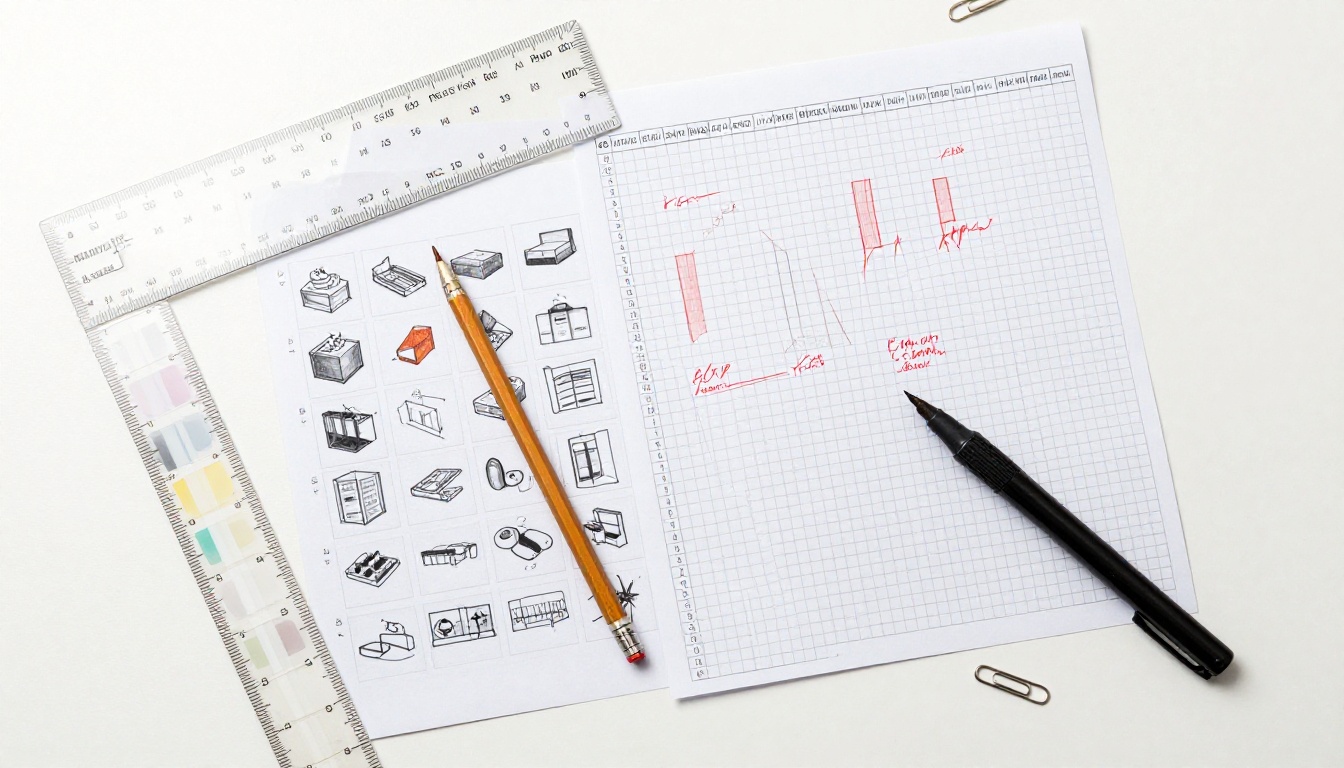
These are the small choices that separate a catalog that feels premium from one that merely tries to:
- Page numbers: Styled, positioned in the outer corner, same size and font throughout
- Section dividers: A single rule line or a shift in background color. Never a decorative banner.
- Product codes: Small, light gray, never competing with the product name
- Bleed and trim: Properly set up in print files. Pages that do not fill edge-to-edge look unfinished.
- Image resolution consistency: Every image at the same resolution. One blurry photo destroys the credibility of the entire catalog.
- Spacing consistency: If the gap between the image and the product name is 8mm on page 4, it is 8mm on page 24. Always.
- Binding quality (print): Saddle-stitch for under 32 pages; perfect bound for larger catalogs. Wire binding signals office supplies, not premium products.
⚠️ The most common mistake in self-produced catalogs is mixing pixel-based images at different resolutions. Always source your images at a minimum of 300 DPI for print and 150 DPI for screen-only formats.
| Factor | Print Catalog | Digital Flipbook |
|---|
| Cost per unit | High, printing and shipping included | Near zero per share |
| Update speed | Full reprint required | Live edits in minutes |
| Analytics | None | Page views, time spent per spread |
| Distribution reach | Local or mailed | Global, instant |
| Multimedia | Static images only | Video, audio, clickable links |
| Premium perception | High with proper print spec | High with the right platform |
| Shelf life | Months to years in physical form | Permanent with a live link |
| Lead capture | Business cards, reply cards | Built-in forms on Professional plan |
The most effective catalog strategy today uses both formats: a high-quality print run for in-person interactions (showrooms, trade shows, high-value client meetings) and a digital flipbook for everything else. The two reinforce each other and reach completely different audience segments.
How to Distribute a Premium Digital Catalog

A premium catalog delivered badly negates all the design work. Distribution matters as much as execution.
Email: Share the flipbook link directly. Do not attach a PDF. A link loads faster, works on all devices, and does not clog inboxes.
Website embed: Place the flipbook on a dedicated catalog page. The Embed Flipbook on Website tool generates a clean embed code. Visitors browse without leaving your site.
QR code: Print a QR code on packaging, business cards, or print ads that links directly to the digital flipbook. This bridges the print and digital experience naturally and gives physical materials a measurable second life.
Social: Share the flipbook link on LinkedIn, Instagram bio, or Pinterest. A catalog that can be browsed in-browser performs far better than a PDF attachment that requires a download.
Wholesale buyers: For trade or B2B distribution, password-protect the catalog so only approved buyers can access it. This adds a layer of exclusivity that reinforces premium positioning before they even open the first page.
What Makes a Catalog Worth Keeping
The best product catalogs are not discarded. They sit on coffee tables. They get passed around. They are saved in a downloads folder and opened again months later.
What earns that treatment:
- An editorial voice: The catalog has a point of view, not just products
- Seasonal or collection narrative: Products grouped by story, not just category
- Aspirational photography: Lifestyle images that show the world the buyer wants to live in
- A format that respects the reader: Whether that is thick paper stock for print or a smooth, responsive flipbook for digital
- No obvious pressure: Prices present but not emphasized. The catalog sells the product; the price is almost an afterthought.
The goal is a catalog that makes the viewer feel something before they reach the product page. That feeling is what converts a browser into a buyer.
Ready to take your product catalog from ordinary to something that actually sells? Start building your flipbook on Flipbooks AI and see the difference a proper digital format makes. Browse the full range of catalog tools to find the right fit for your product range, or check the pricing plans to choose what works for your business.



