Search engines reward content they can find, read, and trust. Most flipbooks fail all three tests, sitting invisible in PDF wrappers or Flash containers that Google cannot index. If you want your digital publication to show up when people search, you need to treat your flipbook like any other piece of web content: structured, crawlable, and optimized from title to thumbnail. This article walks through exactly how to make your flipbook SEO-friendly, from the platform you choose to the metadata you write, so your work actually gets seen by the audience it deserves. Flipbooks AI is built with these principles at its core, which makes the entire process significantly faster.
Why Flipbooks Often Miss Search Traffic
The promise of a flipbook is beautiful: a visually rich, page-turning experience for catalogs, brochures, reports, and publications. The reality for SEO is often disappointing. Most flipbooks are delivered as embedded objects that crawlers cannot parse, meaning all that valuable content is invisible to Google.
The Crawlability Problem with PDFs
When you embed a raw PDF on a webpage without any additional SEO scaffolding, Google may index the PDF itself, but it treats it differently from HTML content. PDFs lack canonical URLs, proper heading structures, and internal linking potential. The text inside is harder to associate with topical authority. Worse, many flipbook platforms wrap PDFs in iframes or Flash containers, and those are essentially black boxes to crawlers.
The fix starts with format. HTML5-based flipbooks that render content as proper web elements, with real text nodes, heading tags, and image alt attributes, give search engines actual content to work with.
HTML5 Flipbooks vs. Flash: What Search Engines See
Flash is effectively dead. Google stopped supporting Flash indexing years ago. Any flipbook still running on Flash is generating zero organic search value. HTML5 flipbooks, when built correctly, can expose their content to crawlers in a meaningful way.
| Format | Crawlable | Mobile-Friendly | Indexable Text | SEO Value |
|---|
| Flash | No | No | No | None |
| Raw PDF embed | Partial | Poor | Limited | Low |
| iFrame only | No | Varies | No | None |
| HTML5 Flipbook | Yes | Yes | Yes | High |
| HTML5 with schema markup | Yes | Yes | Yes | Very High |
⚠️ If your flipbook platform still uses Flash or iFrame-only embedding without structured data, you are losing all organic search potential from your publication.
Not all flipbook platforms are equal when it comes to search optimization. Choosing the right tool from the start saves you from fighting an uphill battle later.
What an SEO-Ready Flipbook Tool Needs
Before committing to a platform, run through this checklist:
- Custom URL slugs: Can you set a clean, keyword-rich URL for each flipbook?
- Meta title and description fields: Can you write unique tags per publication?
- Alt text support: Can you add descriptions to images within the flipbook?
- HTML5 output: Is the content rendered as real text, not just a visual layer?
- Mobile responsiveness: Does the flipbook adapt to phone screens without a separate app?
- Fast load times: Do large publications load in under 3 seconds?
- Embed code with structured data: Does embedding on your site pass SEO signals?
Platform Comparison: SEO Capabilities
| Feature | Basic PDF Embed | Generic Flipbook Tool | Flipbooks AI |
|---|
| Custom URL slug | No | Sometimes | Yes |
| Meta title and description | No | Rarely | Yes |
| HTML5 rendering | No | Sometimes | Yes |
| Mobile responsive | No | Varies | Yes |
| Analytics built-in | No | No | Yes (Pro plan) |
| No watermarks | No | Paid only | Yes |
| Custom branding | No | Limited | Yes |
| Schema markup support | No | Rare | Yes |
Flipbooks AI hits every item on this list, and the PDF to Flipbook Converter does the technical conversion automatically so you can focus on content strategy instead of configuration.

Your Title and URL Are Worth More Than You Think
Two of the highest-leverage SEO elements for any piece of content are the title and the URL. Flipbooks are no different, yet most people leave both as auto-generated defaults.
Writing Flipbook Titles That Rank
Your flipbook title is the first signal Google uses to understand your content. It needs to do two things at once: include the phrase people are actually searching for, and give a human reader a clear reason to click.
A few principles:
- Front-load the keyword: Put the most important phrase at the beginning of the title.
- Stay under 60 characters: Titles over 60 characters get truncated in search results.
- Avoid generic labels: "Q3 Report" tells nobody anything. "Q3 Product Catalog, Summer 2024" tells both a crawler and a buyer exactly what they are getting.
- Match search intent: If people are searching "restaurant menu PDF," your title should reflect that a menu is inside.
💡 Treat your flipbook title the same way you would treat a blog post headline. It is a headline for humans and a signal for crawlers, not a filename.
Building Clean, Crawlable URLs
If your flipbook lives at a URL like example.com/viewer?doc=38291, Google has no idea what content to expect. A URL like example.com/summer-2024-product-catalog communicates topic, freshness, and intent all at once.
Best practices for flipbook URLs:
- Use hyphens to separate words, never underscores.
- Include 1-2 target search phrases in the slug.
- Remove stop words like "the," "a," and "and" unless they are essential.
- Keep slugs under 60 characters total.
- Never auto-generate numeric IDs as URLs. Set them manually every time.

Metadata does not directly raise your ranking, but it controls your click-through rate in search results, and click-through rate absolutely affects ranking. A flipbook with strong metadata earns more clicks, which sends a positive signal back to Google.
Title Tags and Meta Descriptions for Flipbooks
Every flipbook you publish should have a unique meta title and meta description. These are different from the flipbook's display title. They are written specifically for the search result snippet.
Meta title rules:
- Max 60 characters
- Include the primary search phrase
- No brand names unless you are targeting brand searches
- No separators like
| or -
Meta description rules:
- Max 160 characters
- Focus on the result or benefit the reader gets
- Include a subtle call to action ("See," "Find out," "Read")
- Make it distinct from the title, not a repetition
✅ A strong meta description for a product catalog flipbook might read: "Browse our full summer collection in an interactive, mobile-friendly flipbook. New arrivals, pricing, and availability all in one place."
Open Graph Tags for Social Search Signals
When your flipbook is shared on LinkedIn, Facebook, or X, Open Graph tags control what the preview looks like. A flipbook with a compelling OG image and title gets more shares, which generates backlinks, which builds authority.
Make sure your flipbook platform outputs these tags automatically:
og:titleog:descriptionog:image (at least 1200x630px)og:url
Images, Alt Text, and Accessibility
Flipbooks are inherently visual. Every page spread, product photo, and infographic inside your publication is an SEO opportunity waiting to be activated, provided you write the right alt text.
Why Alt Text Is a Search Signal
Alt text serves two audiences: screen readers for visually impaired users, and search engine crawlers that cannot "see" images. When Google indexes your flipbook page and encounters an image with no alt text, it either ignores it or makes a guess based on surrounding content. That guess is rarely accurate.
Well-written alt text:
- Tells crawlers exactly what the image shows
- Reinforces the topical relevance of the page
- Can rank in Google Images, driving additional traffic streams
- Improves accessibility scores, which are increasingly factored into ranking
How to Write Alt Text for Flipbook Pages
Keep it descriptive and specific. Avoid stuffing phrases in. Write for the human first, the algorithm second.
| Image Type | Weak Alt Text | Strong Alt Text |
|---|
| Product photo | "image001.jpg" | "Red leather sofa, three-seater, mid-century modern style" |
| Chart or graph | "chart" | "Bar chart showing 40% sales increase in Q3 2024 compared to Q2" |
| Portrait or headshot | "person" | "CEO Jane Smith presenting the annual report at company headquarters" |
| Food photo | "dish" | "Grilled salmon with lemon butter sauce, served with asparagus and wild rice" |
| Real estate | "house" | "Three-bedroom colonial-style home with white facade in suburban neighborhood" |
💡 For flipbooks with many pages, prioritize alt text for your hero images, charts, and any image that carries information not duplicated in nearby text.
How to Build an SEO-Friendly Flipbook with Flipbooks AI
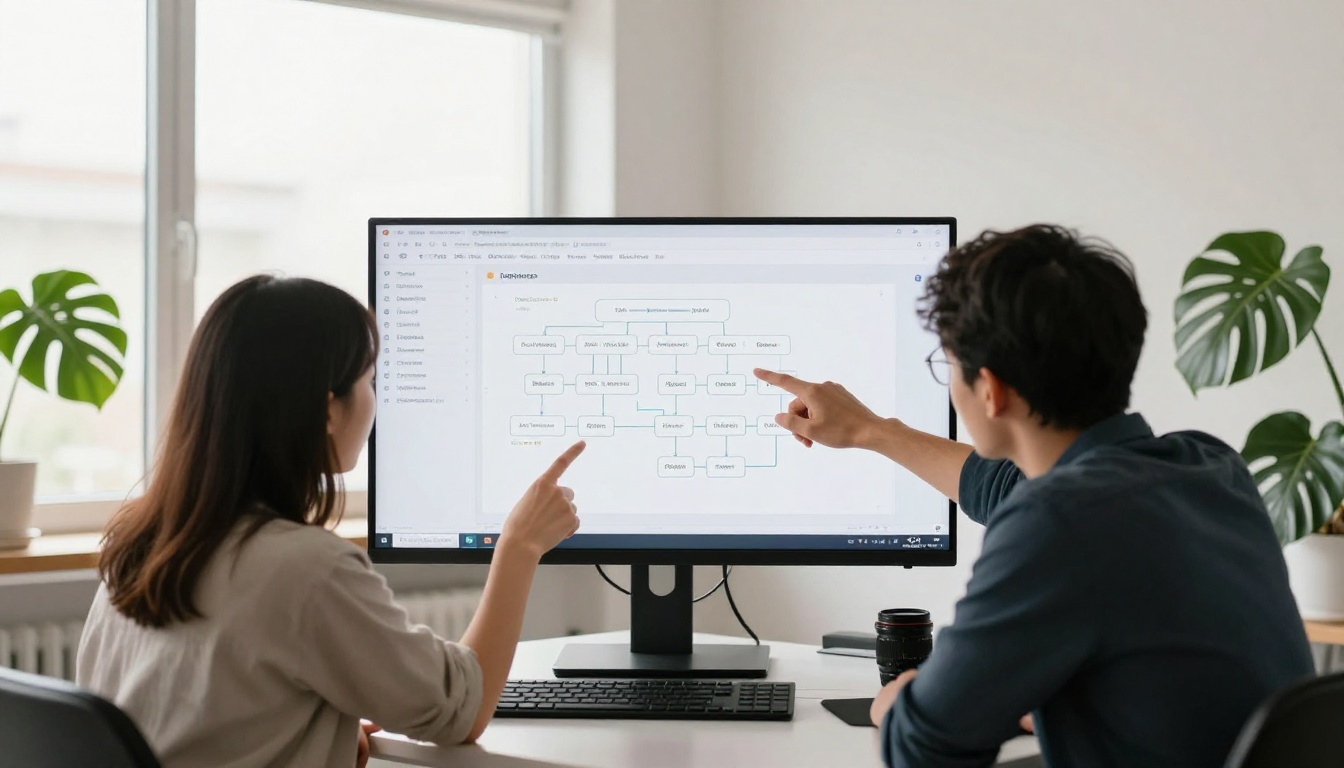
Flipbooks AI is designed to take a PDF and turn it into a fully indexed, shareable, SEO-optimized digital publication without requiring a developer. Here is how to do it from start to finish.
Step 1: Upload Your PDF and Set It Up
- Go to flipbooksai.com/account and create your free account.
- From your dashboard, click "New Flipbook" and upload your PDF file.
- The platform automatically converts it to HTML5 format, preserving all text, images, and layout.
- While uploading, give your flipbook a descriptive name that matches the content, not a default filename like "document_v3_final."
Step 2: Configure Your SEO Settings
Once your flipbook is created, open the settings panel:
- Set a custom URL slug: Replace any auto-generated ID with a search-phrase-rich slug, such as
spring-2024-fashion-catalog.
- Write a meta title: Keep it under 60 characters and include your main search phrase.
- Write a meta description: 120 to 155 characters, focused on what the reader gets from your publication.
- Add alt text to important images: Use the image editor to add descriptions to your most important visuals.
- Apply custom branding: Add your logo and brand colors so the flipbook reinforces your website's authority signals consistently.
✅ If you are creating product catalogs, the Digital Catalog Maker and Fashion Catalog Creator tools come with SEO-friendly templates already structured for search.
Step 3: Publish, Embed, and Signal to Google
- Publish your flipbook and copy the direct URL.
- Submit the URL to Google Search Console using the URL Inspection tool to request indexing.
- Embed the flipbook on a relevant page of your website using the Embed Flipbook on Website tool. The embed includes proper HTML markup that supports indexing.
- Share on social channels to generate early traffic signals and social proof.
- Link to the flipbook from relevant internal pages, blog posts, or email campaigns to build internal link equity.
For businesses on the Professional plan, the built-in analytics show exactly which pages get viewed most, which is invaluable data for refining your content strategy over time. See pricing plans for full feature details.


Embedding and Backlink Strategy
A flipbook that lives only on its own dedicated page is limited. The real SEO multiplier comes from embedding it strategically and building links that point directly to it.
How Embedding Passes Link Equity
When you embed your flipbook on a page that already has domain authority, some of that authority transfers. A real estate agency that embeds its Real Estate Brochure flipbook on a high-traffic property listings page gains far more SEO value than one that only shares the flipbook URL directly in an email.
High-value embedding opportunities:
- Product pages embedding a matching product catalog flipbook
- Blog posts embedding a relevant publication or report
- Landing pages embedding a lead-generation brochure
- Resource hubs embedding training manuals or annual reports
Use the Embed Flipbook on Website tool to generate clean embed code that includes proper semantic markup for indexing.
Building Authority Around Your Flipbook
Backlinks remain one of the top ranking factors. Getting other sites to link directly to your flipbook builds its authority over time. Strategies that deliver consistent results:
- Press releases: Announce your publication and link to the flipbook in the release.
- Industry directories: Submit your catalog or brochure to relevant listing sites.
- Guest posts: Write articles for other sites that reference your flipbook as a resource.
- Partnerships: Ask suppliers, partners, or clients to link to your shared publications.
- Social sharing: When your flipbook is shared widely, it generates social signals that support ranking indirectly.
💡 For restaurants using the Restaurant Menu Creator, posting your flipbook menu on Google My Business and your website simultaneously drives both local SEO and direct link signals. Two channels, one piece of content.
Technical Factors That Affect Ranking
Content quality matters, but technical performance determines whether your flipbook even gets a fair shot at appearing in results.
Page Speed and Core Web Vitals
Google's Core Web Vitals directly affect ranking. If your flipbook takes 8 seconds to load, it is hurting every page it is embedded on. Performance numbers to monitor:
- Largest Contentful Paint (LCP): The main content should load in under 2.5 seconds.
- Cumulative Layout Shift (CLS): The page should not jump around as elements load.
- Interaction to Next Paint (INP): Interactions like page turns should respond in under 200ms.
Flipbooks AI optimizes all of these automatically through lazy loading, compressed assets, and CDN delivery. You do not need to configure a thing manually.
Mobile Optimization Is Non-Negotiable
Over 60% of web traffic now comes from mobile devices. A flipbook that requires pinching and zooming to read on a phone is not just a bad user experience, it is a ranking penalty. Google uses mobile-first indexing, meaning it crawls and ranks the mobile version of your content.
What mobile optimization looks like in practice:
- Text is readable at 16px or larger without zooming
- Tap targets such as buttons and page-turn arrows are at least 44x44px
- The flipbook adapts to any screen width automatically
- No horizontal scrolling is required to read content
- Images are compressed for mobile data connections without losing visual quality
All flipbooks created on Flipbooks AI are mobile-responsive by default. Whether you are building a Training Manual Flipbook for employees or a Wedding Album Flipbook for clients, the result works flawlessly on any device without extra effort.
✅ Run your flipbook URL through Google's PageSpeed Insights after publishing. Use the scores as a benchmark and revisit your platform choice if Core Web Vitals are consistently below the threshold.

Start Ranking with Your Next Flipbook
Every flipbook you create is a piece of content that can either sit invisible or show up in search results and drive real, sustained traffic. The difference comes down to a handful of deliberate choices: picking an HTML5 platform, writing proper metadata, adding alt text, building clean URLs, and embedding with intention.
The work is not complicated. It is systematic. And the payoff compounds over time as each publication you optimize builds more authority for your brand and brings in more of the audience you are trying to reach.
Ready to put this into practice? Create your first optimized flipbook on Flipbooks AI today. Browse all available flipbook tools to find the right template for your publication type, and check the pricing plans to see which features fit your workflow best.



