Tax season brings a familiar pressure: stacks of forms, anxious clients, and the constant need to communicate complex financial information clearly. Most accounting firms still rely on static PDFs, printed brochures, or cluttered email attachments to share service information, and those formats are silently costing them clients. A well-crafted flipbook changes that. Flipbooks AI turns your existing PDFs into polished, page-turning digital experiences that clients actually read, save, and share.
Why Tax Firms Lose Clients Before the Conversation Starts
The first impression a potential client gets from your firm often isn't a handshake. It's a PDF that loads slowly, looks like a government form, and offers zero reason to keep reading. Tax firms that still rely on static documents are giving away trust before the relationship even begins.
The Real Cost of a Boring Brochure
A printed brochure costs money to produce, gets outdated the moment a fee changes, and ends up in a recycling bin. A static PDF sent via email rarely gets opened past the first page. According to content engagement research, interactive documents get read 30% longer than their static counterparts. For a tax firm, that difference in reading time can mean the difference between a prospect signing on or walking to a competitor.
The professionals who use interactive digital publications consistently report stronger client retention during onboarding. When a new client receives a beautifully formatted service kit they can page through on their phone or laptop, it signals professionalism and attention to detail. Two things tax clients care about deeply.

What Clients Actually Expect Now
Clients under 45 are increasingly mobile-first. They want to review your service menu while waiting for a coffee. They want to forward your pricing document to a business partner without it looking like a scanned form from 2009. A mobile-responsive, page-flipping digital brochure checks all those boxes without requiring you to redesign anything from scratch.
💡 Pro Tip: You don't need a designer to create a professional flipbook. If you have a PDF, you're already 90% of the way there.
What to Put in Your Tax Firm Flipbook
Before you upload anything, it helps to think about the specific use case. Tax firms have several distinct audiences: prospective clients, existing clients, referral partners, and new employees. Each one benefits from a different flipbook format.

Service Menus and Pricing Tiers
This is the most commonly converted document, and for good reason. A service brochure with clear pricing, package tiers, and descriptions of what each tier includes converts better than a plain price list. When formatted as a flipbook, it becomes something worth sharing. Prospects forward it to spouses, business partners, and CFOs.
A strong service flipbook for a tax firm includes:
- A brief firm overview (2 pages max)
- Individual service pages for personal tax, business tax, bookkeeping, and payroll
- Pricing tiers formatted in a clear table
- A page for each service with a short description and common client types
- A "How We Work" section with your onboarding process
- Contact information and a clear next step
Client Onboarding Kits
New client onboarding is one of the highest-leverage uses for a flipbook. Instead of emailing five separate attachments, you send one link. The client opens a branded, page-turning document that walks them through:
- What documents to gather before their first meeting
- Your firm's data security policies
- How to upload documents to your client portal
- What to expect in the first 30 days
- A FAQ section covering the most common first-year questions
✅ Best Practice: Password-protect your client onboarding flipbook so it stays private. Flipbooks AI includes password protection on Standard plans and above. See pricing to compare options.
Tax Season Checklists
Every accounting firm sends some version of a tax season checklist. Most arrive as a wall of bullet points in an email body. Converting that checklist into a flipbook, with sections for personal filers, self-employed clients, and business owners, makes it feel like a premium resource. Clients keep it open in a browser tab all season instead of losing it in an inbox.
How to Create Your Tax Firm Flipbook on Flipbooks AI
Creating your first flipbook takes under 10 minutes. Here is the full process:

Step 1: Prepare Your PDF
Start with any existing PDF document. It could be your services brochure, an existing client kit, or a tax checklist. Make sure the PDF has clear pages rather than one long scrolling document. Standard letter size (8.5 x 11) or A4 both work perfectly. If you don't have a PDF yet, you can create one in Canva, Google Slides, or Microsoft Word and export it.
Step 2: Upload and Convert
- Go to Flipbooks AI and create a free account.
- Click New Flipbook and select Upload PDF.
- Drag your PDF into the upload window. Conversion typically takes 20 to 60 seconds depending on page count.
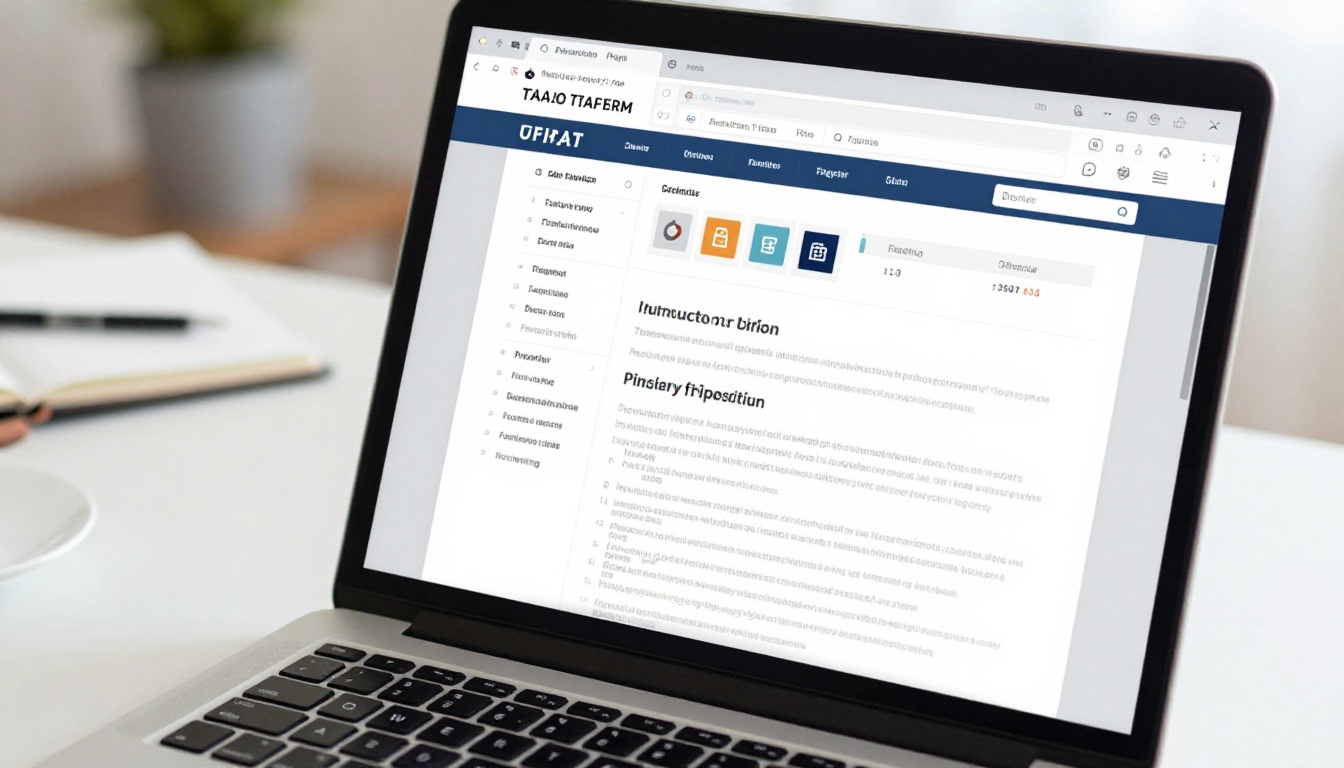
- Your PDF is automatically rendered as an interactive flipbook with realistic page-turn animations.
⚠️ Note: Large PDFs with many high-resolution images take longer to process. For best results, optimize your PDF file size before uploading.
Step 3: Brand It to Match Your Firm
Once uploaded, you can customize:
- Cover thumbnail: The image clients see before they open the flipbook
- Background color and pattern: Match your firm's color palette
- Logo placement: Add your firm logo to the viewer header
- Page effects: Choose from different page-flip animation styles
The PDF to Flipbook Converter handles all the technical rendering automatically.
Step 4: Set Privacy and Share
Depending on whether the flipbook is public-facing or client-specific, your options are:
- Public flipbooks: Copy the shareable link and add it to your website, email signature, or social media bio
- Private flipbooks: Set a password before sharing the link with individual clients
- Embedded flipbooks: Use the embed code to place the flipbook directly on a page of your website using the Embed Flipbook on Website tool
For client-facing materials on your website, embedding the flipbook directly on your Services page dramatically reduces bounce rate. Visitors can read your service menu without downloading anything.
Best Use Cases by Firm Type
Not every accounting firm is the same. Here's how different firm structures benefit from flipbooks:

Annual Tax Summary Reports for Clients
One of the highest-value flipbook applications for established firms is the annual client tax summary. Instead of emailing a PDF recap of the year's work, you create a branded, page-turning report that includes:
- A year-in-review summary of taxes filed
- Key deductions captured and amounts saved
- Upcoming deadlines and changes that affect the client in the next tax year
- A personalized recommendation section for the year ahead
This type of report reinforces your value proposition. Clients see the work that was done, feel taken care of, and are far less likely to shop around for a cheaper alternative.
Service Brochures That Actually Close Deals
Most service brochures tell people what the firm does. The best ones show the client what the outcome looks like. Using a flipbook format, you can devote a full page spread to each service: business tax preparation, S-corp elections, retirement plan setup, and multi-state filings. Each spread can include a brief anonymized client story, the typical timeline, and a clear fee range.
💡 Pro Tip: Add a "Start Here" page at the front of your service flipbook that helps different client types navigate to the section most relevant to them. Solo filers jump to page 4. Business owners jump to page 9. It saves reading time and signals that you understand their specific situation.
Training Manuals for New Staff
Tax prep chains and multi-location accounting firms can use the Training Manual Flipbook to standardize onboarding. Instead of a shared folder of Word documents, new staff receive a single link. The training manual covers software protocols, client communication standards, compliance requirements, and seasonal workflow schedules.
Flipbooks vs. PDFs vs. Printed Brochures
This comparison addresses the most common question: why not just keep using PDFs?
| Feature | Static PDF | Printed Brochure | Interactive Flipbook |
|---|
| Mobile-friendly | Partial | No | Yes, fully responsive |
| Updateable instantly | Yes | No | Yes |
| Page-turn animation | No | Physical only | Yes |
| Embeddable on website | Limited | No | Yes |
| Password protection | Requires extra software | No | Yes, built-in |
| Analytics tracking | No | No | Yes (Professional plan) |
| Lead generation forms | No | No | Yes (Professional plan) |
| Shareable by link | Awkward | No | Yes |
| Print cost | Zero | High | Zero |
| Offline access | Yes | Yes | Yes, download option |
The data is clear. For tax firms that invest in client relationships, an interactive flipbook covers every gap a PDF leaves open.
Flipbooks AI Plan Comparison for Accounting Firms
Flipbooks AI offers tiered pricing suited to firms of different sizes. Here's how the plans map to typical accounting firm needs:
| Feature | Free | Standard | Professional |
|---|
| Number of flipbooks | 1 | Unlimited | Unlimited |
| Watermark | Yes | No watermark | No watermark |
| Password protection | No | Yes | Yes |
| Custom branding | No | Yes | Yes |
| Analytics dashboard | No | No | Yes |
| Lead capture forms | No | No | Yes |
| Offline downloads | No | Yes | Yes |
| Embed on website | No | Yes | Yes |
| Custom domain | No | No | Yes |
For solo CPAs or small firms just getting started, the free plan is enough to test the format with one public-facing flipbook. For firms that want to send private onboarding kits to clients, the Standard plan adds password protection and removes watermarks. For firms that want to track which pages clients spend the most time on, or capture leads directly from the flipbook, the Professional plan unlocks analytics and lead generation forms. Compare all plans here.

The accounting industry isn't alone in discovering the power of interactive publications. Law firms use them for client welcome packets. Financial advisors use them for investment prospectus summaries. Insurance brokers use them for policy comparison booklets. What all these professionals share is a need to communicate complex information clearly, in a format that respects the client's time.

Bookkeeping Agencies and Monthly Summary Flipbooks
Bookkeeping clients receive a lot of numbers. Monthly profit and loss statements, cash flow summaries, and accounts receivable aging reports can feel overwhelming when delivered as a spreadsheet attachment. Forward-thinking bookkeeping firms are converting these monthly reports into branded flipbooks with color-coded charts, a narrative summary written in plain language, and a section of recommended actions for the month ahead.
Clients don't need to open Excel. They open a link, flip through 8 to 10 pages, and understand exactly where their business stands. Retention rates for bookkeeping firms that use this format are measurably higher than those still relying on spreadsheet delivery.
CPA Firms With Seasonal Campaign Kits
During the January-to-April tax season, many CPA firms run client education campaigns. Topics include new tax law changes, deadline reminders, and deduction opportunities clients might be missing. Delivering these as a flipbook newsletter using the Newsletter Flipbook Publisher positions the firm as a proactive advisor rather than a reactive service provider.
✅ Best Practice: Create a tax season flipbook newsletter in January and update it monthly. Share the same link each time. Clients who bookmarked it will automatically see the updated version without you needing to resend anything.

3 Common Mistakes Tax Firms Make With Digital Documents
Even firms that adopt digital formats sometimes undermine their own results. Avoid these:
- Too many pages, not enough design: A 60-page PDF converted to a flipbook is still a 60-page document. Edit ruthlessly before uploading. Your service brochure should be 12 to 20 pages.
- No clear call to action: Every flipbook should end with a specific next step, whether that's a phone number, a scheduling link, or a contact form. Don't leave the reader on a blank back cover.
- Using the free plan for private client documents: The free plan includes a watermark and lacks password protection. For anything going to an actual client, upgrade to at least the Standard plan. See what each plan includes.
Where to Start
You already have the raw material. Your existing service PDF, your client onboarding email, your tax checklist document. All of it can be a flipbook in under 10 minutes.
The firms that do this first in their market will benefit from the novelty factor. When a prospect receives a page-turning, branded, mobile-responsive service brochure from your firm and a static PDF from a competitor, the decision starts to make itself.
Ready to create your first flipbook? Get started for free on Flipbooks AI, with no credit card required. Need to see what's available for your specific situation? Browse all flipbook tools, or compare pricing plans to choose the right fit for your firm size.



