You've spent hours designing the perfect digital publication. The layout is crisp, the page-flip animation looks stunning on your machine, and the colors are exactly right. Then someone opens your link on Firefox and gets a broken layout. A client tries it on their iPad and the pages refuse to load. Your biggest prospect clicks through on a corporate computer running an older browser and gets an error message instead of your catalog.
Cross-browser compatibility is one of the most underestimated problems in digital publishing, and it costs real opportunities. The solution doesn't require coding skills or deep technical knowledge. Flipbooks AI was built specifically to eliminate this problem, generating HTML5-powered flipbooks that render perfectly in every major browser, on every device, without plugins or downloads.
This article covers what makes a flipbook genuinely browser-compatible, which technologies power it, how to build one in minutes, and how to embed or share it without anything breaking.

Why Browser Compatibility Still Trips People Up
Browser compatibility sounds like a solved problem from 2010. It isn't.
The modern web runs on five major browser engines: Chrome (Blink), Firefox (Gecko), Safari (WebKit), Edge (Blink), and Samsung Internet (also Blink). Each interprets CSS animations, JavaScript, and media rendering slightly differently. A flipbook that relies on proprietary plugins, outdated rendering tricks, or non-standard CSS will look different, perform differently, or simply fail depending on which browser opens it.
The most notorious culprit was Adobe Flash. Flash-based flipbooks were everywhere a decade ago, and every single one of them broke when browsers began dropping Flash support between 2017 and 2021. Millions of digital catalogs, portfolios, and presentations became inaccessible overnight. Publishers scrambling to rebuild their content learned the hard way that browser-native technology isn't optional.
Today's version of the same problem is platforms that use browser-specific JavaScript APIs, rely on CSS features not yet implemented across all engines, or serve video and audio formats that Safari won't play. If your flipbook tool wasn't built with cross-browser testing as a core priority, your content is fragile.
The real cost of a broken flipbook
- Lost readers: Someone who can't open your content on the first try rarely tries again
- Damaged credibility: A broken publication signals unprofessionalism, especially in B2B contexts
- SEO impact: Pages that fail to load contribute to higher bounce rates and lower search rankings
- Support overhead: Time spent troubleshooting compatibility issues is time not spent creating content

The Technology Behind Cross-Browser Flipbooks
The only reliable foundation for a browser-compatible flipbook in 2026 is HTML5 combined with CSS3 animations and vanilla JavaScript. This combination is supported natively by every modern browser without any plugins, extensions, or special settings.
Here's what that means in practice:
- HTML5 Canvas or CSS 3D transforms power the page-flip animation, handled natively by the browser's rendering engine
- Responsive CSS grids and flexbox ensure the layout adapts to any screen size automatically
- Standard web fonts (Google Fonts, system fonts, or WOFF2 format) load consistently across all browsers
- MP4/WebM video and MP3/AAC audio cover the full range of browser media support when you embed multimedia content
- Lazy loading through the Intersection Observer API ensures fast initial load times even on slow mobile connections
💡 The best flipbook platforms abstract all of this away. You upload a PDF, and the platform handles the HTML5 conversion automatically, pre-tested against every major browser.
Why PDF-to-flipbook conversion matters
Starting from a PDF ensures your content is already layout-perfect before conversion. The PDF format preserves fonts, spacing, and images with precision. A well-built conversion engine then maps that PDF structure into HTML5 elements that browsers render natively, preserving every detail from your original design while adding the interactive flip animation on top. No layout drift, no missing fonts, no broken images.
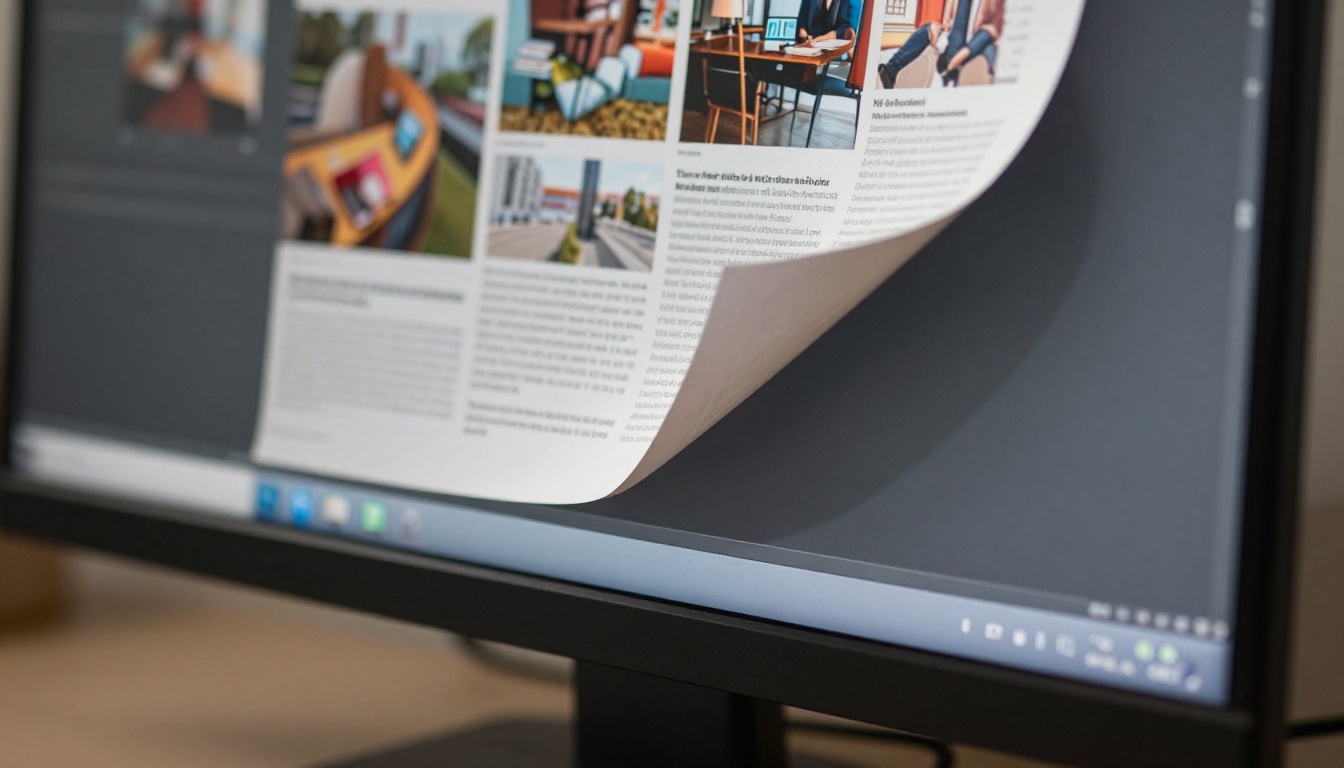
Browsers You Need to Support in 2026
Most digital publications need to work reliably on at least five major browsers plus their mobile equivalents. The table below shows current global usage share and the level of HTML5 flipbook support you can expect from each.
| Browser | Global Market Share | HTML5 Flipbook Support | Notes |
|---|
| Chrome (Desktop + Android) | ~65% | Excellent | Full CSS3D, Canvas, WebGL support |
| Safari (iOS + macOS) | ~19% | Excellent | Strict security model, requires HTTPS |
| Edge | ~5% | Excellent | Same Blink engine as Chrome |
| Firefox | ~3% | Excellent | Strong standards compliance |
| Samsung Internet | ~2.5% | Good | Blink-based, minor rendering differences |
| Opera | ~2% | Good | Blink-based, generally Chrome-compatible |
⚠️ Safari has unique requirements: flipbook content must be served over HTTPS, and autoplay audio/video is restricted by default. A well-built platform handles both of these requirements automatically before you even publish.
The practical takeaway: if your flipbook uses pure HTML5 without proprietary plugins, it will work across all six browsers in the table above. The challenge is ensuring the platform you use actually delivers that promise consistently.

How to Make a Flipbook That Works on Any Browser
Flipbooks AI converts your PDF into a fully browser-compatible HTML5 flipbook in under two minutes. Here is the exact process from upload to publish.
Step 1: Create your account
Go to flipbooksai.com/account and sign up. The free tier lets you test the platform immediately with no credit card required. Your first flipbook can be live within minutes of registering.
Step 2: Upload your PDF
From your dashboard, click New Flipbook and drag your PDF into the upload area. The platform accepts files of any size and processes documents up to hundreds of pages cleanly. Conversion is automatic: the engine parses your PDF structure and outputs a fully functional HTML5 flipbook preserving all fonts, images, and layout details from your original design.
💡 For the sharpest results, export your PDF at 150 to 300 DPI. Higher resolution produces crisper page images without creating an unnecessarily large file.
Step 3: Customize your flipbook
Once converted, you can configure every visual and functional detail:
- Brand colors for the flipbook viewer interface chrome
- Logo placement in the viewer header
- Background style (solid color, gradient, or custom image)
- Navigation controls (table of contents, search, page thumbnails)
- Download button visibility
- Password protection for private or client-facing documents
Every customization applies universally. What you configure once renders consistently across Chrome, Safari, Firefox, Edge, and every mobile browser.
Step 4: Preview across devices
The built-in preview lets you check how your flipbook renders at desktop, tablet, and mobile viewport sizes before publishing. For thorough pre-launch testing, copy your draft link and open it directly in Chrome, Firefox, and Safari to confirm consistent rendering. This takes two minutes and catches any unexpected behavior before your audience sees it.
Step 5: Publish and share
Hit Publish and your flipbook receives a clean shareable URL immediately. From that point you can:
- Copy the embed code to place the flipbook on any website page
- Share a direct link via email, social media, messaging apps, or QR codes
- Enable password protection for confidential or premium content
- Download for offline use (Professional plan)
✅ Every flipbook published through Flipbooks AI is served over HTTPS by default, which means Safari on iOS will display it without security warnings or access restrictions.

Embedding Your Flipbook Without Breaking It
Sharing a link is straightforward. Embedding a flipbook directly on a website is where browser compatibility problems often creep back in through incorrect implementation.
The cleanest embedding method is the standard iFrame embed code that Flipbooks AI generates automatically. Copy it, paste it into your site's HTML, and it works. But a few common mistakes can break the embed depending on the viewer's browser.
What to avoid when embedding
- Fixed pixel widths: Always use percentage-based widths (
width="100%") so the embed adapts to its container responsively
- Missing
allowfullscreen attribute: Without this, some browsers block the fullscreen toggle entirely
- HTTP-served pages embedding HTTPS content: Mixed content warnings will block the embed in most modern browsers
- Overly restrictive Content Security Policy headers: If your website has a strict CSP, add the flipbook domain to your
frame-src allowlist
Direct link vs. embed code
| Method | Best For | Browser Considerations |
|---|
| Direct link | Email, social media, QR codes | Works universally, opens in current tab |
| iFrame embed | Website and landing page integration | Requires HTTPS and correct attributes |
| Popup/lightbox | Product pages, portfolio sites | JavaScript-dependent, test across all browsers |
The Embed Flipbook on Website tool generates properly formatted embed code for all three scenarios, pre-configured with correct attributes for cross-browser compatibility.
Mobile Browsers Deserve Attention Too
Over half of all web traffic now comes from mobile devices, and mobile browsers have their own quirks that can derail a flipbook that works perfectly on desktop.
The most critical mobile-specific considerations:
Touch and swipe navigation: A flipbook designed only for mouse clicks will feel broken on mobile. Proper touch event handling means users can swipe through pages naturally on iOS Safari and Android Chrome without thinking about it.
Viewport scaling: Mobile browsers apply automatic font scaling and viewport adjustments. A flipbook that doesn't declare a proper viewport meta tag can render at desktop scale on a phone screen, making the text impossible to read without constant zooming.
Performance on slower connections: Mobile users are frequently on cellular or public WiFi. A flipbook that preloads all 50 pages upfront will feel sluggish and unacceptable. Lazy loading, where only the visible pages load initially, is essential for a smooth mobile experience.
Pinch-to-zoom support: Readers on mobile expect to zoom in on fine print, detailed infographics, or product imagery. This should work without disrupting the page-flip interface or causing layout shifts.
Flipbooks AI addresses all four of these points by default. The viewer is fully touch-optimized, uses lazy loading automatically, and respects standard mobile viewport conventions out of the box.

Real-World Use Cases That Demand Cross-Browser Support
Cross-browser compatibility is not an abstract technical concern. It has direct business impact across virtually every industry that publishes digital content.
| Industry | Use Case | Why Cross-Browser Matters |
|---|
| Retail | Product Catalog | Customers browse on phones, tablets, and desktops alike |
| Food & Beverage | Restaurant Menu Creator | Diners scan QR codes on any smartphone browser at the table |
| Real Estate | Real Estate Brochure | Buyers view listings from any device and any location |
| Fashion | Fashion Catalog | Buyers and stylists use iPads, Macs, and Windows machines interchangeably |
| Education | Course Material Publisher | Students use school-issued devices running various browser versions |
| Hospitality | Hotel Brochure | Travelers research accommodations on mobile during their commute |
| Corporate | Annual Report Creator | Stakeholders open reports on locked-down enterprise browsers with strict policies |
| Events | Event Program Maker | Attendees scan QR codes on any personal device during the event |
In every one of these cases, a flipbook that fails in one browser is a missed connection with a real customer, client, or stakeholder. The more diverse your audience, the higher the cost of a single incompatible browser.
💡 Browse all available templates at flipbooksai.com/tools to find the right starting point for your specific use case.

Choosing the Right Plan for Your Publishing Volume
Cross-browser HTML5 flipbooks are available on every Flipbooks AI plan. Here's how the tiers compare for teams with different publishing needs and requirements.
| Feature | Free | Standard | Professional |
|---|
| Cross-browser HTML5 flipbooks | ✅ | ✅ | ✅ |
| Number of flipbooks | Limited | Unlimited | Unlimited |
| Custom branding | Basic | Full | Full |
| No watermarks | No | ✅ | ✅ |
| Password protection | No | ✅ | ✅ |
| Embed on external websites | ✅ | ✅ | ✅ |
| Analytics and tracking | No | No | ✅ |
| Lead generation forms | No | No | ✅ |
| Offline downloads | No | No | ✅ |
| Mobile-responsive design | ✅ | ✅ | ✅ |
Every plan includes full HTML5 rendering with cross-browser compatibility baked in. The Standard plan removes watermarks and adds password protection, which makes it practical for professional use. The Professional plan adds analytics, lead generation, and offline downloads for teams that need deeper engagement data from their publications.
View the complete breakdown at flipbooksai.com/pricing to compare plans and choose based on your publishing frequency and feature requirements.
✅ Start with the free plan to test your first flipbook across all browsers before committing. No credit card needed, and your flipbook will be live and shareable within minutes.
Build a Flipbook That Opens for Everyone
Browser fragmentation is real, but it does not have to be your problem. The right platform absorbs all the technical complexity and delivers a flipbook that simply works, whether your reader opens it in Chrome on a Windows desktop, Safari on an iPhone, Firefox on Linux, or Edge on a corporate laptop with a restrictive IT policy.
Flipbooks AI was designed from the ground up for this exact promise. Every flipbook it produces is an HTML5-native publication served over HTTPS, with responsive layout, touch-optimized navigation, and lazy loading built in as standard. You bring the PDF. The platform handles every browser compatibility detail automatically.
Ready to build your first cross-browser flipbook? Get started for free and have a shareable, browser-proof publication live in under two minutes.
Want to see the full range of tools first? Browse all flipbook tools and templates across catalogs, menus, brochures, portfolios, annual reports, and more. Or head directly to pricing to pick the plan that fits your publishing needs.



