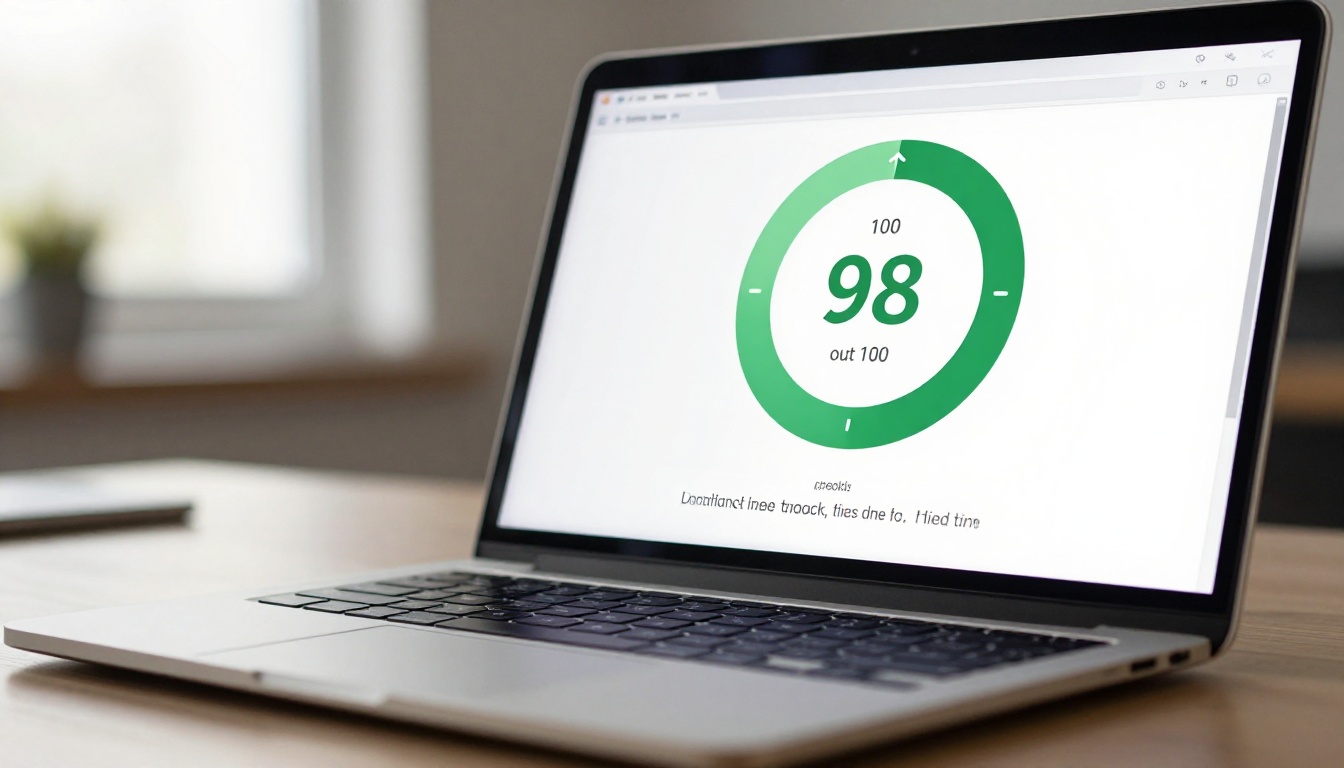
Most people assume that loading a flipbook means sitting through a spinner while a 50-page PDF drags its way across the internet. That assumption is wrong, and it costs brands real readers every single day. Modern PDF flipbooks built with platforms like Flipbooks AI are engineered to load in under two seconds on average, often outperforming even static HTML pages. The secret is in the architecture, and once you see how it works, you will never look at a PDF the same way again.
The Speed Problem with Traditional PDFs
Why PDFs Feel Slow in Browsers
Opening a PDF in a browser is an exercise in patience. The browser must download the entire file before rendering a single page. A 20-page product catalog at 8MB means the user is staring at a blank screen while the entire document travels across the network. On mobile connections, that can take anywhere from 5 to 15 seconds, by which time most visitors have already left.
The fundamental problem is that PDFs were designed for print, not for web delivery. They carry embedded fonts, high-resolution images, vector graphics, and metadata all bundled together in one monolithic file. Browsers treat the whole thing as a single asset. There is no partial rendering, no streaming, and no way to show the first page while the rest loads.

What Modern Readers Actually Expect
Research from Google's Core Web Vitals program shows that 53% of mobile users abandon a page that takes longer than 3 seconds to load. Digital content audiences are even less forgiving: if they cannot see something within 2 seconds, they bounce. This is the window that every digital publisher is working against.
💡 Pro Tip: Perceived speed matters more than actual load time. Showing content within the first 1.5 seconds, even if just the first two pages, keeps users engaged while the rest loads silently in the background.
The bar for "fast enough" has never been higher, and PDFs were never designed to meet it.
How Flipbooks Handle Loading Differently
HTML5 vs. PDF Rendering
A PDF flipbook is not simply a PDF in a fancy wrapper. When you convert a PDF to a flipbook using a platform like Flipbooks AI, the conversion engine breaks the document apart entirely. Each page becomes an optimized web asset: a compressed image or SVG layer, wrapped in HTML5 and JavaScript. The result is a web-native document that a browser can handle exactly the same way it handles any other web page.
This distinction is critical. A browser rendering HTML5 and optimized images uses the same rendering pipeline as loading any fast website. That pipeline is heavily optimized in every modern browser. PDFs, by contrast, use a separate plugin-based rendering path that bypasses many of these optimizations entirely.
| Format | Initial Load Approach | First Page Visible | Mobile Optimized |
|---|
| PDF in Browser | Full file download required | After full download | No |
| HTML5 Flipbook | First 2 pages streamed | Under 1.5 seconds | Yes |
| Static HTML Page | Per-element loading | Under 1 second | Yes |
| Embedded PDF Viewer | Plugin init + full download | 5 to 15 seconds | Limited |
Lazy Loading and Page Streaming
The most significant performance advantage of HTML5 flipbooks is lazy loading. The platform only loads what the reader is actively viewing, plus the next two pages in the buffer. A 60-page catalog does not require loading 60 pages of data. It requires loading 4 to 6 pages at any given moment.
This architecture means the perceived load time for a 100-page flipbook can be virtually identical to a 10-page flipbook. The reader experiences instant access to content while the platform quietly pre-fetches the next spread in the background.
✅ Best Practice: When building long flipbooks (50+ pages), add a table of contents that lets readers jump to specific sections directly. This makes perceived speed even faster because users land on relevant content without browsing from page one.
CDN Infrastructure and Global Speed
Speed is not just about file size. It is also about distance. A server hosted in Virginia delivering content to a user in Tokyo adds hundreds of milliseconds of latency on every request. Modern flipbook platforms solve this with Content Delivery Networks (CDNs).
When your flipbook goes live on Flipbooks AI, its assets are distributed across dozens of edge servers worldwide. A reader in Japan gets their content from a server in Tokyo. A reader in Germany gets it from Frankfurt. Physical distance is no longer a performance bottleneck.

Real Numbers: Load Time Comparison
Average Load Times Side by Side
The numbers below reflect standard testing conditions: a 25-page document with mixed text and images, measured on a 4G mobile connection.
| Document Type | Average First Load | Time to First Page | Total Data Delivered |
|---|
| Raw PDF (browser) | 6.8 seconds | 6.8 seconds | 12.4 MB |
| Google Drive PDF Viewer | 4.2 seconds | 4.2 seconds | 8.1 MB |
| HTML5 Flipbook | 1.4 seconds | 1.4 seconds | 0.9 MB (first spread) |
| Optimized Static HTML | 1.1 seconds | 1.1 seconds | 2.3 MB |
The flipbook delivers the first spread in 1.4 seconds while serving under 1MB of data. The raw PDF makes the user wait almost 7 seconds and downloads over 12MB. This is not a minor difference. It is the difference between a reader who stays and one who bounces.
File Size vs. Perceived Performance
Raw PDF file size is almost meaningless in the context of a well-built flipbook platform. A 50MB PDF with 200 pages will load its first spread in roughly the same time as a 2MB PDF with 10 pages, because both deliver only the first 2 to 3 optimized page images on initial load.
⚠️ Warning: Do not judge a flipbook's performance by its source PDF size. A high-quality PDF exported at print resolution (300 DPI, 100MB+) will convert to a fast-loading flipbook because the platform re-compresses and optimizes every page independently for screen delivery.
What Drives Flipbook Speed
Smart Image Compression
When you upload a PDF to a platform like Flipbooks AI, the conversion process applies multi-stage image optimization to every page. Print-quality images at 300 DPI are re-sampled to 96 DPI screen resolution, reducing file sizes by up to 80% without visible quality loss at normal viewing distances.
WebP format, which achieves 25 to 35% better compression than JPEG at equivalent quality, is applied automatically where browser support allows. For browsers that require fallback formats, JPEG with progressive encoding ensures the image renders from top to bottom as data arrives rather than waiting for the complete file.
Progressive Page Delivery
The flipbook engine does not wait for a full page asset before displaying it. Progressive rendering means the image begins appearing as soon as the first bytes arrive. Combined with pre-fetching of the next spread while the current spread is being read, the experience feels instantaneous even on slower connections.
The technical pipeline works like this:
- User opens the flipbook link
- Platform serves the HTML5 shell and cover spread (pages 1 to 2) immediately
- JavaScript pre-fetches pages 3 and 4 while the user reads pages 1 and 2
- On page turn, pages 3 and 4 are already in cache and appear instantly
- Pages 5 and 6 begin fetching while the user reads pages 3 and 4
- This cycle continues throughout the reading session
From the reader's perspective, every page turn is instant.
Mobile-First Architecture
PDFs are a desktop-era format. Flipbooks are built for the device landscape of today, where over 60% of web traffic comes from mobile. Every flipbook created on Flipbooks AI is automatically responsive: the layout adapts from desktop double-page spreads to single-page mobile views without any manual configuration.
Touch gestures work natively: swipe to turn pages, pinch to zoom, tap to follow links. The experience is built for thumbs first, keyboards second. This is not a bonus feature. It is a baseline requirement that PDFs simply cannot meet.
How to Make Fast Flipbooks with Flipbooks AI
Flipbooks AI handles all conversion, optimization, and delivery automatically. Here is how to go from PDF to a fast-loading, shareable flipbook in minutes.
Upload Your PDF
- Visit Flipbooks AI and create a free account
- Click Upload PDF from your dashboard
- Select your PDF file (any size, any page count)
- The conversion engine processes your document automatically, optimizing every page for web delivery
- Your flipbook is ready to preview within seconds for most documents
💡 Pro Tip: For the best visual output, upload PDFs exported at 150 DPI screen resolution with embedded fonts. This gives the conversion engine clean source material without unnecessary file bloat.
Customize Your Flipbook
Once created, you have full control over your flipbook's appearance and behavior:
- Branding: Upload your logo, set custom colors, and connect a custom domain
- Page Effects: Choose from realistic page-curl physics, slide transitions, or fade effects
- Navigation: Add a table of contents for long documents, or a thumbnail strip for quick browsing
- Multimedia: Embed videos, audio clips, and hyperlinks directly into pages
- Password Protection: Restrict access with a password for private documents
For specific use cases, the tools directory offers dedicated creators built for each format:
Share, Embed, and Publish
Publishing a flipbook on Flipbooks AI gives you multiple distribution options:
- Direct Link: Share a clean URL that opens in any browser with no app required
- Embed Code: Copy a one-line iframe embed using the Embed Flipbook on Website tool to add it to any site
- QR Code: Generate a QR code for print materials that links directly to your flipbook
- Social Sharing: Share to social platforms with an auto-generated preview thumbnail

Professional plan users gain access to analytics showing exactly which pages readers spend the most time on, where they drop off, and how many unique visitors have opened the flipbook. This data is invaluable for optimizing content and measuring real-world reader behavior. See pricing plans for the full feature breakdown.
Speed by Use Case
Catalogs and Brochures
Product catalogs are often the heaviest documents a brand produces: 60 to 200 pages of high-resolution product photography, pricing tables, and detailed specifications. In PDF form, these documents are essentially unusable on mobile. As flipbooks, they load in under 2 seconds and allow customers to browse products the same way they scroll an e-commerce page.
A furniture retailer, for example, can embed a 150-page furniture catalog directly on their website. Customers browse it without downloading anything, without plugins, and without waiting. Hotel brands see the same benefit with hotel brochures: a 40-page property brochure with full-spread photography loads in under 1.5 seconds, letting travel bookers review amenities without leaving the booking flow.
E-Books and Digital Magazines
Long-form content like e-books and digital magazines presents a different performance challenge. Content is text-heavy with intermittent full-page imagery. The lazy-loading architecture handles this efficiently: text-heavy pages are smaller in file size than image-heavy pages, so the loading buffer is always well ahead of the reader's position.
Publishers using the E-Magazine Publishing Tool report that readers complete more pages per session compared to PDF equivalents, directly attributable to the frictionless page-turn experience and fast loading between chapters.
Business Reports
Annual reports and corporate publications carry a specific expectation of polish. Stakeholders, investors, and board members accessing a report from a mobile device during a meeting have zero patience for loading delays.
A corporate report flipbook loads its financial charts and executive summaries in under 2 seconds, with the page-flip animation adding a sense of craftsmanship that a raw PDF cannot replicate.
Choosing the Right Plan
What Each Tier Delivers
Flipbooks AI offers plans scaled to different publishing needs. Here is how the performance-relevant features compare across tiers:
| Feature | Free | Standard | Professional |
|---|
| Flipbooks | Limited | Unlimited | Unlimited |
| Watermarks | Yes | No | No |
| Custom Branding | No | Yes | Yes |
| Password Protection | No | Yes | Yes |
| Analytics | No | No | Yes |
| Lead Generation | No | No | Yes |
| Offline Downloads | No | No | Yes |
| Custom Domain | No | Yes | Yes |
| CDN Delivery | Yes | Yes | Yes |
| Mobile Responsive | Yes | Yes | Yes |
CDN delivery is included on every plan because fast loading is a non-negotiable baseline, not a premium feature. Every flipbook published on Flipbooks AI benefits from the same global edge infrastructure regardless of plan tier.
For brands publishing content regularly, the Standard plan removes watermarks and adds unlimited flipbooks. For marketing teams that need to measure content performance, the Professional plan's analytics and lead generation tools deliver measurable return within the first campaign.
Stop Sending PDFs. Start Sending Flipbooks.
PDF flipbooks load faster than you think, look better than you expect, and perform measurably better than raw PDFs in every metric that matters. Loading speed is not a theoretical advantage. It directly affects how many people read your content, how long they stay, and whether they come back.
The switch from PDF to flipbook takes minutes. The performance difference is immediate. Ready to see it for yourself? Get started for free on Flipbooks AI, upload your first PDF, and share a link that loads in under two seconds on any device.
Browse all tools and templates to find the right format for your content, or compare pricing plans to choose the option that fits your publishing volume.



