Your product photos represent hours of careful staging, professional lighting, and real investment. Tucked inside a flat PDF or buried in an image gallery, they rarely get the attention they deserve. Shoppers scroll past them. Retailers print them and lose them. Sales reps email attachments that never get opened. The problem is not the photos. It is the format.
When you turn your product photos into an interactive catalog, everything changes. Browsing becomes an experience. Pages turn. Products are showcased with context and depth. Customers spend more time with your inventory, and that time directly correlates with purchase decisions. Flipbooks AI is built exactly for this: giving product sellers a fast, no-code path from a folder of photos to a published, shareable, interactive catalog that works on every device.
This article walks you through why interactive catalogs outperform static formats, what makes a product catalog work visually, and how to build one from your existing photos today.
Why Static Catalogs Are Costing You Sales
Static formats, whether that is a flat PDF, a Google Slides deck, or a simple image carousel, all share the same fundamental weakness: they are passive. The viewer has no tactile feedback, no sense of browsing, and no reason to linger.

Research from content engagement studies consistently shows that interactive formats generate 2x to 3x more time-on-page compared to static equivalents. For a product catalog, time-on-page is everything. A customer who spends 4 minutes browsing your catalog is far more likely to convert than one who glances at a PDF for 30 seconds before closing it.
The Real Cost of a PDF Catalog
PDFs have their place in formal documentation, but they are genuinely poor vehicles for product discovery:
- They require a download, which introduces friction
- They are not mobile-optimized by default
- They offer no analytics: you have no idea who viewed what
- They cannot embed video, audio, or clickable links to product pages
- They look identical whether viewed on a phone, tablet, or desktop
⚠️ Warning: Sending customers a PDF catalog in 2025 signals outdated operations. Modern buyers expect digital experiences that match the quality of the products themselves.
What Interactive Catalogs Do Differently
An interactive catalog built with a tool like Flipbooks AI does the following by default:
- Pages flip with realistic animation, mimicking the tactile pleasure of a printed magazine
- Products can link directly to purchase pages
- The catalog resizes fluidly on any screen size
- You can embed video demonstrations alongside product images
- Viewers can search, zoom, and navigate by section
- You get analytics showing which pages viewers spend the most time on
What Makes Product Photos Catalog-Ready
Not every photo that works on Instagram or in an ad will perform well in a catalog context. Catalogs require consistency, variety, and visual hierarchy.
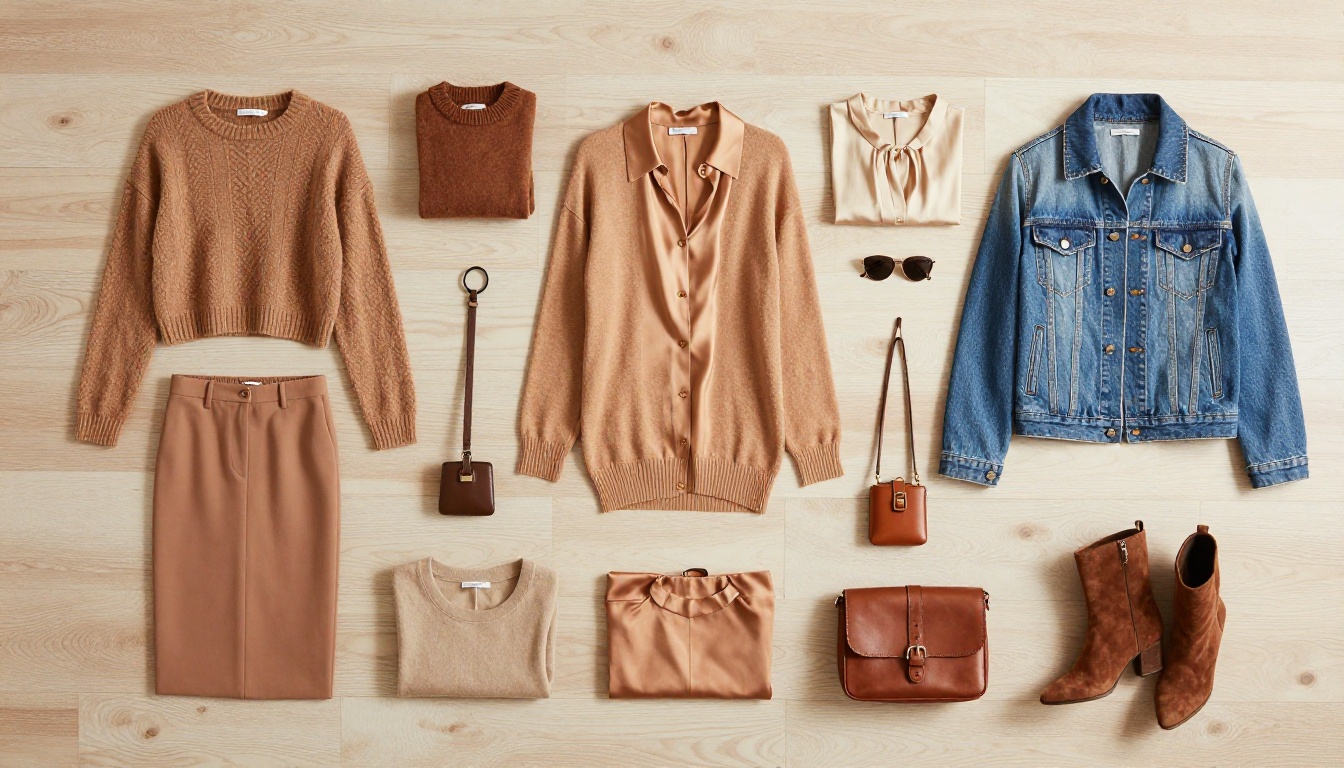
The Three Photo Types You Need
A well-built product catalog relies on three categories of photography working together:
- Hero Shots: Clean, white or neutral background images showing the product front-on. These establish consistency across the catalog and are the baseline for every product entry.
- Context Shots: Lifestyle images showing the product in use or in an environment. A ceramic mug on a wooden table with morning light. A handbag carried down a city street. These build desire and help customers picture ownership.
- Detail Shots: Close-up images showing texture, material quality, stitching, hardware, or finish. These are the images that answer the tactile questions customers cannot physically ask when shopping digitally.
💡 Pro Tip: The most effective product catalogs use all three photo types per product: hero, context, and detail. Even one image of each transforms a page from a spec sheet into a shopping experience.
Photo Specs That Work Across Catalog Pages
| Specification | Recommended Value | Why It Matters |
|---|
| Aspect Ratio | 4:3 or 1:1 | Consistent sizing across catalog grid layouts |
| Minimum Resolution | 2000px on the short side | Prevents blurring when zoomed on desktop |
| Background Color | White, off-white, or light gray | Creates visual consistency across pages |
| File Format | JPG or PNG | Optimized for web without quality loss |
| File Size | Under 2MB per image | Fast load times on mobile |
From Photo Folder to Published Catalog
The gap between "I have great product photos" and "I have a live, shareable catalog" used to require a designer, a layout tool, and significant production time. That gap is now measured in minutes.

Step 1: Organize Your Photos First
Before touching any catalog tool, organize your photos into a logical order that mirrors how you want customers to browse. Think in terms of:
- Product categories (apparel, accessories, home goods)
- Collections or seasons (Spring 2025, Limited Edition)
- Price tiers (entry-level to premium)
- Use cases (gifting, everyday use, professional)
This organization should reflect how your customers think, not how your internal file system is structured.
Step 2: Build a PDF Layout
Most interactive catalog tools, including Flipbooks AI, work from a PDF as the source document. This gives you full control over layout. Use Canva, Adobe InDesign, or Google Slides to:
- Set a consistent page size (A4 landscape works well for catalogs)
- Place your hero shots, context shots, and detail shots per product
- Add product names, short descriptions, and prices
- Include section dividers and cover or back pages
Keep the design clean. White space is your ally. The photos should do the heavy lifting.
Step 3: Convert to Interactive
Once your PDF is ready, conversion takes under two minutes:
- Go to flipbooksai.com and create your account
- Click Upload PDF and select your catalog file
- Wait for automatic conversion (typically 30 to 60 seconds)
- The platform generates a fully interactive flipbook with smooth page-turn animation
From this point, the real customization begins.
How to Build Your Interactive Catalog with Flipbooks AI
Flipbooks AI provides a dedicated Product Catalog Generator designed specifically for e-commerce and retail use cases. Here is how to use it step by step.

Setting Up Your Catalog
1. Upload your PDF
Navigate to the Product Catalog Generator and upload your prepared PDF. The system accepts files according to your plan limits.
2. Apply your branding
In the customization panel, add:
- Your logo (appears on the catalog cover and optionally on each page)
- Brand colors for the navigation bar and interactive buttons
- A custom domain if you are on a Professional plan
3. Choose your page effect
Select from smooth page-turn animations that simulate the feel of physical paper. For product catalogs, a clean flip works best. Heavy visual effects distract from the photography itself.
4. Add interactive elements
This is where your catalog separates itself from any PDF:
- Clickable hotspots on product images that link directly to your online store
- Embedded video showing a product demonstration or 360-degree view
- Table of contents for catalogs with multiple categories or sections
5. Configure sharing settings
- Public link: A shareable URL for emails, WhatsApp, or social media bios
- Embed code: Drop the catalog directly onto your website or a product landing page
- Password protection: Keep wholesale pricing or seasonal previews restricted to trade buyers
✅ Best Practice: Always embed the catalog on your main website. A catalog placed on your product or category page increases average session duration and reduces bounce rate significantly.
6. Review analytics on the Professional plan
Once live, the Professional plan gives you access to:
- Page-by-page view counts
- Total time spent per session
- Geographic distribution of viewers
- Lead capture forms embedded within the catalog
Flipbooks AI Plan Comparison
| Feature | Free | Standard | Professional |
|---|
| Interactive Flipbooks | 3 | Unlimited | Unlimited |
| Watermark-Free | No | Yes | Yes |
| Custom Branding | No | Yes | Yes |
| Password Protection | No | Yes | Yes |
| Analytics | No | No | Yes |
| Lead Generation Forms | No | No | Yes |
| Offline Downloads | No | Yes | Yes |
| Embed on Website | Yes | Yes | Yes |
| Video Embeds | No | Yes | Yes |
💡 Pro Tip: Start with the free plan to test the format. Most businesses upgrade to Standard immediately after seeing the engagement difference compared to their old PDF catalog.
Catalog Types That Work Best with Product Photos
The interactive catalog format is not one-size-fits-all. Different industries use it differently, and the photo strategy shifts with each use case.

Fashion and Apparel
Fashion catalogs live or die on photography. The interactive format allows seasonal collections to be presented exactly as a print magazine would, but with clickable "Shop Now" links on each product. The Fashion Catalog Creator provides editorial-style templates built around high-fashion layouts.
Photo strategy: Lead with lifestyle context shots. Use detail shots for fabric and construction. Hero shots anchor the product grid overview pages.
Furniture and Home Goods
Furniture buyers need to see products in a room setting. A sofa photographed in a styled living room is more persuasive than the same sofa against a white background. The Furniture Catalog Maker handles large-format products with layouts designed for wide-angle interior photography.
Photo strategy: Room-setting photos first. Follow with material swatches, finish options, and dimension reference shots.
Jewelry and Fine Accessories
Jewelry photography demands macro detail. The interactive catalog format lets customers zoom into images, seeing craftsmanship that a thumbnail can never show.
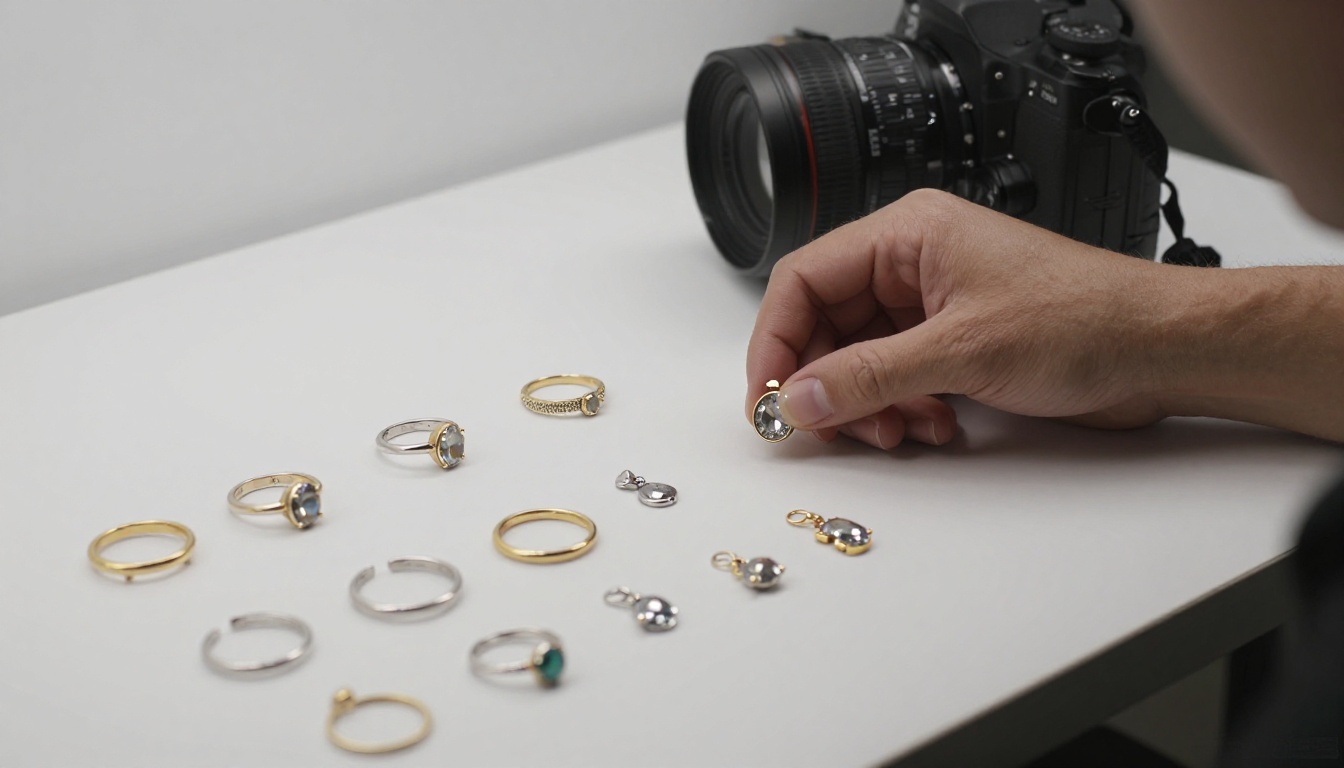
Photo strategy: Detail-first. Show the clasp, the stone setting, and the metal finish in close-up. Use lifestyle shots sparingly but powerfully, with a model wearing the piece in natural light. Video embeds showing a piece catching light when worn add a tactile dimension that static photography alone cannot achieve.
Trade and Wholesale Catalogs
For businesses distributing to retailers, a static price sheet reads as amateur. An interactive catalog with product photography alongside SKU numbers, pricing tiers, and minimum order quantities signals a serious brand. The Digital Price List Generator combines product imagery with clean pricing layouts built specifically for B2B distribution.
Distributing Your Interactive Catalog
A catalog only sells if people see it. The distribution strategy matters as much as the catalog itself.

Channels That Drive the Most Traffic
- Email campaigns: Include a preview thumbnail with a link to the live catalog. Click-through rates on catalog links consistently outperform plain-text links in product emails.
- Website embed: Place the catalog on your homepage, a dedicated catalog page, or inside product category pages using the embed code.
- WhatsApp and direct messaging: The shareable link works natively in messaging apps. Sales reps can send catalogs directly to wholesale buyers without email attachments.
- Social media bio links: A single "View our catalog" link in your Instagram or TikTok bio gives followers instant access to your full product range.
- QR codes: Print a QR code linking to your catalog on packaging, at trade shows, or on business cards. Physical print becomes a portal to digital browsing.
Retail vs. Wholesale Catalog Strategy
| Catalog Type | Primary Audience | Key Features to Include |
|---|
| Retail Catalog | End consumers | Lifestyle photography, emotional storytelling, "Shop Now" links |
| Wholesale Catalog | Retailers and buyers | SKU numbers, MOQ info, pricing tiers, lead generation forms |
| Seasonal Lookbook | Both | Editorial photography, curated collections, trend context |
Password-protecting your wholesale catalog ensures pricing stays within the trade channel. This feature is available on the Standard plan and above.
Reading Your Catalog Data
Once your catalog is live, analytics tell you what is working and where buyers lose interest.

Metrics Worth Tracking
- Average time per session: Low numbers suggest the catalog is not holding attention. Review your opening pages and cover design first.
- Pages with highest drop-off: If viewers consistently stop at a particular page, that section needs stronger photography or a layout adjustment.
- Most-viewed pages: These reveal which products or categories generate the most genuine interest, regardless of whether they have converted yet.
- Geographic distribution: Significant traffic from unexpected regions is a market signal worth acting on.
💡 Pro Tip: Use catalog page analytics to inform your next product photography session. If leather goods pages consistently outperform synthetic alternatives in view time, that is actionable market data, not just a content metric.
Connecting Catalog Engagement to Sales
The most direct way to connect catalog engagement to revenue is through clickable product links and embedded lead capture forms. Both are available on the Professional plan.
When a viewer clicks a product link inside your catalog, they land directly on your product page. That click is tracked. That session is attributed. You go from "someone viewed the catalog" to "someone clicked the leather tote on page 12 and purchased it four minutes later."
Lead capture forms inside the catalog are particularly powerful for B2B. A wholesale buyer browsing your catalog can submit their contact details directly from within the flipbook, without leaving the experience to find a separate contact form.
The Right Tools for Every Catalog Type
Flipbooks AI offers specialized tools beyond general catalogs. Depending on your industry, a dedicated tool may give you better templates and features out of the box:
Browse the full range of flipbook tools to find the right starting point for your specific catalog type.
Your Next Step
Your product photos are already the hardest part of the job. You have the shots. The lighting work is done. The styling decisions have been made. What remains is the format that delivers those photos to buyers in a way that actually holds attention and moves inventory.
Browsing a well-built interactive catalog on a phone or tablet feels nothing like opening a PDF. It feels like picking up a magazine. That sensory difference translates directly into session time, product interest, and sales.
Ready to put your photos to work? Get started for free on Flipbooks AI and have your first interactive catalog live in minutes. Compare pricing plans to see which tier fits your business, and explore all available catalog tools and templates to find the right fit for your industry.
Your photos deserve better than a PDF. Give them a format that sells.



