Every year the same argument starts in the same meeting: should the annual report be a polished PDF, a custom microsite, or something in between? The answer changes how many investors open it, how long they stay, and how much your team spends. Tools like Flipbooks AI have added a third path that sits between the other two, so the decision is no longer binary. This article compares all three formats on the things that actually matter, then gives you a simple way to choose.
Before comparing numbers, it helps to see what each format is trying to be.
The PDF is a document. It is fixed, printable, portable and familiar. Everyone knows how to open one, and legal and finance teams trust it because the file does not change after approval.
The microsite is a website. It scrolls, animates, loads interactive charts and can be indexed by search engines. It also needs designers, developers, hosting and a QA cycle.
The flipbook is a document that behaves like a publication. It starts from your existing PDF, then adds page turning, embedded video, links, sharing and analytics. It keeps the structure of the report while removing the friction of downloading a large file.

💡 Pro tip: Most teams already produce a designed PDF for print or regulatory filing. Whatever else you pick, that PDF is your source of truth. The real question is what you build on top of it.
The PDF: Reliable but Quiet
Where PDFs win
A PDF is the safest format for compliance. It can be archived, signed, attached to an email and filed with a regulator. It also prints exactly as designed, which still matters for board packs and shareholder mailings.
- Zero build time. If the design team exports the file, you are done.
- Universal support. Every device and operating system opens it.
- Predictable layout. Fonts, spacing and numbers never shift.
- Low cost. No hosting or development beyond what you already pay.
Where PDFs fall short
The weaknesses show up after publishing. A 120 page PDF can weigh 30 MB or more. On a phone with a weak connection, that is a lost reader. Pinch and zoom is the standard mobile experience, and it is rarely pleasant.
You also get almost no data. You can count downloads, but you cannot see which pages people read, where they stopped, or which chart held their attention. And search engines index PDFs poorly compared to web pages, so organic discovery is limited.
⚠️ Warning: Large PDFs are often blocked or stripped by corporate email gateways. If your key audience is institutional investors behind strict filters, a link beats an attachment every time.
The Microsite: Powerful but Expensive
Where microsites win
A microsite is the most flexible format. Designers can build scroll animations, interactive charts, filterable data tables, regional versions and a story that reads like a magazine feature. It is also the best format for search visibility, because every section can have its own URL, title and metadata.

- Full brand control. Every pixel is yours.
- Interactive data. Readers can hover, filter and compare figures.
- Strong SEO potential. Headings, text and links are all crawlable.
- Deep analytics. Scroll depth, click paths and conversions are measurable.
Where microsites hurt
The cost is real. A custom build often takes six to twelve weeks and a budget that can reach five figures or more. Every late change from legal or finance means developer time. After launch, someone has to keep it running, patch it and eventually archive it.
There is also a duplication problem. The microsite and the PDF often drift apart, and a corrected number in one place does not reach the other. That is a risk no finance team enjoys.
The Flipbook: The Middle Path
A flipbook starts with the PDF you already have. You upload it, and the platform turns it into a page-turning web publication with a shareable link. Because the content comes straight from the approved file, there is one source of truth, and updating it means replacing the PDF.

What you get
- Fast delivery. Minutes, not weeks.
- Lighter loading. Pages stream as people read instead of arriving as one heavy file.
- Mobile-responsive reading. Layouts adapt to phones and tablets.
- Embedded media. Add video or audio from the CEO or product teams.
- Sharing options. Direct links, embed codes and password protection.
- Reader data. Analytics and lead generation show how people actually read.
What you give up
A flipbook keeps the print layout. It will not offer the filterable charts or custom scroll storytelling of a microsite. If your report relies on dozens of interactive data visualizations, a flipbook is a faithful viewer, not a replacement for a data product.
Side-by-Side Comparison
The table below puts the three formats against the factors that most often decide the question.
| Factor | PDF | Microsite | Flipbook |
|---|
| Time to publish | Same day | 6 to 12 weeks | Under an hour |
| Typical cost | Included in design | High, custom build | Low, subscription |
| Mobile reading | Poor (pinch and zoom) | Excellent | Good |
| File weight | Heavy | Light, loads in parts | Light, streams pages |
| SEO value | Low | High | Low to moderate |
| Reader analytics | Downloads only | Deep | Page-level |
| Interactivity | None | Unlimited | Links, video, audio |
| Update effort | Re-export and resend | Developer ticket | Replace the PDF |
| Print fidelity | Perfect | Poor | Good |
| Compliance archive | Excellent | Needs separate archive | Pair with the PDF |
✅ Best practice: No format needs to travel alone. Many teams publish a PDF for the archive and a second format for readers.
The Real Cost of Each Option
Budget conversations tend to focus on the build price and ignore everything after it. Here is a more honest look at the total picture across one reporting cycle.

| Cost item | PDF | Microsite | Flipbook |
|---|
| Design | Required | Required, plus web design | Reuses the PDF design |
| Development | None | Significant | None |
| Hosting | Basic file hosting | Ongoing | Included |
| Late edits | Re-export | Billable developer hours | Re-upload |
| Maintenance after launch | None | Security and updates | None |
| Internal coordination | Low | High | Low |
Hidden costs that surprise teams
- Review cycles. Each round of legal feedback on a microsite touches code, not just a document.
- Accessibility remediation. Custom interactive pages need testing with screen readers and keyboard navigation.
- Translation. A multilingual microsite multiplies build effort, while a multilingual PDF multiplies files.
- Archive duty. Regulators may expect the original document, which means producing a PDF anyway.
Readers, Devices and Behavior
Format decisions are really audience decisions. Different readers want different things, and the same person may want different things on different days.
Investors and analysts
They want numbers fast. They scan for the financial statements, the risk section and the letter from the chair. They value a searchable file or a clear table of contents far more than animation.
Journalists and the general public
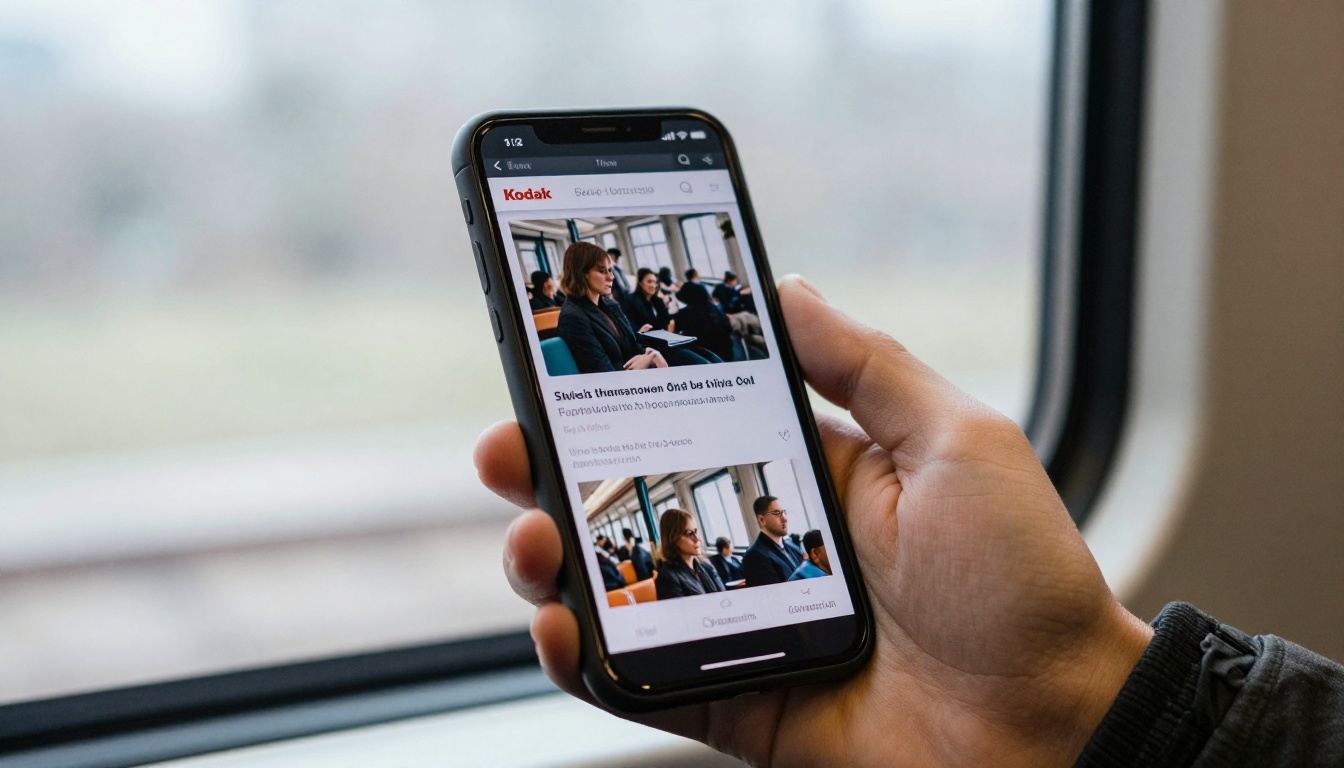
They arrive from a news link or a search result, often on a phone. A heavy PDF will lose them. A lightweight page with clear headings keeps them.
Employees and partners
They want a sense of progress and pride. Video messages, photos and team stories matter here, and a flipbook with embedded media delivers them without a developer.
| Audience | Main device | Reading style | Best fit |
|---|
| Institutional investors | Desktop | Targeted scanning | PDF plus flipbook link |
| Retail shareholders | Mixed | Light reading | Flipbook |
| Press and public | Mobile | Quick skim | Microsite or flipbook |
| Employees | Mobile and desktop | Story-driven | Flipbook with video |
| Regulators | Desktop | Formal review | PDF |
Analytics: What You Can Actually Measure
If you plan to improve next year's report, you need evidence of what worked. This is where formats separate most clearly.

- PDF: download counts and, at best, email open rates. You never see what happened after the click.
- Microsite: page views, scroll depth, time on section, outbound clicks. Rich, but you must configure the tracking yourself.
- Flipbook: views, pages read, time per page and visitor details through the Professional plan, without custom code.
💡 Pro tip: Decide three questions before launch: which section do you most want read, which link do you most want clicked, and which audience matters most. Then check that your chosen format can answer them.
Accessibility and Compliance
Accessibility is not optional for public companies and public bodies. Each format carries its own risks.
- PDFs can be tagged for screen readers, but many are exported without tags, which leaves them unreadable to assistive tools.
- Microsites can be fully accessible, but only if the team tests for it. Animated pages often fail keyboard and motion checks.
- Flipbooks present a visual page layout, so publishing an accessible tagged PDF alongside remains the safest approach.
⚠️ Warning: A beautiful interactive page that screen readers cannot parse is a legal and reputational risk. Always offer an accessible alternative.
A listed company with a large audience and a big budget
The microsite earns its cost here. Interactive financials, a hero story and strong search visibility justify the build. Still publish the PDF for the record and for filings.
A mid-size business with a lean marketing team
The flipbook is usually the right call. The team already has a designed PDF, the deadline is tight, and there is no developer on staff. A shareable link with analytics gives most of the benefit at a small share of the cost. The Annual Report Creator is built for exactly this situation.
A non-profit reporting to donors
Donors care about stories and impact. A flipbook with photos and a short video message feels personal, and sharing by link makes it easy to forward. See the Non-Profit Annual Report tool for a ready starting point.
A regulated firm with strict review
Here the PDF is the master copy. Add a flipbook for readers who prefer a friendlier view, and keep a clear note on which version is authoritative.

A Simple Decision Framework
Use these five questions in order. Stop at the first one that settles it.
- Is a regulator or auditor the primary reader? Choose the PDF as the main format.
- Do you have eight or more weeks and a design and development budget? A microsite becomes realistic.
- Is the deadline under two weeks? A flipbook is the practical option.
- Do you need page-level reader data without custom tracking? A flipbook delivers it.
- Is search traffic a main goal? A microsite, or at least a web summary page, helps most.
| If your priority is... | Choose |
|---|
| Compliance and archive | PDF |
| Brand storytelling and SEO | Microsite |
| Speed, simplicity and reader data | Flipbook |
| Wide reach on mobile at low cost | Flipbook |
| Interactive data exploration | Microsite |
How to Publish Your Annual Report as a Flipbook
If the framework points you toward a flipbook, the process is short. Here is a walkthrough using Flipbooks AI.

- Create your account. Go to Flipbooks AI and sign up. You can start without a long setup.
- Upload the approved PDF. Drag in the final file, or use the PDF to Flipbook Converter. Conversion happens automatically and keeps your layout, fonts and links.
- Apply your branding. Set colors, logo and background, and choose the page-turn effect that suits your tone. Corporate reports usually benefit from a subtle one.
- Add media. Embed a short video from your CEO, an audio summary, or links to your investor relations page. This is the part a PDF cannot do.
- Set privacy. Use password protection for drafts, board previews or embargoed numbers, and open access for the public release.
- Share it. Copy the direct link, or follow the Embed Flipbook on Website instructions to place the report on your investor page.
- Track results. On the Professional plan, review views, page time and lead capture, and use them to plan next year's report.
For a broader report workflow, the Corporate Report Maker and Report Flipbook Creator pages offer starting points for different report types.
What Flipbooks AI includes
- ✅ No watermarks, ever
- ✅ Unlimited flipbooks on the Standard plan and above
- ✅ Password protection for private content
- ✅ Analytics and lead generation on the Professional plan
- ✅ Offline downloads
- ✅ Embedded video and audio
- ✅ Mobile-responsive design
- ✅ Custom branding
Three Mistakes to Avoid
- Building a microsite and forgetting the PDF. Regulators, auditors and many investors still expect the file. Produce it first.
- Letting two versions drift. If numbers live in two places, one will be wrong. Make the approved PDF the single source and derive everything from it.
- Skipping the mobile test. Open every version on a mid-range phone with a normal connection before you announce it. If you wince, your readers will too.
The best annual report format is the one your audience will open and your team can deliver on time. A PDF protects the record, a microsite tells the richest story, and a flipbook gives most teams a fast, low-cost way to put a polished report in front of readers with real data behind it.
Ready to try the flipbook route? Get started for free on Flipbooks AI, browse all flipbook tools to find a template that fits, and compare pricing plans to choose what works for your team.



