Everyone has been there: a flat-pack shelf, forty identical screws, and a manual that seems written for someone who already knows how to build it. Bad manuals do not just annoy people. They create returns, support tickets, bad reviews, and sometimes real safety problems. This article walks through eight bad instruction manual examples and shows how to fix each one, with practical rewrites you can apply today. Along the way, you will see how a digital format built with Flipbooks AI can fix many of these problems without a redesign from scratch.
Why Bad Manuals Cost Real Money
A manual is the last product touchpoint before a customer decides whether your product is easy or painful. When it fails, the cost shows up in places you may not be tracking.

The Hidden Price of Confusion
Think about what happens after a customer fails to follow a step. They call support, send an email, post a review, or return the product. Each path has a price tag, and none of them appears on the manual's budget line.
| Failure Result | Who Pays | Typical Impact |
|---|
| Support call or chat | Support team | Staff time per ticket, repeated daily |
| Product return | Operations | Shipping, restocking, lost margin |
| Negative review | Marketing | Lower conversion on every listing |
| Assembly injury or damage | Legal and brand | Warranty claims, reputation risk |
💡 Pro tip: Pull the last 50 support tickets for any product. If more than ten ask about setup or a specific step, the manual is the real problem, not the customer.
Who Reads Manuals Anyway?
Most people do not read a manual cover to cover. They scan for the step they are stuck on. That means a manual has to work as a reference tool, not a novel. Every example below breaks that rule in some way.
Example 1: The Wall of Text
The first and most common failure is a page of dense paragraphs in tiny type. Nobody wants to read six lines of prose to learn which bolt goes where.
What It Looks Like
A single paragraph holds three actions, two warnings, and an exception. The reader loses their place after the second sentence and has to start over.
The Fix
Split each action into its own numbered step. One step, one action, one verb at the start.
| Before | After |
|---|
| "After ensuring the panel is properly aligned, insert the dowels and then tighten the screws, being careful not to overtighten, and then proceed to attach the second panel." | 1. Align the side panel. 2. Press in the four dowels. 3. Tighten the two screws until snug. 4. Attach the second panel. |
Aim for 15 words or fewer per step. If a step needs more, it is probably two steps.
Example 2: Diagrams That Do Not Match Reality
The second failure is a diagram that is too small, too abstract, or drawn from a different version of the product.
The Blurry Line Drawing
Line drawings reproduced at low resolution turn into smudges. A customer cannot tell a short screw from a long one when both are gray blobs.
The Fix
Use clear photographs or crisp illustrations at a size that fills the width of the page. Show the actual part, label it with a letter that matches the parts list, and keep one action per image.
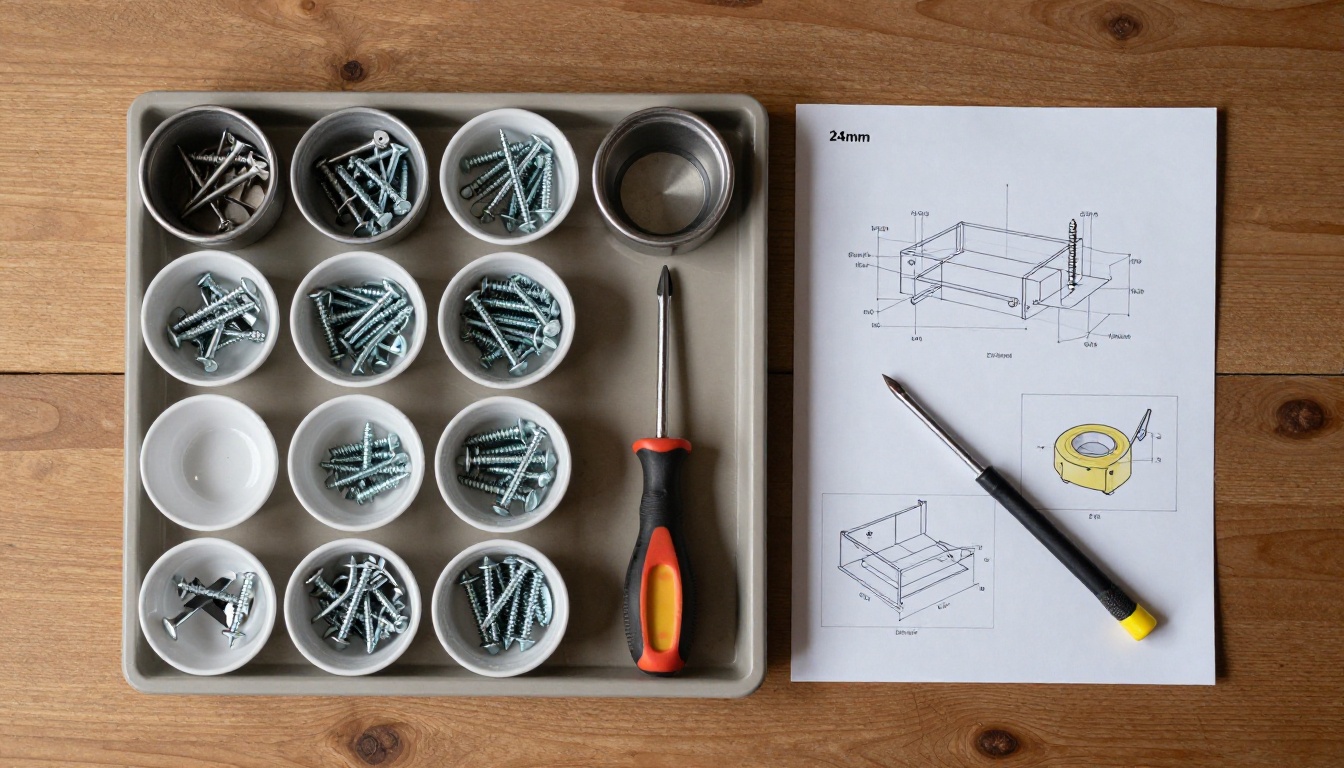
✅ Best practice: Print the parts list at actual size where possible, so customers can place a screw on the page and match it instantly.
Example 3: Missing or Buried Warnings
Safety information that hides on page 14 does not protect anyone. A warning that appears after the step it relates to is even worse.
Where Warnings Go Wrong
Common problems include warnings placed at the back, written in the same style as normal text, or missing the consequence. "Be careful" tells the reader nothing.
The Fix
Place the warning before the step it applies to, give it a distinct visual treatment, and state the result of ignoring it.
⚠️ Warning: Disconnect power before opening the housing. Contact with internal wiring can cause electric shock.
For factory and equipment teams, this matters even more. A technician who finds a laminated card with a short, clear sequence at the machine is far more likely to follow it than one who has to find a binder.

Example 4: Jargon and Inside Language
Engineers write manuals with engineer vocabulary. Customers read them with customer vocabulary. The gap between the two creates confusion.
Signs of Jargon Overload
- Internal part names that appear nowhere on the product
- Acronyms that are never spelled out
- Passive sentences such as "the unit should be actuated"
- Different names for the same part on different pages
The Fix
Build a short glossary and apply it consistently. Test the manual by handing it to someone who has never seen the product. Every time they ask "what does that mean?", rewrite the sentence.
| Jargon | Plain Version |
|---|
| Actuate the toggle | Flip the switch |
| Affix the bracket | Screw on the bracket |
| Ensure adequate clearance | Leave 5 cm of space around it |
| Initialize the unit | Turn it on and wait for the green light |
Example 5: Steps in the Wrong Order
This one is sneaky. Every step is technically correct, but the order forces the customer to undo work. A classic case: step 7 says to install a part that cannot fit once step 5 is finished.
How It Happens
The writer documents the process the way engineers designed it, not the way a person with no prior knowledge would perform it. Nobody ever tests the manual from start to finish with real hands.
The Fix
Run a build test: give a new person the finished manual and the unopened product, then watch silently. Mark every pause, every backward move, and every frown. Those marks are your edit list.
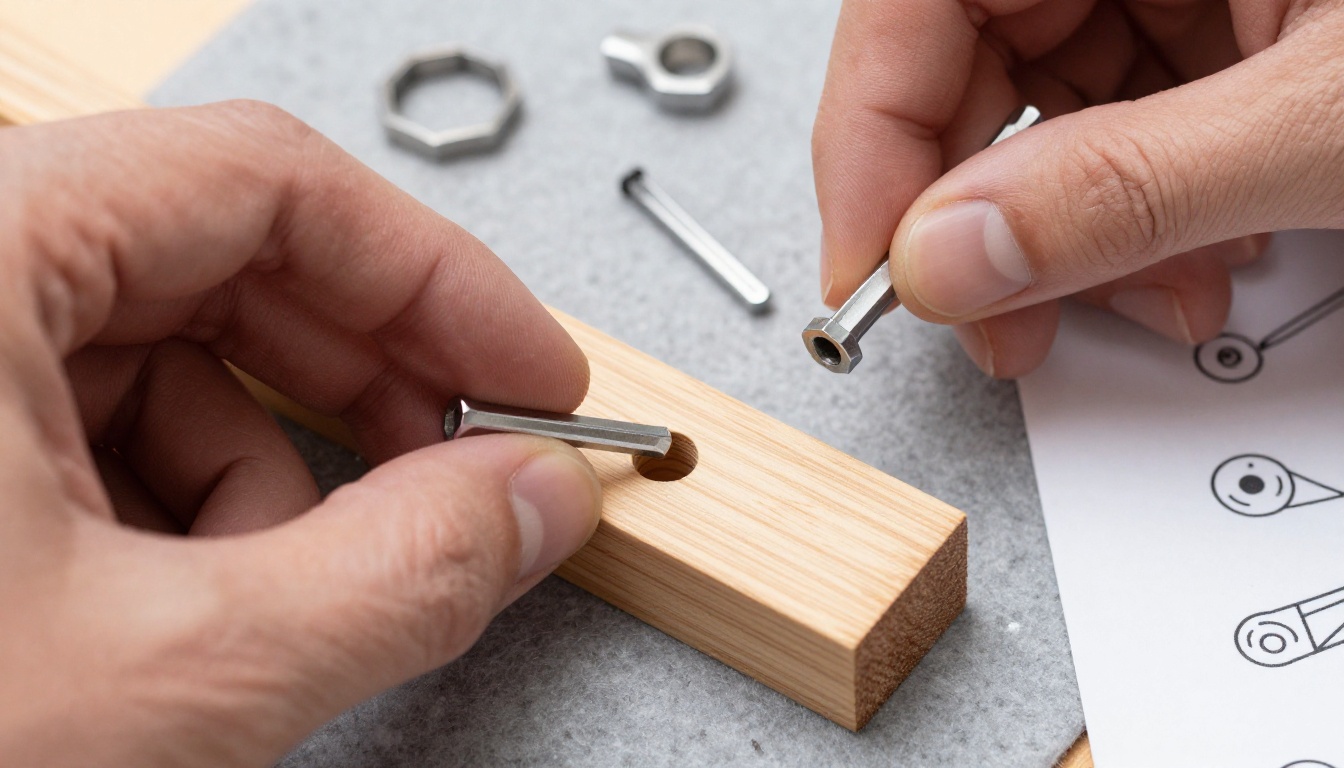
💡 Pro tip: Record the build test on video. Timestamps of every hesitation become a ready-made rewrite checklist.
Example 6: One Manual for Every Audience
A beginner and an expert need different things. A single dense booklet tries to serve both and ends up serving neither.
The Symptoms
Beginners skip pages because they feel overwhelmed. Experienced users skip pages because they feel talked down to. Both groups complain.
The Fix
Layer the content. Offer a one-page quick start for the first use, then a reference section for settings and troubleshooting. A table of contents with clickable links makes this easy in a digital format.
| Layer | Audience | Length |
|---|
| Quick start | First-time user | 1 to 2 pages |
| Full instructions | Careful reader | 10 to 20 pages |
| Troubleshooting | Stuck user | Table of symptoms and fixes |
| Maintenance | Long-term owner | 1 to 3 pages |
Businesses that publish training material for teams can also build separate versions with the Training Manual Flipbook tool, so new staff and veterans each get what suits them.
Example 7: Outdated or Contradictory Content
Products change. Manuals often do not. When a customer reads about a button that no longer exists, trust drops immediately.
Why Printed Updates Fail
A printed manual is fixed the moment it leaves the press. Boxes already on warehouse shelves keep the old information for years.

The Fix
Put a QR code on the box that points to a live digital version. When the product changes, you update one file and every customer sees the right version. Add a version number and date on the first page so support staff always know which edition a caller holds.
Example 8: No Search and No Navigation
A 120-page PDF with no bookmarks and no table of contents is a manual in name only. Customers scroll, give up, and call support.
The Fix
- Add a clickable table of contents on page two
- Use short, specific headings such as "Reset the Wi-Fi Connection"
- Add a symptom-based troubleshooting table near the front
- Link related pages to each other
How to Create a Better Manual with Flipbooks AI
Once the content is fixed, the format matters. A flipbook gives readers page-turning navigation, zoom, search, and embedded media, and it works on any phone. Here is how to build one.

Step-by-Step Setup
- Start your account. Go to Flipbooks AI and create an account in under a minute.
- Upload your PDF. Drag your rewritten manual into the PDF to Flipbook Converter. Conversion takes seconds, and your layout stays intact.
- Customize the look. Add your logo, pick brand colors, choose a page-turn effect, and place short videos or audio clips next to complicated steps. A 15-second clip often replaces a full paragraph.
- Add navigation. Link the table of contents entries to their pages so readers jump straight to the step they need.
- Share it. Copy the direct link, print it as a QR code for the box, or use the Embed Flipbook on Website tool to place it on your support page. For internal or confidential procedures, turn on password protection.
- Track what happens. On the Professional plan, analytics show which pages readers visit most and where they stop, and lead generation forms capture contacts. See the pricing plans for details.
Every flipbook is watermark-free, mobile-responsive, and available for offline download, which helps technicians working in places with poor signal.
Which Format Fits Which Job
| Format | Best For | Weak Spot |
|---|
| Printed booklet | In-box, first use | Cannot be updated |
| Plain PDF | Archive and download | Hard to navigate on phones |
| Flipbook | Live updates, media, analytics | Needs a link or QR code |
| Video only | Single tasks | Slow to scan for one step |
If your manual belongs to a product line, the Product Catalog tool can group manuals alongside product pages in one place.
A Quick Audit Checklist
Before you publish any manual, run through this list. It takes ten minutes and prevents most of the failures above.
- Does every step contain one action?
- Is every term used the same way on every page?
- Do all diagrams match the current product?
- Do warnings appear before the step they apply to?
- Can a new reader find the troubleshooting section in under 10 seconds?
- Is there a version number and date?
- Has someone outside your team built the product using only the manual?

Real-World Use Cases
- A furniture maker replaces a 24-page leaflet with a flipbook that includes a 20-second video for the trickiest joint, and sees assembly calls drop.
- A medical device supplier publishes a password-protected flipbook for clinic staff, updated whenever a firmware change lands.
- A training company gives every new hire a quick-start flipbook with embedded audio walkthroughs.

Ready to Fix Yours?
Clear manuals are cheap compared with the returns and support hours bad ones create. Start by auditing your worst offender, rewrite it using the fixes above, and publish it in a format customers can search and trust.
Ready to build your first flipbook? Get started for free on Flipbooks AI. Browse all flipbook tools and templates to find the right fit for your product line, or compare pricing plans to choose what works for your team.



