Your best customer just emailed asking for the latest fastener pricing, and the PDF in your sent folder is eight months old. Sound familiar? Distributors lose orders every week to outdated spreadsheets, bloated PDFs and printed books that were obsolete the day they came back from the printer. The right catalog platform fixes that, and tools like Flipbooks AI make it surprisingly quick to publish a clean, shareable catalog without an IT project.
This ranking looks at the best digital catalog software for B2B distributors by category, because the "best" tool depends on how many SKUs you carry, who buys from you and how much of your stack is already in place.
What B2B Distributors Actually Need
Consumer catalog tools focus on pretty pages. Distributors have a different job: move thousands of products to hundreds of accounts, each with different prices, without burying the sales team in manual work.

Before you compare vendors, write down what a catalog must do for your business. In practice, most distributors need the following:
- Fast updates. A price or spec change should reach buyers in minutes, not on the next print run.
- Easy browsing on any device. Buyers check catalogs on phones in warehouses and on tablets at the counter.
- Controlled access. Dealer pricing should not be visible to the public.
- Searchable product data. Part numbers, dimensions and certifications need to be findable.
- Simple sharing. One link or embed should be enough for a rep to send to a prospect.
- Usage data. You want to know which pages and products buyers actually open.
💡 Pro tip: Rank these six needs from 1 to 6 before you watch a single demo. The order tells you which category of software below will fit.
The Four Types of Catalog Software
Most products fall into one of four buckets. Mixing them up is the number one reason distributors overpay or buy something too thin.
| Category | Best for | Typical setup time | Typical cost level |
|---|
| Flipbook and PDF catalog tools | Fast publishing, visual catalogs, sales decks | Hours to days | Low |
| PIM (product information management) | Large SKU counts, multi-channel data | Weeks to months | Medium to high |
| B2B ordering portals | Account pricing and online ordering | Weeks | Medium to high |
| ERP add-on catalog modules | Companies already deep in one ERP | Months | High |
Each category answers a different question. Flipbook tools answer "how do I get a professional catalog in front of buyers this week?" PIM answers "where does my product data live?" Portals answer "how do customers place orders?" ERP modules answer "how do I keep everything inside one vendor?"
Flipbook and PDF Catalog Tools
These turn the catalog you already have, usually a PDF from InDesign or your supplier, into an interactive page-turning experience with links, video and sharing. For many distributors this is the fastest win. Flipbooks AI converts a PDF in minutes and publishes it with no watermarks.
PIM Systems
A PIM is a central database for product attributes, images and documents. It is powerful, but it does not produce a good-looking buyer experience by itself. You usually still need a front end.
B2B Ordering Portals
Portals let customers log in, see their negotiated price and reorder. They are excellent for repeat buyers, but weaker as a sales brochure for new prospects.
ERP Catalog Modules
If your ERP vendor offers a catalog module, integration is tight but flexibility is low. Design changes often need a developer.
Our Ranking of the Best Options
Here is how each category scores for typical mid-size distributors with 500 to 20,000 SKUs. Scores are out of 5, based on speed, flexibility, cost and buyer experience.
| Rank | Category | Speed to launch | Design quality | Ordering features | Cost efficiency | Overall |
|---|
| 1 | Flipbook catalog platform | 5 | 5 | 2 | 5 | 4.3 |
| 2 | B2B ordering portal | 3 | 3 | 5 | 3 | 3.5 |
| 3 | PIM plus front end | 2 | 4 | 3 | 2 | 2.8 |
| 4 | ERP catalog module | 1 | 2 | 4 | 2 | 2.3 |

Why does the flipbook approach take first place? Because most distributors already have a catalog file, and the real problem is distribution, not data modelling. You can solve it today for a fraction of the price, then add a portal or PIM later if your volume demands it.
✅ Best practice: Start with the lightest tool that solves your biggest pain. You can always layer ordering or PIM on top. Replacing an over-built system is far harder.
This is where Flipbooks AI sits. You upload a PDF, the platform converts it into a responsive flipbook, and you share it by link or embed it on your site.
What You Get
- No watermarks, ever
- Unlimited flipbooks on the Standard plan and above
- Password protection for dealer-only catalogs
- Analytics and lead generation on the Professional plan
- Offline downloads for reps working in dead zones
- Embedded video and audio for product demos
- Mobile-responsive reading
- Custom branding with your colors and logo
Where It Falls Short
A flipbook is a presentation layer, not an order management system. If you need live inventory counts and account-specific checkout, pair it with your existing ordering tool and link out from the catalog.
Best Fit
Distributors who want a polished catalog for sales reps, trade shows, email campaigns and website visitors, without waiting on IT. See the Digital Catalog Maker and Product Catalog tools for starting points.
2. B2B Ordering Portals
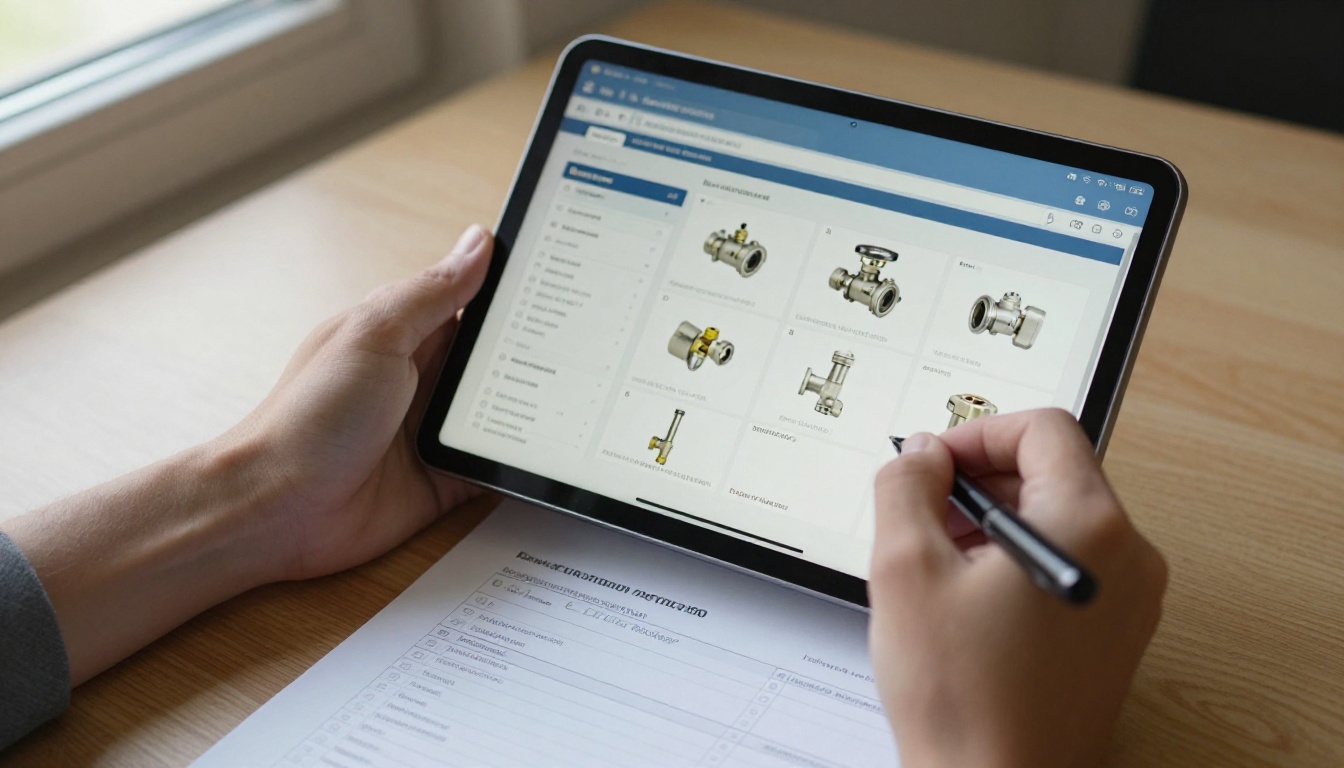
Portals shine once you have a base of repeat buyers. A plumbing supply customer logs in, sees contract pricing, adds 40 lines to a cart and checks out in minutes.
Strengths
- Account-specific pricing and terms
- Reorder from past invoices
- Credit limit and approval workflows
Weaknesses
- Longer implementation, often with data cleanup
- Less appealing to first-time visitors who just want to browse
- Monthly fees that grow with users or order volume
Best Fit
Distributors with a loyal base placing frequent, repeat orders.
3. PIM Plus a Front End
If you sell 50,000 SKUs across several channels, a PIM keeps attributes consistent. The catch is that someone must still design what buyers see.
| Question | Flipbook tool | PIM |
|---|
| Do I need it live this month? | Yes | Unlikely |
| Do I have dedicated data staff? | Not needed | Required |
| Will I publish on marketplaces too? | Limited | Yes |
| Is design flexibility a priority? | High | Depends on front end |
⚠️ Warning: Do not buy a PIM to fix a distribution problem. If your data is already clean in a spreadsheet, the bottleneck is publishing, not storage.
4. ERP Catalog Modules
These suit companies that want a single vendor and accept the trade-offs. The advantage is live data. The cost is rigid design and slower change cycles. Many distributors end up exporting a PDF anyway because the module cannot produce a catalog salespeople want to send.
Features That Separate Good From Great
Whatever category you choose, test these features during a trial.
Search and Navigation
Buyers arrive with a part number in hand. A clickable table of contents, bookmarks and in-document search save them from flipping through 400 pages.
Mobile Reading
Open the demo on a mid-range phone. If the text needs pinching and zooming, move on.
Access Control
Password protection lets you publish dealer pricing safely. Create one public edition for prospects and one protected edition for approved accounts.
Analytics
Page-level data shows which product families draw attention. Sales leaders use it to decide what to feature next quarter.
Update Workflow
Ask how long it takes to replace a page. Good systems let you upload a revised PDF and keep the same link, so every email you sent last month still points to the latest version.

Real-World Examples
The Electrical Wholesaler
A regional electrical distributor with 6,000 SKUs sent a 380-page PDF to customers. Open rates were fine, but few buyers scrolled past page ten. They converted the PDF to a flipbook, added a clickable index by product family and shared a link in their weekly email. Reps now point customers to specific pages instead of attaching files.
The Industrial Fasteners Dealer
A dealer served three customer tiers with different pricing. They published a public catalog without prices and a password-protected edition with dealer pricing. Updating a price now means uploading one revised file.
The Foodservice Supplier
A supplier with seasonal items needed to refresh monthly. Using a Digital Price List Generator style workflow, they swapped the price pages each month and kept the link unchanged for restaurants.

How to Build a Distributor Catalog With Flipbooks AI
Here is a practical walkthrough using Flipbooks AI.
- Create your account. Go to the account page and sign up. You can compare plans on the pricing page before you commit.
- Upload your PDF. Drag your catalog file into the dashboard. The platform converts each page into a flip-style page, usually within a few minutes. Use the PDF to Flipbook Converter for a quick test.
- Customize the look. Set your brand colors, add a logo, choose page effects and decide on the background. Keep it simple so the products stay the focus.
- Add multimedia. Embed a short installation video on pages where buyers ask the same questions repeatedly. Audio can work for trade-show playback.
- Set access. For dealer pricing, turn on password protection. For public prospecting editions, leave it open.
- Share it. Copy the direct link for emails and quotes, or use the Embed Flipbook on Website option to place it on your product pages.
- Review analytics. On the Professional plan, check which pages get attention and use lead generation to capture contact details from new visitors.
- Download for offline use. Give reps an offline copy for sites with weak signal.
💡 Pro tip: Name each edition clearly, such as "2027 Dealer Catalog" and "2027 Public Catalog", so reps never send the wrong one.
Cost Comparison
Pricing varies by vendor, but the pattern is consistent.
| Cost item | Flipbook platform | Ordering portal | PIM plus front end |
|---|
| Software subscription | Low monthly fee | Medium monthly fee | Medium to high |
| Implementation | Minimal | Moderate | Heavy |
| Staff training | Under a day | Several days | Weeks |
| Ongoing maintenance | Upload new PDF | Data syncing | Data governance |
| Time to first value | Same day | Weeks | Months |

Do not forget the hidden cost of doing nothing. If three reps each spend two hours a week hunting down the current price list, that is over 300 hours a year spent on a task software should handle.
Mistakes Distributors Make
Buying Features You Will Not Use
A demo with fifty features feels impressive. Count how many your team will touch in the first 90 days.
Ignoring the Design Team
Your marketing or design person produces the source file. If the platform makes their job harder, adoption stalls. See how a layout fits into the flow in a Catalog Flipbook Creator.
Skipping Mobile Tests
Reps and buyers open catalogs between meetings. A catalog that works only on a desktop loses to a competitor's link that loads instantly on a phone.
Treating the Catalog as One-and-Done
A digital catalog is a living asset. Schedule a monthly review of pages, prices and links.

Which Option Should You Choose?
Use this quick decision table.
| If your situation is... | Pick this |
|---|
| You have a PDF catalog and need it live fast | Flipbook platform |
| Most revenue comes from repeat online reorders | Ordering portal |
| You manage tens of thousands of SKUs on many channels | PIM plus front end |
| Your whole business runs inside one ERP | ERP catalog module |
| You want a sales tool for reps and trade shows | Flipbook platform |
For many distributors the answer is a combination: a flipbook catalog for discovery and sales, linked to an existing ordering system for checkout. That pairing delivers a strong buyer experience without a six-month project.

Measuring Results After Launch
Pick three numbers and track them for 60 days.
- Catalog opens per rep. Shows whether the team uses it.
- Pages viewed per session. Reveals whether your index and search work.
- Quote requests from catalog links. Ties the catalog to revenue.
If opens are high but quote requests are flat, add clearer calls to action on high-traffic pages. If opens are low, the problem is distribution: add the link to email signatures and quote templates.

Ready to Publish Your Catalog?
The best digital catalog software for B2B distributors is the one your team will actually use next week. For most, that means a fast, polished, mobile-friendly flipbook that links to the ordering process they already have.
Ready to try it? Get started for free on Flipbooks AI, browse all tools and templates to find the right format, and compare pricing plans to choose what works for your team.



