Selling online courses is a crowded game. Every creator has a PDF syllabus, a landing page, and a checkout link. What separates courses that actually sell from the ones collecting digital dust is not the content alone. It is how you present that content before a single dollar changes hands. Flipbooks AI gives course creators a format that is interactive, polished, and built to convert from the very first page flip. If you have been piecing together a course sales strategy with static files and plain links, this changes how you think about course delivery entirely.
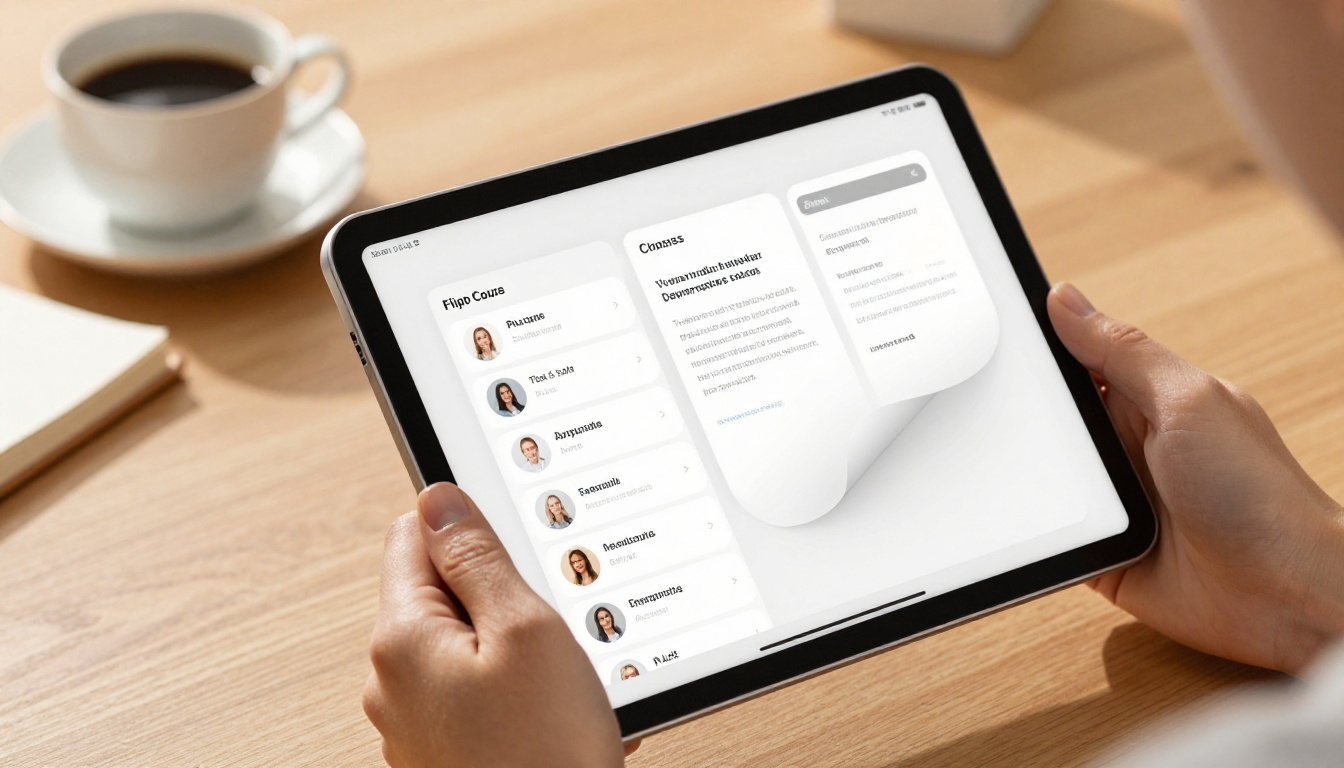
You put months into building a course. The content is solid, the lessons are structured, and the value is real. But when a potential buyer opens a flat PDF preview or lands on a wall of text, they do not feel it. They bounce. The format you deliver your course in is doing more selling than you realize, and most course creators never address it.
The Problem with Static PDFs
PDFs are reliable for delivery but dead weight for sales. They do not flip. They do not embed video previews. They do not respond beautifully on mobile. And most importantly, they do not signal premium quality. When buyers see a static PDF, they see a document. When they see a flipbook with smooth page animations, a branded layout, and embedded media, they see a product worth paying for.
⚠️ A PDF that looks like an email attachment will be valued like one. Buyers associate presentation quality with content quality, and that association happens within the first 10 seconds.
What Buyers Actually Want
Before purchasing an online course, buyers scan for trust signals. They want to see structure, professionalism, and a clear picture of what they are getting. An interactive flipbook delivers all three in seconds. A page that flips, a curriculum laid out visually, an instructor photo with a short bio, and a testimonials section that loads smoothly on their phone. That is what moves someone from browsing to buying.
The psychological effect is real. When content looks premium, buyers assign it premium value. A well-designed flipbook communicates production quality, and production quality signals that the creator takes their work, and by extension their students, seriously.

What Makes a Flipbook Ideal for Courses
Flipbooks have a natural advantage over other digital formats when it comes to selling educational content. The page-flip animation creates a tactile, book-like experience that triggers a perception of value. It feels like something worth owning, even before a purchase is made.
Built-in Interactivity
With Flipbooks AI, you can embed video previews directly inside your flipbook. A course creator teaching photography, for example, can include a 60-second sample lesson right inside the flipbook preview. Buyers click play, see the quality of the instruction, and make a decision on the spot. No external links, no extra steps, no friction. The Interactive E-Book Publisher makes this type of rich content embedding straightforward even without technical skills.
You can also add clickable links inside pages. A curriculum page can link directly to a checkout page. A testimonials page can link to a case study. The flipbook becomes a fully functional interactive sales environment, not just a document.
Mobile-First Experience
Over 60% of digital content is consumed on mobile devices. A PDF that requires pinching and zooming to read is not a sales asset. Flipbooks are inherently mobile-responsive. Every page scales correctly, every button taps cleanly, and the page-flip animation works beautifully on touchscreens. When your course preview performs perfectly on a buyer's phone, you remove a friction point that most course creators ignore entirely.
💡 Test your flipbook on both desktop and mobile before sending it to your audience. The mobile experience is often where the sale is actually won or lost.

What to Put in Your Course Flipbook
The best course flipbooks are not replicas of your slide deck. They are purpose-built sales tools with a deliberate structure. Here is what to include:
Curriculum and Module Breakdown
Lead with your course structure. Buyers want to see what they are getting, in what order, and how it is organized. A clear module-by-module breakdown communicates the journey they are about to take. Use visual icons, page dividers between modules, and short lesson descriptions to make the structure scannable and compelling.
Instructor Bio and Credibility
Your bio page is not optional. Include your credentials, your relevant experience, and a high-quality photo. Buyers buy from people they trust. A well-designed instructor page inside your flipbook builds that trust instantly and signals that a real, qualified person stands behind the course.
Testimonials and Social Proof
If you have students who got results, feature them prominently. Screenshots of messages, star ratings, short direct quotes. Place the testimonials section after the curriculum so buyers have context for what past students went through and what they achieved. Social proof at the end of a flipbook often closes the sale that the curriculum opened.
| Page Type | Purpose | Position in Flipbook |
|---|
| Hook / Problem Page | Grabs attention, states the pain point | Pages 1-2 |
| Instructor Bio | Builds trust and credibility | Pages 3-4 |
| Curriculum Breakdown | Shows structure and value | Pages 5-10 |
| Sample Lesson Preview | Embedded video or lesson excerpt | Pages 11-12 |
| Testimonials | Social proof from past students | Pages 13-15 |
| Pricing and CTA | Drives the purchase decision | Final pages |
How to Create Your Course Flipbook with Flipbooks AI
Flipbooks AI makes the creation process fast. You do not need design software, a developer, or a large budget. Here is exactly how to do it:
Step 1: Build Your Course PDF
Start in any design tool you already use, such as Canva, Adobe InDesign, or PowerPoint. Design your course flipbook pages using the structure above. Export as a high-resolution PDF. Landscape orientation at 16:9 ratio works best for the flipbook display format. Aim for clean typography, generous whitespace, and consistent brand colors throughout.
💡 Use consistent brand colors, fonts, and a clear visual hierarchy throughout your PDF. The flipbook format preserves your design exactly as exported.
Step 2: Upload and Convert
Go to Flipbooks AI and upload your PDF using the PDF to Flipbook Converter. The platform processes your file in seconds and generates a fully interactive flipbook with the page-flip animation applied automatically. No manual setup is required. The conversion preserves all your design details, fonts, and image quality.
Step 3: Add Branding and Media
Once your flipbook is generated, apply your brand colors and upload your logo. Use the Course Material Publisher to embed video previews, audio clips, and clickable links directly inside specific pages. This is where the flipbook shifts from a designed PDF to an interactive sales experience that buyers actually want to sit with.
Step 4: Set Access Controls
Not every flipbook needs to be fully public. If you are offering a free preview of only the first two modules, password-protect the remaining sections. Buyers who purchase receive the password. This gating method lets prospects see enough to want more without giving away the full course, and it creates urgency without pressure.
Step 5: Share and Start Selling
With your flipbook ready, you have multiple distribution options. Embed it directly on your sales page using the Embed Flipbook on Website tool. Share a direct link via email. Post it to social platforms. The Professional plan includes analytics so you can see exactly how many people opened your flipbook, which pages they spent the most time on, and where drop-offs occur, giving you real data to refine your sales approach.

How to Price and Sell Your Flipbook Course
Getting the pricing structure right is often what determines whether a course actually sells. Flipbooks give you flexible options for how you gate and price your content at every level.
Free Previews That Convert
Offering the first one or two modules as a free, open flipbook is one of the most effective soft-sell strategies in digital education. Buyers read through, get real value, and feel the quality of your instruction before committing financially. This format works far better than a free webinar or a basic lead magnet because the flipbook experience itself signals the quality of what comes next. The format is doing part of the selling for you.
Tiered Pricing with Multiple Modules
If your course has multiple modules or skill levels, build separate flipbooks for each tier and price them independently. A foundational flipbook at one price point, a practitioner-level flipbook at a higher tier. Buyers start where they are and upgrade at their own pace. This structure also lets you retarget past buyers with upsell offers for the next tier using the same flipbook assets.
✅ Use the analytics in the Professional plan to see which pages buyers spend the most time on. That data tells you which content sections are most compelling, so you can build more of what your audience responds to.
| Pricing Tier | Content Included | Delivery Method |
|---|
| Free Preview | Module 1 only, open access | Public flipbook link |
| Starter | Modules 1-3 | Password-protected flipbook |
| Full Access | All modules | Unique access link via email |
| VIP / Coaching | Full course plus 1-on-1 sessions | Private flipbook with calendar link |
Where to Distribute Your Course Flipbook
Creating the flipbook is only half the work. Where you place it determines how many people actually see it and how many of those convert into paying students.
Your Own Website or Sales Page
Embedding your course flipbook directly on your sales page is the most direct path to conversion. The embed code from Flipbooks AI drops in cleanly without technical knowledge. A buyer lands on your page, sees the interactive preview, reads through the curriculum, watches the embedded sample lesson, and clicks your buy button. That is a full sales funnel inside a single page.
Email Marketing Sequences
Your email list is your most receptive audience. Send a link to your free preview flipbook inside a nurture sequence. Each email can reference specific pages: "Did you see the three-step framework on page 7?" This kind of specificity in email marketing drives click-throughs and builds the sense that you are delivering real value before the sale even begins.
Social Media Platforms
Share screenshots of your flipbook pages as social content. The page-flip animation makes for compelling short video content on Instagram Reels or TikTok. The visual polish of a well-designed flipbook page stands out in feeds dominated by plain text posts and screen recordings. A single flipbook can fuel weeks of content without needing to create anything new.
Not every format works for every situation. Here is an honest comparison of how flipbooks stack up against the most common alternatives:
| Format | Interactivity | Mobile Experience | Sales Potential | Best For |
|---|
| Flipbook | High | Excellent | Very High | Course previews, sales tools, module delivery |
| Static PDF | None | Poor | Low | Internal documents, simple downloads |
| Video Course | High | Good | High | Full course delivery via LMS |
| Learning Management System | Very High | Good | Medium | Large course libraries, institutions |
| Google Slides or Canva Presentation | Low | Moderate | Low | Internal presentations, quick shares |
Flipbooks occupy a sweet spot for course creators. They are more interactive than PDFs, faster to produce than video, and more visually compelling than a plain landing page. They work best as the sales and preview layer of your course, though many creators also use them for module-by-module delivery to paying students.
Real-World Use Cases
These scenarios reflect how course creators across industries are already putting this format to work:
- Fitness coaches building 12-week program flipbooks with embedded workout preview videos on each page, sold directly from their Instagram bio link
- Business consultants offering free strategy preview flipbooks that outline their frameworks, then upselling a full course via a password-protected extended version
- Language educators creating interactive vocabulary module flipbooks with audio clips embedded on each page for pronunciation practice
- Design educators using portfolio-style flipbooks that double as both course previews and instructor showcases, driving enrollments from Behance and Pinterest traffic
- Cooking instructors publishing recipe module flipbooks with step-by-step photo pages and embedded video clips, sold directly via their food blog
- Financial coaches building budgeting workbook flipbooks with interactive calculation pages, offered as both standalone products and course bonuses
Each of these use cases relies on the same principle: the flipbook sells the course better than a static format, because it puts the quality of the experience front and center before the purchase is made.
✅ The format you present in is a promise about the format you deliver in. A polished flipbook preview tells buyers they are getting a polished course experience.

Flipbooks AI Plans for Course Creators
Choosing the right plan determines what features are available for your course sales strategy. Here is how the tiers break down:
| Feature | Free Plan | Standard Plan | Professional Plan |
|---|
| Flipbooks | 1 | Unlimited | Unlimited |
| Password Protection | No | Yes | Yes |
| Custom Branding | Limited | Yes | Yes |
| Analytics | No | No | Yes |
| Lead Generation | No | No | Yes |
| Offline Downloads | No | No | Yes |
| Embed Videos and Audio | No | Yes | Yes |
| No Watermarks | No | Yes | Yes |
For course creators, the Standard plan is the minimum viable option. It gives you unlimited flipbooks, password protection for gated content, custom branding, and the ability to embed video and audio inside pages. The Professional plan adds analytics and lead generation, which are valuable tools for tracking which flipbook sections convert and capturing leads before the sale closes.
See the full breakdown on the Flipbooks AI pricing page and choose the plan that fits where your course business is right now.

Start Selling Smarter Today
If you already have course content in PDF or slide format, you are one upload away from a significantly better sales tool. The flipbook format does not require starting from scratch. It takes what you have already built and presents it in a way that buyers actually want to sit with, read, and share with others who might benefit.
Create your first course flipbook on Flipbooks AI and see what a difference the format makes in how people respond to your course. Browse the full list of tools and templates to find options built specifically for educational content, including the Course Material Publisher and Interactive E-Book Publisher.
When you are ready to go beyond the free tier, check the pricing plans to access analytics, lead generation, and offline download options for your paying students.
The best way to sell online courses with a flipbook is simply to start. Your content is ready. The format is waiting. Get started on Flipbooks AI today.



