Your team uploaded the employee handbook to Confluence as a PDF, and nobody opens it. The attachment sits at the bottom of the page, it downloads instead of displaying, and the version people read is always the one from three quarters ago. There is a better way: turn the PDF into a page-turning flipbook with Flipbooks AI and display it right inside the page using the Confluence Iframe macro. Readers flip pages without leaving the wiki, and you update the source once.
This article walks through the whole setup, from allowlisting the domain to sizing the frame, plus the mistakes that produce a blank box instead of a flipbook.

Why Embed a Flipbook in Confluence
Wikis are great at text and weak at long, designed documents. Brand books, product catalogs, onboarding packs and quarterly reports are all built in design tools and exported as PDF. Pasting them as attachments creates three problems:
- Nobody previews them. The default attachment view is a small thumbnail or a forced download.
- Versions drift. Someone re-uploads "handbook_v7_final2.pdf" and the old one stays linked in three other spaces.
- Mobile reading is painful. Pinch zooming a letter-size PDF on a phone is nobody's idea of fun.
A flipbook fixes all three. It renders in the browser, opens on the right page, adapts to phones, and lives at one URL. When you replace the source file, every page that embeds it shows the new version.
💡 Pro tip: If your wiki is the single source of truth for a team, embed the flipbook on the page where people already look, not on a separate "Documents" page nobody visits.
What the Iframe Macro Does
An iframe is a window into another web page. The Confluence Iframe macro takes a URL and displays that page inside a rectangle on your wiki page. For a flipbook, the URL is the public or password-protected link produced by your flipbook platform.
Where It Fits Best
| Use case | Typical wiki space | Why a flipbook helps |
|---|
| Employee handbook | HR | One page-turning document, always current |
| Product catalog | Sales enablement | Reps browse without downloading |
| Training manual | Onboarding | New hires read in order, on any device |
| Annual report | Leadership | Polished layout stays intact |
| Press kit | Marketing | Journalists preview before downloading |
Cloud vs Data Center: What Changes
This is where most guides skip the details, and where most people get stuck. Atlassian ships Confluence in two main flavors, and they treat iframes differently.
| Feature | Confluence Data Center / Server | Confluence Cloud |
|---|
| Built in Iframe macro | Yes, under Insert, Other macros | Not offered as a standard macro |
| Domain control | Admin allowlist | Controlled by the app or Smart Link support |
| Typical workaround | None needed | Marketplace iframe app, or the Embed Smart Link |
| Admin approval | Required for new domains | Required to install an app |
⚠️ Heads up: Atlassian changes its editor and macro catalog regularly. Check your own instance before you promise a colleague a specific menu path. The steps below describe the standard Iframe macro found on Data Center and Server, and the equivalent approaches for Cloud.
If You Run Data Center or Server
The built in macro is all you need. You will add the flipbook domain to the allowlist, then insert the macro and paste the link.
If You Run Cloud
You have two practical options. First, a Marketplace app that provides an iframe style macro, installed by a site admin. Second, pasting the flipbook link on its own line and choosing the embed display option for a Smart Link, when the domain is supported. If neither is allowed by your admin, a plain link card that opens the flipbook in a new tab is the fallback.

Build the Flipbook First
Before touching Confluence, you need something worth embedding. Here is the short version of the process on Flipbooks AI.
How to Create a Flipbook with Flipbooks AI
- Go to Flipbooks AI and create an account.
- Upload your PDF. The PDF to Flipbook Converter turns each page into a turnable spread, with text and links preserved.
- Customize it. Add your logo, choose background colors, pick a page flip effect, and drop in video or audio where it helps.
- Set sharing. Choose a direct link, an embed code, or both. For internal documents, turn on password protection.
- Copy the link or embed code. You will paste it into Confluence in a moment.
The Embed Flipbook on Website tool explains the embed options in more detail.
Features Worth Switching On
- ✅ No watermarks, ever, so the flipbook looks like your own document
- ✅ Mobile-responsive layout for readers on phones
- ✅ Custom branding to match your company palette
- ✅ Embedded video and audio for training content
- ✅ Offline downloads for people who need a copy
- ✅ Password protection for private material
- ✅ Analytics and lead generation on the Professional plan

Allowlist the Domain First
Confluence will not load an external site inside an iframe until an administrator approves it. Skipping this step is the number one reason for a blank frame.
Steps for Administrators
- Open General Configuration in the admin area.
- Find the Allowlist page.
- Add the flipbook domain as an allowed address. Use the exact host from your flipbook URL, for example the domain shown in the browser bar when you open the flipbook.
- Choose the matching type (a domain name pattern works for most cases) and save.
✅ Best practice: Allow the narrowest pattern that works. Allowing one exact flipbook host is safer than allowing a whole top level domain.
Why the Allowlist Exists
An iframe loads someone else's page with your page as the parent. Admins want a record of exactly which outside sources are trusted. That is a good habit, not a roadblock. Ask for it once, document the approved domain on a wiki page for your team, and later embeds are one click.
Insert the Iframe Macro Step by Step
Now for the main event. Open the Confluence page where the flipbook should appear and switch to edit mode.
The Insert Steps
- Place your cursor on an empty line where the flipbook should sit.
- Type /iframe or open the macro browser from Insert, Other macros.
- Select Iframe.
- Paste your flipbook link in the URL field.
- Set Width and Height (see the sizing table below).
- Set the border to 0 for a clean look, and leave scrolling on auto.
- Save the macro, then Publish the page.
Sizing Reference
Page turning reads best in a wide frame. A flipbook shows two pages side by side on a desktop, so a tall narrow box squeezes the spread.
| Wiki layout | Suggested width | Suggested height | Notes |
|---|
| Full width page | 100% | 700 px | Best for catalogs and reports |
| Standard page | 100% | 600 px | Safe default for handbooks |
| Two column layout | 100% | 520 px | Single page view on narrow columns |
| Sidebar widget | 100% | 400 px | Use for cover previews only |
Using Percentages
Setting width to 100% lets the frame fill the page content area, whatever the screen. Fixed pixel widths look fine on your monitor and break on a laptop. Use percentages for width and a pixel value for height.
💡 Pro tip: Open the published page on a phone before announcing it. If the flipbook feels cramped, increase the height a little instead of shrinking the width.
Real Examples From Real Teams
HR: The Handbook Nobody Skips
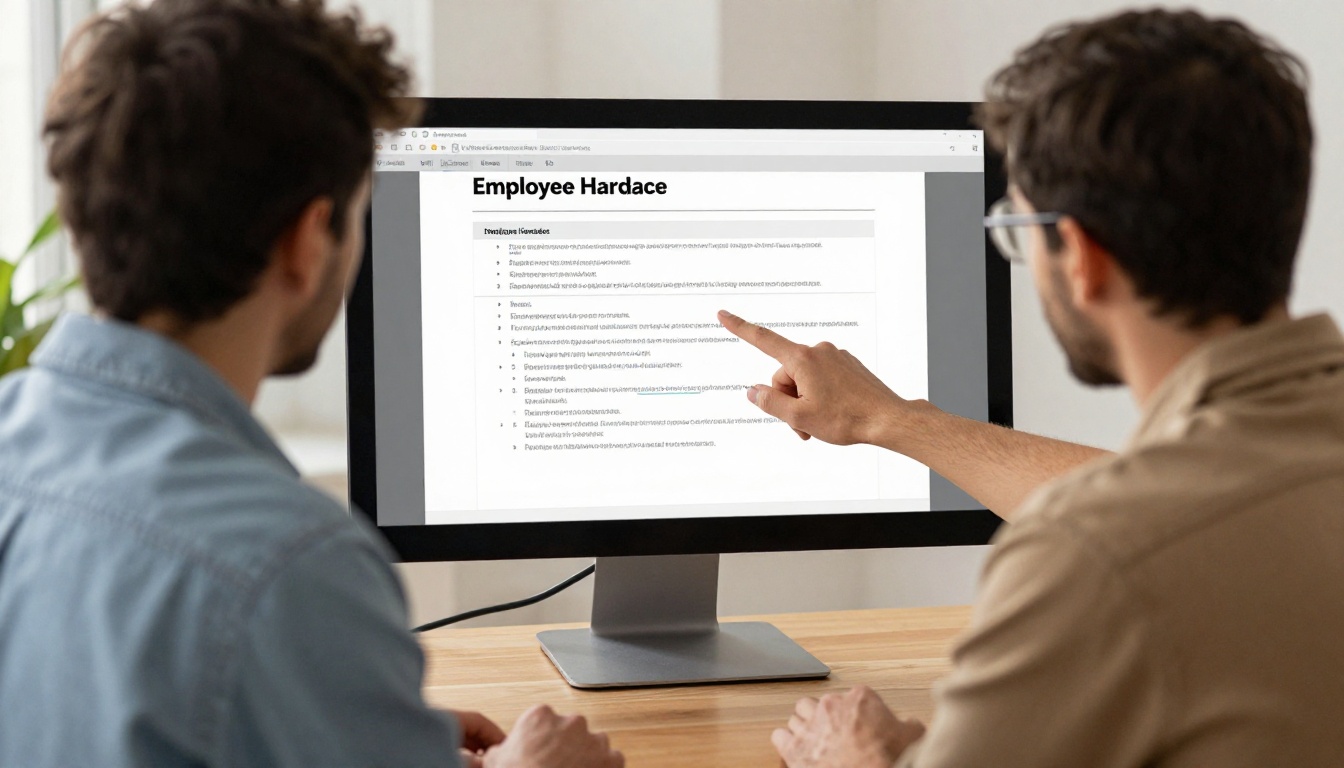
An HR manager exports the employee handbook to PDF, converts it, and embeds it at the top of the "New Hire Start Here" page. New employees flip through at their own pace. When the leave policy changes, HR replaces the source file and the page stays current without edits. If the handbook is internal, a Training Manual Flipbook with a password keeps it private.
Sales: A Catalog Reps Actually Use
A sales enablement lead embeds the current Product Catalog on the team space home page. Reps open it before calls, share the same link with customers, and never ask "which version is latest?" again.
Leadership: The Quarterly Report
A finance team publishes the Annual Report as a flipbook, embeds it in a leadership space, and checks the analytics to see which sections get read.

Comparison of Embedding Approaches
| Approach | Reader experience | Maintenance | Best for |
|---|
| PDF attachment | Download or small preview | Re-upload on every change | Rarely read files |
| Page rebuilt in Confluence | Fully native | Heavy, layout is lost | Short text content |
| Iframe flipbook | Page turning, in the page | One source link | Designed documents |
| Link card to flipbook | Opens in a new tab | One source link | Cloud without iframe support |
Fix a Blank or Broken Frame
Something will go wrong at least once. Here is the checklist, ordered by how often each cause shows up.
The Frame Is Empty
- The domain is not allowlisted. Ask an admin to add it, then refresh.
- The link points to a page, not an embed. Use the share or embed link generated by the flipbook platform.
- Mixed content. A Confluence site served over HTTPS cannot show an HTTP frame. Use the HTTPS link.
The Frame Loads but Looks Wrong
- Too narrow. Set width to 100%.
- Too short. Raise the height by 100 pixels and retest.
- Double scrollbars. Set scrolling to auto and make the height large enough to contain the spread.
The Flipbook Asks for a Password
This is expected when protection is on. Share the password in your onboarding message, or pick a link setting that fits the space. Wiki permissions control who sees the page, while the flipbook password controls who reads the document. Using both is a solid pairing for sensitive material.
Quick Troubleshooting Table
| Symptom | Likely cause | Fix |
|---|
| Blank gray box | Domain not allowlisted | Add domain in admin allowlist |
| "Refused to connect" | Host blocks framing | Use the platform's official embed link |
| Cropped pages | Frame too small | Increase height, set width to 100% |
| Works on desktop only | Fixed pixel width | Switch to percentage width |
| Password prompt loops | Browser blocks cookies in frames | Allow cookies for the flipbook domain |
⚠️ Warning: Some corporate browsers block third party cookies by default. If a password protected flipbook keeps asking for the password inside the frame, test in another browser before you blame the setup.
Keep It Fast, Safe and Tidy
Performance
An iframe loads a second page, so every embed adds a little weight. Place one flipbook per section, not ten on one page. If you need several, use the Confluence expand macro so the frame loads when the reader opens it, or give each flipbook its own page and link between them.
Security
- Allowlist only the hosts you trust.
- Prefer password protection for internal documents.
- Review embedded flipbooks when staff leave or content changes sensitivity.
Governance
- Record the approved flipbook domain on a "How we embed content" page.
- Name flipbooks with the same title as the wiki page.
- Use one owner per document, so updates have a clear responsible person.
Reading Habits Worth Tracking
On the Professional plan, analytics show which pages get read and for how long. A handbook where everyone stops at page six tells you the next chapter needs a rewrite. See the pricing plans for what each tier includes.

Accessibility and Mobile Readers
An embedded flipbook is only useful if people can actually read it. A few small decisions make a large difference.
Give the Frame a Title
Screen readers announce iframes by their title. If your macro or app supports a title field, use something descriptive like "Employee Handbook flipbook" rather than leaving it blank. Pair the frame with a normal text link just above it, so anyone who cannot use the embedded viewer can open the document directly.
Offer a Fallback Link
Add a sentence under the frame such as "Prefer a full screen view? Open the flipbook in a new tab." This helps in two situations: a reader on a locked down browser where frames are blocked, and a reader who simply wants the biggest possible view. A direct link also gives you a safe backup when an admin removes a domain from the allowlist.
Test on a Phone
Wiki pages are read on phones more than most teams admit. Because the flipbook layout is responsive, it switches to a single page view on narrow screens. Open the published page on a phone and check three things: the frame fits the width, pages turn with a swipe, and the page does not trap the scroll. If the frame traps the scroll, reduce the height so a part of the page remains visible above and below it.
Reader Checklist Before You Publish
| Check | Why it matters |
|---|
| Descriptive text link above the frame | Gives a fallback path |
| Width set to 100% | Avoids sideways scrolling |
| Height tested on laptop and phone | Prevents cropped pages |
| Password shared with the audience | Avoids support questions |
| Source file named clearly | Makes updates easier later |

Keep Content Fresh Over Time
Embedding is easy. Keeping a wiki healthy is harder, because documents age. A small routine prevents stale embeds.
- Set a review date in the page properties, such as every quarter.
- Replace the source file instead of creating a new flipbook, so links and embeds stay valid.
- Announce changes in a short page comment or team channel, with one sentence describing what changed.
- Retire old flipbooks that no page uses anymore.
Teams that publish public material such as a Press Kit or Digital Catalog benefit most, since the same link serves the wiki, the website and email campaigns. Browse the full flipbook tools directory to find a template that matches your document type.

Your Next Step
You now have the full recipe: build the flipbook, allowlist the domain, insert the Iframe macro, size it sensibly, and test it on a phone. The whole process takes about fifteen minutes once your admin has approved the domain, and it replaces a pile of stale PDF attachments with one living document.
Ready to try it? Create your first flipbook for free on Flipbooks AI, browse the tools and templates to pick a starting layout, and compare pricing plans when you need analytics, lead generation or unlimited flipbooks. When you are ready to publish, the Embed Flipbook on Website page has the embed options in one place.