Affiliate programs are only as strong as the tools you give your promoters. When an affiliate lands on your partner portal and finds a folder of static PDFs and low-res banner ads, they do one of two things: use them reluctantly, or ignore them entirely. Neither is good for conversions. A flipbook changes that dynamic completely. With Flipbooks AI, you can create a stunning, interactive flipbook for your affiliate program in minutes, giving affiliates something they actually want to share because it looks professional, loads instantly on any device, and feels alive rather than flat.
This article walks through everything: why flipbooks work for affiliate programs, how to build one step-by-step, which plan fits your needs, and real-world examples from brands already using this approach to boost affiliate-driven revenue.
Why Static PDFs Are Hurting Your Program
Most affiliate programs hand out the same thing: a zipped folder of assets. Inside you'll find a PDF product catalog designed for print, a few PNG banners, and maybe a Word document with talking points nobody reads. The problem isn't effort — it's format.
The Real Problem With Affiliate PDFs
Static PDFs don't track. They don't embed affiliate links. They don't update when your pricing changes. And they absolutely don't display well on a smartphone, which is where most people share content today. Every time a prospect opens a flat PDF, they're looking at something that feels a decade old compared to the product your affiliate is actually trying to sell.
Here is what the data consistently shows about promotional materials:
- PDF open rates average 20-25% even with highly motivated audiences
- Interactive content receives 2x more attention than static content
- Mobile-optimized flipbooks load in under 3 seconds versus PDF downloads that can take 30+ seconds on mobile data
- Affiliates who have polished promotional material are far more likely to promote consistently and enthusiastically
⚠️ If your affiliate materials are not mobile-optimized and instantly shareable, you are leaving conversions on the table, not because your product is weak, but because the presentation is.
What Affiliates Actually Want
Affiliates want materials they do not have to explain or apologize for. They want something they can send to a prospect and feel proud of. A well-built flipbook does exactly that: it looks like a premium brand experience, loads without friction, and presents your product in its best light. That is the starting point for every affiliate sale.
What Makes Flipbooks So Effective for Affiliate Programs

A flipbook is not just a PDF with page-turn animations. The best affiliate flipbooks are interactive documents that embed your affiliate's unique tracking links, update automatically, and work across every device without requiring a download.
Interactive Features That Drive Clicks
When you create a flipbook for your affiliate program with Flipbooks AI, you get access to a set of features that static documents simply cannot replicate:
- Embedded hyperlinks: Every product mention, CTA button, and image can link directly to your offer page with the affiliate's tracking code baked in
- Embedded video: Showcase product demos or testimonial clips without leaving the document
- Page-flip animation: Creates a tactile, immersive reading experience that holds attention longer
- Mobile-responsive layout: The flipbook reflows perfectly whether viewed on a 27-inch desktop monitor or a 5-inch phone screen
- Password protection: Lock premium affiliate materials behind a password for vetted partners only
- Custom branding: Your logo, colors, and domain on every page, not a third-party watermark
💡 Pro tip: Create different flipbook versions for different affiliate tiers. A standard partner gets the base catalog, while your top performers get a premium flipbook with exclusive offers, higher commission details, and early-access product previews.
Shareability Across Every Channel
One of the biggest advantages of a flipbook is how it travels. Affiliates can share a single link that opens the flipbook directly in any browser, no app download, no account required. That link works in:
- Email newsletters
- Social media posts (Instagram bio, LinkedIn articles, Facebook groups)
- WhatsApp and Telegram groups
- Blog posts and review sites
- YouTube video descriptions
Compare that to a PDF attachment that gets blocked by spam filters, requires downloading, and loses all formatting on mobile. The flipbook wins every time.
How to Create a Flipbook for Your Affiliate Program
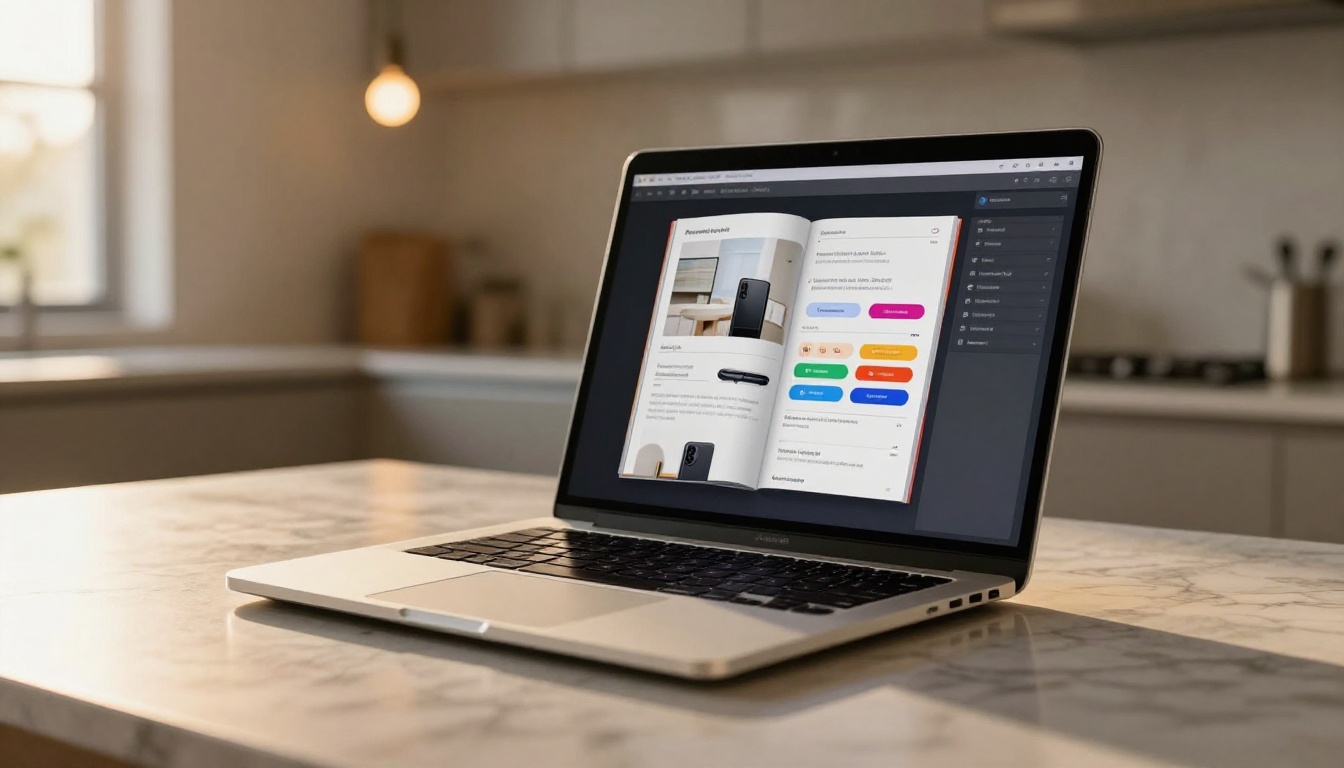
Here is the step-by-step process for building your affiliate program flipbook from scratch using Flipbooks AI.
Step 1: Set Up Your Account
Go to Flipbooks AI and create your account. The process takes under two minutes. You will land on the dashboard where all your flipbooks live. From here you can start a new flipbook immediately, with no credit card required on the free tier.
Step 2: Design Your Affiliate PDF
Before uploading, you need a PDF. This is where most brands already have assets: product catalogs, lookbooks, brochures, or presentation decks. If you do not have one yet, use any design tool (Canva, Adobe InDesign, PowerPoint, Google Slides) to build a polished multi-page document.
For affiliate program materials, a strong PDF typically includes:
- Welcome page: Your brand story, affiliate program overview, commission rates
- Product catalog pages: High-quality product photos with descriptions and pricing
- Promotion calendar: Seasonal offers, upcoming sales, exclusive affiliate discounts
- Resource page: How to get support, your affiliate portal URL, contact details
- CTA page: Direct link to sign up or start promoting
Step 3: Upload and Convert
On your Flipbooks AI dashboard, click "New Flipbook" and upload your PDF. The platform converts it automatically using the PDF to Flipbook Converter. Within seconds, your static document becomes an interactive, page-turning publication ready to share.
✅ Best practice: Export your PDF at 300 DPI minimum to ensure images look crisp on high-resolution screens. Lower resolution files will appear blurry on retina displays.
Step 4: Customize for Your Brand
This is where the real differentiation happens. Inside the editor you can:
- Set your brand colors for the flipbook background and controls
- Upload your logo to appear on every page
- Add a custom favicon and branded URL slug
- Embed affiliate tracking links on specific CTAs and product images
- Add a background music track or product demo video to specific pages
- Configure the table of contents for easy navigation
Step 5: Publish and Share With Affiliates
Once you are happy with the result, hit publish. You will get:
- A direct link to share immediately
- An embed code to place the flipbook on your affiliate portal or website (Embed Flipbook on Website)
- A QR code for offline events like trade shows and partner meetups
- Password protection options for exclusive access tiers
Send the link to your affiliate list. No ZIP files, no email attachments, no "the file is too large" bounced emails.
Flipbook Types That Work for Affiliate Programs

Not all affiliate programs are the same, and neither are their flipbooks. Here is a breakdown of the formats that perform best across different industries.
Product Catalog Flipbooks
The most common format. A digital product catalog lets affiliates show prospects your full lineup in a structured, browsable format. Use the Product Catalog Generator or the Catalog Flipbook Creator to build one quickly.
Best for: E-commerce brands, physical product sellers, subscription box programs
Promotional Brochure Flipbooks
Shorter and punchier than a catalog. A brochure flipbook focuses on a single offer, campaign, or product line. Use the Brochure Flipbook Maker or the Online Brochure Designer for fast turnarounds on time-sensitive promotions.
Best for: Launch campaigns, seasonal offers, limited-time affiliate deals
Affiliate Welcome Kit Flipbooks
A flipbook version of your onboarding documentation. New affiliates get everything they need in one beautiful, scannable document: commission structure, promotional guidelines, brand assets, top-performing content ideas, and contact information. Dramatically reduces support requests from new partners.
Best for: Any affiliate program that wants to increase activation rates and reduce onboarding friction
Digital Lookbook Flipbooks
If you sell fashion, beauty, lifestyle, or home goods, the Interactive Lookbook Designer creates aspirational editorial-style content that affiliates can share to style-focused audiences.
Best for: Fashion, beauty, home decor, and lifestyle brands
Features That Help Affiliates Sell More

Let's go deeper on the specific Flipbooks AI features that directly impact affiliate conversion rates.
Analytics and Performance Tracking
Available on the Professional plan, analytics tells you exactly how your affiliates' audiences are interacting with the flipbook:
- Total views and unique visitors
- Average time spent per page
- Click-through rates on embedded links
- Geographic breakdown of readers
This data is extremely valuable. You know which pages stop people cold, which CTAs get the most clicks, and which products generate the most interest. Use it to continuously refine your affiliate materials.
💡 Share analytics summaries with your top affiliates. When they see that page 7 (the discount page) gets 3x more attention than page 3, they will know exactly where to direct their audience's focus.
Lead Generation Forms
The Professional plan also includes lead capture forms embedded directly inside the flipbook. An affiliate shares the flipbook, a prospect reads through it, and before they reach the final page, a lead capture form appears asking for their name and email. That lead goes straight into your CRM with no redirect and no friction required.
Password Protection for Tiered Access
Not all your affiliate materials should be public. Password protect your premium flipbooks to create a sense of exclusivity. Top-tier affiliates get the password to a "VIP partner" flipbook with higher commission rates, early-access products, and exclusive promo codes. Standard affiliates see the regular catalog.
Offline Downloads
Affiliates who present at events or meet prospects in person can download the flipbook as a PDF for offline use. The download still carries your full branding and links, so even offline distribution stays completely on-brand.
Pricing Plans: Which One Fits Your Program

Choosing the right plan depends on the size of your affiliate network and the sophistication of your materials. Here is a clear comparison:
| Feature | Starter | Standard | Professional |
|---|
| Flipbooks | Limited | Unlimited | Unlimited |
| Custom Branding | Partial | Full | Full |
| Watermarks | None | None | None |
| Analytics | No | No | Yes |
| Lead Generation Forms | No | No | Yes |
| Password Protection | No | Yes | Yes |
| Offline Downloads | No | Yes | Yes |
| Embed on Website | Yes | Yes | Yes |
| Embedded Video/Audio | No | Yes | Yes |
✅ For most affiliate programs, the Standard plan is the sweet spot: unlimited flipbooks, full branding, password protection, and offline downloads. Upgrade to Professional when you need analytics and lead generation to scale your program.
Explore all options at flipbooksai.com/pricing.
Real-World Use Cases

Theory is useful. Real examples are better.
E-Commerce Brand Affiliate Kit
An online skincare brand with 200+ affiliates replaced their PDF affiliate kit with a flipbook built on Flipbooks AI. The new kit included embedded product links, a seasonal promotion calendar, and a lead capture form on the final page. Within 30 days, their affiliate activation rate improved significantly because new partners could actually process the product lineup from the flipbook rather than sorting through a disorganized PDF folder.
SaaS Product Demo Flipbook
A B2B software company created a flipbook that walked prospects through the product's core use cases, pricing tiers, and a short embedded video demo. Affiliates shared this flipbook link in LinkedIn DMs instead of driving traffic cold to the homepage. Conversion rates from affiliate traffic improved because prospects arrived already informed rather than needing to discover the product value independently.
Digital Course Affiliate Materials
An online education company built a series of flipbooks using the Course Material Publisher as the base. Affiliates received a flipbook that included curriculum overviews, instructor bios, student success stories, and a strong CTA linking to the enrollment page. The visual, scannable format worked perfectly for education affiliates with blog and newsletter audiences.

Still weighing your options? Here is an honest comparison of the most common affiliate material formats:
| Format | Mobile Friendly | Trackable | Shareable | Updatable | Interactive |
|---|
| Static PDF | Poor | No | Limited | No | No |
| PowerPoint | Poor | No | No | No | No |
| Landing Page | Yes | Yes | Yes | Yes | Partial |
| Flipbook | Yes | Yes | Yes | Yes | Yes |
| Video | Yes | Partial | Yes | No | No |
| Email | Yes | Partial | Limited | No | No |
The flipbook is the only format that checks every box without requiring significant technical resources to build or maintain.
3 Mistakes to Avoid
Overloading the Flipbook
More is not always better. A 60-page flipbook covering every product you have ever made will overwhelm affiliates and their audiences. Keep affiliate flipbooks focused: 8 to 15 pages spanning your best products, core benefits, commission structure, and clear CTAs.
Forgetting to Update
One of the biggest advantages of a flipbook is that you can update it at any time without resending a new file. If your pricing changes or a product sells out, update the flipbook and the shared link automatically reflects the change. Build this into your monthly workflow.
Generic Affiliate Links
If you are embedding links in the flipbook, make sure each affiliate gets a version with their specific tracking code. Some programs create one master flipbook and embed a generic link, which means affiliate commissions are not tracked correctly. Either personalize each flipbook per affiliate or direct them to a landing page that detects the referral source automatically.
⚠️ Test every link in your flipbook before distributing to affiliates. A broken affiliate link is a broken sale and a frustrated partner.
Start Building Your Affiliate Flipbook Today

Affiliate programs that invest in high-quality, interactive promotional materials see better activation rates, more consistent promotion from partners, and stronger conversion rates from affiliate-driven traffic. A flipbook is the single most effective upgrade you can make to your affiliate asset library today.
You do not need a designer, a developer, or a large budget. You need a well-designed PDF and a Flipbooks AI account. In under an hour, your affiliates can have a shareable, branded, interactive flipbook in their hands that they will actually use.
Here is where to start:
Your affiliates are ready to promote. Give them something worth sharing.



