Running a music school means constantly producing lesson materials. Sheet music, theory handouts, practice schedules, chord charts, scale diagrams — the list never ends. And yet, most of that content gets printed once, handed out, lost under a student's bed, and forgotten. If you've ever wanted a smarter way to distribute your curriculum, Flipbooks AI gives music teachers a tool that actually keeps students coming back to the material.
This article walks you through everything you need to create a flipbook for your music school lessons: what it is, why it works, how to build one in minutes, and how to share it so every student can access it on any device.
Why Printed Lesson Materials Are Costing You
The Real Problem with Paper
Printed handouts have a short shelf life. Students lose them, spill drinks on them, leave them in cars. You reprint the same chord chart twelve times a semester. Every reprint costs money and time — two things a small music school cannot afford to waste.
Beyond logistics, paper is static. A printed guide cannot play an audio example, link to a video demonstration, or update the moment you adjust your curriculum. You send it out once and that version lives forever, even when you have improved your teaching approach.
Students Expect Digital
Today's students, from children to adults, interact with digital content daily. They watch YouTube tutorials, follow tab websites, and stream music theory podcasts. When your lesson materials feel like a 1990s photocopy, it signals that your school has not kept pace. A polished digital flipbook changes that perception immediately.
| Traditional Paper Handouts | Digital Music School Flipbook |
|---|
| Frequently lost or damaged | Always accessible online |
| Static, no updates possible | Update once, reflects everywhere |
| No audio or video | Embed audio clips and videos |
| Printing costs per student | Zero cost to distribute |
| No analytics | Track who opened which page |
| No branding control | Full custom branding and colors |
What a Music School Flipbook Actually Does
More Than a PDF Viewer
A flipbook is not just a PDF opened in a browser. It's an interactive, page-turning digital publication that mimics the experience of reading a physical book while adding capabilities that paper never could.
With Flipbooks AI, your lesson material becomes a fully branded, shareable digital experience:
- Page-turn animations that feel natural and satisfying
- Embedded audio so students can hear how a piece should sound
- Clickable links to your website, YouTube channel, or booking page
- Password protection so only enrolled students access private materials
- Mobile-responsive design that works on phones, tablets, and laptops
- Custom branding with your logo, colors, and school name
Real Benefits for Real Studios
A single-teacher home studio and a multi-room music school both benefit from flipbooks, just in different ways.
For small independent teachers:
- Replace paper handouts entirely
- Look more professional than competitors
- Save on printing costs every semester
For established music schools:
- Standardize curriculum across multiple teachers
- Distribute updated materials school-wide instantly
- Use analytics to see which lesson pages students actually read
💡 Pro Tip: Password-protect your advanced lesson materials and only share the link with students on the appropriate tier. This adds perceived value and keeps your premium content private.
Types of Music School Flipbooks Worth Creating
Lesson Workbooks
A lesson workbook flipbook covers your core weekly curriculum. Organize it by week or skill level. Include exercises, short theory explanations, and practice checklists. Students can access it on their phone while sitting at the piano, without fumbling with papers.
Theory Handbooks
Music theory is dense and students often forget concepts between lessons. A theory handbook flipbook gives them a reference they can flip through anytime. Include:
- Major and minor scale charts
- Circle of fifths diagram
- Chord construction rules
- Common rhythm patterns
- Interval identification tables
Practice Schedules
Consistency is the biggest challenge for music students. A beautifully designed practice schedule flipbook, updated weekly or monthly, keeps students accountable. Include daily warm-up routines, weekly goals, and self-assessment checkboxes.
Repertoire Lists and Song Books
Organize your recommended repertoire by level. Students can flip through the catalog, hear audio previews if embedded, and decide what they want to work toward. This doubles as a motivational tool.
Student Welcome Packets
First impressions matter. Instead of handing a new student a stapled packet of policies and schedules, send them a polished welcome flipbook with your school's story, teacher bios, schedule, pricing, and what to expect. You can build one with the Course Material Publisher tool.
| Flipbook Type | Best For | Key Features to Include |
|---|
| Lesson Workbook | Weekly curriculum delivery | Exercises, notation, practice tips |
| Theory Handbook | Reference material | Charts, diagrams, examples |
| Practice Schedule | Student accountability | Weekly goals, checklists |
| Repertoire Catalog | Song selection | Levels, audio previews |
| Welcome Packet | New student onboarding | Policies, bio, schedule |
| Recital Program | Events and performances | Student profiles, program order |
How to Create a Music School Flipbook with Flipbooks AI
Creating your first music school flipbook takes less time than printing and stapling a semester's worth of handouts. Here's the complete process.
Step 1: Create Your Account
Head to Flipbooks AI and create a free account. No credit card required to start. The free plan lets you test the platform and see how your materials look as a flipbook before committing to anything.
Step 2: Prepare Your Lesson Materials as a PDF
Flipbooks AI converts PDFs into interactive flipbooks. So your first job is to get your lesson materials into PDF format:
- Google Docs or Word: Write your lesson content, then export as PDF
- Canva: Design a visually appealing lesson workbook using their templates, then download as PDF
- Finale or Sibelius: Export your sheet music directly as PDF
- MuseScore: Free music notation software that exports clean PDFs
✅ Best Practice: Design your PDF in landscape orientation for the best flipbook display. Use large, readable fonts, at least 12pt for body text. Your students may be reading on mobile screens.
Step 3: Upload and Convert
- Log into your Flipbooks AI dashboard
- Click Create New Flipbook
- Drag and drop your PDF file into the upload area
- Wait 30 to 60 seconds for conversion (most PDFs convert in under a minute)
- Preview the flipbook and check that all pages rendered correctly
The PDF to Flipbook Converter handles everything automatically, including preserving fonts, spacing, and images from your original document.
Step 4: Customize Your Flipbook
This is where your music school's identity takes over. In the customization panel:
- Upload your logo: Appears in the flipbook header or watermark position
- Set brand colors: Match your school's color palette
- Add a background: Choose from textures or upload a custom background
- Enable page effects: Soft page-turn sound or animation
- Add multimedia: Embed audio clips of example performances or video links
- Set access controls: Toggle password protection for private lesson books
Step 5: Share With Your Students
Once your flipbook is published, you have several sharing options:
- Direct link: Copy and share via WhatsApp, email, or your student portal
- Embed code: Paste into your school's website using the Embed Flipbook on Website tool
- QR code: Generate a QR code and print it on your studio wall or welcome card
- Password-protected link: For premium content, share the link and password separately
⚠️ Important: If you update the PDF and re-upload, the link stays the same. Students bookmark it once and always get the latest version automatically.
Flipbooks AI Plans: Which One Fits Your School

Choosing the right plan depends on how many flipbooks you need and whether you want features like analytics and lead generation. See full details on the pricing page.
| Feature | Free | Standard | Professional |
|---|
| Flipbooks | 1 | Unlimited | Unlimited |
| Watermark | Yes | No | No |
| Custom branding | No | Yes | Yes |
| Password protection | No | Yes | Yes |
| Embed on website | No | Yes | Yes |
| Analytics | No | No | Yes |
| Lead generation forms | No | No | Yes |
| Offline downloads | No | No | Yes |
| Audio and video embed | No | Yes | Yes |
For a single independent teacher: The Standard plan covers everything you need. Unlimited flipbooks, no watermarks, full branding, and password protection.
For a multi-teacher music school: The Professional plan gives you analytics to track student engagement, lead generation forms to capture new student inquiries, and offline download options for students in low-connectivity areas.
💡 Pro Tip: Use the lead generation feature on your public-facing repertoire catalog or welcome packet. When a prospective student opens your welcome flipbook and sees a form asking for their contact info, conversion rates are significantly higher than a plain website contact form.
Making Your Flipbooks Work Harder
Use the School Newsletter Creator
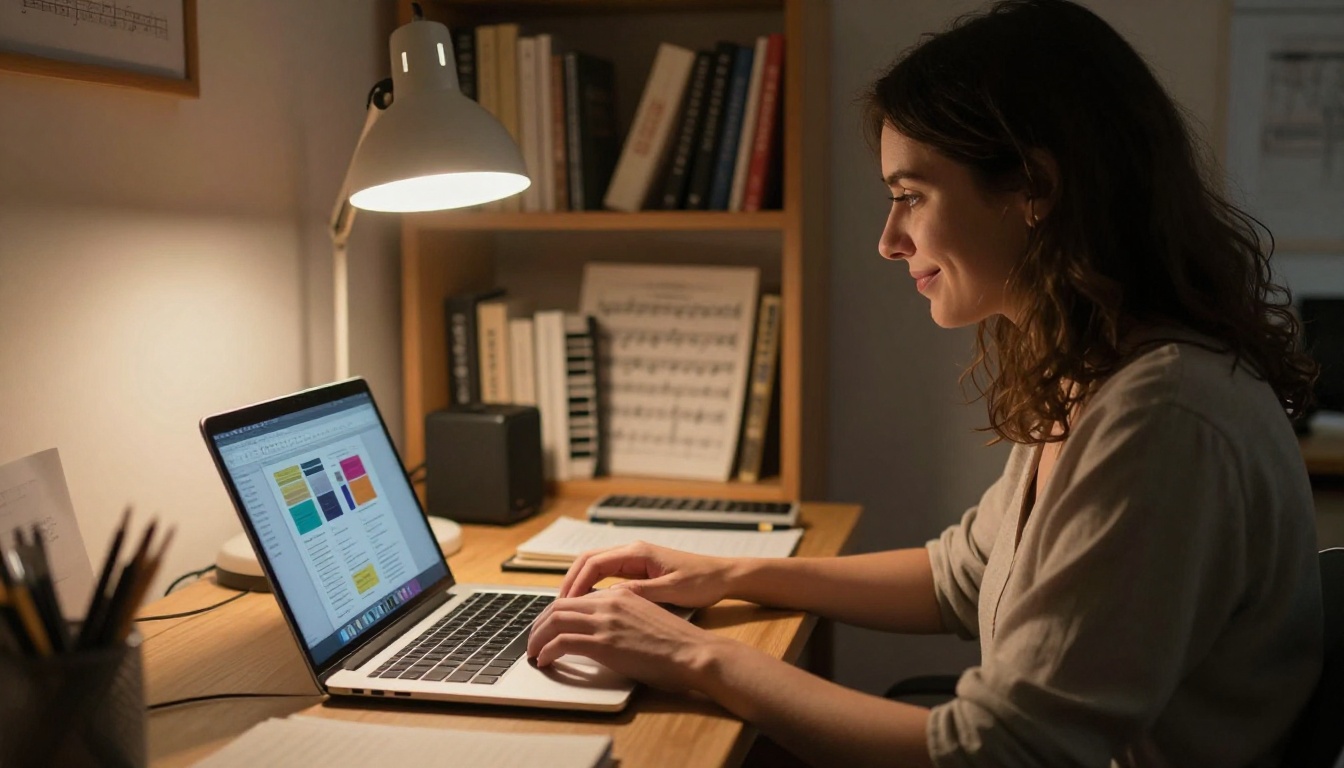
Keep parents informed and students motivated with a monthly music school newsletter. The School Newsletter Creator lets you build a professional newsletter flipbook that parents actually read because it looks good and opens instantly on their phones.
Include:
- Student achievement highlights
- Upcoming recital dates
- New song recommendations
- Practice challenge of the month
- Teacher notes and tips
Build a Training Manual for New Teachers
If you hire additional instructors, a Training Manual Flipbook standardizes how your school's curriculum gets taught. Every new teacher gets the same onboarding experience, with your methods, expectations, and student communication guidelines all in one place.
Create Event Programs for Recitals
Recitals are your biggest marketing moments. A polished digital event program shared as a flipbook impresses parents and creates a lasting impression. Use the Event Program Maker to include student profiles, song titles, teacher notes, and photos from the year.
What Music Teachers Ask Most Often
Can students download the flipbook for offline use?
Yes, on the Professional plan. Students can download a version for offline access, which is useful for students with limited internet connectivity during practice sessions.
Can I update the flipbook without resending the link?
Yes. Re-upload a revised PDF and the existing link automatically shows the updated version. Students do not need a new link.
Can I use it for group classes with 20+ students?
Absolutely. There is no per-student fee. One flipbook link shared with an entire class works exactly the same as sharing with one student.
What file size can I upload?
PDFs up to 500MB are supported, which is more than enough for even the most detailed illustrated lesson workbook.
Can I embed a YouTube video inside my flipbook?
Yes. On Standard and Professional plans, you can embed YouTube, Vimeo, or audio clips directly into specific pages of your flipbook.
Is there a limit to how many pages my flipbook can have?
No page limit. A 200-page semester workbook converts just as smoothly as a 10-page weekly handout.
Practical Scenarios for Every Music School
Piano studio, single teacher: Create one flipbook per skill level (Beginner, Intermediate, Repertoire). Password-protect each one and give students the link and password when they reach that level. Add an audio embed of a professional performance for each piece they will be learning.
Guitar school with multiple teachers: Standardize chord diagrams, scale charts, and strumming pattern guides into a shared reference flipbook. Every teacher sends the same link. When you update a chord diagram, all teachers and students see the change instantly.
Children's music program: Design a colorful, illustrated flipbook workbook using Canva, then convert it. Include singalong lyrics, simple rhythm games, and parent notes for home practice. Parents get the link via WhatsApp before each lesson.
Music theory tutoring: Build a semester-long theory flipbook with weekly chapters. Students work through it at their own pace. Use analytics to see which chapters they have opened and which ones they have not touched, then follow up in lessons accordingly.
School of music with recitals: Create a digital recital program flipbook shared with all parents. Include a lead generation form asking parents if they want to refer a friend for a free trial lesson. Referrals come in passively throughout the year.
Build Your First Music School Flipbook Today
The gap between teachers who feel organized and professional and those who feel overwhelmed often comes down to the tools they use. Paper has served music education well for centuries, but it cannot keep up with how students learn and communicate today.
Flipbooks AI gives you everything you need to create a flipbook for your music school lessons in one afternoon. No design experience required, no software to install, no per-student fees. Just upload your PDF, customize it with your branding, and share the link.
Your students will notice the difference immediately. Parents will see a more professional school. And you will stop spending Saturday mornings at the printer.
Ready to get started? Create your first music school flipbook free and see what your lesson materials look like transformed into an interactive digital experience. When you are ready to access analytics, lead generation, and offline downloads, compare plans to find the right fit for your school's size.
Browse all available education tools to find templates specifically built for training manuals, course materials, school newsletters, and event programs.



