Your online store is only as convincing as the way it presents its products. A flat PDF download or a long scrolling grid of product images can only go so far before shoppers lose interest and click away. That is where a digital flipbook catalog changes everything about how your products are experienced online. With realistic page-turn animation, mobile-responsive design, embedded product links, and zero printing overhead, a flipbook catalog gives your ecommerce storefront a polished, immersive presentation that keeps visitors browsing longer and buying more. Flipbooks AI makes this possible for any store owner in minutes, no design or coding experience required.
Why Your Current Product Catalog Is Costing You Sales
Static product pages and downloadable PDFs share one fundamental flaw: they offer no browsing experience. Shoppers scrolling through an infinite product grid are searching, not browsing. That is a fundamentally different mental state, and it produces lower time-on-site, fewer products viewed per session, and ultimately lower conversion rates.
Printed catalogs carry their own burden. They require design software, a print vendor, shipping logistics, and recurring production costs. Once printed, they cannot be updated. A price change or a new product launch means starting the entire production cycle over. In contrast, a digital flipbook catalog can be updated in seconds, shared via link or QR code, embedded on any webpage, and browsed comfortably on any device.
The Real Cost of Printed Catalogs
For small to medium ecommerce operations, printed catalogs represent a significant ongoing expense:
- Design costs: Freelance catalog designers typically charge $500 to $3,000 per project
- Printing costs: A 32-page full-color catalog runs $2 to $5 per copy at volume
- Distribution costs: Mailing to a customer list adds postage and fulfillment overhead on top
- Update cycle: Any price or product change requires a full reprint and redistribution
- Environmental impact: Unsold catalogs create avoidable waste
A digital flipbook catalog eliminates every one of these costs. The only investment is a subscription to a platform like Flipbooks AI, which runs at a fraction of a single print run.
What Shoppers Expect Today
Today's online shopper arrives from a social media feed filled with editorial-quality visuals and interactive stories. They expect a buying experience that matches that standard. An interactive flipbook catalog delivers exactly that: a layout that feels curated, editorial, and intentional. It signals to the shopper that your brand takes presentation seriously, which directly shapes their perception of product quality and brand credibility.
| Format | Avg. Time on Page | Update Flexibility | Cost Per Update | Mobile Experience |
|---|
| Printed Catalog | N/A (offline) | None, reprint required | High | None |
| PDF Download | 45-90 seconds | Any time | Free | Poor, no zoom flow |
| Static Web Gallery | 1-2 minutes | Any time | Free | Variable |
| Interactive Flipbook | 3-5 minutes | Any time | Free | Excellent |
💡 Interactive digital catalogs consistently show longer session durations than static formats. The browsing rhythm created by page-turn animation mirrors the physical experience of flipping through a printed publication, which encourages deeper product discovery.

What a Flipbook Catalog Actually Does
A flipbook catalog is a digital publication built from your PDF, rendered with realistic page-turn animation. When embedded on your store or shared via direct link, it looks and feels like flipping through a real magazine, but with all the interactive capabilities of a modern web application: clickable product links, embedded videos, built-in interaction tracking, and lead capture forms.
The Page-Turn Effect and Why It Works
The page-turn animation is not merely decorative. It creates a browsing rhythm. Instead of scrolling endlessly or clicking through category tabs, shoppers turn pages. This mirrors the physical act of browsing a printed catalog, triggering a more exploratory, discovery-oriented shopping mode. Shoppers linger on pages, go back to things they noticed earlier, and share pages that caught their attention.
The psychological effect is well-documented in UX research: physical metaphors in digital interfaces reduce cognitive friction and increase immersion. Immersed shoppers spend more time with products, which directly correlates with higher purchase intent.
Mobile Responsiveness Is Non-Negotiable
More than 60% of ecommerce traffic now comes from mobile devices. A flipbook built with Flipbooks AI is automatically optimized for any screen size. Shoppers can pinch to zoom on individual pages, swipe naturally to turn pages, and tap embedded product links directly from their phones. No special app required. It works in any mobile browser, on any device.
How to Create a Flipbook Catalog for Your Online Store
The process is far simpler than most store owners expect. You do not need a graphic designer, a developer, or expensive software. All you need is a PDF of your product catalog and an account on Flipbooks AI.
Step 1: Prepare Your Product PDF
Your flipbook is only as strong as the PDF behind it. Before uploading, a few minutes of preparation make a significant difference:
- Use a consistent layout: Single-page or double-page spreads both work well. Consistent margins give your catalog a polished, professional appearance.
- High-resolution product images: Use 300 DPI photography. Low-resolution images will appear blurry when shoppers zoom in on product details.
- Include product names and prices directly on each page: Shoppers should have all the information they need without ever leaving the catalog.
- Organize by category: Group similar products together so the browsing experience feels logical and intuitive.
- Add a visual table of contents: For catalogs over 20 pages, a contents page dramatically improves navigation and reduces drop-off.
✅ You can create your PDF in Canva, Adobe InDesign, Microsoft Publisher, or any tool that exports to standard PDF format. As long as the output is a PDF, the conversion works perfectly.
Step 2: Upload and Convert
- Go to Flipbooks AI and sign in, or create a free account.
- Click New Flipbook and select your product catalog PDF.
- The platform converts your PDF automatically. Conversion typically takes under 60 seconds for a standard catalog length.
- Preview every page to confirm that all layouts, product images, and text rendered correctly before publishing.
The PDF to Flipbook Converter supports all standard PDF formats and preserves your original typography, colors, and image placements exactly as designed.
Step 3: Customize Branding and Appearance
Once converted, you can tailor the flipbook viewer to match your store's identity:
- Brand colors: Apply your store's primary and secondary colors to the toolbar, background, and loading screen.
- Logo placement: Upload your brand logo so it remains visible throughout the entire browsing session.
- Page-turn style: Choose from multiple page animation options to match your brand aesthetic.
- Multimedia embeds: Add product demo videos, ambient audio, or interactive elements directly into specific pages.
- Clickable product links: Embed direct add-to-cart links on each product so shoppers can buy without leaving the catalog.
💡 For catalog-specific layouts, the Product Catalog Generator and Digital Catalog Maker offer templates pre-built for ecommerce catalog structures.

Step 4: Share and Embed on Your Store
Publishing your flipbook is where it starts actively working for your business:
- Direct link: Share a clean URL via email campaigns, social media posts, or customer messaging apps.
- Embed code: Drop a single snippet into your website to place the interactive flipbook directly on your catalog page. The Embed Flipbook on Website tool generates this code automatically, with responsive sizing that adapts to any column width.
- Password protection: Restrict access to wholesale buyers, VIP members, or private preview audiences.
- QR code export: Generate a scannable QR code linking to your flipbook, ideal for in-store signage, business cards, or product packaging inserts.
- Offline download: Allow customers to save the flipbook for viewing without an internet connection.
Catalog Types That Work Best for Ecommerce
Different product categories benefit from different catalog layouts and tools. Here is how major ecommerce verticals use flipbook catalogs most effectively.
Fashion and Apparel
For clothing brands, a flipbook catalog is the digital equivalent of a printed lookbook, without the production cost or lead time. The Fashion Catalog Creator is built for apparel layouts, with spread-style pages that show complete outfits in editorial context. A seasonal collection, a holiday drop, a capsule range: each gets its own catalog published and shared in an afternoon.
Furniture and Home Decor
Furniture sells better when shown in context. A full-room spread with a sofa alongside complementary coffee tables, rugs, and lamps creates natural upsell opportunities that individual product grids cannot replicate. The Furniture Catalog Maker handles large-format room photography without compression artifacts, preserving the visual quality that high-ticket purchases demand.

Wholesale and B2B Stores
Wholesale buyers expect polished documentation. A flipbook catalog with password protection, downloadable pages, and embedded lead generation forms turns a standard product list into a professional sales tool. Buyers who can access your full range in a beautifully formatted catalog, submit an interest form from inside it, and receive a follow-up with complete pricing details convert at significantly higher rates than those who receive a flat spreadsheet attachment.
Seasonal and Promotional Catalogs
Seasonal sales, product launches, and limited-time collections benefit enormously from the speed and flexibility of digital flipbook catalogs. Create a new catalog for each campaign in under an hour, share it across all channels simultaneously, and retire it when the promotion ends. No reprinting, no waste, no logistical delay.
Features That Drive More Sales From Your Catalog
The features you activate in your flipbook catalog have a direct effect on whether shoppers convert or simply browse and leave.
Shoppable Links Inside Pages
Embedding clickable product links on specific catalog pages turns your flipbook into a shoppable experience. A shopper sees a product they want on page 12, taps the embedded link, and lands directly on the add-to-cart page. This removes the friction of separately searching for the product, which is the exact point at which most catalog browsers drop off and never return.
Lead Generation and Follow-Up
The Professional plan allows embedding a lead capture form directly inside the flipbook. This is particularly powerful for B2B and wholesale operations. A buyer who has spent five minutes browsing your full product range is a warm lead. Capturing their contact details at that exact moment produces far better results than generic site pop-ups or post-visit retargeting ads.
Analytics: Know What Sells Before It Sells Out
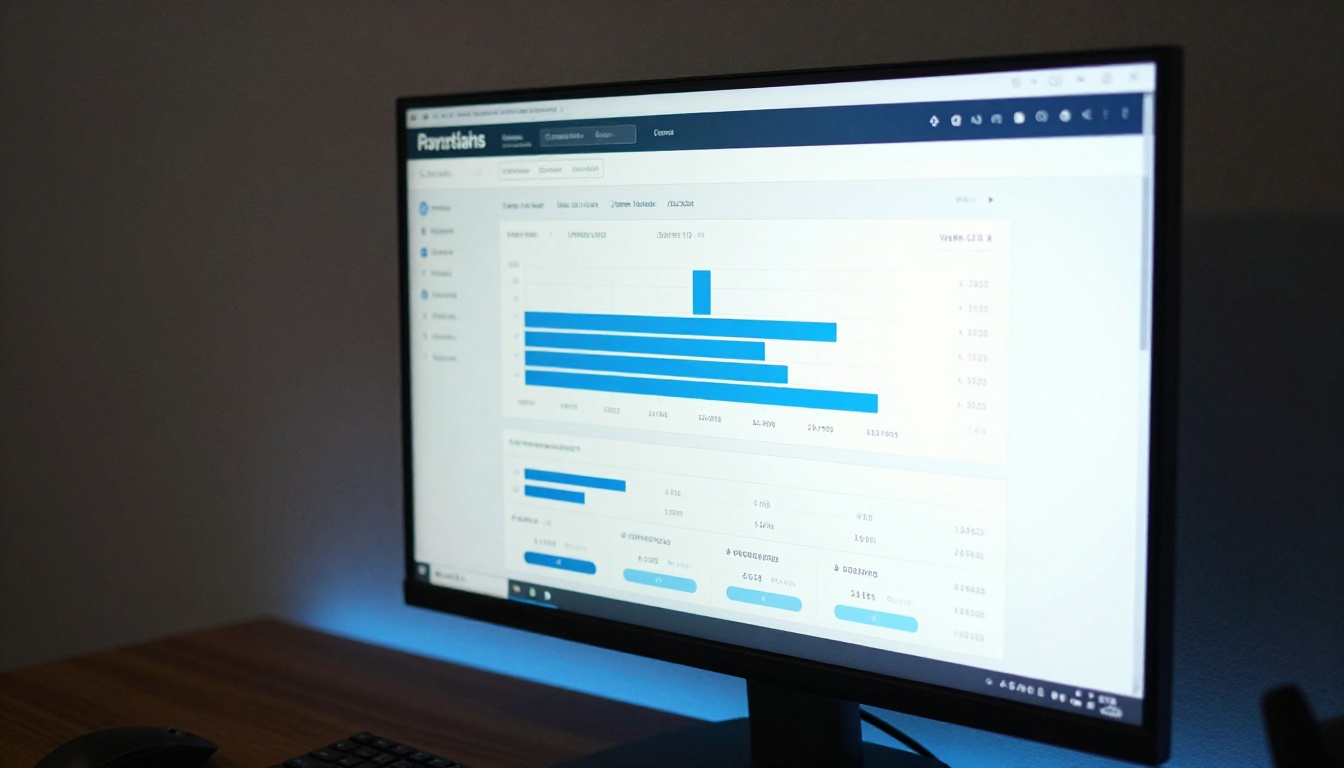
Built-in analytics on the Professional plan show page-by-page interaction data: which pages shoppers spend the most time on, which pages they skip, where they exit, and how they navigate through the catalog. This data tells you which products are generating the most interest, even before those shoppers have clicked to buy. Use it to inform inventory decisions, promotion planning, and layout choices for future catalog editions.
Offline Downloads
Allowing catalog downloads means your products stay visible even without an internet connection. A wholesale buyer reviewing options on a flight, a retailer preparing for a buying meeting without reliable WiFi, a consumer browsing saved content on their commute. Offline access removes every barrier to extended product consideration.
Plan Comparison: Choosing the Right Level
| Feature | Free | Standard | Professional |
|---|
| Flipbooks | Limited | Unlimited | Unlimited |
| Watermark | Yes | No | No |
| Custom branding | No | Yes | Yes |
| Password protection | No | Yes | Yes |
| Embed on website | No | Yes | Yes |
| Multimedia embeds | No | Yes | Yes |
| Analytics | No | No | Yes |
| Lead generation | No | No | Yes |
| Offline downloads | No | No | Yes |
⚠️ For any ecommerce use case, the Standard plan is the minimum recommended level. The watermark on the free plan conflicts with professional brand presentation and can undermine shopper confidence in your store.
For a full breakdown of what is included at each level, visit the Flipbooks AI pricing page.

Real Results: What Stores See After Switching
Brands that move from static PDFs and image galleries to interactive flipbook catalogs see consistent, measurable shifts in shopper behavior:
- Longer sessions: Shoppers browse flipbook catalogs significantly longer than static gallery pages or downloadable PDFs.
- More products discovered per session: The page-turn rhythm encourages sequential viewing. Shoppers encounter products they would never have found through a category search.
- Higher email capture rates: Lead forms embedded mid-catalog outperform exit-intent pop-ups because the shopper is already in an active browsing state.
- Reduced print costs: Brands that previously ran seasonal print catalogs eliminate that line item from their budgets entirely.
- Better organic sharing: Catalog links get forwarded and shared because the experience itself is worth sharing. A static PDF attachment does not get forwarded between friends or colleagues.
Furniture brands using the Digital Catalog Maker report that room-context spreads generate dramatically more product page visits than individual product listings, because the catalog does the contextual selling work that a single photo cannot.
Fashion retailers who replaced their seasonal email PDF attachments with shared flipbook links report longer browsing times, more product page clicks per session, and a measurable increase in average order values attributed to catalog-referred sessions. The immersive browsing format naturally surfaces products that shoppers would otherwise never notice.
For stores in the electronics and tech space, the ability to embed spec comparison tables directly inside catalog pages, alongside high-quality product photography, reduces the number of back-and-forth tab switches that typically kill purchase intent. When the full product story is told on the page, shoppers commit faster.
Common Mistakes to Avoid
Even a well-designed catalog can underperform if a few details are overlooked. The most common issues:
Low-resolution source PDFs: If the original PDF was designed for screen viewing at 72 DPI rather than 300 DPI print quality, your flipbook pages will look pixelated when zoomed. Always start from a print-quality PDF.
Missing product links: The most valuable feature of a digital catalog is the ability to click directly to a product page. Catalogs published without embedded links are just digital PDFs with animation. Take the time to add links to every product before publishing.
No brand customization on the Standard plan: Publishing your flipbook with default colors and no logo is a missed opportunity. Spend 10 minutes matching the viewer colors to your brand palette. It makes a significant difference in how shoppers perceive the catalog.
Sharing the wrong format: Embedding the flipbook on your store page performs better than attaching a PDF to an email. Always prioritize the embedded or linked flipbook experience over a downloadable file.
⚠️ A flipbook without clickable product links is just a prettier PDF. Always embed product links before publishing your catalog.
Your Products Deserve a Better Stage
A product catalog is not just a document. It is an active sales tool that either works for your store or works against it. When it looks and behaves like a premium editorial publication, shoppers treat it accordingly. They browse more pages, stay longer, come back, and share what they found.
Flipbooks AI removes every technical barrier from the process. Upload your PDF, apply your branding, and publish a professional interactive catalog in under 10 minutes. No code, no design tools, no printing budget required.
Ready to see what your products look like in a flipbook catalog? Create your account and publish your first flipbook today. When you are ready for custom branding, analytics, and lead generation, compare pricing plans to find the right level for your store. Browse all available catalog tools to find the template built specifically for your product type and store format.



