Nonprofits live and die by how well they communicate their mission. Whether you are trying to win over a major donor, recruit volunteers, or report impact to your board, the materials you produce need to do more than inform. They need to move people. That is why more nonprofit organizations are ditching static PDFs in favor of interactive digital flipbooks, and why knowing how to create a flipbook for your nonprofit could be one of the best decisions you make this year. Flipbooks AI makes this possible without needing a design team or a big budget.

Why Static PDFs Are Failing Nonprofits
Most nonprofits still send their annual reports, newsletters, and fundraising brochures as flat PDF attachments. Recipients download them, maybe skim the first two pages, then close them forever. The problem is not the content. The problem is the format.
Nobody Shares a PDF
A PDF cannot be liked, shared, embedded, or viewed without a download. It offers zero interactivity and zero analytics. You have no idea who opened it, what they read, or whether they acted on anything.
Print Is Expensive and Slow
For organizations running lean, printing thousands of brochures for a fundraising event is a budget drain. Print runs take days or weeks, and once they are in hand, you cannot fix a typo or update a statistic.
What Donors Actually Want
Today's donors interact with brands through digital experiences. They expect polished, mobile-friendly content they can scroll, flip, and share. A beautifully crafted digital flipbook signals professionalism and intentionality in a way a generic PDF never can.
What a Nonprofit Flipbook Can Actually Do
Creating a flipbook for your nonprofit is not just about looking good. It changes how your message reaches people and what they do after reading it.
Annual Reports That Build Trust
An interactive annual report lets donors flip through pages of impact data, photographs, testimonials, and financial summaries in a format that feels like a real publication. You can embed videos of beneficiaries, link to donation pages, and add audio messages from your executive director.
💡 Pro Tip: Include a short video message from your executive director on page two of your annual report flipbook. Donors who see a face behind the mission are significantly more likely to renew their support.
Fundraising Campaigns That Convert
Flipbooks work exceptionally well as campaign landing tools. Instead of directing traffic to a wall of text, you send supporters to an immersive, page-flipping experience that walks them through your mission, the problem you solve, who you serve, and how to donate. With embedded links throughout the flipbook, every page can become a conversion point.
Donor Newsletters That Get Read
Most nonprofit newsletters are opened on mobile devices. A mobile-responsive flipbook newsletter lets readers swipe through updates the same way they interact with a digital magazine. Open rates and time-on-page both improve meaningfully.

Event Programs Without the Print Bill
Whether you are hosting a charity auction, a 5K run, or an annual gala, digital event programs eliminate printing costs while giving attendees a richer experience. Send attendees a link before the event, and they arrive already familiar with the schedule, speakers, and sponsors.
Grant Proposals That Stand Out
Many foundations now accept or prefer digital submissions. A polished flipbook impact report carries far more weight than a generic Word document. It demonstrates organizational sophistication, attention to detail, and respect for the reader's time.
Nonprofit Flipbook Use Cases at a Glance
| Use Case | Format | Best For | Primary Benefit |
|---|
| Annual Report | Flipbook publication | Donors, board members | Showcases full-year impact visually |
| Fundraising Brochure | Interactive flipbook | Campaign donors | Embedded CTAs drive donations |
| Donor Newsletter | Digital magazine style | Monthly/quarterly comms | Mobile-friendly and shareable |
| Event Program | Lightweight flipbook | Gala, 5K, auction events | Zero print cost, always updated |
| Grant Proposal | Formal report flipbook | Foundations, grant committees | Professional presentation |
| Volunteer Recruitment | Informational flipbook | Prospective volunteers | Video and testimonials embedded |
How to Create a Flipbook for Your Nonprofit with Flipbooks AI
Flipbooks AI is built for exactly this kind of work. The platform converts any PDF into a fully interactive, page-flipping digital publication in minutes. Here is how to do it from start to finish.
Step 1: Design Your PDF First
Before uploading anything, make sure your PDF is production-ready. Use your nonprofit's brand colors, logo, and fonts throughout. Tools like Canva, Adobe InDesign, or even Google Slides can export polished PDFs at no cost.
For nonprofits specifically, these tools work great as starting points:
Step 2: Upload Your PDF to Flipbooks AI
Head to flipbooksai.com/account to create your free account. Once inside your dashboard:
- Click New Flipbook
- Select Upload PDF
- Drag and drop your file or browse to select it
- Wait for the automatic conversion, typically under 60 seconds

✅ Best Practice: Keep your PDF under 50MB for fastest conversion. For large reports with many high-resolution photos, compress images in Adobe Acrobat or Smallpdf before uploading.
Step 3: Brand It to Your Mission
This is where your nonprofit's identity comes to life. In the Flipbooks AI editor:
- Upload your logo to appear on the viewer frame
- Set your brand colors for the page-flip controls and background
- Add a custom domain so your flipbook URL reflects your organization
- Choose your page-flip animation style: hard cover, soft page, or slide
- Enable table of contents for long reports so readers can jump to sections
💡 Pro Tip: Use your nonprofit's primary color as the flipbook background and accent color. Brand consistency makes your flipbook feel like an owned publication, not a third-party tool.
Step 4: Embed Multimedia
Unlike a static PDF, your flipbook can come alive with embedded content. Add:
- Video testimonials from beneficiaries directly onto pages
- Donation button links that open your giving page in a new tab
- Image slideshows for photo gallery sections
- Audio clips for recorded messages from leadership
- External hyperlinks to your website, social media, or event registration
Step 5: Share It Everywhere
Once published, Flipbooks AI gives you multiple distribution options:
- Direct link: Share via email, social media, or SMS
- Embed code: Drop your flipbook into your website with a single snippet using the Embed Flipbook on Website tool
- Password protection: Secure private board reports or donor-only content
- QR code: Print on physical materials to bridge offline and digital worlds
Step 6: Track Who Reads It
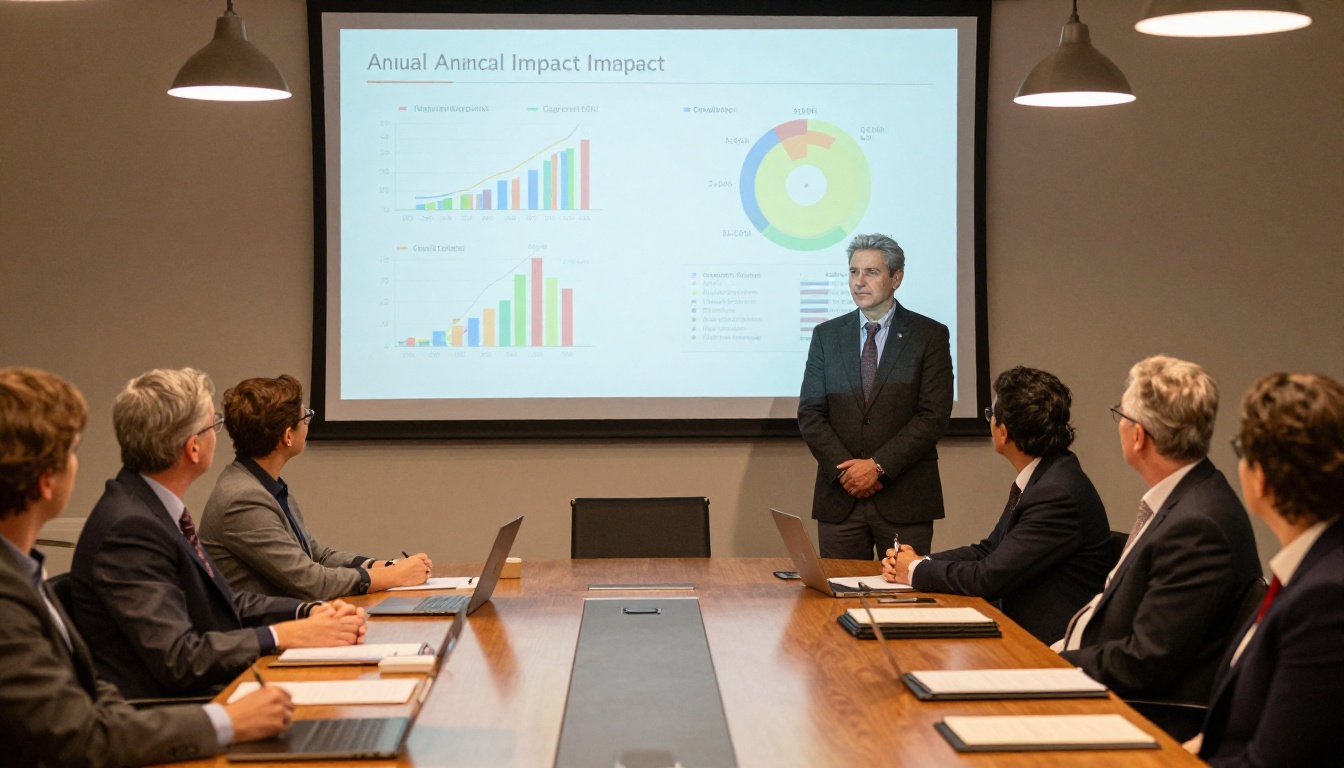
With the Professional plan, you get access to built-in analytics that show:
- Page-by-page read time: See exactly which sections donors spend the most time on
- Total views and unique visitors across all your publications
- Lead generation forms: Capture names and emails from readers before they access the flipbook
- Offline downloads: Let supporters save your flipbook for later, even without internet
This level of data is invaluable for refining your next campaign. If donors consistently exit on page 4 of your annual report, that page needs work.
Flipbooks AI Plan Comparison for Nonprofits
| Feature | Free | Standard | Professional |
|---|
| Flipbooks allowed | 1 | Unlimited | Unlimited |
| Watermark-free | No | Yes | Yes |
| Custom branding | No | Yes | Yes |
| Password protection | No | Yes | Yes |
| Analytics | No | No | Yes |
| Lead generation | No | No | Yes |
| Offline downloads | No | No | Yes |
| Custom domain | No | No | Yes |
| Video embedding | No | Yes | Yes |
⚠️ Note: The Free plan includes Flipbooks AI branding on your publication. For donor-facing materials, the Standard or Professional plan is strongly recommended. Compare all plans to find the right fit for your organization's budget.

Not every publication needs the same treatment. Here is a breakdown of which flipbook formats work best for different nonprofit audiences:
Real-World Scenarios Where Flipbooks Deliver
The Annual Gala
Your end-of-year gala is your single biggest fundraising event. Instead of printing 500 programs at $3 each, you create a digital event program in Flipbooks AI, email it to registered attendees before the event, and display a QR code on each table for walk-ins. You save over a thousand dollars in printing costs and collect email addresses from every reader through the lead capture form.

The Capital Campaign
Your organization is launching a major capital campaign to build a new community center. You create a flipbook that tells the story of why the building matters, introduces the families who will benefit, includes architectural renderings, and ends with a direct link to your giving page. You embed the flipbook on your campaign landing page and share it with your email list. Major donors receive it as a direct link with read analytics enabled so your development team knows exactly who to follow up with.
The Volunteer Orientation
Every new volunteer cohort receives the same 40-page orientation manual. Instead of printing and rebinding it every quarter, you publish it as a flipbook with embedded video walkthroughs of your intake process, clickable links to required training modules, and a built-in acknowledgment form. It lives at a permanent URL that you can update anytime without redistributing a new document.
What Sets a Nonprofit Flipbook Apart From a Regular PDF
When you create a flipbook for your nonprofit, you are not just changing the format. You are changing the relationship between your organization and your reader. A PDF is a file. A flipbook is an experience.
- PDFs require downloading, are static, offer no analytics, and feel impersonal.
- Flipbooks are browser-native, interactive, trackable, branded, and shareable with a single link.
The difference matters most when your materials are reaching donors, because a donor who feels like they received something special is more likely to give, and give again.
Start Sharing Your Mission Today
You have a story worth telling. The communities you serve, the lives you change, the problems you solve: all of it deserves more than a static PDF attached to an email. Creating a flipbook for your nonprofit is not a luxury. It is the modern standard for organizations that take their communications seriously.
Flipbooks AI gives you everything you need to turn any PDF into a professional, interactive publication in minutes. No design skills required. No technical setup. No watermarks on paid plans. Just your mission, beautifully presented to the people who care about it most.
Ready to create your first nonprofit flipbook? Get started free today and see what a difference the right format makes. When your team is ready to scale, review the pricing plans to find the right fit for your organization. Browse all flipbook tools to find the perfect template for your next publication.



