If you've ever shared a digital flipbook with a client or colleague only to hear "it won't open on my browser," you know how disruptive that can be. Both Safari and Firefox fully support modern HTML5 interactive flipbooks, but specific browser settings, privacy tools, and installed extensions can interfere with how the viewer loads. Flipbooks AI is built on web standards that all major browsers recognize, which means the fix is almost always a settings adjustment rather than a compatibility failure. This article breaks down exactly how each browser handles flipbooks, what causes the most common issues, and how to resolve them in minutes.
Safari and Flipbooks: What to Expect
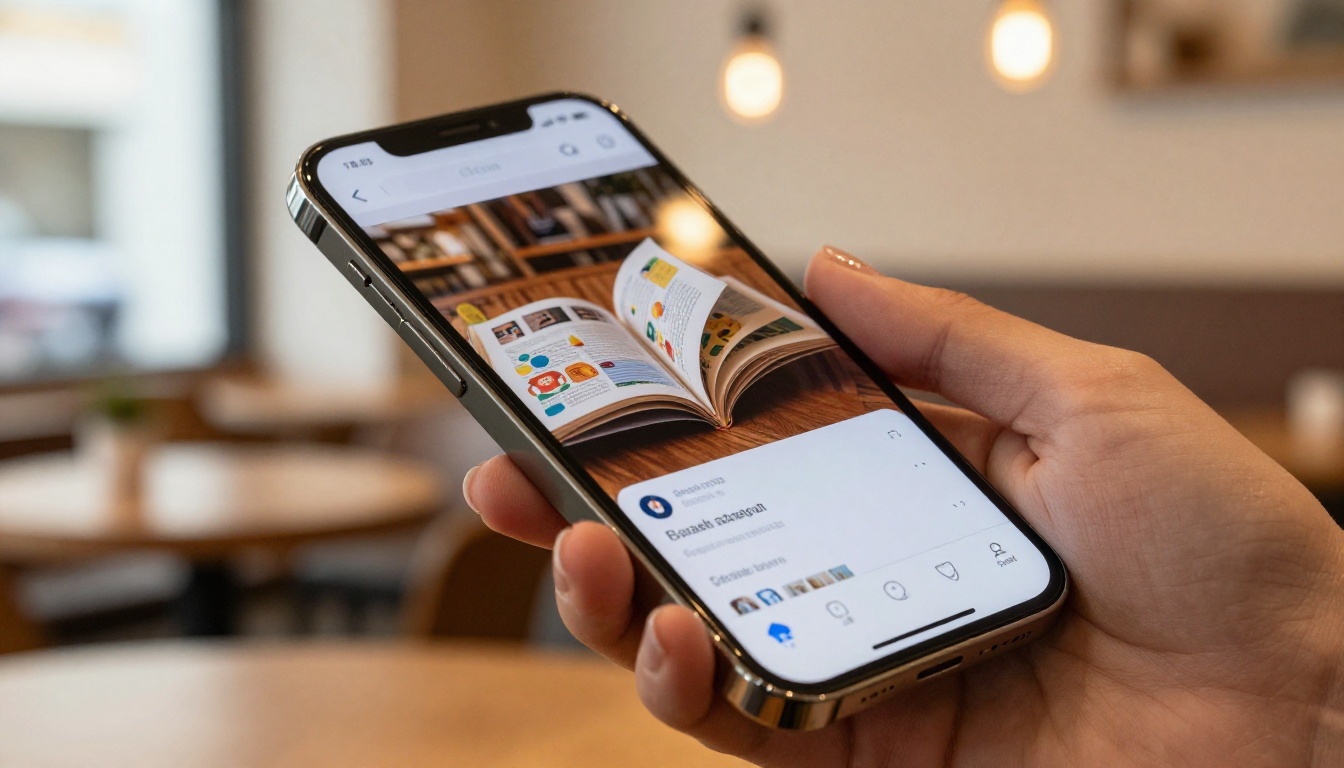
Apple's Safari is the default browser on every Mac, iPhone, and iPad, making it one of the most important platforms to support for any digital publication. The good news is that Safari has excellent HTML5 support, and modern flipbook platforms are fully compatible with its rendering engine.
Desktop Safari on macOS
On macOS, Safari versions 14 and above handle interactive flipbooks very well. Page-curl animations, zoom functions, table of contents navigation, and embedded video all work as expected. Safari uses WebKit as its rendering engine, which fully supports the CSS transitions and JavaScript APIs that power realistic page-turn effects.
One thing to be aware of: Safari on macOS enables Intelligent Tracking Prevention by default. This does not break flipbooks, but it can interfere with analytics tracking embedded within flipbooks that use cross-site cookies. If your flipbook includes a lead capture form or embedded analytics, you may notice lower data accuracy on Safari compared to Chrome.
💡 Pro tip: If your flipbook uses password protection or lead generation forms, test these features specifically in Safari before sharing publicly. They work, but form auto-fill behavior differs from Chrome.
Mobile Safari on iPhone and iPad
Safari on iOS and iPadOS is the only browser engine Apple allows on its devices. Apple's App Store rules require all browsers on iOS to use WebKit, meaning Chrome, Firefox, Edge, and Opera on iOS all share the same rendering engine as Safari underneath different interfaces.
This matters for flipbooks because any issue you solve for Safari on iOS is effectively solved for every browser on that platform. Flipbooks built on HTML5 standards work well on mobile Safari. Page-flip animations adapt to touch gestures, swipe navigation works cleanly, and both portrait and landscape orientations are handled properly. PDFs converted through Flipbooks AI are optimized for mobile rendering, so text stays crisp and images load progressively without requiring a full download before interaction starts.
The main exception is older iOS versions below iOS 14. If your audience includes users on iPhones that cannot update, they may experience reduced animation quality or missing WebGL features. This affects a small percentage of users in 2027, but it is worth noting for enterprise or education environments where devices are not regularly refreshed.
Mozilla Firefox is the second most-used desktop browser after Chrome, with a dedicated user base that values privacy and open standards. Flipbooks perform well on Firefox, with one significant caveat: the browser's privacy settings are more aggressive by default than most other browsers.
Firefox Desktop Behavior
Firefox uses the Gecko rendering engine, which has strong HTML5 and CSS3 support. Page animations, scroll behavior, and interactive elements all work correctly. If your flipbook embeds video or audio content, Firefox handles those through its native media player, which is generally reliable.
Performance is strong on modern Firefox versions (100 and above). The browser handles the WebGL canvas used for 3D page-curl effects without issue on most hardware. If a user runs an older version of Firefox (pre-78), some advanced animation effects may fall back to simpler 2D transitions, but the core flipbook remains fully usable and readable.
Firefox Mobile Quirks
Firefox on Android runs its own Gecko engine, unlike iOS browsers, giving it genuinely different behavior from Safari mobile. Flipbooks load correctly, but touch scroll momentum and swipe gestures can feel slightly different depending on the device's GPU. On mid-range Android devices, the 3D page-curl effect is sometimes simplified to a 2D slide to maintain framerate. This is intentional optimization, not a bug.
Firefox Focus, the privacy-first Firefox variant, blocks most JavaScript by default. This will prevent flipbooks from loading entirely. Users who have installed Firefox Focus specifically for its blocking features need to add a site exception for your flipbook's domain before the viewer will work.
⚠️ Warning: Firefox Focus blocks JavaScript globally unless the user manually adds site exceptions. Always test your flipbook in the actual browser your audience uses, not just the standard desktop version.

Why Flipbooks Sometimes Break
When a flipbook fails to load or displays incorrectly, there are usually three categories of causes: JavaScript restrictions, browser privacy settings, and installed extensions. Knowing which category applies makes troubleshooting fast.
JavaScript Requirements
Every modern interactive flipbook relies on JavaScript for core functionality: page rendering, animation, navigation, zoom, and table of contents. Both Safari and Firefox support JavaScript fully, but either browser can have it disabled at the site level or globally by a user or system administrator.
If a flipbook displays as a blank white page or shows a loading spinner that never completes, JavaScript is almost always the first thing to check. This is especially common in corporate environments where IT departments lock down browser settings.
Browser Privacy Settings
Both Safari and Firefox have built-in privacy tools that can interfere with flipbook functionality in specific scenarios:
- Safari's content blocker API allows third-party extensions to block certain network requests, which can include the JavaScript files that initialize the flipbook viewer.
- Firefox's Enhanced Tracking Protection set to "Strict" mode blocks third-party scripts and cookies, occasionally catching flipbook assets in its filter net.
- Firefox's resist fingerprinting setting, enabled by some privacy-conscious users, can alter canvas behavior and affect WebGL rendering used in page-turn animations.
Ad Blockers and Extensions
The most common cause of flipbook loading failures that isn't the browser itself is ad-blocking extensions. Tools like uBlock Origin, AdBlock Plus, and Privacy Badger are popular on both Safari and Firefox, and they sometimes block the CDN requests that deliver flipbook viewer JavaScript.
This does not mean flipbooks are being treated as ads. These extensions use pattern-matching rules, and a flipbook viewer script hosted on a CDN domain can trigger a false positive match. The fix is always to whitelist the flipbook domain in the extension settings, which takes about thirty seconds.
Browser Compatibility at a Glance
Here is how the major browsers compare for flipbook performance across the features that matter most:
| Feature | Safari (macOS) | Safari (iOS) | Firefox Desktop | Firefox Android | Chrome |
|---|
| HTML5 page flip | Full | Full | Full | Full | Full |
| WebGL 3D page curl | Yes | Yes | Yes | Simplified | Yes |
| Touch and swipe nav | N/A | Yes | N/A | Yes | N/A |
| Embedded video | Yes | Yes | Yes | Yes | Yes |
| Password forms | Yes | Yes | Yes | Yes | Yes |
| Lead capture accuracy | Reduced (ITP) | Reduced (ITP) | Reduced (ETP) | Reduced (ETP) | Full |
| Works without extensions | Yes | Yes | Yes | Yes | Yes |
✅ Best practice: Always send a test link to yourself before distributing a flipbook. Open it in Safari, Firefox, and Chrome on both desktop and mobile to confirm everything loads correctly before sharing publicly.
Fixing Safari Flipbook Issues
If a flipbook is not loading correctly in Safari, the following steps resolve the problem in the vast majority of cases.
Enable JavaScript in Safari
On macOS: Open Safari, go to Safari > Settings > Security, and confirm that "Enable JavaScript" is checked. This is on by default but can be disabled by parental controls or IT policy.
On iOS: Go to Settings > Safari > Advanced > JavaScript and toggle it on. Once enabled, reload the flipbook page.
Check Content Blockers
Safari allows third-party content blockers installed from the App Store to run on every page. If you have any installed, try disabling them for the flipbook's domain:
- Open Safari and navigate to the flipbook URL.
- Tap or click the AA icon in the address bar.
- Select "Turn Off Content Blockers for This Website."
- Reload the page.
If the flipbook loads after this step, the content blocker was the cause. You can then add the flipbook domain to your blocker's whitelist for a permanent fix without disabling it globally across all sites.
Update Safari
Safari is bundled with macOS and iOS system updates, so updating your operating system automatically updates Safari. Running macOS Ventura or later gives you Safari 16+, which has the most complete support for modern flipbook rendering. On iOS, staying on iOS 16 or later covers the vast majority of flipbook functionality with no workarounds needed.

Fixing Firefox Flipbook Issues
Firefox issues almost always trace back to one of three sources: Enhanced Tracking Protection, an installed extension, or an outdated browser version.
Enhanced Tracking Protection
Firefox's Enhanced Tracking Protection has three modes: Standard, Strict, and Custom. Strict mode can block scripts that flipbook viewers depend on. Here is how to lower protection for a specific site without changing your global settings:
- Navigate to the flipbook URL in Firefox.
- Click the shield icon to the left of the address bar.
- Toggle off "Enhanced Tracking Protection for this site."
- Firefox will reload the page with protection disabled for that domain only.
This is the quickest fix for flipbooks that show a blank screen or a frozen loading animation in Firefox, and it only affects that one site.
Firefox Extensions to Watch
These extension types most commonly cause flipbook loading failures in Firefox:
| Extension Type | Examples | What It Blocks | Fix |
|---|
| Ad blockers | uBlock Origin, AdBlock | CDN-hosted viewer scripts | Whitelist the flipbook domain |
| Privacy tools | Privacy Badger | Third-party cookies and scripts | Add a site exception |
| Script blockers | NoScript | All JavaScript | Allow scripts from flipbook domain |
| VPN add-ons | Browsec, Hoxx | External resource requests | Pause VPN for this site |
💡 Pro tip: uBlock Origin is the most common culprit. Click its icon in the toolbar while on the flipbook page and click the power button to toggle it off for that site. If the flipbook loads, add the domain to your permanent allowlist.
Keep Firefox Updated
Mozilla releases Firefox updates every four weeks. Running a version older than 100 means missing CSS rendering fixes and WebGL improvements that directly affect page-turn animation quality. Firefox updates automatically on most systems, but you can check manually by going to Help > About Firefox, which triggers an immediate update check.

Creating a Cross-Browser Flipbook with Flipbooks AI
The most reliable way to avoid browser compatibility issues entirely is to start with a platform built around open web standards. Flipbooks AI generates HTML5 flipbooks that render correctly across all major browsers without requiring any manual optimization on your part.
Step 1: Upload Your PDF
Go to Flipbooks AI and create your account or log in. From the dashboard, click New Flipbook and upload your PDF file. The platform converts your PDF into a layered HTML5 publication that separates text, images, and interactive layers for optimal cross-browser rendering. Files up to several hundred pages typically convert in under two minutes.
💡 Use the PDF to Flipbook Converter tool if you want a quick conversion without going through the full account setup first.
Step 2: Customize and Preview
Once converted, the editor lets you adjust branding colors, add your logo, set a background texture, and choose an animation style. The 3D page-curl is the most visually impressive option and works on both Safari and Firefox on modern hardware. For audiences with potentially older devices, the 2D slide transition is lighter on system resources and works on virtually every browser and OS combination.
You can also add:
- Embedded videos linked to hosted files or YouTube and Vimeo
- Audio narration tracks alongside page content
- Hyperlinks within pages to external resources
- Password protection for private or client-only publications
The Preview function in the editor lets you copy a direct link and open it in any browser for real-time testing before you publish.
Step 3: Share and Embed
Publishing on Flipbooks AI gives you several distribution options that all work across Safari and Firefox:
- Direct link: A clean URL that opens the flipbook in a full browser viewer, compatible with all browsers without configuration.
- Embed code: An iframe snippet you can paste into any website, blog, or CMS. Works in Safari and Firefox without modification.
- Password-protected link: Restrict access with a password. The authentication form works correctly in all browsers.
- Offline download: Available on the Professional plan, lets readers save the flipbook for offline viewing without a browser connection.
For teams distributing catalogs, the Digital Catalog Maker offers specialized templates pre-tested across major browsers. For publishing content online, the E-Magazine Publishing Tool handles layout-heavy publications that need to look consistent across Safari and Firefox on any screen size.
Features included across plans:
- No watermarks, ever
- Unlimited flipbooks on Standard plan and above
- Password protection for private content
- Analytics and lead generation on the Professional plan
- Offline downloads
- Embed videos and audio
- Mobile-responsive design
- Custom branding

Mobile Browser Support in Detail
Mobile compatibility deserves its own focus because mobile traffic now accounts for more than half of all web sessions, and browser behavior on phones differs meaningfully from desktop in ways that affect flipbook performance.
iOS Safari: The Dominant Mobile Browser
On iPhone and iPad, Safari is effectively the only rendering engine available. Apple's App Store rules require all browsers on iOS to use WebKit, so Chrome, Firefox, Edge, and Opera on iOS all render pages through the same engine as Safari, just with different interfaces on top.
This matters because any issue you solve for Safari on iOS is solved for every browser on that platform. Conversely, any iOS-specific bug will appear across all browsers on the device regardless of which app the user opens.
Flipbooks load correctly on iOS Safari when:
- The device runs iOS 14 or higher
- JavaScript is enabled in Settings
- No content blockers are active for the flipbook domain
- The device has at least 2GB RAM (older iPhones with 1GB can struggle with large, media-rich flipbooks)
Firefox on Android
Unlike iOS, Android allows true browser diversity. Firefox on Android runs its Gecko engine, giving it genuinely different behavior from Chrome on the same device. Performance varies more on Android because of the wider hardware range, but flipbooks built with responsive design adapt well.
For very media-heavy flipbooks with many embedded videos, audio tracks, and high-resolution images, Android Firefox performs best on devices with a dedicated GPU and 4GB or more of RAM. On budget Android devices, the 2D transition mode loads faster and maintains a smooth reading experience.
| Mobile Browser | Rendering Engine | Flipbook Support | Notes |
|---|
| Safari (iOS 14+) | WebKit | Full | All iOS browsers use WebKit under the hood |
| Chrome (iOS) | WebKit | Full | Same engine as Safari on iOS |
| Firefox (iOS) | WebKit | Full | Same engine as Safari on iOS |
| Chrome (Android) | Blink | Full | Best overall performance across hardware tiers |
| Firefox (Android) | Gecko | Full | Minor 3D simplification on low-end hardware |
| Samsung Internet | Blink | Full | Chrome-equivalent on Samsung devices |
| Firefox Focus | Gecko | Limited | Blocks JavaScript by default, needs manual exception |

When to Switch Browsers for Troubleshooting
Safari and Firefox are both solid for viewing flipbooks, but if a user reports persistent issues despite following the troubleshooting steps above, switching to Chrome or Edge for that session is a practical short-term solution. Both browsers have slightly more permissive default privacy settings, which means fewer false positives from tracking protection interfering with flipbook scripts.
That said, a well-built flipbook should not require users to change browsers. If your flipbook only works properly in Chrome, that points to a platform-level optimization issue rather than a user preference problem. Flipbooks built on standards-compliant HTML5, like those created through Flipbooks AI, should open without modification in Safari, Firefox, Chrome, Edge, and all mobile equivalents on every modern device.
Make It Work on Every Browser
The bottom line is that flipbooks work on Safari and Firefox. The rare cases where they fail trace back to specific settings: JavaScript disabled, strict tracking protection active, or a script-blocking extension catching flipbook assets as a false positive. None of these are permanent or complicated to fix. Whitelist the domain in your ad blocker, lower tracking protection for the site, or toggle JavaScript on in browser settings, and the flipbook loads.
If you are building flipbooks rather than just viewing them, choosing a platform that prioritizes cross-browser standards from the start means fewer support calls and a better experience for every reader. Create your first flipbook on Flipbooks AI, compare pricing plans to find the right tier for your publishing volume, or browse the full tools directory to find purpose-built templates for catalogs, brochures, portfolios, menus, reports, and more, all designed to render correctly in Safari, Firefox, and every other browser your audience uses.



