A contractor quotes a water heater replacement on Monday using the price sheet taped inside the truck door. By Thursday the distributor's cost has moved, the invoice comes in higher than the quote, and nobody is happy. This happens every week across the trade, and it is exactly the problem that plumbing and HVAC distributors have to solve if they want contractors to keep buying from them. Below you will see how the best distributors keep contractors on current prices, and how a digital catalog built with Flipbooks AI can make the process fast enough to run weekly, or even daily.

Why Stale Prices Hurt Everyone
Pricing in the plumbing and HVAC trade is volatile by nature. Copper, brass, steel, refrigerant, and electronic controls all react to commodity markets, tariffs, and manufacturer increases. A manufacturer can announce a 6% increase effective in two weeks, and a distributor must pass that on without surprising anyone.
When a contractor works from outdated numbers, three things go wrong:
- Underpriced quotes. The contractor eats the difference, then blames the supplier.
- Overpriced quotes. The contractor loses the bid to a competitor and stops trusting the distributor's list.
- Counter disputes. Your staff spend time arguing over which sheet is "right" instead of selling.

💡 Pro tip: Track how many credit memos and price adjustments you issue each month for "quoted from old sheet" reasons. That number is the real cost of stale pricing, and it makes the business case for a better system.
The Hidden Cost of Price Drift
Price drift is the gap between what a contractor believes a part costs and what it costs today. It grows quietly. A distributor with 12,000 SKUs might change 800 prices in a quarter. If contractors hold printed sheets that are 60 days old, a large share of the items they quote from are already wrong.
Why Paper Sheets Keep Failing
Paper is not bad, it is just slow. Printing, binding, shipping, and replacing sheets at every branch and every truck takes weeks. By the time the new book arrives, the next change is already scheduled. Email PDFs are better, but they pile up in inboxes, and contractors rarely delete the old one.
How Current Prices Reach the Truck
The distributors who win here follow a simple principle: one source of truth, many access points. There is a single master price list, and every counter, rep, and contractor reads from it.

Start With a Single Master File
Before choosing any tool, clean up the master file. Most distributors keep pricing in an ERP or a spreadsheet exported from one. Whatever the format, make sure it contains:
- SKU and manufacturer part number
- Description and unit of measure
- List price and contractor tier prices
- Effective date of each price
- Availability or lead time notes
The effective date is the most overlooked column. It lets you publish upcoming changes before they take effect, which builds trust.
Match the Channel to the Job
Different contractors read prices in different places. A service tech in a van needs a phone-friendly view. A project estimator wants a searchable document for the desk. A counter customer wants a printed page. Good distributors support all three from the same file.
| Channel | Best For | Update Speed | Typical Weakness |
|---|
| Printed price book | Counter walk-ins, job trailers | Weeks | Out of date quickly |
| Emailed PDF | Estimators, office managers | Same day | Old copies linger in inboxes |
| Online portal login | Large accounts with ERP links | Real time | Contractors forget passwords |
| Digital flipbook catalog | Techs, reps, small and mid contractors | Minutes | Needs a defined update routine |
| Text or app alerts | Urgent price notices | Instant | No browsing of full catalog |
The digital flipbook sits in a sweet spot. It needs no login, opens on any phone, and replaces itself when you republish.
Why Digital Catalogs Fit This Trade
A flipbook looks like the catalog contractors already know. Pages turn, sections are labeled, and search works. But unlike a printed book, the link stays the same when you update the file behind it. Contractors save one link to their phone, and that link always points to the current edition.

With a tool like the Digital Catalog Maker or the Product Catalog Generator, a distributor can turn an exported PDF price book into an interactive catalog in minutes. The Digital Price List Generator is a good fit when the document is mostly tables of SKUs and prices.
What Contractors Actually Want
Ask contractors what they want from a distributor's pricing and the answers are consistent:
- Speed. Find the part and the price in under 30 seconds.
- Confidence. Know the number is current without calling the counter.
- Portability. Carry it on a phone instead of a binder.
- Advance notice. See increases before they hit.
A Real-World Scenario
Consider a regional distributor with six branches serving about 900 active plumbing and HVAC contractors. Each January and July they printed 400 price books at roughly $14 each, plus freight. That is over $5,600 per run, and the books were wrong within a month.
After switching to a published flipbook, the distributor sends one link by text and email. Price changes are republished every Friday. Printing drops to a few books for the counters, and the branch managers report fewer than half as many pricing disputes. The numbers will vary, but the pattern holds: less print, fewer disputes, faster quotes.

Build a Weekly Price Update Routine
Technology only helps if the routine is reliable. A simple weekly cadence works for most distributors.
The Friday Price Cycle
| Day | Task | Owner |
|---|
| Monday | Collect manufacturer notices and commodity moves | Purchasing |
| Tuesday | Update master price file, flag changed rows | Pricing analyst |
| Wednesday | Review changes against margin targets | Sales manager |
| Thursday | Export PDF, republish flipbook, check pages | Marketing or ops |
| Friday | Send "prices updated" message to contractors | Inside sales |
✅ Best practice: Put the edition date on the first page and in the file name. Contractors should see "Prices effective October 9" at a glance.
Handle Upcoming Increases Openly
When a manufacturer announces a coming increase, publish a short upcoming changes page in the catalog. List the affected product lines, the percentage, and the effective date. Contractors who see the notice can pull forward purchases or adjust bids, and they will remember that you warned them.
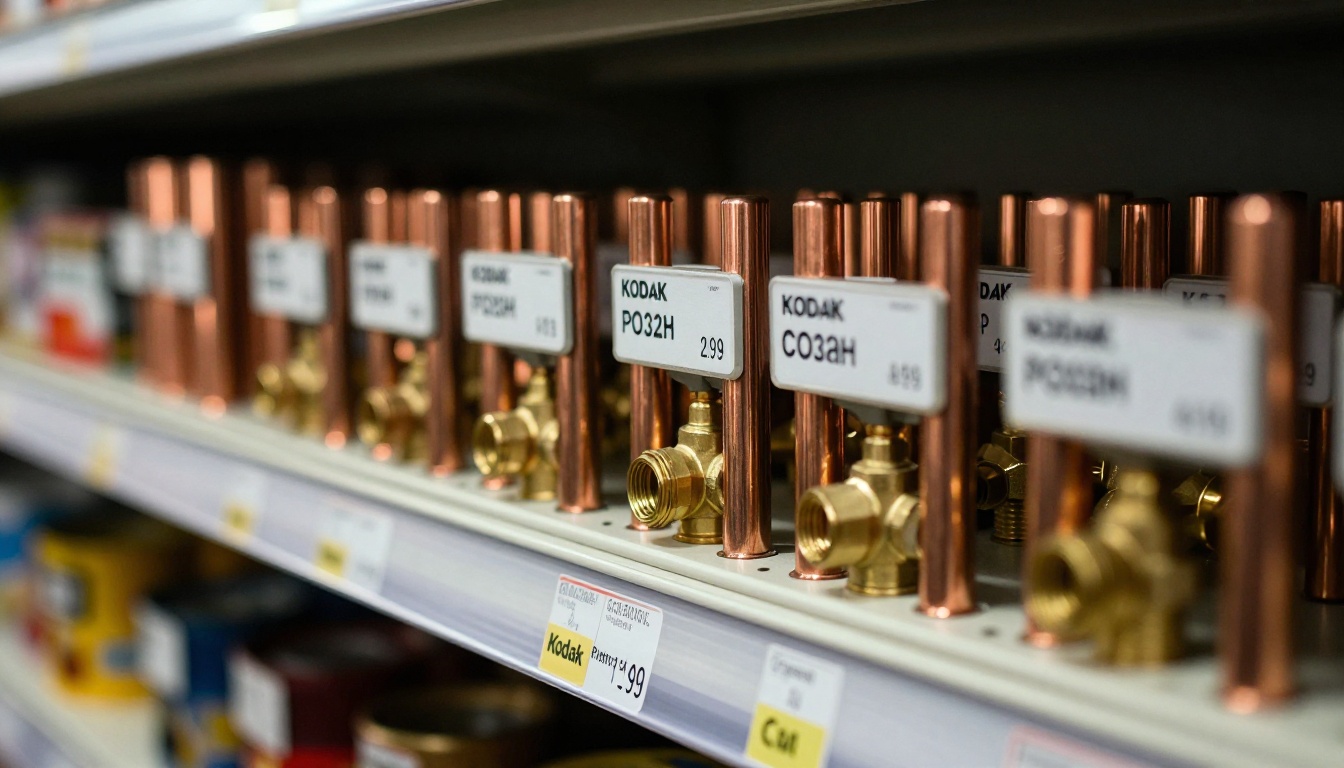
⚠️ Warning: Never let the shelf label, the portal, and the catalog show different numbers. A single mismatch teaches contractors to distrust all three.
Handle Tiered Pricing Safely
Most distributors give different contractors different prices. If you publish a single catalog to everyone, show list price only and use a separate protected edition for contract tiers. With password protection you can issue one flipbook per tier, so a premium account never sees another customer's numbers.
| Approach | Best When | Risk Level |
|---|
| One public list price catalog | Walk-in and small accounts | Low |
| Password protected tier catalogs | Contract and national accounts | Low if passwords rotate |
| Public catalog plus "call for price" | Volatile items like copper | Medium, slows quotes |
| Quote tool tied to ERP | Large project work | Low, higher setup cost |
How to Create a Contractor Price Catalog with Flipbooks AI
Here is a practical walkthrough you can finish in one afternoon. The platform works from a PDF, so your existing price book export is the starting point.

Step 1: Create Your Account
Open Flipbooks AI and sign up. Review the pricing plans to pick the tier that fits. The Standard plan and above includes unlimited flipbooks and no watermarks, ever, which matters when contractors see your branding.
Step 2: Upload and Convert Your PDF
Export your price book from your ERP or spreadsheet as a PDF. Upload it with the PDF to Flipbook Converter. The conversion keeps your pages, tables, and part numbers searchable, so contractors can type a part number and jump straight to it.
Step 3: Customize the Look
Add your logo, brand colors, and a cover page showing the effective date. Choose a page effect that feels fast, since techs will flip through dozens of pages. You can also embed short videos, such as a fitting selection tip or an installation reminder, and audio notes where useful.
Step 4: Share It Everywhere
- Copy the direct link and text it to contractor lists.
- Use the Embed Flipbook on Website option to place it on your contractor page.
- Turn on password protection for contract tier editions.
- Add a QR code on invoices, counter signs, and delivery tickets.
Step 5: Track Usage and Capture Leads
On the Professional plan you get analytics and lead generation. See which pages contractors open most, which product lines draw attention, and which accounts never open the catalog at all. Offline downloads let techs keep the latest edition on a phone when a basement job site has no signal. Compare the plans to see which features fit your team.
Step 6: Republish Weekly
When prices change, upload the new PDF to the same flipbook and republish. The link contractors saved stays valid, so there is nothing to resend except a short "new prices posted" note.
💡 Pro tip: Keep a one page "What Changed This Week" PDF as the first page of the flipbook. Contractors scan it in seconds and know exactly what moved.
Measure Whether Contractors Are Current
A routine is only useful if contractors are using it. Track a few simple numbers.

Numbers Worth Watching
| Metric | What It Tells You | Healthy Sign |
|---|
| Catalog opens per week | Are contractors reading it? | Rising after each update |
| Share of accounts opening it monthly | Reach across your customer base | Above 60% |
| Price disputes per 100 invoices | Cost of drift | Falling month over month |
| Quote to order conversion | Contractor confidence | Rising |
| Print run size | Paper savings | Shrinking each cycle |
Three Common Mistakes
- Publishing and forgetting. A catalog with last quarter's date looks worse than no catalog.
- Burying the effective date. If contractors cannot find it in five seconds, they will assume it is old.
- Skipping the notice. An update nobody hears about changes nothing. Always send the message.
Train the Counter Staff
Counter staff are your first line. Teach them to say, "Check the current catalog link, it was updated Friday." Give each branch a QR code sign for the counter. When every employee points to the same source, contractors start trusting it.

Mistakes That Bring Old Prices Back
Even well run distributors slip. Watch for these patterns:
- Old PDFs on the website. Delete or redirect them. Search engines love to serve last year's file.
- Reps with personal copies. Sales reps often keep a local version. Tell them to share only the live link.
- Unmarked special pricing. Promotions and rebates should be labeled with start and end dates.
- No owner. Assign one person who is responsible for the weekly update. Shared ownership usually means no ownership.
The photo below shows what the old way looks like: marked up, crossed out, and impossible to trust.

When Digital Is Not Enough
Digital catalogs are excellent for browsing and general pricing, but they do not replace a live quote for a large project, special order equipment, or items whose cost changes daily. For those, keep a "call or request a quote" note on the page and route the request to inside sales. The catalog handles the 90% of everyday items, and your team spends their time on the 10% where judgment matters.
Put Current Prices in Every Pocket
Contractors stay loyal to the distributor who makes their job easier. Accurate prices, fast answers, and no surprises at invoice time are worth more than a few percentage points of discount. The process is not complicated: keep one master file, publish on a fixed rhythm, share one stable link, and measure whether contractors are reading it.
Ready to try it? Get started for free on Flipbooks AI and turn your next price book into a live catalog. Browse all flipbook tools for the format that fits your product line, or compare pricing plans to see where analytics and lead capture fit. If you want a quick start, the Catalog Flipbook Creator is the fastest way to publish your first edition. Finally, finish setup by choosing a plan through the account pricing page.



