You already have the PDF. The design is done, the content is polished, and now you want people to actually enjoy reading it, not just scroll through a flat file. Converting a PDF into an interactive flipbook used to mean hiring a developer or paying for expensive desktop software. Not anymore. With Flipbooks AI, anyone can do it in a browser in under five minutes, with zero lines of code required.
This article walks you through exactly how it works, what to expect at each step, and how to get the most out of your published flipbook.
What a Flipbook Actually Is
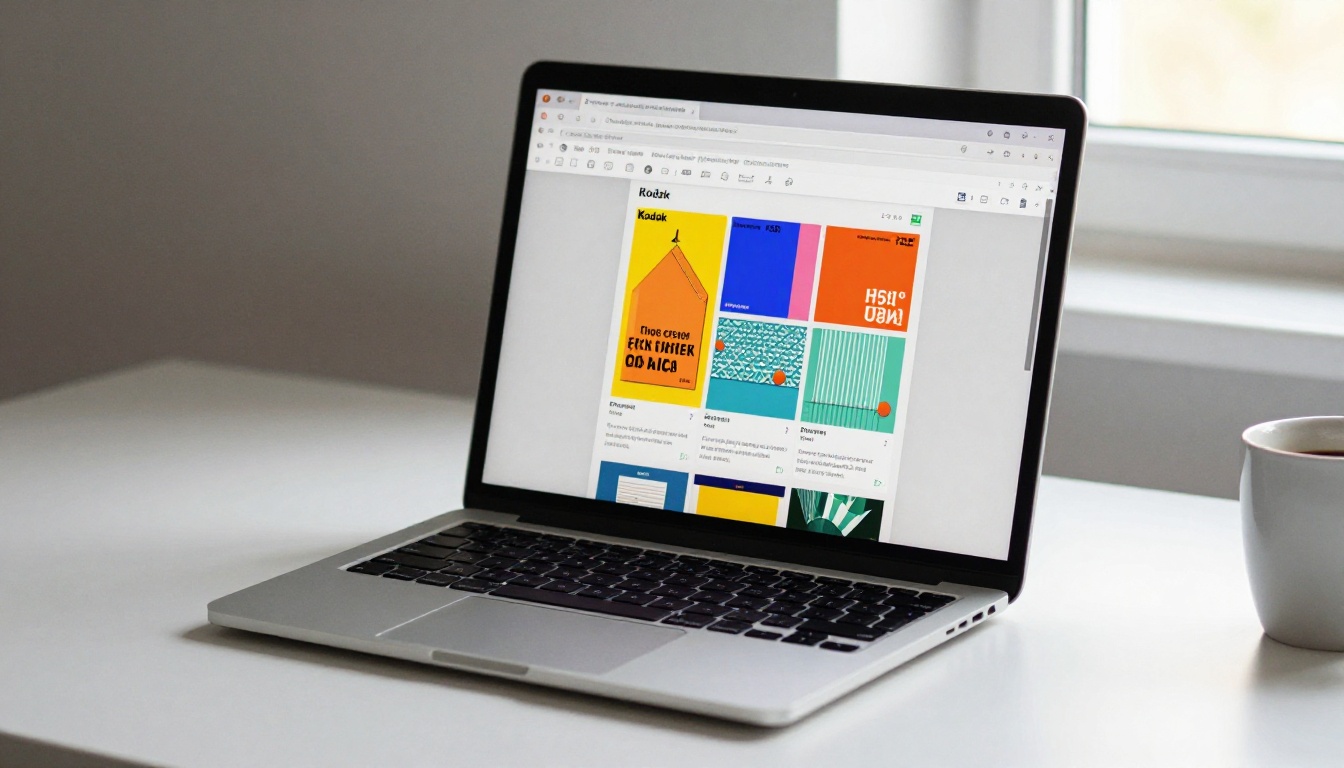
A flipbook is a digital publication that mimics the physical experience of turning pages. Instead of scrolling down a static PDF, your reader clicks or swipes through pages that animate with a realistic page-turn effect. The result feels more like a magazine or printed catalog than a document download sitting in someone's downloads folder.
Static PDF vs. Interactive Flipbook
The difference matters more than most people realize. A PDF is a static file. Opening it requires a PDF reader application, it often displays incorrectly on mobile, and there is no way to track who read it or how far they got. Sharing a PDF means sending a file that may or may not open correctly depending on the recipient's device.
A flipbook lives in a browser. No downloads required. No plugins needed. It works on phones, tablets, and desktops automatically. You can embed it directly on any website, share a link, or password-protect it for private distribution.
| Feature | Static PDF | Interactive Flipbook |
|---|
| Mobile-friendly | Inconsistent | Always responsive |
| Page-turn animation | None | Realistic flip effect |
| Embed on website | Requires plugin | Native embed code |
| Analytics and tracking | None | Available on Pro plan |
| Password protection | Limited | Built-in option |
| Offline download | File download | Optional export |
| Requires software | PDF reader needed | Browser only |
Who Uses Flipbooks Today
The short answer: anyone with content worth sharing. Restaurants use them for menus. Real estate agencies publish property brochures. Teachers distribute course materials. Fashion brands share seasonal lookbooks. Annual reports, wedding albums, training manuals, price lists, corporate presentations. All of these formats work better as interactive flipbooks than as static PDF attachments.

Why No-Code Matters for PDF Conversion
The Old Way Was a Nightmare
Before no-code tools became widely available, converting a PDF to a flipbook involved one of these painful options:
- Hiring a web developer to build a custom HTML5 page-flip viewer, which could cost hundreds or thousands of dollars and weeks of back-and-forth
- Paying for expensive desktop software (FlipHTML5, Kvisoft, Flip PDF) that locked files locally and required a separate purchase for each seat
- Relying on outdated Flash-based tools that no longer function in any modern browser
None of these options were practical for a small business owner, a freelance designer, or a teacher trying to share materials quickly. The cost and complexity meant only large organizations with technical resources bothered.
What No-Code Tools Changed
The no-code approach made the whole process accessible. Upload a PDF, configure settings through a visual interface, and publish. No command line, no deployment pipeline, no developer needed. The underlying HTML5 technology produces the same quality output you would get from a custom-built solution. The difference is you control it directly, instantly, and affordably.
💡 Pro Tip: No-code does not mean no customization. Flipbooks AI gives you a full visual editor for branding, colors, animation settings, embedded media, and access controls, all without touching a single line of code.
How to Convert PDF to Flipbook Without Coding (Step-by-Step)
This section covers the exact process using Flipbooks AI. From account creation to a published, shareable link, the whole process takes under five minutes for a standard document.
Step 1: Create Your Account
Go to flipbooksai.com/account and create a free account. No credit card is required to start. You will have access to the full conversion workflow immediately after signing up, with up to three flipbooks available on the free tier.

Step 2: Upload Your PDF
Once logged in, click New Flipbook and select your PDF file. The platform accepts PDFs of any size, including large multi-page catalogs, annual reports, and illustrated e-books.
The conversion engine processes your file automatically:
- Each page of your PDF becomes an individual flipbook page
- All fonts, images, and layouts are preserved at full resolution
- The system generates the page-flip animation layer automatically
- A live preview loads so you can review the result before publishing
⚠️ Note: Make sure your PDF is finalized before uploading. Starting with a clean, print-ready file produces the best visual results.
Step 3: Customize Your Flipbook
After conversion, the visual editor opens. This is where Flipbooks AI separates itself from basic conversion tools. The editor lets you:
- Add your logo in the corner of the viewer with size and position controls
- Set a background using a solid color, gradient, or custom image
- Control animation style including page-turn speed and flip direction
- Embed videos or audio directly into specific pages for multimedia presentations
- Enable password protection to restrict access to invited readers only
- Customize the viewer URL with your own custom domain name on higher plans
Every change updates in real time in the preview panel. No saving, no deploying, no waiting.

Step 4: Publish and Share
When the preview looks right, hit Publish. You immediately receive:
- A shareable link ready to paste anywhere
- An embed code (iframe) to place the flipbook inside any website or CMS
- A QR code for print campaigns and physical signage
- Social share buttons for direct distribution to social channels
✅ Best Practice: Embedding your flipbook directly on a product page or landing page keeps visitors on your site longer. It consistently outperforms a raw PDF link for time-on-page metrics.
Flipbooks AI Features Worth Knowing
Flipbooks AI is not just a file converter. It is a full publishing platform with features built specifically for professional distribution.
Branding and Design Options
Every flipbook can be customized to reflect your brand identity precisely. The platform provides:
- Logo placement in four corner positions or centered at the top
- Color scheme selection to match your brand palette
- Custom loading screen with your branding and messaging
- Multiple background treatments including transparent backgrounds for embedded viewers
- Favicon customization for the flipbook viewer URL tab
These options are available through dropdown menus and color pickers. No CSS knowledge required.
Sharing and Embedding
Once published, your flipbook is distributable in multiple formats:
- Direct URL: Share in emails, messaging apps, or social media posts
- Iframe embed: Drop into any website, including WordPress, Wix, Squarespace, and Webflow. See the Embed Flipbook on Website tool for one-click embed generation.
- Password-protected access: Confidential reports, private proposals, premium content
- QR code: Physical menus, business cards, printed brochures, event programs

Analytics and Lead Generation
On the Professional plan, you get data capabilities that transform a flipbook from a presentation tool into a sales and marketing asset:
- Page-level view tracking: See precisely which pages readers spend time on
- Total view counts: Track how many times each flipbook was opened
- Lead generation forms: Capture visitor emails before they can access the content
- Time-on-page data: Identify which sections hold attention and which lose it
For sales teams tracking proposal engagement or marketers measuring content ROI, this is where the platform earns its value many times over.
Real-World Use Cases
Business and Marketing
Static PDFs emailed to prospects are easy to ignore. An interactive flipbook shared as a link, or embedded on a product page, creates a different experience entirely. Readers engage with it more like they would a website than a document.

Practical examples across industries:
- Real estate agencies embed property brochures directly on listing pages, letting buyers flip through floor plans and photos without downloading anything. The Real Estate Brochure Creator has templates built for this workflow.
- Product brands publish seasonal catalogs as interactive flipbooks with high-resolution imagery that shows off products far better than any PDF viewer. Start with the Digital Catalog Maker.
- Hotels and spas use flipbook brochures on their booking pages to showcase amenities, room types, and packages. The Hotel Brochure Designer is purpose-built for this.
- Automotive dealerships convert spec sheets and model brochures into flipbooks linked from vehicle listing pages. Use the Automotive Brochure Generator.
- Restaurants switch printed menus to QR-linked digital flipbooks, cutting printing costs and making seasonal updates instant. The Restaurant Menu Creator handles the full workflow.
Education and Training
Training departments and educators face the same challenge: distributing materials that people actually read. Flipbooks raise completion rates because the reading experience is more engaging than scrolling a static file.

Specific tools available for education:
Creative Portfolios and Publications
Photographers, designers, and independent publishers use flipbooks to present work in a format that feels premium without the cost of building a custom website.
Tools available include the Digital Portfolio Creator, Photography Portfolio Flipbook, Interactive Lookbook Designer, Magazine Flipbook Creator, and the Wedding Album Flipbook.
Choosing the Right Plan
Free vs. Paid Features
Flipbooks AI has a free tier that covers the core conversion workflow. Paid plans unlock the features needed for professional publishing and distribution.
| Feature | Free | Standard | Professional |
|---|
| Flipbooks created | 3 | Unlimited | Unlimited |
| Watermark on viewer | Yes | No | No |
| Custom branding | No | Yes | Yes |
| Password protection | No | Yes | Yes |
| Embed on website | No | Yes | Yes |
| Video and audio embed | No | Yes | Yes |
| Page analytics | No | No | Yes |
| Lead generation forms | No | No | Yes |
| Offline download export | No | No | Yes |
| Custom domain | No | No | Yes |
When to Upgrade
The free tier is useful for testing the platform and evaluating conversion quality on your specific files. The Standard plan is right for any individual creator, small business, or agency that needs unlimited flipbooks without watermarks, with embedding and custom branding included.
The Professional plan is the choice for teams that need to measure performance. Analytics, lead capture, and offline access turn the flipbook from a distribution tool into a business intelligence tool.
💡 Pro Tip: Try the free tier first. Upload your most complex PDF to verify quality before committing to a paid plan. View all options at flipbooksai.com/pricing.
Common Questions About PDF Flipbooks
Do I Need to Install Anything?
No. Flipbooks AI runs entirely in your browser. There is nothing to download or install on your end. Your readers also view flipbooks in their browser without any plugins, apps, or software installations required.
Can I Password-Protect My Flipbook?
Yes. Password protection is available on Standard and Professional plans. You set a custom password in the flipbook settings, and anyone accessing the link is prompted to enter it before viewing. This works well for confidential business proposals, internal reports, or gated premium content.
What File Formats Are Supported?
The primary input format is PDF. This covers documents created in Word, InDesign, Canva, Keynote, PowerPoint, Affinity Publisher, and any design or productivity tool that exports to PDF. The output is an HTML5 flipbook that works in all modern browsers on all devices.
⚠️ Note: Image quality in your flipbook depends on the resolution of your source PDF. For best results, export your source document at 150-300 DPI before uploading.

One thing that sets Flipbooks AI apart from generic conversion tools is the depth of purpose-built workflows available. Beyond the core PDF to Flipbook Converter, you can use templates built for specific document types to skip setup entirely.
Browse all available flipbook tools to find the right starting point for your project.
Start Publishing in the Next Five Minutes
You have a PDF. You have a browser. You do not need a developer, a design degree, or a software subscription with a complicated setup process. The entire workflow from PDF to published, embeddable, shareable flipbook takes under five minutes, and the result is something that performs meaningfully better than a static PDF attachment in every scenario.
Create your first flipbook for free on Flipbooks AI. If you need unlimited publishing with professional analytics and lead capture, review pricing plans to see which tier fits your workflow best.



