You posted consistently, grew your audience, and sent a polite pitch to a brand you love. Then nothing. No reply, no rejection, just silence. In most cases the problem is not your content. It is the document you attached. A weak media kit can sink a strong creator, and the fixes are usually simpler than you think. With a tool like Flipbooks AI, you can turn a plain PDF into a polished, trackable, mobile friendly kit in minutes, but first you need to know what is going wrong.
Brand managers open your kit with one question: "Can this person deliver results for my campaign, and can I say yes quickly?" Everything below is about making that answer obvious.
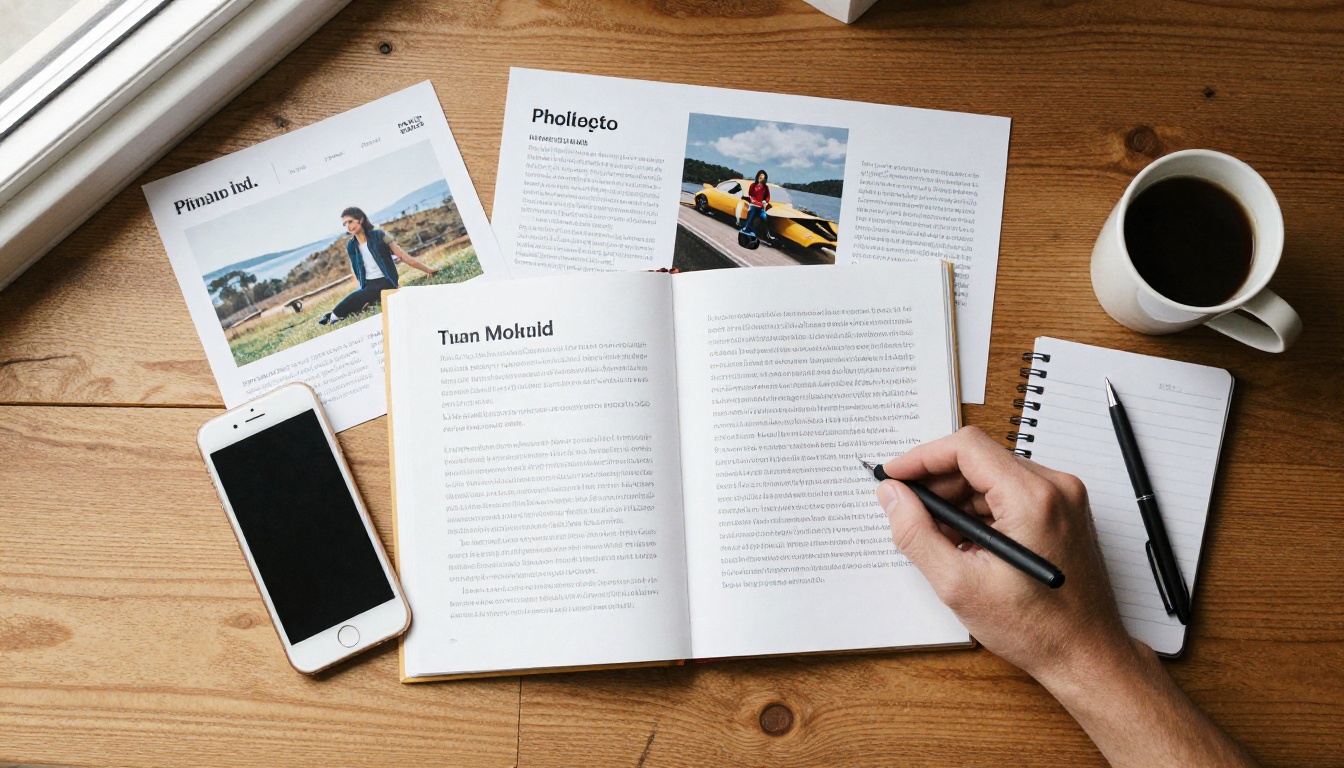
How Brands Really Read Your Kit
Before the mistakes, it helps to see the reader. A brand or agency contact might receive 30 to 80 creator pitches per campaign. They do not read. They scan. Most spend under a minute on a first pass, looking for four things: audience fit, proof of results, professionalism, and a clear next step.
If any of those is missing or buried, you get filed under "maybe later," which means never.
💡 Pro tip: Imagine your kit read on a phone, in a taxi, between two meetings. If the numbers are not visible without zooming, rewrite the page.
The 60 Second Test
Hand your kit to a friend who knows nothing about your niche. After one minute, ask them to tell you who your audience is, what you charge or offer, and how to reach you. If they hesitate on any answer, a brand will too.
What Decision Makers Look For
| What they scan for | Where they look first | What makes them leave |
|---|
| Audience demographics | Page 2 or 3 | Vague claims like "young and engaged" |
| Past brand results | Case study section | No numbers, only logos |
| Content quality | Photo samples | Blurry, mismatched images |
| Contact and rates | Last page | Hidden email, no pricing context |
Mistake 1: Stale or Vague Numbers
Nothing ends a conversation faster than data from eight months ago. Brands cross check your public profile against your kit. If your kit says 48K followers and your profile shows 61K, you look careless. If it says 75K and your profile shows 52K, you look dishonest.

Use Ranges and Dates
Add a "last updated" month to every stats page. Use specific figures, such as "average 41,200 views per video over the last 90 days," instead of "high reach." Specific numbers feel earned.
Show Averages, Not Peaks
One viral post is a lucky day. Brands buy consistency. Report your median performance, and mention the viral hit as a bonus line, not the headline.
Numbers That Matter Most
- Average views or reach per post over the last 30 to 90 days
- Audience split by age, gender, and top three countries
- Saves, shares, and comment rate, which show real audience response
- Link click rate for creators who have sent traffic before
- Follower growth over the last six months
⚠️ Warning: Never inflate numbers. Brands increasingly verify through screenshots of native analytics, and one caught exaggeration can blacklist you across an agency roster.
Mistake 2: A Layout That Fights the Reader
Many creators build their kit in a design app, export a 40 MB PDF, and email it. The result is slow to open, impossible to read on a phone, and heavy on decoration. Brand teams open attachments on mobile more often than creators assume.

Too Many Fonts, Too Many Colors
Stick to two fonts and three colors. A kit that looks like a collage of every trend tells a brand you might do the same to their product.
The Wall of Text Problem
Paragraphs longer than three lines almost never get read. Replace them with short statements, icons, and numbers. Whitespace is not wasted space. It tells the reader where to look.
A Smarter Format
Instead of a static attachment, host your kit as an interactive flipbook. The PDF to Flipbook Converter turns your existing file into a page turning experience that loads fast on any device, with no download required. You can also use the Press Kit Designer if you are starting from scratch.
| Format | Loads on mobile | Trackable | Easy to update | Looks premium |
|---|
| Email attachment PDF | Slow | No | No, resend needed | Average |
| Public cloud folder link | Medium | Limited | Yes | Low |
| Website page | Fast | Yes | Yes | Depends on design |
| Interactive flipbook link | Fast | Yes, with analytics | Yes, same link | High |
Mistake 3: Hiding Your Audience Fit
Followers are a vanity metric until you tie them to a buyer. A pet food brand does not want "100K followers." It wants "72% women aged 25 to 40, 61% own a dog, based mostly in the US and Canada."

Translate Demographics Into Buyers
Do not just paste a screenshot of your analytics. Add one sentence under each chart saying what it means. For example: "My audience skews 28 to 34 and spends most weekends planning home projects."
Match Your Kit to the Pitch
A generic kit sent to every brand reads as generic. Keep a master version, then tweak the first two pages for each pitch: lead with the demographic slice that matches that brand's customer.
Audience Details Worth Adding
- Top three cities or countries
- Age range with the largest share
- Interests or purchase habits you can confirm from polls
- Peak activity times
- Percentage of repeat viewers
✅ Best practice: Run a quick story poll or survey to learn what your audience buys. A line such as "64% of my followers bought a skincare product last quarter" is worth more than ten extra follower thousands.
Mistake 4: No Proof of Results
Logos from past partners look nice, but a logo alone proves nothing. Brands want to know what happened when you ran a campaign.

Write Mini Case Studies
Use a three line format for each past collaboration: the goal, what you made, and the result. Even small campaigns work if the numbers are honest.
| Case study element | Weak version | Strong version |
|---|
| Goal | "Promote product" | "Drive sign ups for a new skincare line" |
| Content | "Posted a reel" | "One reel, three stories, one link sticker" |
| Result | "Great feedback" | "1,180 link clicks, 94 code redemptions" |
No Past Deals? Use Proof Instead
New creators often skip this section. Do not. Show a sample campaign you produced for a product you already own, with a clear before and after, plus testimonials from collaborators or followers. Brands care about proof of skill when proof of sales is not available.
Add Quotes From Brands
A one line quote from a previous partner, with their name and role, builds trust fast. Ask for it right after a successful campaign, while the memory is fresh.
Mistake 5: Weak Visuals and Inconsistent Style
Your kit is a sample of your work. If the photos inside are low resolution, cropped badly, or in five different editing styles, a brand will assume the same quality on their campaign.
Pick Your Best Nine
Choose nine pieces that share a color tone and mood. Quality beats quantity every time. A tight selection signals taste and discipline.
Match the Brand's World
If you are pitching a sustainable fashion label, show natural light, earthy tones, and honest textures. If you are pitching a tech accessory brand, show clean desks and devices in real use. The Digital Portfolio Creator makes it simple to arrange these samples into a visual story, and the Photography Portfolio option works well for image heavy kits.
Visual Checklist
- Every photo is sharp at full screen size
- No watermarks from stock sites or apps
- Consistent crops and aspect ratios
- Captions that explain context in under ten words
- Your face appears at least once, so brands see the person behind the account
Mistake 6: Missing or Confusing Rates
Opinions differ on whether to publish prices. The real mistake is leaving brands guessing about the shape of a deal. If they cannot tell whether you are a fit for their budget, many will simply move on.

Three Ways to Handle Pricing
| Approach | Best for | Risk |
|---|
| Full rate card | Established creators with steady demand | Locks you in if your growth outpaces it |
| Starting at pricing | Mid sized creators | Brands may anchor to the lowest figure |
| Packages with scope only | New creators testing the market | Slower negotiations |
Sell Packages, Not Single Posts
Brands think in campaigns. Offer bundles: "1 video, 3 stories, and 30 day usage rights" is easier to approve than a list of separate items. Name your packages simply, and say what each one includes.
Mention Usage Rights
If a brand can reuse your content in ads, that is worth more than a standard post. State clearly how long and where they can use it, and price extended usage separately. Many creators leave this out and give away their most valuable asset for free.
⚠️ Warning: Do not bury your email at the bottom of a dense page. Put contact details on the first and last pages, and make the email a clickable link.
Mistake 7: Zero Tracking After You Hit Send
Even a great kit gets wasted when you have no idea whether it was opened. Did the brand read it? Which page did they linger on? Did they forward it to a manager?

Follow Up With Context
When you know a brand opened your kit and spent time on the case studies, your follow up email can say, "I noticed my results from the beauty campaign might be relevant to your spring launch." That beats a generic "just checking in."
Fix It With Analytics
Hosting your kit as a flipbook gives you page level insight into views and time spent. Professional plan users can also use lead capture and see viewer activity; compare options on the pricing page. You can also protect a private kit with a password when you want to share rates only with approved contacts.
A Simple Follow Up Rhythm
- Send the kit with a short, personal message
- Wait four to five working days
- Reply with one new piece of value, such as a fresh result or content idea
- Wait another week
- Send a final, friendly note and move on
How to Build a Better Kit with Flipbooks AI
If you already have a media kit PDF, you are about five minutes away from a stronger version. Here is a simple process.
- Create your account. Sign up for Flipbooks AI to get started.
- Upload your PDF. Drag in your existing kit. The file is converted into a flip page experience with no layout loss.
- Customize the look. Add your colors, logo, and page effects so the kit feels like your brand. Embed a short intro video or audio clip if you want a personal touch.
- Add links and media. Make your email, social handles, and case study posts clickable.
- Choose sharing settings. Copy a direct link, grab an embed code for your website with the Embed Flipbook on Website tool, or add a password for private pitches.
- Track and refine. Check which pages get the most attention, then improve the weak ones.
Flipbooks AI never adds watermarks, flipbooks stay mobile responsive, and the Standard plan and above includes unlimited flipbooks, so you can keep a separate version for each pitch. Browse all flipbook tools to see what else fits your workflow.

Your Pre Send Checklist
Before the next pitch goes out, run through this list.
| Check | Done? |
|---|
| Stats updated within the last 30 days | |
| Audience described as buyers, not just numbers | |
| At least two mini case studies or sample campaigns | |
| Nine consistent, high resolution visuals | |
| Packages and usage rights explained | |
| Clickable contact details on first and last page | |
| File opens fast on a phone | |
| Tracking enabled so you know what happens next | |
💡 Pro tip: Set a recurring reminder on the first of each month to refresh your numbers. A kit that is always current saves you from last minute scrambles when a great opportunity appears.
Ready to Win the Next Deal?
Most lost sponsorships come from small, fixable problems: old numbers, a cluttered layout, missing proof, hidden rates, and no follow up data. Fix those five or six issues and your kit stops being a formality and starts selling for you.
Ready to rebuild yours? Get started for free on Flipbooks AI, upload your current PDF, and send a link brands can open in one tap. Compare pricing plans when you want analytics and lead capture, or see how a plan fits your growth through the account to pricing page.



