Every new year brings one unavoidable task for business owners: updating the price list. Whether you run a salon, a boutique, a restaurant, or a B2B service company, the first weeks of January are when customers expect new pricing, yet most businesses still handle this the hard way. Printed sheets, outdated PDFs, scattered email threads, and last-minute design changes are the norm. There is a better way, and it starts with treating your price list as a living digital document rather than a static printout. Flipbooks AI makes that shift straightforward, affordable, and professional-looking from day one.
Why Updating Your Price List Matters More Than You Think
The Hidden Cost of Outdated Pricing
An outdated price list is not just an inconvenience. It actively costs you money. When a customer walks in expecting last year's rates and finds they have changed, trust erodes immediately. When a client downloads a PDF from your website that still shows last year's pricing, you have just created a billing dispute before the conversation even started.

Consider the real costs of keeping an outdated price list in circulation:
- Lost margin on every sale where a customer holds you to old prices
- Staff time spent clarifying pricing discrepancies in person and over email
- Reprinting costs for physical menus, catalogs, and rate cards
- Brand perception damage when your materials look rushed or inconsistent
⚠️ Independent research suggests small businesses lose 3-7% of potential revenue each quarter due to pricing confusion alone. Your price list is a revenue document, not just a reference sheet.
When Customers Notice Price Errors
Customers notice pricing inconsistencies at the worst possible moments: at checkout, during a proposal review, or when comparing your quote with a competitor's. The new year is the one time when updating prices is completely expected, even welcomed. Clients anticipate it. Use that window to your advantage.
The businesses that win customer loyalty are the ones that communicate price changes clearly, professionally, and proactively. A well-designed digital price list sent before January 1st signals that your business is organized, confident, and respectful of your customers' time.
5 Common Mistakes When Updating Price Lists
Forgetting to Update Digital Versions
Most businesses update one version of their price list and forget the others. They redesign the printed menu but forget the PDF on the website. They update the website but forget the version shared in their Instagram bio. They email a new rate card but leave the old one attached to their automated replies.

The fix: centralize your price list as a single digital source of truth. One URL, one document, all channels pointing to it. When you update that one document, every customer who clicks the link sees current pricing immediately.
Poor Format Choices That Slow You Down
The format you choose for your price list directly affects how much time and money you spend updating it. Here is a quick breakdown:
| Format | Update Speed | Cost Per Update | Shareability | Trackable? |
|---|
| Printed sheet | Slow | High (reprint) | Low | No |
| Static PDF | Medium | Low | Medium | No |
| Editable Google Doc | Fast | Free | Medium | No |
| Digital flipbook | Fast | Free | High | Yes |
| Interactive web page | Slow (dev needed) | High | High | Yes |
A digital flipbook hits the best balance: it looks professional, updates in seconds, shares as a simple link, and tells you exactly how many people opened it.
Ignoring Mobile Viewers
More than 60% of business emails are opened on mobile devices. If your price list is a landscape-oriented PDF, it is nearly impossible to read on a phone. Customers pinch, zoom, and give up. A mobile-responsive digital price list solves this without any extra effort on your part.
No Version Control
Sending updated price lists by email attachment is an archiving nightmare. Three months later, a customer pulls up an old attachment and quotes you on it. With a shareable link-based format, there is only ever one version: the current one.
Not Communicating the Change
Updating your price list silently is a missed opportunity. A proactive email saying "Here is our updated pricing for the new year" with a clean, professional link creates a positive touchpoint with every client.
💡 Use your new year price list update as a marketing moment. Add a note about what new services or product improvements justify the changes. Customers who see the value behind a price increase accept it much more readily.
PDF vs. Digital Flipbook
Static PDFs have dominated business pricing documents for years, but they carry serious limitations in a world where customers expect instant, mobile-friendly access.

Format Comparison: What Actually Works
| Feature | Static PDF | Digital Flipbook |
|---|
| Mobile responsive | No | Yes |
| Page-turning animation | No | Yes |
| Update without resending | No | Yes |
| Track who opened it | No | Yes (Professional plan) |
| Embed on website | No | Yes |
| Password protect | No | Yes |
| Custom branding | Limited | Full |
| Offline download | Yes | Yes |
| Cost to update | Redesign needed | Instant |
The verdict is clear. For any business that updates prices regularly, a digital flipbook saves time, looks more professional, and gives you data that a PDF simply cannot provide.
✅ Best practice: Keep your PDF as the source file for design, then convert it to a digital flipbook for distribution. You get the design control of a PDF with the shareability of a web page.
How to Create a New Year Price List with Flipbooks AI
Flipbooks AI is purpose-built for exactly this workflow. You design your price list in whatever tool you already use (Canva, Adobe InDesign, Word, Google Slides), export it as a PDF, and Flipbooks AI converts it into a beautiful, interactive, shareable flipbook in minutes.
Here is the exact process:
Step 1: Prepare Your Price List PDF
Before uploading, make sure your PDF is production-ready:
- Lock in all your new pricing for the year
- Add your logo, brand colors, and any updated service descriptions
- Include a "Prices effective [date]" line for clarity
- Export at 150-300 DPI for crisp display on all screens
- Keep file size under 50MB for fastest upload
💡 Use the Digital Price List Generator tool on Flipbooks AI if you want a template-based starting point. It speeds up the design phase significantly.
Step 2: Upload and Convert
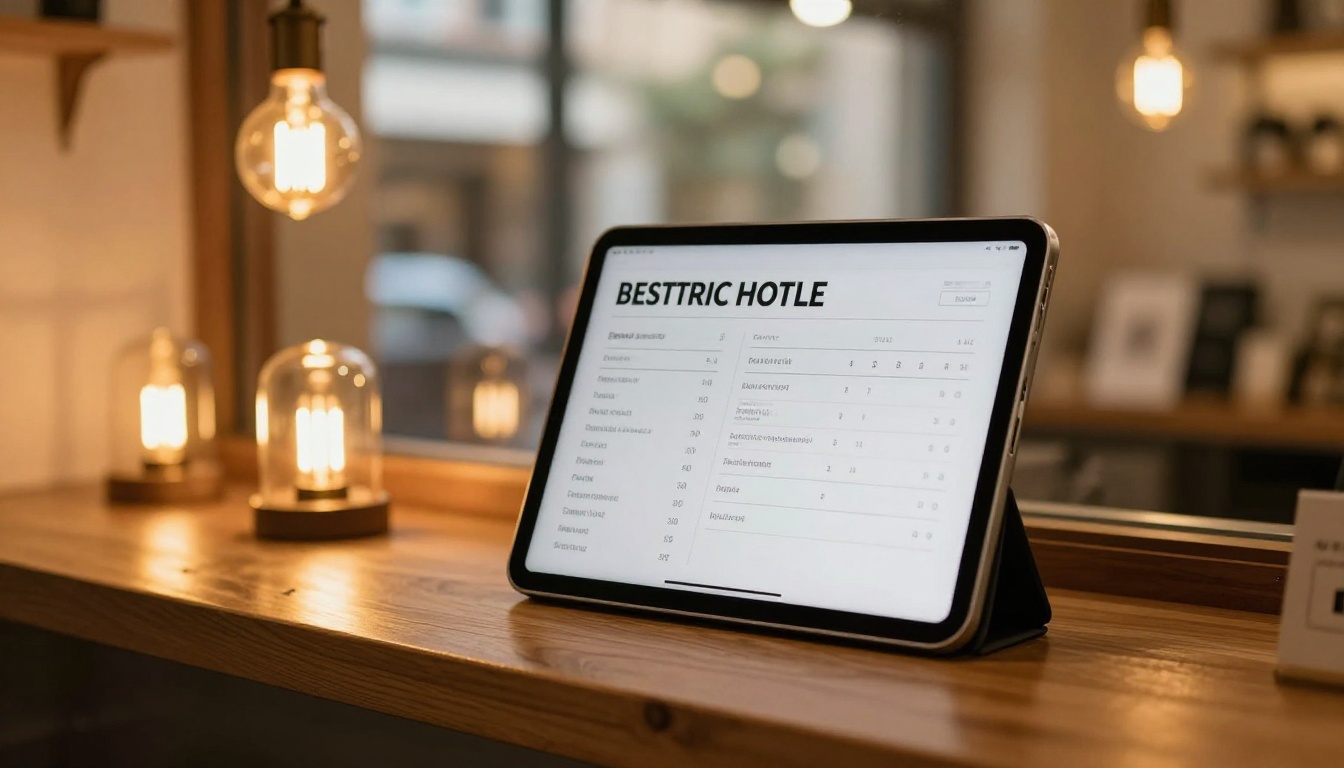
- Create an account on Flipbooks AI (takes under two minutes)
- Click "New Flipbook" from your dashboard
- Drag and drop your PDF or click to browse and select it
- Wait for the conversion (typically 30-90 seconds depending on page count)
- Preview your flipbook to confirm all pages rendered correctly
The platform supports PDFs across dozens of pages, so whether you have a one-page rate card or a full product catalog, it handles both with ease.
Step 3: Customize Your Branding
Once uploaded, you have full control over how your price list looks and behaves:
- Brand colors: Match your flipbook's interface to your business palette
- Logo placement: Add your logo to the viewer frame
- Background: Choose solid colors or subtle textures
- Page effects: Enable realistic page-turn animations for a premium feel
- Auto-flip: Set automatic page turning for kiosk or display use
- Custom domain: Share from your own domain (available on higher plans)
These customization options mean your price list looks like a natural extension of your brand, not a generic document viewer.
Step 4: Share and Distribute

This is where digital flipbooks outperform traditional formats:
- Direct link: Copy a single URL and paste it anywhere (email, WhatsApp, Instagram bio, SMS)
- Embed code: Paste a snippet into your website and the flipbook appears inline
- QR code: Generate a QR code to print on physical materials that links to the digital version
- Password protection: Lock the price list behind a password for wholesale or VIP clients
- Offline download: Allow clients to save it for offline reference, with your branding intact
With Flipbooks AI, the same price list works across every channel without creating multiple files to manage.
Price List Design Tips That Actually Work
Typography and Readability
The most common design mistake in price lists is using too many fonts or text that is too small to read comfortably. Here is what actually works:
- Headings: 18-24pt, bold, your brand's primary font
- Category labels: 14-16pt, medium weight, uppercase or sentence case
- Item names: 12-14pt, regular weight
- Prices: 12-14pt, bold, right-aligned or in a dedicated column
- Descriptions: 10-12pt, light or regular weight, muted color
Use visual hierarchy aggressively. The category heading should be immediately obvious. The price should be easy to find without reading every word on the page.
Color Psychology in Pricing
Colors communicate value before a customer reads a single price:
| Color Palette | Perceived Value | Best For |
|---|
| Black and gold | Luxury, premium | High-end salons, fine dining |
| Navy and white | Trust, corporate | B2B services, financial |
| Warm earth tones | Artisan, organic | Cafes, wellness, food |
| Clean white and gray | Modern, minimal | Tech, SaaS, agencies |
| Bright, bold colors | Energy, accessibility | Youth brands, fitness |
Your price list color palette should match your brand, but also be appropriate for the type of customer you want to attract. A day spa using aggressive neon colors sends a conflicting message before the client reads anything.
⚠️ Avoid using color alone to distinguish between service tiers. Always pair color with text labels (Basic, Standard, Premium) so all customers can read your pricing clearly.
Distributing Your New Year Price List
Email Distribution Best Practices
A well-structured email announcing your new pricing converts better than you might expect, provided it hits a few standards:
- Subject line: Be direct. "Our updated pricing for [Year]" performs better than a vague teaser.
- Opening line: Thank existing clients for their loyalty before mentioning changes.
- The link: Make the flipbook link a prominent button, not buried in a paragraph.
- Explanation: One or two sentences on what changed and why (new materials, expanded service, market rates).
- CTA: Invite clients to book before new rates take effect, if there is a grace period.
Embed on Your Website
With Flipbooks AI, embedding your price list on your website requires copying one snippet of code. Paste it into any page editor (WordPress, Squarespace, Wix, Webflow, or plain HTML) and your price list appears as an interactive, scrollable flipbook right inside your site.
This beats linking to a PDF because:
- Visitors stay on your website, reducing bounce rate
- The price list is mobile-responsive inside your page
- You can update the underlying document without touching your website code
- View data (Professional plan) flows directly to you
Use the Embed Flipbook on Website tool for detailed instructions tailored to your specific platform.
Tracking Who Views Your Price List
One of the most underused advantages of digital price lists is the data they generate. With a Professional plan on Flipbooks AI, you can see:
- Total views and unique visitors
- Time spent on each page of your price list
- Geographic location of viewers
- Referral source (which link they clicked to get there)
- Lead capture data if you enable the gate feature

This data changes how you sell. If you know a prospect spent four minutes on page three (your premium tier), you know what to lead with in the follow-up call. If you see that your price list gets shared heavily via WhatsApp, you invest more in that channel. A static PDF gives you zero of this.
💡 Use the lead generation gate feature to require an email address before downloading your price list as a PDF. It turns a passive document into an active lead collection tool without feeling intrusive.
Year-Round Price List Maintenance
The new year is the big update, but price list maintenance is an ongoing task. With a digital flipbook:
- Mid-year adjustments: Update in minutes, no reprint, no resend required
- Seasonal pricing: Swap pages for holiday menus or seasonal catalogs
- New service additions: Add pages without redesigning the whole document
- Multiple versions: Create separate flipbooks for retail, wholesale, and VIP pricing

Businesses using digital flipbooks for pricing report spending 70-80% less time on annual updates compared to those relying on printed materials or static PDFs. The initial setup pays back within the first update cycle.
Industries That Benefit Most
While any business with a price list can benefit, certain industries see the most dramatic return from going digital:
Salons and Beauty Services: Seasonal service additions, tiered pricing (junior vs. senior stylist), and high client contact frequency make digital flipbooks a natural fit. Customers often ask for the price list before booking, so a shareable link is far more practical than a printout.
Restaurants and Cafes: Seasonal menus, daily specials, and beverage updates happen constantly. A single shareable link handles all of it without reprinting. The Restaurant Menu Creator is built for exactly this workflow.
B2B Service Agencies: Retainer packages, project rates, and service tiers all benefit from professional presentation. The Sales Presentation tool pairs well with a rate card flipbook when closing deals.
Retail and Product Businesses: Seasonal catalog pricing, promotional price lists, and supplier rate cards are all natural flipbook use cases. The Product Catalog tool shows what is possible at scale.
Real Estate and Property Management: Fee schedules, management rates, and service packages shared with landlords and tenants benefit from polished digital presentation. The Real Estate Brochure tool offers related templates worth reviewing.
What Plan Do You Need?
Flipbooks AI offers tiered plans that scale with your business:
| Feature | Free | Standard | Professional |
|---|
| Flipbooks | 3 | Unlimited | Unlimited |
| Watermark | Yes | No | No |
| Custom branding | No | Yes | Yes |
| Password protection | No | Yes | Yes |
| Analytics | No | No | Yes |
| Lead generation | No | No | Yes |
| Offline downloads | No | Yes | Yes |
| Embed on website | No | Yes | Yes |
| Custom domain | No | No | Yes |
For most small businesses handling annual price list updates, the Standard plan covers everything needed: unlimited flipbooks, no watermarks, custom branding, password protection, and website embedding.
Businesses actively using their price list as a sales tool, tracking who opened it and capturing leads, should check the Professional plan to access analytics and lead generation features.
Make This the Last Time You Stress About Pricing Updates
New year price list updates do not have to be a scramble. When your pricing lives in a digital flipbook with a permanent URL, updates take minutes instead of days. Customers always see the current version. Your brand looks polished. And you have real data to make smarter pricing decisions throughout the year.
The businesses that feel organized and in control going into a new year are the ones that stopped treating their price list as a one-time print job and started treating it as a living business asset.
Ready to make the switch? Get started for free on Flipbooks AI and create your first digital price list today. When you are ready to scale, compare pricing plans to find the right fit for your business. Browse all available tools and templates to see how Flipbooks AI handles everything from price lists and catalogs to menus, brochures, and full product publications.



